Quick Summary (TL;DR):
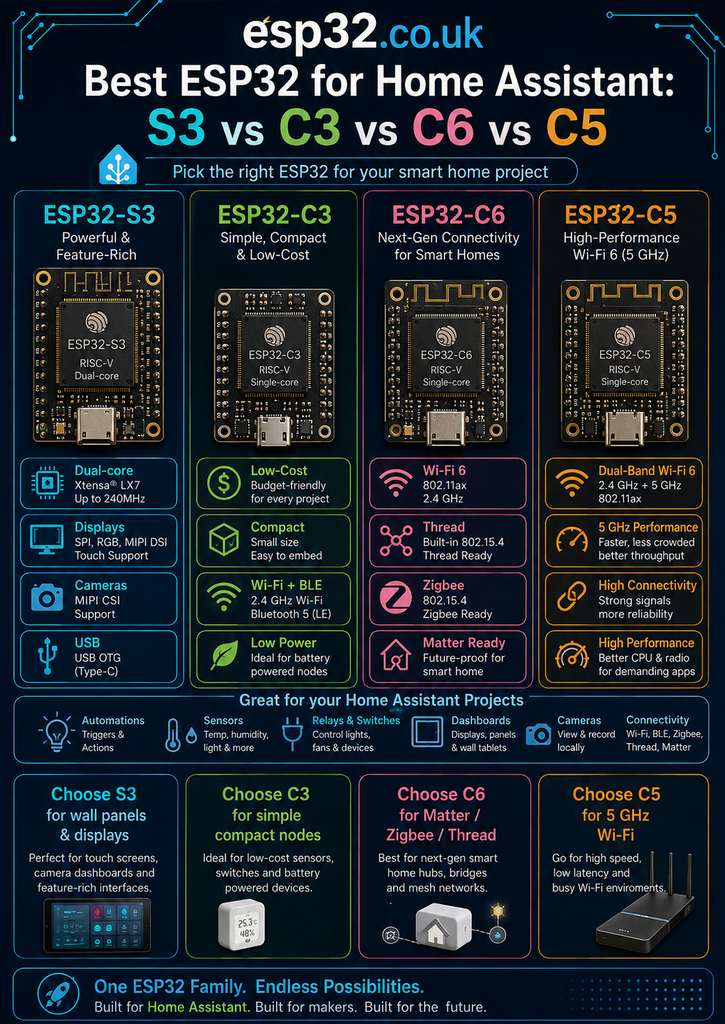
For most new Home Assistant + ESPHome projects in 2026, the ESP32-C6AliExpress price is the best default choice: it is inexpensive, mature, supports 2.4 GHz Wi-Fi 6, Bluetooth LE and IEEE 802.15.4 for Zigbee/Thread, and has enough CPU and RAM for ordinary sensors, relays and automation nodes. Choose the ESP32-S3AliExpress price instead for Bluetooth proxies, voice assistants, displays, cameras, audio, USB and heavier ESPHome configurations because its dual 240 MHz cores, 512 KB SRAM and mature PSRAM ecosystem provide substantially more local headroom. Choose the ESP32-C3AliExpress price when cost, tiny board size and simplicity matter most. Choose the ESP32-C5 when you specifically want 5 GHz Wi-Fi, a faster 240 MHz RISC-V CPU, newer wireless features or PSRAM-capable modules. There is no universal winner: C6 is the best smart-home default, S3 is the best performance/ESPHome feature board, C3 is the best budget node, and C5 is the best networking-focused option.
Materials You’ll Need
| Item | Why you may need it |
|---|---|
| ESP32-C6AliExpress price development board | Best all-round board to test modern Home Assistant / ESPHome projects |
| ESP32-S3AliExpress price board, preferably with PSRAM | Useful for BLE proxy, voice, display, camera and larger configurations |
| ESP32-C3 board or C3 SuperMini | Low-cost compact reference for simple sensor nodes |
| ESP32-C5 development board | Required to test 5 GHz Wi-Fi and C5-specific features |
| USB-C data cable | Programming, logs and power |
| Breadboard + jumper wires | Sensor and relay prototyping |
| I²C sensor such as SHT40/SHT45/BME280 | Simple real-world ESPHome comparison project |
| BLE sensor or SwitchBot-type device | Useful when evaluating Bluetooth proxy performance |
| 2.4/5 GHz access point | Needed to demonstrate the C5 dual-band advantage |
| Optional Zigbee coordinator / Thread border router | Required for realistic mesh-network testing |
You do not need to buy all four boards. The point of this guide is to decide which one fits the job before buying. For a first general Home Assistant board, the C6 is the most balanced choice. For someone who already knows the project needs audio, a display or aggressive BLE scanning, start with an S3 instead.
The Short Answer: Which ESP32 Is Best for Home Assistant?
| Home Assistant project | Best choice | Why |
|---|---|---|
| General ESPHome sensor / relay | ESP32-C6 | Modern, inexpensive, Wi-Fi 6 + BLE + 802.15.4 |
| Cheapest simple sensor | ESP32-C3 | Small, mature, low cost and plenty fast enough |
| Bluetooth proxy | ESP32-S3 | Dual-core architecture gives BLE + Wi-Fi more breathing room |
| Voice assistant | ESP32-S3 + PSRAM | Best mature audio/PSRAM ecosystem of these four |
| Touchscreen / display controller | ESP32-S3 + PSRAM | Rich display support, many GPIOs and dual-core CPU |
| Camera node | ESP32-S3 | Dedicated camera/display-oriented peripherals and mature support |
| Zigbee / Thread experiment | ESP32-C6 | 802.15.4 built in and widely available boards |
| 5 GHz Wi-Fi ESPHome node | ESP32-C5 | Only one here with 2.4 + 5 GHz Wi-Fi |
| Large firmware / PSRAM + modern radio | ESP32-C5 | Optional PSRAM, larger flash options and faster RISC-V CPU |
| Tiny hidden retrofit | ESP32-C3 | Huge ecosystem of tiny boards |
| One powerful board for unknown future projects | ESP32-S3 | Most versatile local peripherals and processing |
| One board specifically for smart-home networking | ESP32-C6 | Best balance of price, maturity and multiprotocol radio |
S3 vs C3 vs C6 vs C5 at a Glance
| Feature | ESP32-C3 | ESP32-C6 | ESP32-C5 | ESP32-S3 |
|---|---|---|---|---|
| Main CPU | 1× RISC-V @ 160 MHz | 1× RISC-V @ 160 MHz | 1× RISC-V @ 240 MHz | 2× Xtensa LX7 @ 240 MHz |
| Low-power CPU | No separate LP core | RISC-V LP core | RISC-V LP core | ULP coprocessor architecture |
| Internal SRAM | 400 KB | 512 KB HP + 16 KB LP | 384 KB HP + 16 KB LP | 512 KB |
| Wi-Fi | 2.4 GHz Wi-Fi 4 | 2.4 GHz Wi-Fi 6 | 2.4 + 5 GHz Wi-Fi 6 | 2.4 GHz Wi-Fi 4 |
| Bluetooth | BLE 5 | BLE 5.3-class hardware | Newer BLE / Core 6.0 on current C5 modules | BLE 5 |
| IEEE 802.15.4 | No | Yes | Yes | No |
| Zigbee / Thread | No | Yes | Yes | No |
| PSRAM ecosystem | Uncommon / not the reason to buy | Not typical on standard modules | Optional, up to 8 MB on current modules | Excellent; common 2/8/16 MB board options |
| USB | USB Serial/JTAG | USB Serial/JTAG | USB Serial/JTAG | USB OTG + Serial/JTAG |
| Camera / rich display focus | No | No | No | Yes |
| Best Home Assistant role | Cheap node | Default smart-home node | Dual-band / advanced network node | BLE / voice / display / heavy node |
A specification table alone can be misleading. A temperature sensor that wakes every five minutes and sends one value does not benefit from two CPU cores. A Bluetooth proxy scanning continuously while maintaining a Wi-Fi API connection can benefit enormously from the S3 architecture. Likewise, the C5’s 5 GHz radio is a major feature in the right house but provides no benefit to a device installed at the edge of Wi-Fi coverage where 2.4 GHz penetrates walls better.
Why the ESP32-C6 Is the Best Default Home Assistant Board in 2026
If the question is simply “I am building a new ESPHome device for Home Assistant — which ESP32 should I buy?”, the C6 now has the strongest default answer.
- 2.4 GHz Wi-Fi 6 for normal Home Assistant connectivity
- Bluetooth LE for BLE sensors and proxy-style use
- IEEE 802.15.4 for Zigbee and Thread
- 512 KB high-performance SRAM, unusually generous for a connectivity-focused chip
- 160 MHz RISC-V CPU, easily fast enough for normal ESPHome nodes
- native USB Serial/JTAG for easy programming
- excellent availability in official DevKitC/DevKitM and tiny SuperMini formats
- mature ESPHome and Arduino support
For a relay board, energy meter, temperature sensor, mmWave presence detector, garage-door controller, irrigation node or room environmental monitor, the C6 has far more capability than the application usually needs.
Wi-Fi 6 Matters Less Than the Marketing Suggests
C6 supports Wi-Fi 6, but that does not mean an ESPHome temperature sensor suddenly transfers data six times faster. ESPHome API packets are tiny. The useful Wi-Fi 6 features are more about efficiency in busy networks, scheduling and coexistence than raw throughput.
For Home Assistant, the bigger C6 advantage is the combination of modern Wi-Fi, BLE and 802.15.4 on one inexpensive chip, not benchmark speed.
The C6 Is Not Automatically the Best Zigbee Coordinator
This is an important distinction. Having an IEEE 802.15.4 radio does not automatically make a C6 development board the best replacement for a dedicated Home Assistant Zigbee coordinator.
ESPHome now supports Zigbee on ESP32-C5, C6 and H2-class 802.15.4 chips, but the current ESPHome documentation still notes practical limitations. In particular, some C6 boards have shown weaker Zigbee reliability than H2 boards, and using Wi-Fi together with a Zigbee router role can destabilise the Zigbee network.
So buy a C6 because it is a superb general smart-home MCU. Do not buy it solely because you assume it will replace a proven dedicated coordinator such as a Home Assistant Connect radio or another well-supported coordinator.
Why the ESP32-S3 Is Still the Best Powerful ESPHome Board
The S3 is older than C5/C6, lacks Wi-Fi 6 and has no 802.15.4 radio. Yet for many demanding Home Assistant projects it is still the strongest board of these four.
The reason is simple: local resources matter. The S3 provides two 240 MHz Xtensa LX7 cores, 512 KB internal SRAM, vector instructions, native USB OTG, lots of GPIO and a mature ecosystem of boards with PSRAM.
ESP32-S3 strengths for Home Assistant:
dual 240 MHz cores
+ large RAM / PSRAM options
+ BLE
+ Wi-Fi
+ USB OTG
+ display / camera / audio ecosystem
= excellent heavy ESPHome platform
S3 Is the Better Bluetooth Proxy Choice
ESPHome’s BLE tracker documentation explains an important architectural issue: on dual-core ESP32 devices, Wi-Fi and BLE work can be split across cores, while on single-core chips such as the C3 they must share the same main core. ESPHome explicitly warns that Wi-Fi connection problems have historically occurred on single-core BLE-tracker configurations.
That makes the S3 a particularly sensible choice for a dedicated Home Assistant Bluetooth proxy, especially when the node also runs additional sensors or active BLE connections.
Home Assistant can aggregate multiple ESPHome Bluetooth proxies, so a practical house-wide design is often several inexpensive proxies placed around the home rather than one extremely powerful central radio. But if each proxy is expected to do more than passive advertisements, the S3 gives more headroom.
Do Not Overload a Bluetooth Proxy
The BLE stack consumes significant RAM, and ESPHome warns that BLE plus memory-heavy components can cause instability. Voice and audio components are particularly demanding.
A useful design rule is therefore: dedicate the proxy to Bluetooth if reliability matters. Do not turn one board into a BLE proxy, voice assistant, web server, large display controller and ten-sensor node simply because the YAML compiles.
S3 Is Also the Clear Voice Assistant Choice
ESPHome’s current voice stack is resource intensive, and modern voice projects commonly use ESP32-S3 hardware with PSRAM. The ESP32-S3-BOX family remains an official ESPHome-ready voice platform, and 2026 ESPHome releases continue to optimise audio workloads and move more task memory into PSRAM.
If the project includes a microphone, speaker, wake-word model or media playback, choose an S3 board with PSRAM. C3 and C6 are excellent sensor MCUs but are the wrong place to save a few euros when building a voice endpoint.
S3 Is the Better Display and Camera Choice
The S3’s peripheral set and module ecosystem make it the obvious choice among these four for graphical Home Assistant panels, cameras and rich local interfaces. ESPHome supports display drivers that effectively expect the large GPIO count and PSRAM commonly found on S3 boards.
For a simple 0.96-inch I²C OLED, all four chips can work. For a 480×480 RGB display, LVGL interface, camera stream or local image assets, the S3 moves into a different class.
Why the ESP32-C3 Is Still One of the Best Home Assistant Values
The C3 is the least exciting chip in this comparison on paper, and that is precisely why it remains so useful.
- 160 MHz RISC-V CPU
- 400 KB SRAM
- 2.4 GHz Wi-Fi
- Bluetooth LE
- native USB Serial/JTAG
- very low-cost modules and boards
- enormous mature ecosystem
- tiny SuperMini and XIAO-style formats
A door sensor, DS18B20 node, SHT40 room sensor, relay controller or basic LED controller rarely needs anything more.
C3 Is Often the Best Choice When You Need Many Devices
Home Assistant installations scale horizontally. Instead of building one €20 board that does everything, many users deploy ten or twenty small ESPHome nodes around the house.
At that scale, board price and physical size matter. Saving €2–€4 per node becomes meaningful, while the C3 still provides far more processing power than a typical sensor requires.
Where the C3 Starts to Struggle
The C3 is single-core, has no 802.15.4 radio, no 5 GHz Wi-Fi and generally lacks the PSRAM/display ecosystem of the S3. Its limitations become visible when the device performs continuous BLE scanning, active BLE connections, audio processing, complex displays or large local web interfaces.
ESPHome specifically documents single-core Wi-Fi/BLE coexistence issues for the BLE tracker. That does not make C3 unusable as a proxy, but it does mean that an S3 is the safer recommendation when Bluetooth proxy duty is the primary purpose.
Why the ESP32-C5 Is the Most Interesting New Networking Option
The C5 is the newest and most network-focused board in this comparison. Its defining feature is not simply a faster CPU. It is the first mainstream ESP32 option here with dual-band 2.4 GHz + 5 GHz Wi-Fi alongside BLE and IEEE 802.15.4.
- 240 MHz RISC-V high-performance CPU
- low-power RISC-V coprocessor
- 2.4 GHz + 5 GHz Wi-Fi 6
- newer Bluetooth LE feature set
- Zigbee / Thread capable 802.15.4 radio
- optional PSRAM support
- current WROOM modules with large flash options
- modern security and CAN FD peripheral options
5 GHz Wi-Fi Can Solve a Real Home Assistant Problem
Many homes have a heavily congested 2.4 GHz band because it is shared by Wi-Fi, BLE, Zigbee, Thread, wireless cameras and neighbouring access points. The C5 lets an ESPHome device move its Wi-Fi traffic to 5 GHz while leaving 2.4 GHz spectrum less crowded.
ESPHome added a C5-specific band_mode option in 2026, allowing the device to use AUTO, 2.4GHZ or 5GHZ operation.
wifi:
  ssid: !secret wifi_ssid
  password: !secret wifi_password
  band_mode: 5GHZ
For a wall panel, high-traffic bridge or densely populated apartment, this can be genuinely useful.
But 5 GHz Is Not Automatically Better
5 GHz generally has shorter range and poorer wall penetration than 2.4 GHz. A garden shed, outdoor meter box or basement sensor may connect more reliably on 2.4 GHz even when the access point supports both bands.
The Home Assistant lesson is simple: use 5 GHz where it solves congestion or network-design problems. Do not force every IoT device to 5 GHz simply because the C5 can do it.
C5 Has More CPU but Less Internal SRAM Than C6
One of the least obvious C5/C6 differences is memory. C5 raises the main CPU from 160 MHz to 240 MHz but the current C5 architecture provides 384 KB HP SRAM, while C6 provides 512 KB HP SRAM.
C5 compensates by supporting external PSRAM on suitable modules. This means the best chip depends on the application: C6 has excellent self-contained memory for ordinary ESPHome work, while a PSRAM-equipped C5 can scale further for large applications.
ESPHome Support in 2026: All Four Are Real Choices
A few years ago, software maturity alone could decide this comparison. That is no longer true. Current ESPHome recognises esp32s3, esp32c3, esp32c5 and esp32c6 as supported ESP32 variants.
ESPHome 2026.7 also moved ESP32 builds to the native ESP-IDF toolchain by default. This matters because modern ESP32 features increasingly arrive first through ESP-IDF rather than through an older Arduino compatibility layer.
C5 is therefore no longer in the “interesting chip but wait for software support” category. It is a practical ESPHome target in 2026.
Basic ESPHome Configuration Examples
The application YAML can remain almost identical; the important difference is the ESP32 variant.
ESP32-C3
esphome:
  name: room-sensor-c3

esp32:
  variant: esp32c3

wifi:
  ssid: !secret wifi_ssid
  password: !secret wifi_password

api:

ota:
  - platform: esphome
ESP32-C6
esphome:
  name: room-sensor-c6

esp32:
  variant: esp32c6

wifi:
  ssid: !secret wifi_ssid
  password: !secret wifi_password

api:

ota:
  - platform: esphome
ESP32-C5 with Automatic Dual-Band Wi-Fi
esphome:
  name: room-controller-c5

esp32:
  variant: esp32c5

wifi:
  ssid: !secret wifi_ssid
  password: !secret wifi_password
  band_mode: AUTO

api:

ota:
  - platform: esphome
ESP32-S3
esphome:
  name: advanced-node-s3

esp32:
  variant: esp32s3

wifi:
  ssid: !secret wifi_ssid
  password: !secret wifi_password

api:

ota:
  - platform: esphome
For a real development board, using the correct board: definition is preferable when ESPHome already provides one, because flash size, PSRAM and pin defaults depend on the exact PCB/module.
Best Board for a Home Assistant Bluetooth Proxy
Winner: ESP32-S3.
Home Assistant actively recommends networked Bluetooth proxies as a way to extend BLE coverage around the home. Multiple ESPHome proxies can be aggregated automatically by the Home Assistant Bluetooth integration.
Among these four chips, S3 is the strongest dedicated Wi-Fi Bluetooth-proxy platform because its dual-core CPU and generous memory give Wi-Fi, BLE scanning and active GATT connections more breathing room.
| Chip | BLE proxy verdict |
|---|---|
| ESP32-S3 | Best choice — dual core, good RAM, mature boards |
| ESP32-C5 | Capable and fast; interesting if 5 GHz backhaul is useful |
| ESP32-C6 | Capable, but single-core and 2.4 GHz Wi-Fi shares the same RF environment |
| ESP32-C3 | Works, but ESPHome documents single-core Wi-Fi/BLE coexistence concerns |
There is an interesting special case for C5: a proxy using 5 GHz Wi-Fi backhaul can avoid adding Wi-Fi traffic to the already crowded 2.4 GHz band used by BLE. That makes C5 potentially very attractive for future high-quality proxy designs, even though S3 remains the safer established recommendation today.
Best Board for Voice Assistant / Assist
Winner: ESP32-S3 with PSRAM.
Voice Assistant, wake-word and media components use substantial RAM and CPU. ESPHome explicitly warns that audio and voice workloads are resource intensive, and its own ready-made voice ecosystem heavily uses ESP32-S3 hardware.
For voice, buy enough memory from the beginning. A cheap S3 with no PSRAM can be a false economy when an S3 N8R8/N16R8-style board costs only slightly more and provides much more room for audio buffers, wake-word models and future features.
Best Board for Displays and Home Assistant Wall Panels
Winner: ESP32-S3 with PSRAM.
S3 offers the strongest established combination of GPIO count, PSRAM, display support and CPU performance. It is the natural choice for LVGL interfaces, RGB panels and local graphical control surfaces.
C5 can be interesting for a simpler display that benefits from 5 GHz networking, but it is not a replacement for S3’s display/camera ecosystem. If the project moves into very large MIPI displays or serious multimedia, ESP32-P4 sits above all four chips in this guide.
Best Board for Zigbee in ESPHome
Among these four: ESP32-C6 or ESP32-C5.
Both provide IEEE 802.15.4 hardware, and current ESPHome Zigbee support includes C5 and C6. But the intended role matters.
- Zigbee end device — realistic use for ESPHome sensors and actuators
- Zigbee router — possible, but be careful with simultaneous Wi-Fi on the same device
- Zigbee coordinator — generally better served by dedicated, well-supported coordinator hardware
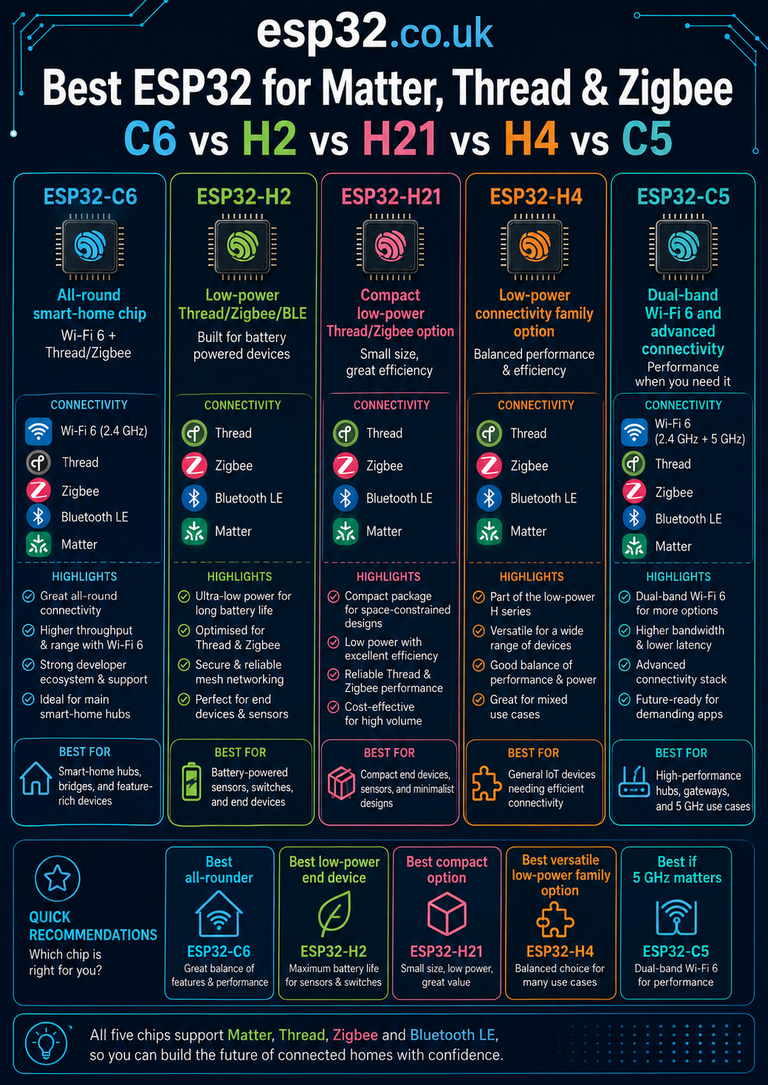
If a project is purely a Zigbee endpoint and does not need Wi-Fi, ESP32-H2 deserves consideration because it is specifically designed around BLE + 802.15.4. This guide compares the four chips most users consider for general Home Assistant boards, so H2 is outside the main ranking.
Best Board for Thread and Matter-over-Thread
Winner: C6 for value/maturity; C5 when its extra networking features are useful.
ESPHome’s OpenThread component supports ESP32 chips with 802.15.4 radios, including C5 and C6. That allows them to operate as Thread devices when configured with ESP-IDF.
But a Thread endpoint is not the same thing as a Thread Border Router. Home Assistant’s Thread network still requires a suitable border router/radio architecture to bridge the Thread mesh to the normal IP network.
So the C6/C5 radio makes them excellent experimentation platforms and potential Matter-over-Thread end-device MCUs; it does not mean every C6 sensor should become the border router for your house.
Best Board for Battery-Powered ESPHome Nodes
For battery nodes, the answer depends more on the development board than the raw chip. USB bridges, regulators, power LEDs and voltage dividers can consume far more current than the sleeping MCU.
At chip level, C3 and C6 are very attractive low-power options, and C6’s low-power subsystem is especially useful for modern IoT designs. C5 adds more performance and radio options but its extra capabilities do not automatically produce lower sleep current.
For a battery temperature sensor that wakes briefly, transmits and sleeps, I would normally choose a small C3/C6 board designed for low quiescent current rather than an S3 development board covered in LEDs and USB hardware.
Best Board for Relays, Sensors and Ordinary ESPHome Devices
Winner: C6, with C3 as the budget alternative.
Most Home Assistant ESPHome devices perform extremely light work: read an I²C sensor, watch a GPIO, publish values, drive a relay, and accept OTA updates.
A C6 gives modern connectivity and excellent future flexibility. A C3 performs the same basic job for less money. S3 and C5 only make sense here when the board itself offers a form factor or peripheral that the project specifically needs.
Best Board for Energy Monitoring
For pulse meters, CT-clamp monitors, PZEM devices, SDM120/SDM630 Modbus meters and similar projects, CPU performance is rarely the limiting factor.
| Energy-monitoring design | Recommended ESP32 |
|---|---|
| Simple pulse counter | C3 or C6 |
| PZEM / UART meter | C3 or C6 |
| Modbus RTU / RS-485 | C3 or C6 |
| Multi-channel monitor + BLE + web UI | S3 |
| Meter cabinet where 2.4 GHz is congested but 5 GHz is strong | C5 |
Best Board for mmWave Presence Sensors
LD2410, LD2420, LD2450 and similar radar modules mostly need UART plus a few GPIOs. C3 and C6 are therefore ideal. S3 is unnecessary unless the same node also performs BLE proxy, display or other heavy tasks.
C6 has an additional strategic advantage for a modern room node: one board can combine radar, environmental sensors, normal Wi-Fi ESPHome connectivity and future 802.15.4 experimentation.
Wi-Fi Range: 2.4 GHz vs 5 GHz in a Real House
C5 is the only dual-band option here, but smart-home placement often favours 2.4 GHz. Sensors are installed behind appliances, inside cabinets, in garages, near meters and across multiple walls.
| Band | Strength | Weakness | Typical HA use |
|---|---|---|---|
| 2.4 GHz | Longer range, better wall penetration | More interference / congestion | Sensors, outdoor nodes, general ESPHome |
| 5 GHz | Cleaner spectrum, more channels | Shorter range, poorer penetration | Wall panels, dense apartments, nodes near APs |
The best C5 feature is therefore choice. ESPHome can leave band_mode: AUTO and allow the network design to decide rather than forcing a single band for every installation.
Bluetooth and Wi-Fi Share Radio Time
On 2.4 GHz ESP32 devices, Wi-Fi and BLE do not behave like two completely independent radios. They share RF resources and rely on coexistence mechanisms.
This is why Bluetooth proxy performance can improve when network traffic is reduced, and why Home Assistant/ESPHome documentation recommends sensible scan parameters rather than aggressively maximizing scan windows.
It is also why a C5 proxy using 5 GHz Wi-Fi is conceptually interesting: the network backhaul can move away from the 2.4 GHz spectrum used by BLE. Whether this produces a practical advantage depends on board, antenna, firmware and access-point placement, so it should be tested rather than assumed.
How Much RAM Do Home Assistant Projects Actually Need?
A simple ESPHome temperature sensor uses a small fraction of the memory available on any of these chips. RAM becomes important when stacking features.
Simple sensor
  → small RAM requirement

BLE tracker + API + multiple clients
  → larger RAM requirement

Display + LVGL + fonts + images
  → much larger RAM requirement

Voice + audio + wake word
  → PSRAM strongly desirable
This explains why C6 can outperform a C5 in one simple metric — internal HP SRAM — while an S3 or PSRAM-equipped C5 can be the better platform for a very large application.
GPIO Count: Do Not Compare Chips Without Comparing Boards
The number printed in a chip datasheet is not the number you automatically receive on a development board. Module flash/PSRAM wiring, USB, onboard LEDs and board layout all consume or hide pins.
For Home Assistant projects, compare the actual board you are buying. A full-size S3 DevKitC may expose far more convenient GPIOs than a tiny C6 SuperMini even though the chip families themselves have different maximum counts.
If the project needs many relays, multiple UARTs, a parallel display or numerous sensors, board pinout can matter more than processor speed.
Board Recommendations by Chip
ESP32-C3
- ESP32-C3 SuperMini — tiny and cheap for compact nodes
- ESP32-C3-DevKitM-1 — official reference-style board
- XIAO ESP32C3 — compact polished ecosystem
ESP32-C6
- ESP32-C6-DevKitC-1 — easiest full-size official choice
- ESP32-C6-DevKitM-1 — smaller official MINI-module board
- ESP32-C6 SuperMini — excellent compact Home Assistant node after checking the exact pinout/revision
ESP32-C5
- ESP32-C5-DevKitC-1 — safest current starting point for dual-band experimentation
- PSRAM-equipped C5 module/board — preferable for large web/UI/network applications
ESP32-S3
- ESP32-S3-DevKitC-1 — excellent general development board
- S3 boards with 8 MB PSRAM — strong default for voice/display work
- ESP32-S3-BOX-3 — purpose-built voice/display platform
Should You Replace Existing ESP32-C3 or S3 Devices?
No — not if they already work.
A working ESPHome node does not become obsolete because a C6 or C5 exists. Home Assistant cares about reliable entities and local control, not processor-generation bragging rights.
- Keep C3 if the sensor is reliable and feature-complete.
- Keep S3 if the display, BLE proxy, voice node or camera works.
- Move to C6 when 802.15.4 or a newer board architecture solves a real requirement.
- Move to C5 when 5 GHz, extra performance or PSRAM solves a real problem.
Should a New Project Still Use the Original ESP32?
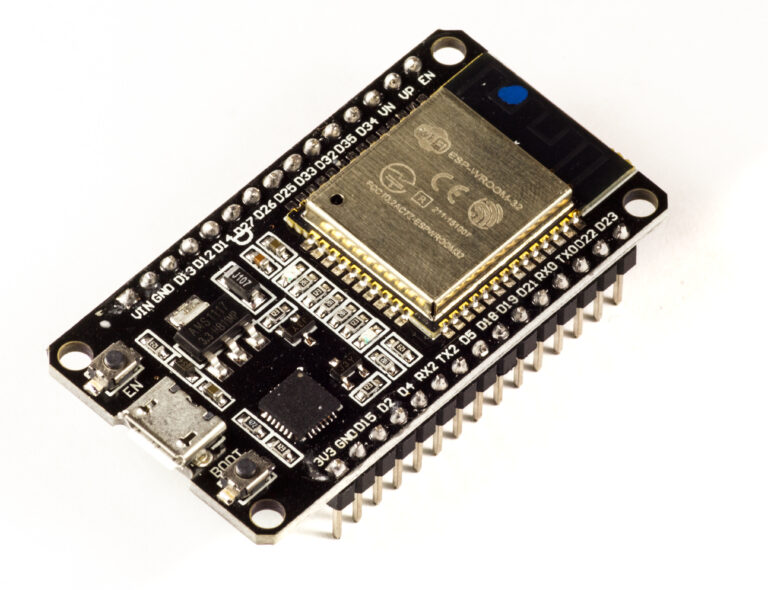
The original ESP32 is still extremely useful and is supported everywhere, especially on Ethernet/PoE boards used as excellent Bluetooth proxies. But for a new generic sensor PCB, C3/C6/S3/C5 usually offer newer USB, security and power-management architectures.
This article focuses on the four modern choices users are most likely to compare in 2026, not because the classic ESP32 suddenly stopped working.
Decision Guide
Need a normal Home Assistant sensor or relay?
  → ESP32-C6

Need the cheapest tiny node?
  → ESP32-C3

Need BLE proxy, voice, camera or display?
  → ESP32-S3 + PSRAM

Need 5 GHz Wi-Fi?
  → ESP32-C5

Need Zigbee / Thread experimentation?
  → ESP32-C6 or C5

Need a dedicated low-power Zigbee/Thread endpoint with no Wi-Fi?
  → also consider ESP32-H2
The Most Important Buying Mistakes to Avoid
Buying S3 for a One-Sensor Node
It works perfectly, but you are paying for capabilities the project does not use. C3/C6 usually make more sense.
Buying C3 for a Heavy Bluetooth Proxy Because It Is Cheapest
C3 can proxy BLE, but its single-core architecture gives Wi-Fi and BLE less headroom. Use S3 when proxy reliability is the primary goal.
Buying C5 Solely Because 5 GHz Sounds Faster
Home Assistant sensor traffic is tiny. 5 GHz matters for congestion and network design, not because a temperature value needs high throughput.
Assuming C6 Replaces a Zigbee Coordinator
C6 contains the right radio, but coordinator stability, firmware, antenna design and ecosystem support matter. Keep dedicated coordinator roles separate unless the project specifically targets them.
Ignoring the Exact Development Board
The chip is only half the product. Antenna quality, regulator, flash/PSRAM, USB wiring and pin breakout can turn two boards with the same ESP32 into very different Home Assistant devices.
Final Ranking for Home Assistant in 2026
| Rank / role | Chip | Verdict |
|---|---|---|
| Best overall smart-home default | ESP32-C6 | Best balance of modern radio, price, maturity and ESPHome capability |
| Best advanced ESPHome platform | ESP32-S3 | Best for BLE, voice, display, camera, USB and PSRAM-heavy projects |
| Best budget / compact node | ESP32-C3 | Still one of the smartest choices for simple distributed sensors |
| Best wireless/networking specialist | ESP32-C5 | 5 GHz Wi-Fi, faster RISC-V and modern multiprotocol connectivity |
Final Recommendation
For most readers building a new Home Assistant sensor, relay or controller, buy an ESP32-C6. It offers the broadest smart-home feature set without paying for performance that ordinary ESPHome nodes rarely use.
For a Bluetooth proxy, voice assistant, graphical display, camera or large ESPHome configuration, buy an ESP32-S3 with PSRAM. The S3 remains the most practical high-performance ESPHome workhorse despite being older than C5/C6.
For a fleet of cheap, tiny sensors, buy ESP32-C3. It is mature, inexpensive and still more than powerful enough for basic Home Assistant work.
For a device that genuinely benefits from 5 GHz Wi-Fi, more CPU performance, large flash/PSRAM options or the newest connectivity stack, buy ESP32-C5.
C6 = best Home Assistant default
S3 = best heavy ESPHome / BLE / voice / display board
C3 = best cheap sensor node
C5 = best 5 GHz / advanced networking board
The best purchase is therefore not the newest chip. It is the cheapest board that comfortably supports the role the device will actually perform for the next several years.
Related ESP32 Guides
- ESP32-C5 vs ESP32-C6: Which Should You Buy?
- ESP32-C3 vs ESP32-C6: Which One Should You Use?
- ESP32-C5 vs ESP32-S3: 5 GHz Wi-Fi or Dual-Core Performance?
- ESP32-C6 SuperMini Pinout + Safe GPIOs
- ESP32-S3 DevKitC-1 Pinout + Safe GPIOs
- Which ESP32-C Series Should You Buy?
- ESP32 Versions Explained: Complete Chip & Board Comparison
- ESP32-C3 SuperMini Pinout + Safe GPIOs
- ESP32-H2 SuperMini Pinout + Safe GPIOs
Metadata
SEO title: Best ESP32 for Home Assistant: S3 vs C3 vs C6 vs C5
Meta description: Best ESP32 for Home Assistant in 2026: compare S3, C3, C6 and C5 for ESPHome, BLE proxies, Zigbee, Thread, 5 GHz Wi-Fi and voice.
Slug: best-esp32-for-home-assistant-s3-c3-c6-c5
Focus keyword: Best ESP32 for Home Assistant
Secondary keywords: ESP32 Home Assistant, best ESP32 ESPHome, ESP32-S3 vs C6, ESP32-C3 vs C6, ESP32-C5 Home Assistant, ESP32 Bluetooth proxy, ESP32 Zigbee ESPHome
Category: ESP32 Boards & Modules
Tags: Home Assistant, ESPHome, ESP32-S3, ESP32-C3, ESP32-C6, ESP32-C5, Bluetooth Proxy, Zigbee, Thread, Matter, Wi-Fi 6
Datasheets & External Resources
All manufacturer and framework documentation is collected here so the main guide remains focused on esp32.co.uk content.
- ESPHome ESP32 Platform — current supported ESP32 variants and framework configuration.
- ESPHome Bluetooth Proxy — proxy architecture, connection slots and current recommendations.
- ESPHome ESP32 BLE Tracker — BLE memory use, scanning and single-core coexistence considerations.
- ESPHome Zigbee Component — current C5/C6/H2 Zigbee support and coexistence limitations.
- ESPHome OpenThread Component — current Thread support on ESP32 802.15.4 devices.
- ESPHome Wi-Fi Component — includes the ESP32-C5 dual-band
band_modesetting. - Home Assistant Bluetooth Integration — official remote-adapter/Bluetooth-proxy guidance.
- Home Assistant Thread Integration — Thread networks and border-router guidance.
- ESP32-C3 Series Datasheet — official C3 CPU, memory, Wi-Fi, BLE and peripheral specifications.
- ESP32-C6 Series Datasheet — official C6 Wi-Fi 6, BLE, 802.15.4 and memory specifications.
- ESP32-C5 Series Datasheet — official dual-band Wi-Fi 6, BLE, 802.15.4, CPU and PSRAM specifications.
- Espressif ESP32-S3 Product Documentation — S3 dual-core CPU, SRAM, Wi-Fi/BLE and AI/DSP overview.