Quick Summary (TL;DR):
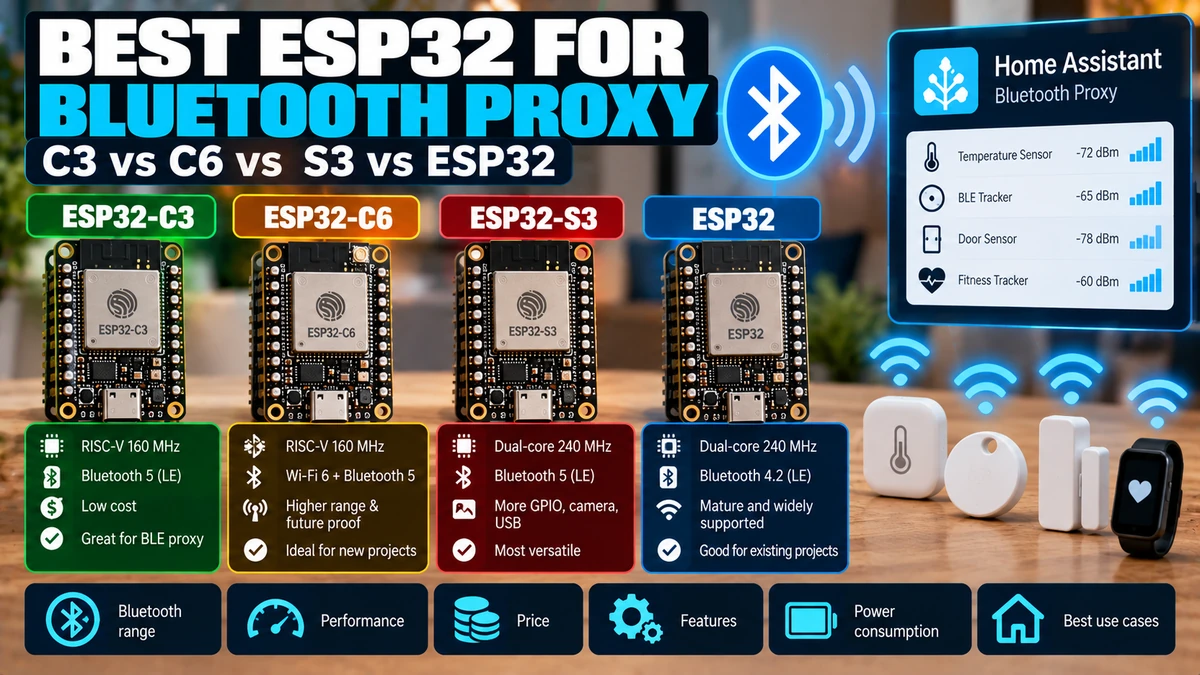
For a dedicated Home Assistant Bluetooth Proxy in 2026, the ESP32-C3AliExpress price is the best-value Wi-Fi proxy: it is cheap, tiny, widely available, has Bluetooth 5 LE, 400 KB SRAM and more than enough CPU for continuous BLE scanning and forwarding advertisements to Home Assistant. Choose ESP32-C6AliExpress price if you want a newer platform with 512 KB SRAM, Wi-Fi 6, Bluetooth 5.3 and the possibility of reusing the board later for Thread/Zigbee projects—but do not expect dramatically better BLE proxy range just because the chip is newer. Choose ESP32-S3AliExpress price when the proxy also needs extra processing, PSRAM, USB, a display or other peripherals; for a proxy-only node, its dual-core 240 MHz CPU is mostly unnecessary. The classic ESP32 remains an excellent proxy and is especially interesting when used on an Ethernet or PoE board. Current ESPHome documentation explicitly recommends Ethernet proxies for the best Bluetooth performance because Wi-Fi no longer competes with BLE for the same radio time, and Ethernet-based ESP32 proxies can generally handle four active GATT connection slots reliably versus the normal Wi-Fi default of three. The biggest factors in proxy reliability are placement, antenna quality, RF interference, Wi-Fi/BLE coexistence and proxy density—not raw CPU clock. All Wi-Fi-connected ESP32 proxies must time-share a radio between Wi-Fi and Bluetooth, so putting a proxy beside a router, switch, metal rack or access point can perform worse than a cheaper C3 placed correctly. For most homes, use several inexpensive C3 or C6 proxies placed near BLE devices rather than one “powerful” S3 in the centre of the house. If you need the strongest single proxy, use an Ethernet ESP32 board with an external antenna.
Materials You’ll Need
| Item | Why you need it |
|---|---|
| ESP32-C3AliExpress price / C6 / S3 / classic ESP32 board | Bluetooth Low Energy scanning and Home Assistant proxy |
| USB data cable | Initial ESPHome flashing |
| Stable USB power supply | 24/7 proxy reliability |
| Home Assistant | Consumes BLE advertisements and active proxy connections |
| ESPHome 2026.x | Bluetooth proxy + BLE tracker firmware |
| Optional Ethernet/PoE ESP32 board | Best radio performance by removing Wi-Fi coexistence |
| Optional external antenna board/module | Improves placement flexibility and RF coverage |
What a Home Assistant Bluetooth Proxy Actually Does
A Bluetooth Proxy is not a BLE repeater in the traditional sense. It listens for Bluetooth Low Energy advertisements and can also create active GATT connections on behalf of Home Assistant.
BLE sensor / lock / thermostat
        ↓ Bluetooth
ESPHome Bluetooth Proxy
        ↓ Wi-Fi or Ethernet
Home Assistant
        ↓
native Bluetooth integrations
Home Assistant sees BLE devices through the proxy as if Bluetooth coverage had been extended into that room.
Passive Advertisements vs Active Connections
| BLE behaviour | What proxy does |
|---|---|
| Passive advertisement | Receives broadcast packets; no persistent GATT slot required |
| Active connection | Connects to device to read/write/subscribe; consumes a connection slot |
Many BTHome temperature sensors and beacons only advertise data. Locks, thermostats and some SwitchBot-style devices may need active connections for control or detailed reads.
Current ESPHome Active Connection Limits
Current ESPHome documents approximately 1 KB RAM per configured active connection slot on ESP32 and supports up to nine configured slots, but recommends not exceeding five for memory/stability reasons.
The normal ESP32 Bluetooth Proxy default is three connection slots. Ethernet-based proxies can generally handle four reliably because the ESP32 radio is no longer simultaneously carrying Wi-Fi traffic.
Wi-Fi proxy
→ default active slots: 3

Ethernet ESP32 proxy
→ typically 4 reliable slots

Passive advertisements
→ not limited by these active connection slots
The Most Important Comparison Result
| Board/SoC | Proxy verdict |
|---|---|
| ESP32-C3AliExpress price | Best value / best default cheap Wi-Fi proxy |
| ESP32-C6 | Best newer all-round board; extra RAM + Wi-Fi 6 + 802.15.4 |
| ESP32-S3 | Best when proxy also does heavier local work |
| Classic ESP32 | Still excellent; best with Ethernet/PoE |
There is no universal “C6 has better Bluetooth range than C3” rule. Board antenna layout and placement can dominate the SoC generation.
ESP32-C3: My Default Recommendation
ESP32-C3 is a single-core 160 MHz RISC-V MCU with 400 KB SRAM, 2.4 GHz Wi-Fi and Bluetooth 5 LE including long-range PHY support.
For a dedicated Bluetooth proxy, that is plenty of hardware.
- cheap
- small
- mature ESPHome support
- Bluetooth 5 LE
- native USB on many boards
- huge board ecosystem
- easy to place one in every important room
The biggest practical advantage is cost and size. Bluetooth proxy networks improve by increasing proxy density, and C3 makes it inexpensive to deploy several nodes.
Why C3 Beats S3 for a Proxy-Only Node
Bluetooth proxy workload:
scan BLE advertisements
forward data to HA
maintain a few active BLE connections

This does NOT require:
dual 240 MHz cores
camera interface
large display support
vector AI instructions
Buying S3 purely for more CPU does not fix RF placement or Wi-Fi/BLE coexistence.
Best C3 Boards for Bluetooth Proxy
| Board type | Why useful |
|---|---|
| ESP32-C3 SuperMini | Tiny and cheap; excellent room proxy |
| ESP32-C3-DevKitM-1 | Official-style dev platform and easy USB access |
| XIAO ESP32C3 | Compact, good ecosystem; external antenna versions can be attractive |
| C3 module with external antenna | Best when enclosure/placement needs antenna flexibility |
The actual board antenna implementation matters. Very cheap SuperMini clones can vary in antenna layout, regulator quality and PCB construction.
ESP32-C6: The Best Newer General Choice
ESP32-C6 uses a 160 MHz RISC-V application core and provides 512 KB SRAM, 2.4 GHz Wi-Fi 6, Bluetooth 5.3 LE and IEEE 802.15.4 for Thread/Zigbee.
For Bluetooth Proxy alone, C6 does not need its Thread/Zigbee hardware. But the extra memory and modern connectivity make it a good board to standardise on if you already use C6 throughout the house.
C6 Advantages over C3
- 512 KB SRAM vs 400 KB
- Wi-Fi 6
- Bluetooth 5.3-class platform
- 802.15.4 Thread/Zigbee hardware
- newer chip family
- good SuperMini and official DevKit availability
The extra SRAM can provide more headroom when you add sensors/components to the same node, but Bluetooth Proxy itself does not suddenly need a 512 KB MCU.
C6 Wi-Fi + BLE Still Share Radio Time
ESP32-C6 still has a shared 2.4 GHz radio resource for Wi-Fi, Bluetooth and 802.15.4. Espressif documents time-division coexistence between these protocols.
C6 Wi-Fi transmitting
→ BLE cannot use the same RF path at that exact instant

C6 BLE scanning
→ Wi-Fi shares radio time via coexistence logic
Therefore Wi-Fi 6 does not magically eliminate Bluetooth coexistence constraints.
Should You Run Thread/Zigbee and Bluetooth Proxy on the Same C6?
You can combine several radio features technically, but it is usually not the architecture I would choose for maximum reliability.
Espressif’s own coexistence documentation notes that single-radio designs must share RF resources and recommends dual-SoC approaches for demanding Wi-Fi + 802.15.4 gateway roles.
For Home Assistant infrastructure, a dedicated C6 Bluetooth Proxy and a separate Thread/Zigbee radio/controller is often cleaner.
ESP32-S3: Powerful but Usually Overkill
ESP32-S3 provides dual 240 MHz Xtensa LX7 cores, 512 KB SRAM, Bluetooth 5 LE, Wi-Fi and optional PSRAM.
It is an excellent chip, but Bluetooth Proxy normally does not benefit much from the extra compute.
| S3 makes sense when proxy also has… | Why |
|---|---|
| Display | More CPU/memory and display interfaces |
| Voice/audio | S3 ecosystem and PSRAM |
| USB peripheral | Native USB OTG |
| Local sensor processing | More CPU headroom |
| Large custom ESPHome node | More memory/peripherals |
If the box does nothing except Bluetooth Proxy, C3/C6 is usually better value.
Do Not Put Voice Assistant and Heavy BLE Proxy on the Same S3
Current ESPHome documentation warns that the BLE stack consumes significant RAM and that memory-intensive components such as Voice Assistant/audio can cause stability problems when combined with BLE.
Best design:
S3 voice satellite → voice/audio
C3/C6 proxy → BLE

Instead of forcing both heavy roles onto one node.
Classic ESP32: Still a Very Good Proxy
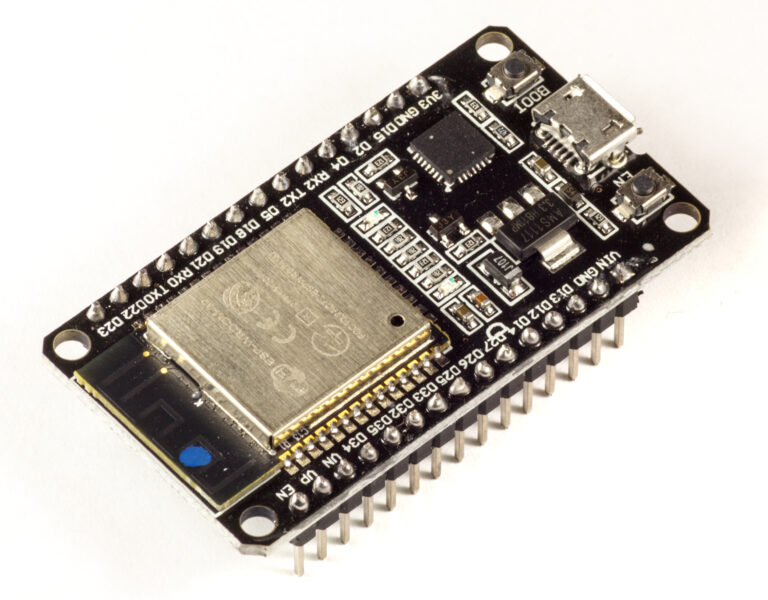
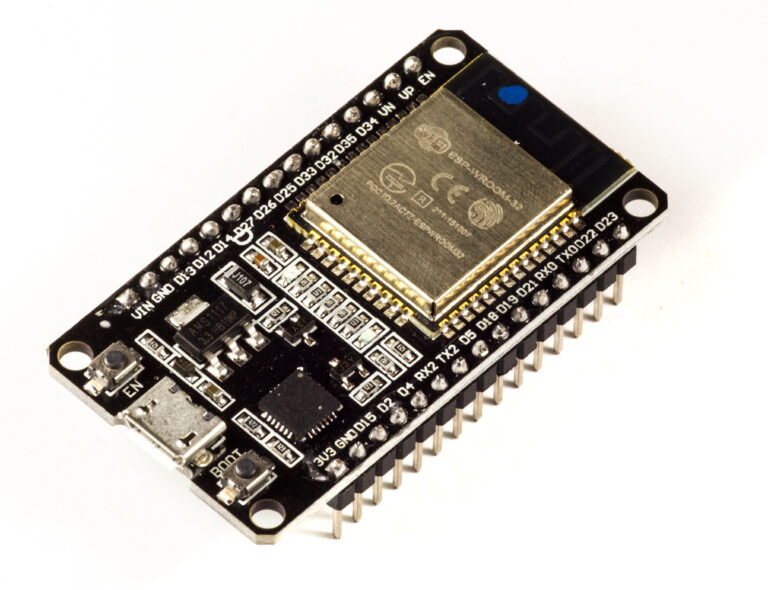
The original ESP32 offers dual-core processing up to 240 MHz, 520 KB SRAM and both Classic Bluetooth and Bluetooth LE.
It is older than C3/C6/S3, but that does not make it obsolete for ESPHome Bluetooth Proxy.
- huge board ecosystem
- mature ESPHome support
- many Ethernet/PoE boards
- external-antenna module options
- lots of existing hardware in homes
If you already own ESP32 DevKit boards, use them. You do not need to replace a working proxy with C6 simply because C6 is newer.
Classic ESP32’s Secret Weapon: Ethernet
This is where classic ESP32 becomes particularly attractive. It includes an Ethernet MAC and is available on mature PoE/Ethernet boards.
Current ESPHome Bluetooth Proxy documentation explicitly recommends Ethernet boards because removing Wi-Fi traffic from the radio improves BLE performance.
Wi-Fi proxy:
BLE + Wi-Fi share RF time

Ethernet proxy:
BLE radio handles Bluetooth
network traffic travels over Ethernet
→ less RF competition
Best Overall Proxy: Ethernet + External Antenna
If the goal is maximum Bluetooth reliability rather than lowest price, use an Ethernet/PoE ESP32 board with a good external antenna option.
ESPHome specifically mentions boards such as the Olimex ESP32 PoE family and recommends external-antenna versions when possible.
| Priority | Best choice |
|---|---|
| Lowest cost / many rooms | C3 Wi-Fi |
| Newest general-purpose proxy | C6 Wi-Fi |
| Proxy + heavy peripherals | S3 |
| Maximum proxy RF reliability | Ethernet classic ESP32 + external antenna |
Range Is Mostly an Antenna and Placement Problem
Do not compare Bluetooth proxy range only by SoC datasheet generation.
- PCB antenna quality
- external antenna vs onboard antenna
- orientation
- plastic vs metal enclosure
- walls and floors
- distance from electrical equipment
- BLE device transmit power
- 2.4 GHz interference
- proxy location
A well-placed C3 with a decent antenna can outperform an S3 buried behind a metal network rack.
ESPHome Placement Warning: Keep Away from Network Equipment
Current ESPHome guidance recommends avoiding racks, routers, switches and other network equipment because EMI can degrade Bluetooth reception. It suggests placing proxies as far away as practical—around 3 metres where possible—from such equipment.
This sounds counterintuitive because people often plug the proxy beside the router. That may be one of the worst RF locations in the house.
Do Not Hide a Proxy Behind the Fridge
Large metal appliances absorb and reflect 2.4 GHz signals. The same applies to metal cabinets, distribution panels, server racks and foil-backed insulation.
Where I Would Place Proxies
Good:
open shelf
mid-height wall outlet
central room location
plastic enclosure
near BLE devices

Bad:
behind TV
inside metal cabinet
beside Wi-Fi router
inside server rack
behind fridge
More Proxies Beat One Powerful Proxy
Bluetooth Low Energy is short-range by design. A house with concrete walls is better served by three cheap C3 proxies than one expensive S3 in a central location.
Living room C3
+ bedroom C3
+ utility room C3
→ strong local BLE coverage

versus

one 'powerful' board trying to hear through 3 walls
Proxy Density
The correct number of proxies depends on building construction and BLE device placement rather than floor area alone.
| Home layout | Typical approach |
|---|---|
| Small open apartment | 1–2 well-placed proxies |
| Concrete apartment | 2–4 depending on walls |
| Two-storey house | At least one per floor, often more |
| Many BLE locks/sensors | Place proxies near active-connection devices |
| Large/metal-heavy building | Use denser proxy network or Ethernet/external antennas |
These are starting points, not guarantees.
Wi-Fi and Bluetooth Share the 2.4 GHz Radio
On ESP32-family Wi-Fi proxies, Wi-Fi and Bluetooth need coexistence scheduling because they share RF resources.
ESPHome currently enables software coexistence by default when Wi-Fi is configured and can temporarily prioritise Bluetooth while BLE connections are being established.
ESPHome 2026.8 Changed Default Scan Behaviour
ESPHome 2026.8 corrected an important Wi-Fi/BLE coexistence issue after ESP-IDF 5.5.5 changed scan timing behaviour. With Wi-Fi configured, the BLE scan window now defaults to the scan interval, allowing BLE to listen whenever Wi-Fi is not using the radio as Espressif recommends.
This is one reason old 2023/2024 “optimal scan window” advice should not be copied blindly into a 2026 proxy configuration.
Use the Default Scan Parameters First
Current ESPHome Bluetooth Proxy guidance says the default scan parameters are recommended for most users and that changing interval/window often gives little benefit while increasing CPU use/network traffic.
Start with defaults
→ measure reliability
→ only tune scan parameters for a demonstrated problem
Aggressive Scan Settings Can Make Things Worse
- Wi-Fi instability
- higher CPU load
- higher network traffic
- PoE board overheating
- active BLE connection starvation
More scan duty cycle is not automatically better.
Active vs Passive Scanning
| Mode | Behaviour | Best use |
|---|---|---|
| Active | Sends scan requests for extra data | Discovery / devices that require scan-response data |
| Passive | Only listens to advertisements | Lower RF traffic and battery impact when sufficient |
ESPHome defaults to active scanning. If all your BLE integrations work passively, switching to passive scanning can reduce RF traffic and battery drain on nearby BLE devices.
Recommended Minimal Wi-Fi Proxy YAML
esphome:
  name: living-room-bluetooth-proxy
  friendly_name: Living Room Bluetooth Proxy

esp32:
  board: esp32-c3-devkitm-1
  framework:
    type: esp-idf

wifi:
  ssid: !secret wifi_ssid
  password: !secret wifi_password

logger:

api:

ota:
  - platform: esphome

esp32_ble_tracker:

bluetooth_proxy:
  active: true
ESPHome currently recommends the ESP-IDF framework over Arduino for Bluetooth Proxy memory usage.
Why ESP-IDF Is Recommended
Current ESPHome Bluetooth Proxy troubleshooting guidance recommends ESP-IDF because it uses less memory than Arduino for this workload.
If you are creating a new dedicated proxy, there is little reason to choose Arduino framework.
Do Not Add Web Server Unless You Need It
ESPHome also notes that the Web Server component consumes extra RAM. A Bluetooth Proxy normally needs only Wi-Fi/Ethernet, API, OTA, logger, BLE tracker and proxy.
Dedicated proxy
→ minimal config
→ more RAM margin
→ fewer failure points
Active Connections Configuration
Current ESPHome uses connection_slots in the Bluetooth Proxy component and the ESP32 BLE component’s connection limits underneath it.
For most Wi-Fi proxies, leave the default three active slots unless you have a specific reason to change it.
bluetooth_proxy:
  active: true
  connection_slots: 3
Why Five Slots Is Not Automatically Better Than Three
Each connection consumes RAM and RF time. A proxy with more configured slots can become less stable if several active devices continuously compete with Wi-Fi traffic.
If you need many persistent GATT devices, distribute them across several proxies or use Ethernet proxies.
Passive Sensors Do Not Consume Slots
This is an important misunderstanding. Twenty BLE temperature sensors that simply broadcast advertisements do not necessarily require twenty active connection slots.
BTHome broadcast sensor
→ passive advertisement
→ no persistent slot

BLE lock with GATT connection
→ active connection
→ consumes slot while connected
When Ethernet Makes the Biggest Difference
- several active BLE locks/thermostats
- heavy Wi-Fi environment
- proxy near many BLE devices
- Home Assistant infrastructure closet with wired network available
- PoE deployment where one cable can power + network the proxy
But do not physically mount the proxy inside a noisy metal network rack. Use PoE/Ethernet to place the antenna away from the rack.
External Antenna vs PCB Antenna
| Antenna | Advantages | Trade-offs |
|---|---|---|
| PCB antenna | Cheap, compact, simple | Placement/orientation constrained |
| External antenna | Can move antenna clear of enclosure/walls; often better installation flexibility | Extra connector/cost; antenna quality still matters |
Do not expect a random high-gain antenna to break RF rules or magically penetrate reinforced concrete. Correct placement still wins.
C3 vs C6 vs S3 Technical Comparison
| Feature | ESP32-C3 | ESP32-C6 | ESP32-S3 |
|---|---|---|---|
| CPU | 1× RISC-V 160 MHz | 1× RISC-V 160 MHz + LP core | 2× Xtensa LX7 240 MHz |
| SRAM | 400 KB | 512 KB | 512 KB |
| Wi-Fi | 2.4 GHz Wi-Fi 4 | 2.4 GHz Wi-Fi 6 | 2.4 GHz Wi-Fi 4 |
| Bluetooth | Bluetooth 5 LE | Bluetooth 5.3 LE | Bluetooth 5 LE |
| 802.15.4 | No | Yes | No |
| PSRAM | Not typical | Not typical | Widely available |
| Proxy-only value | Excellent | Excellent | Good but overkill |
None of these CPU differences fundamentally changes how far a BLE advertisement travels through a concrete wall.
Classic ESP32 vs Newer Chips
| Feature | Classic ESP32 | C3/C6/S3 |
|---|---|---|
| BLE generation | Bluetooth LE + Classic BT | Newer BLE-focused implementations |
| CPU | Up to dual 240 MHz | Varies |
| SRAM | 520 KB | 400–512 KB typical |
| Ethernet MAC | Yes on classic ESP32 | Board/chip dependent, often external Ethernet |
| Ecosystem | Huge and mature | Growing/mature |
| Proxy verdict | Still excellent | Excellent |
Classic ESP32 should not be discarded simply because its BLE generation is older. For Home Assistant proxy use, mature Ethernet/PoE hardware can make it the best infrastructure choice.
What About ESP32-C5?
ESP32-C5 is a powerful newer chip with dual-band Wi-Fi and Bluetooth LE, and it may become very attractive for Home Assistant infrastructure. But a Bluetooth Proxy does not need its extra CPU, PSRAM or 5 GHz capability just to hear BLE advertisements.
If you already own a C5 and your current ESPHome build supports the exact Bluetooth role you need, it can be used—but I would not buy C5 specifically for a basic proxy while C3/C6 hardware is cheaper and extremely well proven.
Could 5 GHz Wi-Fi Help Bluetooth?
In principle, moving Wi-Fi traffic out of the 2.4 GHz band can reduce direct channel interference around BLE, but the implementation still depends on chip RF architecture and ESPHome support. Do not buy a C5 solely on the assumption that 5 GHz automatically gives an Ethernet-like BLE proxy improvement.
Best Board for a Tiny Hidden Proxy
ESP32-C3 SuperMini. It is tiny, cheap and more than powerful enough.
Use a USB power adapter and place it in the open—not inside a metal wall box.
Best Board for a New General Home Assistant Node
ESP32-C6. If you want one board family that can later support richer smart-home experiments, C6 gives Bluetooth LE, Wi-Fi 6 and 802.15.4.
Best Board for Proxy + Sensors
C3 and C6 are both excellent. Choose based on available GPIO/peripherals and the physical board rather than Bluetooth Proxy performance alone.
- temperature/humidity sensor
- lux sensor
- door contact
- simple PIR
- status LED
These lightweight components are fine to add to a proxy.
Best Board for Proxy + Display / Heavy Processing
ESP32-S3. This is where its dual-core CPU, larger peripheral set and PSRAM ecosystem become useful.
Still monitor RAM and CPU load because BLE scanning itself is memory-intensive.
Best Board for Maximum Bluetooth Stability
Ethernet ESP32 + external antenna. This is the strongest architecture because Ethernet removes Wi-Fi traffic from the ESP32 Bluetooth radio schedule.
Best Board for PoE
An ESP32 PoE board can be placed high on a wall or ceiling with one cable carrying both power and data. That is often a much better RF location than a USB-powered board near a router.
Best Board for Concrete Homes
Do not search for one magic chip. Use more proxies.
Concrete walls
→ high 2.4 GHz attenuation

Solution:
proxy on each side / each room cluster
not
one expensive central proxy
Best Board for Bluetooth Locks
Locks often require active connections and reliable bidirectional BLE. Place a proxy physically close to each important lock rather than relying on maximum-range central coverage.
If several active devices cluster in one area, Ethernet proxy + four connection slots can be particularly attractive.
Best Board for BLE Temperature Sensors
Passive BLE temperature sensors are easy: C3 is ideal. They normally broadcast data, so a cheap proxy can hear many of them without consuming persistent active connection slots.
Best Board for SwitchBot / Active-Control Devices
These devices can require active connections for commands. Use several well-placed proxies, keep connection slots sensible, and prefer Ethernet for a high-density cluster if available.
Home Assistant Selects Proxies Automatically
Home Assistant can use its Bluetooth integration and available proxies to reach devices. You generally do not manually bind every BLE sensor permanently to one proxy.
This is why overlapping proxy coverage is useful: Home Assistant can use the best available path as RF conditions change.
Do Not Confuse Bluetooth Proxy with BLE Presence Tracking
A Bluetooth Proxy forwards BLE traffic to Home Assistant. Room-level presence based on RSSI is a higher-level use case built on top of multiple proxies/beacons.
Bluetooth Proxy
→ extends BLE reception/control

Room presence
→ compares RSSI / last seen across proxies
→ infers nearest room
RSSI Is Not a Distance Meter
Even with multiple proxies, RSSI varies with body orientation, walls, reflections and antenna orientation. Use it as a relative signal-strength clue, not centimetre-level ranging.
Troubleshooting: Proxy Sees Nothing
- Confirm esp32_ble_tracker is enabled.
- Confirm Bluetooth Proxy component is present.
- Check Home Assistant ESPHome/API connection.
- Move proxy away from router/rack/metal.
- Test close to a known BLE advertiser.
- Verify board antenna is not damaged/blocked.
Troubleshooting: Sensors Appear then Disappear
- proxy too far away
- concrete/metal obstruction
- 2.4 GHz interference
- bad power supply / proxy rebooting
- aggressive custom scan parameters
- Home Assistant integration/device advertising interval behaviour
Check RSSI and proxy uptime before changing scan settings.
Troubleshooting: Active Device Connects Unreliably
- move proxy closer
- keep default software coexistence enabled
- reduce unnecessary Wi-Fi traffic/logging
- reduce number of persistent active connections
- try Ethernet proxy
- avoid excessive scan window settings while connected
Current ESPHome uses a separate connection scan window because a full scan window can starve active BLE connections of radio time.
Troubleshooting: Proxy Crashes
- use ESP-IDF framework
- remove Web Server
- remove heavy audio/voice/display components
- reduce active connection slots
- check power supply
- update partition table if running a very old installation history
ESPHome specifically flags BLE as a significant RAM consumer.
Troubleshooting: Proxy Is Hot
Aggressive scanning and PoE regulators can increase heat. Current ESPHome warns that non-default scan settings can contribute to overheating on PoE proxies.
Use default scan parameters unless you have a measured reason to change them.
Troubleshooting: C6 Did Not Improve Range over C3
That can be completely normal. The antenna, board layout, enclosure and location may be the dominant factors.
Newer BLE version numbers mainly describe supported protocol capabilities; they do not guarantee every C6 board has better practical antenna range than every C3 board.
Troubleshooting: Ethernet Proxy Still Performs Poorly
- board inside metal rack
- antenna beside Ethernet switch/PSU EMI
- external antenna not connected correctly
- poor antenna orientation
- BLE devices too far away
- proxy physically close to noisy electronics
Ethernet removes Wi-Fi coexistence but does not remove normal RF physics.
My 2026 Ranking
| Rank | Choice | Why |
|---|---|---|
| 1 | ESP32-C3 | Best price/size/reliability for dedicated Wi-Fi proxy |
| 2 | ESP32-C6 | Best newer general-purpose choice with more RAM and Wi-Fi 6 |
| 3 | Ethernet classic ESP32 | Best performance infrastructure option; especially with external antenna |
| 4 | ESP32-S3 | Excellent but unnecessary unless node also does heavier tasks |
If ranking by absolute reliability rather than price, Ethernet + external antenna moves to first place.
Decision Flow
Need cheapest dedicated proxy?
→ C3

Want newer board / Wi-Fi 6 / future Thread-Zigbee experiments?
→ C6

Need display/audio/USB/heavy peripherals too?
→ S3

Need maximum BLE reliability and can wire Ethernet?
→ Ethernet ESP32 + external antenna

Concrete home / poor coverage?
→ add more proxies, not more CPU
My Recommended Network
Home Assistant
      │
      ├── Living room C3 proxy
      ├── Bedroom C3/C6 proxy
      ├── Utility room C3 proxy
      └── Ethernet PoE proxy near locks / dense BLE area

Each proxy close to local BLE devices
→ overlapping coverage
→ fewer dropouts
Final Recommendation
For most readers buying a board specifically for Home Assistant Bluetooth Proxy, choose ESP32-C3. It is inexpensive, small, mature and powerful enough, which makes it easy to deploy several proxies around the house.
Choose ESP32-C6 if you prefer a newer platform with more SRAM, Wi-Fi 6 and 802.15.4 hardware. It is arguably the better general-purpose smart-home board, but it is not automatically a longer-range Bluetooth Proxy.
Choose ESP32-S3 only when the same node genuinely needs its extra processing, PSRAM, display/audio/USB capabilities. For a proxy-only node, spend the extra money on a second C3 instead.
Keep the classic ESP32 in your toolbox. A wired Ethernet/PoE ESP32 with an external antenna is still one of the best Bluetooth Proxy architectures in 2026 because the radio no longer has to time-share with Wi-Fi traffic.
Above all, design the proxy network, not just the board. Placement, antenna quality and having enough proxies near the actual BLE devices matter more than whether the CPU runs at 160 or 240 MHz.
Related ESP32 Guides
- ESP32 Bluetooth Proxy Home Assistant – Complete Guide
- Home Assistant Bluetooth Proxy Network Design: Placement, Range & Dropouts
- Room-Level Presence with BLE Beacons in Home Assistant
- Best ESP32 for Home Assistant: S3 vs C3 vs C6 vs C5
- ESP32-C3 SuperMini Pinout + Safe GPIOs
- ESP32-C6 SuperMini Pinout + Safe GPIOs
Datasheets & External Resources
All external manufacturer/framework references are collected here so the main article keeps readers inside esp32.co.uk.
- ESPHome Bluetooth Proxy — current connection slots, Ethernet recommendations, active/passive scanning, memory and placement guidance.
- ESPHome ESP32 BLE Tracker — scan interval/window, software coexistence, active scanning and memory guidance.
- Espressif ESP32-C3 Product Page — 160 MHz RISC-V, 400 KB SRAM, Wi-Fi and Bluetooth 5 LE.
- Espressif ESP32-C6 Product Page — Wi-Fi 6, Bluetooth LE, 802.15.4 and memory specifications.
- Espressif ESP32-S3 Product Page — dual-core 240 MHz, 512 KB SRAM, Wi-Fi and Bluetooth 5 LE.
- Espressif Classic ESP32 Product Page — dual-core ESP32, 520 KB SRAM, Bluetooth/BLE and Ethernet capability.
- Espressif C6 RF Coexistence Guide — Wi-Fi, Bluetooth and 802.15.4 shared-radio behaviour.
- ESPHome 2026.8 Bluetooth Changes — platform-neutral BLE layer and updated Wi-Fi/BLE scan-window behaviour.