
Home Assistant 2026.10, released on 7 October 2026, adds a Gree Infrared integration that can use an ESPHome infrared adapter to control compatible air conditioners. For makers, the useful distinction is that Home Assistant handles the appliance integration while the ESPHome device supplies the infrared hardware interface.
Quick summary
| Question | Answer |
|---|---|
| What is new? | Gree Infrared joins Home Assistant in the October release. |
| What does an ESPHome project need? | A configured infrared proxy with real emitter hardware. |
| Can it follow the handheld remote? | Yes, with a compatible receiver configured. |
| Does it confirm the air conditioner received a command? | No. The climate entity uses assumed state. |
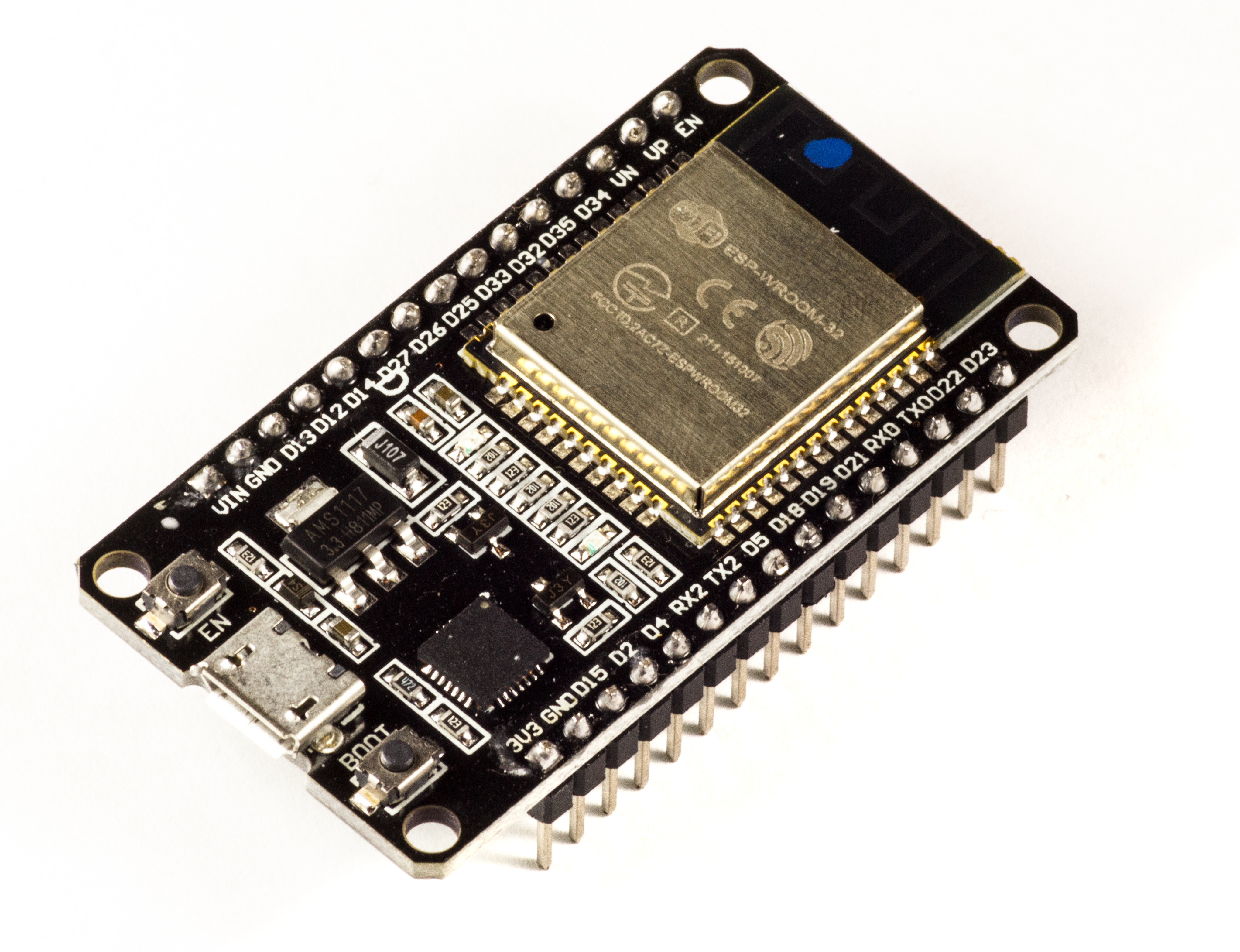

What an ESP32 project actually needs
A bare ESP32AliExpress price development board is only part of the project. An infrared emitter sends the commands; a receiver is a separate optional component. The ESP32AliExpress price chip, its module and the finished adapter should not be treated as interchangeable descriptions of the hardware.
ESPHome’s IR/RF proxy documentation describes the software bridge. An infrared entry using the ir_rf_proxy platform exposes a transmitter or receiver to API clients. Each entry links to either remote_transmitter_id or remote_receiver_id, so projects with both functions use separate entries.
This is more specific than having an old YAML file that sends remote-control codes. Check that the adapter exposes the infrared entity required by Home Assistant. ESPHome currently labels this proxy component experimental, so its interface can change outside the normal breaking-change policy. Follow the current recipe for the installed firmware version.
Configure the adapter, then the appliance
The setup has two stages. Add the hardware adapter first, then add Gree Infrared under Settings > Devices & services and select its emitter. Choose the appliance’s supported operating modes rather than assuming every model provides heating. Compatibility depends on the standard Gree infrared protocol, including some units sold under other brands.
Placement deserves as much attention as configuration. Home Assistant’s infrared guide recommends a clear path to the appliance’s receiver. Walls and furniture block infrared, and strong sunlight or other infrared sources can interfere. An adapter serving one room should not be assumed to cover the next.
Remote tracking is useful, but it is not confirmation
An optional receiver lets the climate entity follow commands from the physical remote. It still cannot establish what the air conditioner actually did. A blocked transmission can therefore leave the displayed state different from the appliance’s real state. Treat that distinction carefully when building unattended schedules.
A receiver setting worth checking
The official Gree troubleshooting guide identifies a specific trap: its commands contain two frames separated by about 20.1 ms. ESPHome’s default remote_receiver idle timeout is 10 ms, which can split the command. The documented remedy is to set idle: 25ms in the existing receiver configuration.
The receiver documentation explains that this timeout determines when a signal is considered complete. Changing it affects capture boundaries; it does not fix missing receiver hardware or poor placement.
What this means for makers
The practical opportunity is to reuse a suitable infrared adapter with Home Assistant’s appliance-specific interface. Start by checking the air conditioner’s protocol, the adapter’s exposed entities and its position. Those checks are more useful than buying a newer ESP32AliExpress price board and expecting the silicon alone to provide support.