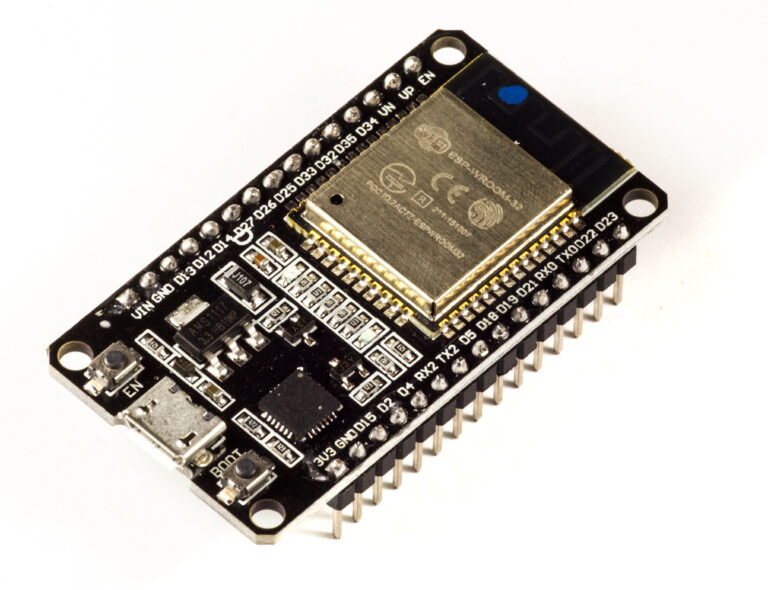
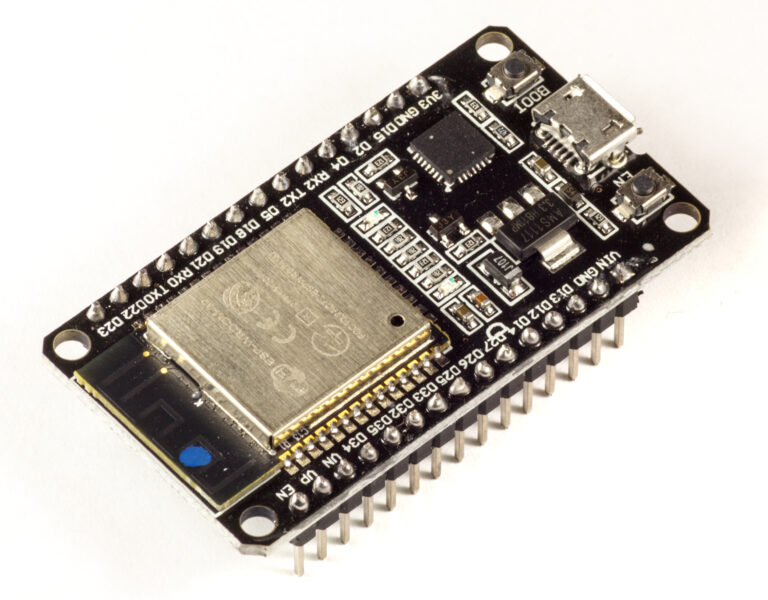
Quick Summary (TL;DR):
Most PMS5003AliExpress price + ESPHome problems come from five areas: UART wiring, wrong sensor type, unstable power or airflow, misunderstanding active/passive mode, or mistaking real particulate spikes for bad data. The normal PMS5003AliExpress price uses 9600 baud. For continuous monitoring, sensor TX/SEND only needs to reach an ESP32AliExpress price RX pin. If you want ESPHome to control sleep/wake with update_interval, connect ESP32AliExpress price TX to the PMS5003AliExpress price RX/RECEIVE pin as well. Current ESPHome uses continuous active mode at 30 seconds or less; above 30 seconds it switches to passive sleep/wake cycles, wakes the sensor about 30 seconds before a reading, lets it stabilise, requests a fresh frame, and then allows it to sleep again. ESPHome recommends 120 seconds or longer if the goal is extending sensor life and notes an approximate laser lifetime around 8000 hours under continuous operation. Power the PMS5003 from a clean 5 V rail, use common ground, and use the atmospheric PM1.0/PM2.5/PM10 fields as the main Home Assistant entities. Cooking, candles, aerosols, humidifier mineral mist and outdoor pollution can all create genuine large PM2.5 spikes, so diagnose the raw UART and physical environment before adding filters.
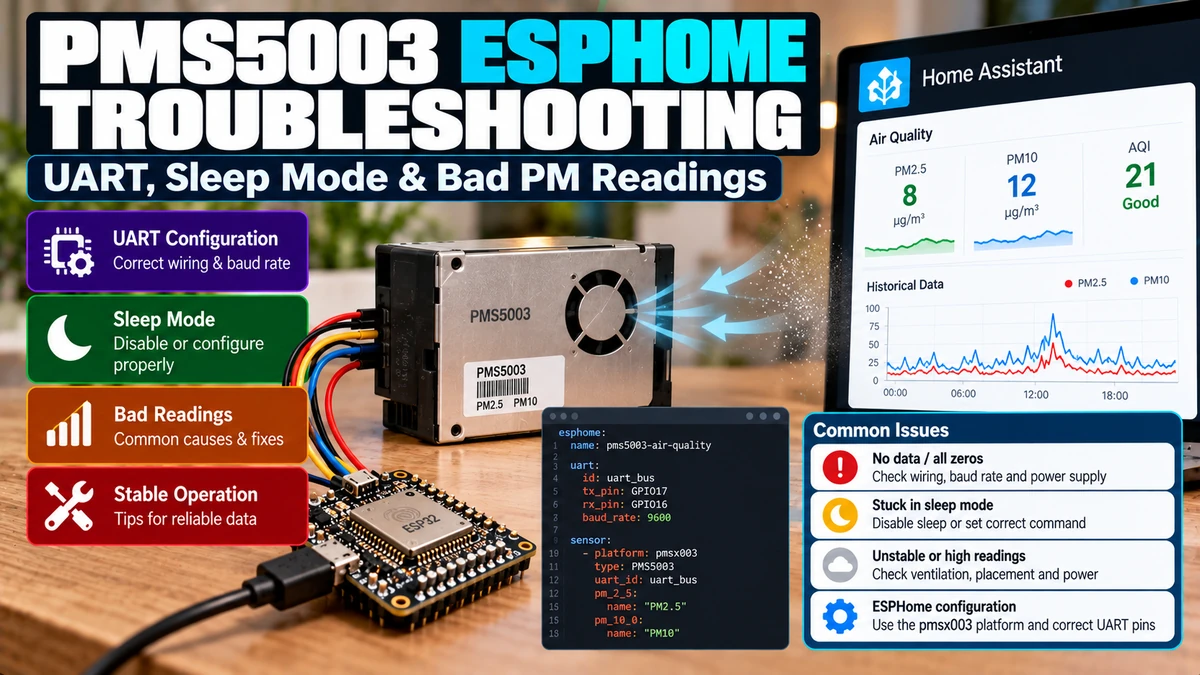
Materials You’ll Need
| Item | Why you need it |
|---|---|
| ESP32 development board | Runs ESPHome and reads PMS5003 UART |
| Plantower PMS5003 | Laser particulate sensor |
| Stable 5 V supply | Powers fan, laser and ESP32 board |
| UART RX wire | Required for sensor data |
| UART TX wire | Required for ESPHome sleep/passive control |
| Common ground | Correct UART voltage reference |
| Home Assistant | History, alerts and IAQ automations |
| Optional logic analyser | Diagnoses difficult serial faults |
What the PMS5003 Is Actually Measuring
PMS5003 is an active optical instrument, not a simple analog dust input. Its internal fan draws air through a laser-scattering chamber. The onboard processor converts optical scattering into particulate mass concentration and particle-count fields, then sends a digital frame over UART.
Room air
→ internal fan
→ laser scattering chamber
→ onboard processing
→ UART frame
→ ESP32 / ESPHome
→ Home Assistant
Because several physical and digital stages are involved, a strange Home Assistant value can be caused by real aerosols, blocked airflow, contaminated optics, power problems or corrupted UART frames.
Electrical Basics
| Parameter | Typical PMS5003 value |
|---|---|
| Supply | 5.0 V nominal |
| Operating range | About 4.5–5.5 V |
| Working current | Up to roughly 100 mA |
| Standby current | Around 10 mA or less |
| UART | 9600 bps, no parity, 1 stop bit |
| Logic | 3.3 V-class serial levels |
| Working humidity | Non-condensing |
Do not treat the sensor like a low-power I²C breakout. The fan and laser need a stable supply. A weak USB cable or overloaded regulator can create resets and serial corruption that look like software problems.
Correct UART Wiring
PMS5003 VCC ───── 5V
PMS5003 GND ───── ESP32 GND
PMS5003 TX/SEND ── ESP32 RX

For sleep/wake control:
PMS5003 RX/RECEIVE ── ESP32 TX
Sensor TX goes to ESP32 RX. Sensor RX goes to ESP32 TX. Breakout-board labels are sometimes confusing, so follow signal direction rather than relying only on a printed “RX/TX” label.
Minimal Continuous Configuration
uart:
  id: pms_uart
  rx_pin: GPIO16
  baud_rate: 9600

sensor:
  - platform: pmsx003
    type: PMSX003
    uart_id: pms_uart

    pm_1_0:
      name: "PM1.0"
    pm_2_5:
      name: "PM2.5"
    pm_10_0:
      name: "PM10"
For an ordinary PMS5003, the current ESPHome type is PMSX003. In active mode the sensor sends frames automatically, so ESPHome can work with only the receive path connected.
Why ESP32 TX Is Optional at First
The factory/default active mode continuously transmits measurement frames. If you are only listening, ESP32 does not need to send a command. This is the best troubleshooting starting point because it removes sleep/wake commands from the equation.
Why TX Is Required for Sleep Mode
ESPHome can only change measurement mode, wake the sensor, request a manual measurement or put it to sleep if it can transmit commands back to the PMS5003. That requires tx_pin in YAML and a physical ESP32 TX → PMS RX connection.
Current ESPHome Active vs Passive Behaviour
| update_interval | Behaviour |
|---|---|
| 0s or ≤30s | Active continuous mode |
| >30s with TX available | Passive sleep/wake cycle |
| 120s+ | Recommended when the goal is extending fan/laser life |
Current ESPHome source code uses a 30-second stabilisation period. With a long interval it wakes the sensor early, waits about 30 seconds, clears stale command responses, requests a fresh measurement and then continues the sleep-cycle state machine.
Example 2-Minute Sleep Cycle
uart:
  id: pms_uart
  rx_pin: GPIO16
  tx_pin: GPIO17
  baud_rate: 9600

sensor:
  - platform: pmsx003
    type: PMSX003
    uart_id: pms_uart
    update_interval: 120s

    pm_1_0:
      name: "PM1.0"
    pm_2_5:
      name: "PM2.5"
    pm_10_0:
      name: "PM10"
A 120–300 second cycle is usually plenty for a permanent room IAQ monitor. One-second updates create a dense graph but do not make a slowly changing room more meaningful.
Why 31 Seconds Is a Poor Longevity Setting
Technically an interval just above 30 seconds invokes the sleep/passive path, but ESPHome then spends roughly 30 seconds warming/stabilising the sensor before each requested measurement. If longevity/noise reduction is the goal, use a much longer interval so the sensor actually spends useful time asleep.
Continuous Mode vs Sleep Mode
| Mode | Best for | Trade-off |
|---|---|---|
| Continuous | Cooking/extractor experiments, fast IAQ response | Fan/laser run continuously |
| 2–5 minute cycle | Permanent room monitor | Slower response but lower wear/noise/power |
PMS5003 is an IAQ sensor, not a certified smoke detector. Do not design a life-safety alarm around an ESPHome sampling interval.
Sensor Longevity
ESPHome currently warns that the PMSX003 laser diode has an approximate lifetime around 8000 hours, roughly one year of continuous runtime. This is not an exact death timer, but it is a strong reason to use sleep cycles for a monitor that only needs a fresh reading every few minutes.
Atmospheric vs Standard / CF=1 PM Values
| ESPHome field | Meaning |
|---|---|
| pm_1_0_std / pm_2_5_std / pm_10_0_std | Standard-particle / CF=1-style values |
| pm_1_0 / pm_2_5 / pm_10_0 | Atmospheric-environment concentration |
Plantower documentation says CF=1 should be used in factory-type environments. For normal indoor Home Assistant air-quality monitoring, use the atmospheric concentration fields as your headline entities.
Expose Both During Troubleshooting
sensor:
  - platform: pmsx003
    type: PMSX003
    uart_id: pms_uart
    pm_2_5_std:
      name: "PM2.5 Standard"
    pm_2_5:
      name: "PM2.5 Atmospheric"
Seeing both fields can help confirm that complete, plausible frames are being decoded before you decide which value belongs on the production dashboard.
Particle Counts Are Not PM Mass Concentration
The sensor can also report numbers of particles above several diameter thresholds in 0.1 L of air. Those counts are not directly comparable with PM2.5 in µg/m³.
PM2.5 = estimated particle mass concentration (µg/m³)
Particle >0.3µm = count per 0.1 L
Particle Count YAML
pm_0_3um:
  name: "Particles >0.3µm"
pm_0_5um:
  name: "Particles >0.5µm"
pm_1_0um:
  name: "Particles >1.0µm"
pm_2_5um:
  name: "Particles >2.5µm"
pm_5_0um:
  name: "Particles >5.0µm"
pm_10_0um:
  name: "Particles >10µm"
PMS5003 Variants and the type Setting
| Model | ESPHome type |
|---|---|
| PMS5003 | PMSX003 |
| PMS5003S | PMS5003S |
| PMS5003T | PMS5003T |
| PMS5003ST | PMS5003ST |
Related Plantower models use different frame layouts. If the configured type does not match the hardware, ESPHome can reject the payload length.
Payload Length Error
Current ESPHome checks each model’s expected payload length. A persistent “payload length doesn’t match” warning is a strong clue that type: is wrong or the connected sensor is not the model you think it is.
Checksum Mismatch
ESPHome computes and verifies the Plantower frame checksum. Repeated checksum failures mean serial bytes are being corrupted or frames are being misread.
- wrong baud rate
- loose or long UART wiring
- poor ground
- power brownouts
- noise from relays/motors
- another device sharing the UART
A median filter cannot fix a checksum error. Fix the serial/electrical problem.
Start Character Mismatch
Plantower frames start with known bytes. Repeated start-character mismatches usually mean the UART is reading unrelated data, the baud rate is wrong, or the stream is being interrupted/corrupted.
Troubleshooting: No Data at All
1. Measure 5V at PMS5003
2. Check fan activity
3. Confirm common ground
4. Sensor TX → ESP32 RX
5. Confirm 9600 baud
6. Remove update_interval / sleep control
7. Test continuous active mode
Do not debug sleep mode until the simple receive-only active configuration works.
Troubleshooting: Fan Is Off Most of the Time
If you configured an interval longer than 30 seconds and connected the command UART path, this may be completely normal: ESPHome intentionally sleeps the fan/laser between measurements.
Troubleshooting: update_interval Does Nothing
The most common cause is missing ESP32 TX → PMS RX wiring. ESPHome can still receive continuous data but cannot command the sensor into passive/sleep mode without the transmit path.
Troubleshooting: Sensor Never Wakes
- check ESP32 TX → PMS RX
- verify board RX/TX labels
- check UART pins
- return temporarily to continuous mode
- verify stable 5 V supply during fan startup
Troubleshooting: PM Values Are Always Zero
Very clean air can produce low values, but every PM channel stuck at zero through obvious pollution events is suspicious. Check fan airflow, inlet/outlet blockage, sensor update state and model/field selection.
Troubleshooting: Huge PM2.5 Spike
A large spike is often real. Optical particulate sensors react strongly to fine aerosols from cooking and combustion.
- frying/searing food
- toast
- candles/incense
- fireplace smoke
- smoking/vaping
- aerosol sprays
- outdoor pollution/wildfire smoke
Correlate the graph with household activity before calling the sensor faulty.
Ultrasonic Humidifiers Can Look Like Pollution
An ultrasonic humidifier can aerosolise minerals in tap water. PMS5003 may report a major particle increase because there really are airborne droplets/mineral particles. Do not mount the sensor beside a humidifier and expect it to ignore that aerosol.
Humidity and Condensation
Plantower specifies non-condensing operation. Water droplets, steam or condensation in the optical path can distort readings and damage the sensor. Keep it away from shower steam, boiling-kettle plumes and dew-point cycling.
Placement
- keep inlet and outlet unobstructed
- do not seal the PMS5003 inside an airtight enclosure
- avoid direct cooker steam
- avoid direct HVAC jet
- keep away from local aerosol sources unless measuring them intentionally
- use representative room airflow
A correct sensor in a bad enclosure can produce poor data because it keeps resampling the same trapped air.
Enclosure Airflow
Good:
room air → PMS inlet → optical chamber → PMS outlet → room

Bad:
sealed box → outlet recirculates directly into inlet
Power Problems Can Masquerade as UART Faults
If checksum/start-byte errors appear when another relay, fan or LED load switches, inspect the 5 V rail and ground. The PMS5003 fan/laser load is significantly larger than a simple environmental sensor.
Use a Hardware UART
9600 baud is not demanding, but a hardware UART is the cleanest and most predictable arrangement. Avoid sharing the same continuously active UART with another unrelated sensor.
Logger Conflict
On boards where UART0 is also used for serial logging, attaching PMS5003 to the same pins can cause conflict or confusing debug output. Use another hardware UART/pin pair where possible.
Temporary UART Debugging
uart:
  id: pms_uart
  rx_pin: GPIO16
  tx_pin: GPIO17
  baud_rate: 9600
  debug:
    direction: BOTH
    dummy_receiver: false
UART debug is useful temporarily, but it can create a large log stream. Remove it from the final production configuration.
Bad Reading vs Bad Frame
| Symptom | Likely cause |
|---|---|
| Checksum/start-byte warnings | UART / wiring / power |
| Payload-length warning | Wrong model/type |
| Valid frames + cooking spike | Likely real PM event |
| Continuous works, sleep fails | TX command path |
| Valid frame + constant zero | Airflow/sensor/field issue |
Should You Filter PM2.5?
Use light filtering only for isolated outliers. Genuine PM spikes are valuable information and should not be averaged away.
pm_2_5:
  name: "PM2.5"
  filters:
    - median:
        window_size: 3
        send_every: 1
        send_first_at: 1
For a pretty dashboard, consider a second smoothed sensor while keeping the raw PM2.5 value available for responsive ventilation/alerts.
PM2.5 Is Usually the Main IAQ Entity
PM1.0, PM2.5 and PM10 all have value, but PM2.5 is normally the main Home Assistant particulate metric. Keep the other channels for diagnostics and context rather than building three competing alarms.
High-PM Automation
binary_sensor:
  - platform: template
    name: "Indoor PM2.5 High"
    device_class: problem
    lambda: |-
      return id(pm25).state > 35.0;
    filters:
      - delayed_on: 2min
      - delayed_off: 5min
The 35 µg/m³ value is only an example automation threshold, not a universal health standard. Choose thresholds using the guidance relevant to your location/use case.
Ventilation Needs Outdoor Context
Indoor PM high + outdoor PM low → ventilation can help
Indoor PM high + outdoor PM even higher → opening windows may make it worse
In kitchens, extractor-hood control is often more useful than blindly opening windows.
PMS5003 vs PMS5003T/S/ST
| Model | Extra data |
|---|---|
| PMS5003 | PM only |
| PMS5003T | Temperature + humidity |
| PMS5003S | Formaldehyde |
| PMS5003ST | Temperature + humidity + formaldehyde |
Use the exact ESPHome type for the exact hardware. Do not assume a PMS5003T payload is interchangeable with ordinary PMS5003.
PMSA003I Is Different
PMSA003I is the I²C variant and uses a separate ESPHome component. Do not configure an I²C PMSA003I as generic UART PMSX003.
Why PMS5003 Is Poor for Battery Nodes
The fan/laser and 30-second stabilisation period make PMS5003 a poor match for very low-power ESP32 deep-sleep designs. It is much better as a USB/mains-powered fixed IAQ station.
ESP32 Deep Sleep Gotcha
If the ESP32 wakes for only a few seconds, the PMS5003 cannot complete the normal warm-up/stabilisation period. Either keep the PMS powered and managed appropriately or design a much longer awake window.
Comparing with Another Air-Quality Monitor
- place both sensors side-by-side
- compare atmospheric PM fields
- allow stabilisation
- compare across several pollution levels
- avoid deriving calibration from one smoke event
Only add a correction curve if co-location tests show a repeatable systematic bias.
Cleaning and Long-Term Drift
Dust accumulation can change airflow or optical response over time. Keep the air path clear and follow manufacturer cleaning guidance. Do not blast high-pressure air into the optical chamber without a documented procedure.
Home Assistant Dashboard
- current PM2.5
- PM1.0 and PM10
- 24-hour PM2.5 graph
- high-PM problem sensor
- outdoor PM2.5 if available
- extractor/air purifier state
Keep standard-particle and particle-count fields as diagnostic entities if they are useful, rather than cluttering the primary room dashboard.
Production ESPHome Example
esphome:
  name: living-room-pm
  friendly_name: Living Room PM

esp32:
  board: esp32dev
  framework:
    type: esp-idf

logger:

api:
  encryption:
    key: !secret pms_api_key

ota:
  - platform: esphome
    password: !secret ota_password

wifi:
  ssid: !secret wifi_ssid
  password: !secret wifi_password

uart:
  id: pms_uart
  rx_pin: GPIO16
  tx_pin: GPIO17
  baud_rate: 9600
  parity: NONE
  stop_bits: 1

sensor:
  - platform: pmsx003
    type: PMSX003
    uart_id: pms_uart
    update_interval: 120s

    pm_1_0:
      name: "Living Room PM1.0"
      id: pm1

    pm_2_5:
      name: "Living Room PM2.5"
      id: pm25

    pm_10_0:
      name: "Living Room PM10"
      id: pm10

    pm_2_5_std:
      name: "Living Room PM2.5 Standard"
      entity_category: diagnostic

    pm_0_3um:
      name: "Living Room Particles >0.3µm"
      entity_category: diagnostic

binary_sensor:
  - platform: template
    name: "Living Room PM2.5 High"
    device_class: problem
    lambda: |-
      return !isnan(id(pm25).state) && id(pm25).state > 35.0;
    filters:
      - delayed_on: 2min
      - delayed_off: 5min
Troubleshooting Flow
No readings?
→ 5V / fan / common GND / TX→RX / 9600 baud

Checksum/start errors?
→ UART wiring / noise / power

Payload-length errors?
→ wrong type/model

Continuous works, sleep fails?
→ ESP TX → PMS RX command path

Valid frames, strange PM?
→ airflow / aerosol source / field choice / placement

Short spike only?
→ correlate with cooking, cleaning, humidifier, outdoor air
Recommended Troubleshooting Order
- Remove filters and long update intervals.
- Run continuous RX-only mode first.
- Confirm clean frames without checksum/payload warnings.
- Confirm atmospheric PM values respond plausibly.
- Check physical airflow and room events.
- Add TX wire and 120–300 s sleep cycle.
- Add only light filtering/alerts after the raw system is trustworthy.
Final Recommendation
PMS5003 is a very useful Home Assistant air-quality sensor, but troubleshoot it as an active optical instrument rather than as a simple breakout board. Begin with clean 5 V power, common ground, 9600-baud UART and continuous active mode.
If ESPHome shows checksum, start-byte or payload errors, solve the serial/model problem before touching PM filters. Once continuous mode is reliable, connect the command path and use a meaningful long interval such as 120–300 seconds if you want to reduce fan/laser wear. Current ESPHome already handles the passive wake, roughly 30-second stabilisation and fresh measurement request.
For normal indoor monitoring, make the atmospheric PM2.5 value your main Home Assistant metric, with PM1/PM10 and standard/particle-count values as secondary diagnostics.
Most importantly, do not assume every high reading is wrong. Cooking, candles, humidifier aerosols, outdoor pollution and cleaning can all create real particulate events. The value of the PMS5003 is precisely that Home Assistant can show those events and help you verify whether ventilation or filtration actually clears them.
Related ESP32 Guides
- ESP32 PMS5003 in Home Assistant & ESPHome
- SGP40 vs SGP41 for ESP32 & Home Assistant
- Best Temperature & Humidity Sensor for ESP32
Datasheets & External Resources
All external manufacturer/framework references are collected here so the main article keeps readers inside esp32.co.uk.
- ESPHome PMSX003 Component — current UART, model types, PM fields, update interval and sensor-longevity guidance.
- ESPHome PMSX003 Source — current 30-second stabilisation state machine, active/passive commands, checksum and payload parsing.
- Plantower PMS5003 Product Page — official supply, current, PM range, response and environment data.
- Plantower PMS5003 Data Manual — frame structure, passive-mode commands and PM field definitions.