Quick Answer:
For most Home Assistant and ESPHome projects, ESP32AliExpress price is still the better default choice in 2026. It has the broader hardware ecosystem, more board choices, mature ESPHome support, integrated Wi-Fi/Bluetooth across many variants, stronger support for displays, cameras, audio, Ethernet and specialised peripherals, and an enormous library of existing Home Assistant examples. However, the Raspberry Pi Pico WAliExpress price is now a serious alternative. ESPHome’s RP2 platform officially supports Pico WAliExpress price and Pico 2 W, and ESPHome 2026.8 added RP2 BLE tracking and Bluetooth Proxy with active GATT connections and three connection slots. Pico WAliExpress price is particularly attractive when you want Raspberry Pi’s PIO, a clean 26-GPIO pinout, excellent UF2 recovery, 1.8–5.5 V VSYS input and RP2040 development alongside Home Assistant. Choose ESP32AliExpress price when Home Assistant is the primary goal; choose Pico W when the RP2040/Pico hardware architecture itself is part of the reason for the project.
Pico W vs ESP32: At a Glance
| Feature | Raspberry Pi Pico W | Typical ESP32 DevKit / WROOM-32E | Better choice |
|---|---|---|---|
| CPU | Dual Cortex-M0+ @ 133 MHz | Dual Xtensa LX6 up to 240 MHz | ESP32 |
| SRAM | 264 KB | 520 KB | ESP32 |
| Flash on common board/module | 2 MB | 4 MB+ | ESP32 |
| Wi-Fi | 2.4 GHz 802.11n | 2.4 GHz 802.11b/g/n | Tie for basic HA use |
| Bluetooth | Bluetooth 5.2 via CYW43439 | Bluetooth 4.2 BR/EDR + BLE on classic ESP32 | Depends on use |
| ESPHome support | Yes — RP2 platform | Excellent / mature | ESP32 |
| ESPHome Bluetooth Proxy | Yes in 2026.8+ | Yes / mature | Near tie; ESP32 ecosystem still broader |
| Exposed GPIO | 26 clean 3.3 V GPIO | Board-dependent, often 20+ usable | Pico W for simplicity |
| ADC | 3 exposed 12-bit inputs | More ADC-capable channels on many ESP32 boards | ESP32 |
| PIO | 8 programmable state machines | No direct equivalent | Pico W |
| Native CAN/TWAI | No | Yes on classic ESP32 | ESP32 |
| USB host/device | USB 1.1 host/device | Classic ESP32: no native USB; newer ESP32-S2/S3: yes | Depends on ESP32 model |
| Programming recovery | BOOTSEL UF2 mass storage | Serial/USB download mode depending on model | Pico W for simplicity |
| Home Assistant ecosystem | Growing rapidly | Very large | ESP32 |
Important: Which ESP32 Are We Comparing?
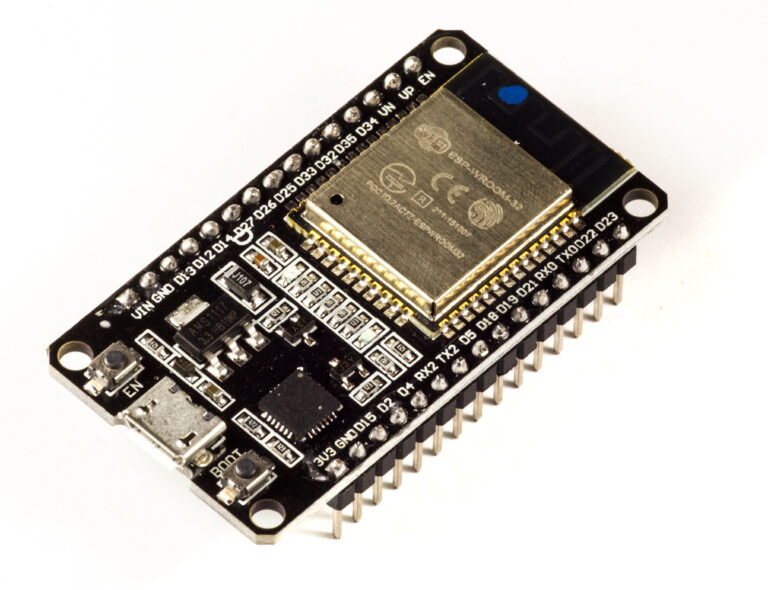
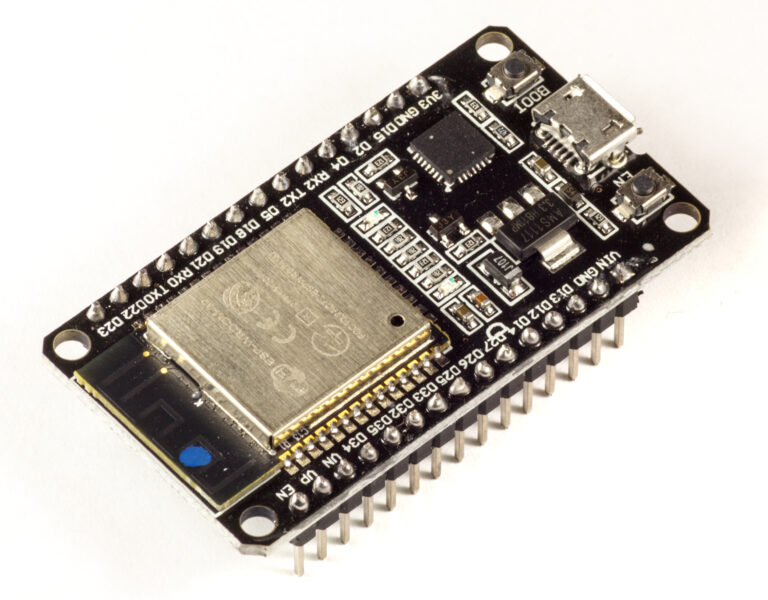
‘ESP32’ now describes a large family rather than one chip. This comparison uses the familiar ESP32-WROOM-32E / ESP32 DevKitC-class board as the baseline because it remains representative of the enormous installed base of Home Assistant and ESPHome devices.
Newer ESP32-S3, ESP32-C3, ESP32-C6 and other variants can change the answer in specific areas. For example, ESP32-S3 provides native USB and more modern processing features, while ESP32-C6 adds newer wireless capabilities. That diversity is itself one of ESP32’s advantages: you can select a device optimised for the job.
The Raspberry Pi side is also evolving. The original Pico W uses RP2040; the newer Pico 2 W uses RP2350. ESPHome’s current rp2: platform supports both generations.
Wi-Fi: Both Are Good Enough for Home Assistant
Pico W uses the Infineon/Cypress CYW43439 radio and supports 2.4 GHz 802.11n Wi-Fi. Classic ESP32-WROOM modules support 2.4 GHz 802.11b/g/n with a deeply integrated Wi-Fi stack.
For a normal Home Assistant node sending temperatures, switch states, power readings or presence events, both platforms have more than enough network throughput. The more meaningful question is ecosystem maturity, radio coexistence and how much firmware support exists for the components you want.
ESP32 has been used as an ESPHome Wi-Fi node for years and remains the safest choice when you want the least surprising setup. Pico W Wi-Fi support has improved substantially and ESPHome now treats the RP2 family as a first-class platform rather than an experimental curiosity.
Bluetooth: The Gap Has Narrowed Dramatically
Historically this comparison was easy: ESP32 was the obvious choice for Bluetooth in Home Assistant. That changed during 2026.
ESPHome 2026.8 introduced the RP2 BLE Tracker for Pico W and Pico 2 W and moved BLE sensor platforms onto a platform-neutral architecture. Pico W can now scan BLE advertisements while maintaining Wi-Fi, and ESPHome Bluetooth Proxy supports active GATT connections on RP2.
The current implementation provides three active connection slots, giving Pico W practical parity with the common ESP32 Bluetooth Proxy connection model for many Home Assistant deployments.
| Bluetooth Home Assistant task | Pico W in ESPHome 2026.8+ | ESP32 |
|---|---|---|
| Passive BLE scanning | Yes | Yes |
| Active BLE scanning | Yes | Yes |
| Bluetooth Proxy advertisements | Yes | Yes |
| Active GATT proxy connections | Yes | Yes |
| Connection slots | Up to 3 in current RP2 proxy support | Common ESPHome proxy implementation supports active slots |
| Historical maturity | Newer | Much more mature |
This makes Pico W genuinely viable as a Home Assistant Bluetooth Proxy. ESP32 still has the advantage of a much larger installed base, years of troubleshooting knowledge and more tested board combinations.
ESPHome Support in 2026
ESPHome renamed its Raspberry Pi microcontroller platform from rp2040: to rp2: in version 2026.7 so that the same platform name covers both RP2040 and RP2350. The old rp2040: key remains a deprecated alias for now.
esphome:
  name: pico-w-sensor
  friendly_name: Pico W Sensor

rp2:
  board: rpipicow

wifi:
  ssid: !secret wifi_ssid
  password: !secret wifi_password

api:

ota:
  - platform: esphome

logger:
That is now a normal ESPHome device definition. You no longer need the old external platform-version workarounds found in historical Pico W tutorials.
Equivalent ESP32 Baseline
esphome:
  name: esp32-sensor
  friendly_name: ESP32 Sensor

esp32:
  board: esp32dev

wifi:
  ssid: !secret wifi_ssid
  password: !secret wifi_password

api:

ota:
  - platform: esphome

logger:
ESP32 remains the more mature target, but from the user’s perspective the configuration style is now very similar.
Home Assistant Native API
With ESPHome, both boards can use the native encrypted Home Assistant API rather than MQTT. This provides direct entity discovery, state updates, services and OTA management through the ESPHome/Home Assistant ecosystem.
MQTT is still available when your architecture requires a broker or you are integrating outside Home Assistant, but it is no longer necessary merely because you chose Pico W.
Simple ESPHome Temperature Sensor: Pico W
esphome:
  name: pico-w-bme280

rp2:
  board: rpipicow

wifi:
  ssid: !secret wifi_ssid
  password: !secret wifi_password

api:

ota:
  - platform: esphome

logger:

i2c:
  sda: 0
  scl: 1
  scan: true

sensor:
  - platform: bme280_i2c
    temperature:
      name: "Room Temperature"
    pressure:
      name: "Room Pressure"
    humidity:
      name: "Room Humidity"
    address: 0x76
    update_interval: 30s
This is exactly the sort of device where Pico W and ESP32 are effectively interchangeable from Home Assistant’s point of view. The sensor entities appear in Home Assistant through ESPHome’s API.
GPIO: Pico W Is Cleaner, ESP32 Is More Complicated
Pico W’s pinout is easier for beginners. The main 40-pin header exposes 26 multi-function 3.3 V GPIOs and does not present the same collection of ESP32-style boot-strapping pins that need special care during startup.
Classic ESP32 boards expose many flexible GPIOs, but some pins are boot straps, some are input-only, and some are connected internally to flash on particular modules. That is why ESP32 pinout and safe-GPIO guides remain so useful.
| GPIO issue | Pico W | Classic ESP32 DevKit |
|---|---|---|
| Exposed user GPIO | 26 | Board/module dependent |
| Boot-strapping GPIO on main header | No equivalent user concern | Yes |
| Input-only pins | No special exposed group like classic ESP32 | GPIO34–39 on classic ESP32 are input-only |
| ADC-capable exposed pins | 3 | More on classic ESP32 |
| 5 V tolerant | No | No |
| Logic level | 3.3 V | 3.3 V |
For a large relay/sensor panel where simple GPIO allocation matters more than specialised peripherals, Pico W’s header is very pleasant to work with.
PIO: Pico W Has a Unique Advantage
RP2040’s Programmable I/O (PIO) is the strongest hardware reason to choose Pico W over ESP32. The chip contains two PIO blocks with eight state machines that can implement precise custom digital protocols independently of the CPU.
- WS2812/NeoPixel output
- Custom one-wire or serial protocols
- I²S-style audio
- Precise pulse capture
- Additional UART/SPI-like interfaces
- VGA and unusual display signalling
- Specialised industrial or hobby protocols
ESP32 has its own excellent specialist peripherals — RMT, pulse counters, I²S, LED PWM, motor PWM and others — but PIO is exceptionally flexible when the signal protocol itself is unusual.
ESP32 Has the Richer Fixed Peripheral Set
The classic ESP32 counters Pico W’s PIO flexibility with a very rich built-in peripheral set. Depending on the exact ESP32 variant, you can get multiple ADC channels, DAC, capacitive touch, I²S, RMT, pulse counters, motor-control PWM, SD/SDIO interfaces and TWAI/CAN-compatible controller hardware.
For automotive, industrial, audio or specialised control applications, one of those dedicated peripherals may matter more than PIO.
ADC: ESP32 Offers More Channels, Pico W Is Simpler
Pico W exposes three analogue inputs on GPIO26, GPIO27 and GPIO28. The RP2040 ADC is 12-bit.
Classic ESP32 exposes many more ADC-capable pins, which can be useful for sensor-heavy designs. However, ESP32 ADC behaviour has well-known non-linearity and Wi-Fi/ADC2 interaction considerations on the classic chip, so ‘more ADC channels’ does not automatically mean ‘better precision’.
For precise measurement on either platform, an external ADC can be the right answer.
Performance and Memory
| Resource | Pico W / RP2040 | Classic ESP32 |
|---|---|---|
| CPU | Dual Cortex-M0+ @ 133 MHz | Dual Xtensa LX6 up to 240 MHz |
| SRAM | 264 KB | 520 KB |
| Typical onboard/module flash | 2 MB | 4 MB or more |
| Hardware FPU | No dedicated FPU | Architecture/toolchain dependent; classic ESP32 has stronger compute profile |
ESP32 has substantially more raw CPU and memory headroom than the original Pico W. For a temperature sensor or relay controller this rarely matters. For display dashboards, audio, BLE proxying plus many sensors, complex components or large ESPHome configurations, the additional memory can be valuable.
If you like the Raspberry Pi ecosystem but need more memory, Pico 2 W is the more direct comparison to modern ESP32 boards because RP2350 increases SRAM to 520 KB and adds a much stronger CPU architecture.
Power Input and Battery-Friendly Wiring
Pico W’s board-level power architecture is excellent. Its VSYS input accepts roughly 1.8–5.5 V, making it easy to power from many battery arrangements or external supplies.
ESP32 development boards vary enormously. Many accept 5 V through USB/VIN and regulate it to 3.3 V, but the exact regulator, quiescent current, USB-UART bridge and power LED can make a big difference to sleep current.
If ultra-low-power battery operation matters, compare the specific board rather than only the MCU. A carefully designed ESP32 module PCB can sleep extremely efficiently; a generic DevKit with LEDs and USB chips may not.
Deep Sleep and Battery Sensors
ESP32 has a very mature deep-sleep ecosystem and many Home Assistant battery nodes use wake-read-transmit-sleep cycles. ESPHome includes extensive support for deep sleep and wake sources across ESP32 variants.
Pico W/RP2 low-power support continues to mature, but for a battery Home Assistant sensor where minimum current and maximum community guidance are the priorities, ESP32 remains the safer default choice.
Bluetooth Proxy: Pico W Example
With current ESPHome releases, Pico W can act as a Home Assistant Bluetooth Proxy rather than merely a Wi-Fi sensor.
esphome:
  name: pico-w-bluetooth-proxy

rp2:
  board: rpipicow

wifi:
  ssid: !secret wifi_ssid
  password: !secret wifi_password

api:

ota:
  - platform: esphome

logger:

rp2_ble_tracker:

bluetooth_proxy:
  active: true
Current ESPHome 2026.8 support allows RP2 Bluetooth Proxy to make active connections, meaning Home Assistant can read, write and subscribe to supported BLE devices through the Pico W rather than only hearing advertisements.
Because Wi-Fi and Bluetooth share the CYW43439 radio subsystem, ESPHome’s default RP2 BLE scan parameters are designed to leave airtime for Wi-Fi rather than scanning continuously.
Bluetooth Proxy: Why ESP32 Still Has an Edge
The Pico W implementation is now impressive, but ESP32 has years of field deployment as a Home Assistant Bluetooth Proxy. That matters when you are deploying several proxies around a house and want maximum community experience.
- Many known-good ESP32 boards and enclosures.
- Long history of ESPHome BLE troubleshooting.
- Large number of existing BLE sensor examples.
- More guidance on antenna placement and proxy density.
- More board variants when you need Ethernet, external antenna or extra memory.
So Pico W is now a viable alternative; ESP32 remains the conservative default.
Home Assistant Presence Detection
Both platforms can participate in BLE-based presence systems through ESPHome. In 2026, the move toward a platform-neutral BLE layer means many advertisement-based sensors are no longer inherently ESP32-only.
For a new presence deployment, check the exact ESPHome component you intend to use because BLE components have been migrating to the shared architecture in stages. The broad direction is clear: RP2 support is expanding rapidly.
Home Assistant Sensors, Relays and Energy Monitoring
For wired sensors and actuators, there is little practical difference once the required ESPHome component supports both platforms. BME280/SHT sensors, GPIO switches, binary sensors, pulse counters, I²C devices and many SPI peripherals are straightforward on both.
ESP32 still has the advantage for this site’s existing Home Assistant ecosystem because so many projects and components have already been validated on ESP32 boards. That makes reuse easier.
Displays and Touchscreens
For simple OLEDs and small SPI TFT displays, either platform can work. For larger colour displays, LVGL dashboards and touch interfaces, ESP32-S3-class boards are generally the better Home Assistant/ESPHome choice because of higher processing performance, larger flash/PSRAM options and a much broader display-board ecosystem.
Pico W’s PIO can drive interesting displays, but that does not automatically translate into the easiest ESPHome dashboard platform.
Cameras and Audio
ESP32 wins clearly if the project involves cameras or sophisticated audio. ESP32-CAM and newer ESP32-S3 camera/audio boards have extensive examples and dedicated hardware ecosystems.
Pico W is not the board I would choose for a Home Assistant camera node. Its strengths lie elsewhere.
CAN / Automotive IoT
Classic ESP32 includes a TWAI controller compatible with CAN 2.0-style networks; you still need an external CAN transceiver. RP2040/Pico W has no native CAN controller, although PIO or external SPI controllers can implement CAN-related solutions.
For a Wi-Fi-connected automotive/industrial CAN node, ESP32 is usually the simpler hardware architecture.
USB
Pico W includes native USB 1.1 host/device hardware through its Micro-USB connector. Classic ESP32-WROOM-32 does not have native general-purpose USB; its DevKit normally uses a USB-to-UART bridge.
However, newer ESP32-S2 and ESP32-S3 variants do include native USB. If USB is central to the project, compare Pico W against the correct modern ESP32 model rather than treating classic ESP32 as the entire family.
Programming and Recovery
Pico W
- Hold BOOTSEL while connecting USB.
- The board appears as a mass-storage device.
- Copy a UF2 firmware image.
- The ROM bootloader cannot be erased by normal application firmware.
ESP32
- Most classic DevKit boards auto-enter the serial download bootloader when uploading.
- BOOT and EN buttons provide manual recovery.
- Newer USB-capable ESP32 variants may use native USB download/JTAG functions.
- ESPHome supports OTA updates after the first flash.
Both are easy, but Pico’s UF2 mass-storage recovery is exceptionally beginner-friendly.
Board Availability and Ecosystem
This is where ESP32 has an overwhelming advantage. There are ESP32 boards with relays, Ethernet, PoE, RS485, CAN, displays, cameras, microphones, PSRAM, battery chargers, external antennas and industrial connectors.
Pico W has a strong accessory ecosystem, but the number of Home Assistant-oriented integrated boards is smaller. If you want to buy a board that already contains exactly the hardware needed for the final installation, ESP32 usually provides more choices.
Reliability for Permanent Home Assistant Nodes
Both can be reliable when properly powered and configured. For a permanent wall-mounted sensor or controller, the biggest reliability factors are often not the MCU: use a good power supply, protect exposed inputs, keep Wi-Fi signal strong, avoid marginal relay modules and use a watchdog/OTA strategy that lets you recover the device.
ESP32 has the edge in proven ESPHome deployments simply because millions of configurations have been running for years. Pico W’s current ESPHome support is now strong enough that I would not reject it on reliability grounds for a normal sensor node.
Which Is Better for ESPHome?
ESP32 still wins overall. The reasons are ecosystem depth, component history, board variety and the amount of existing documentation.
But the answer is no longer ‘ESP32 supports ESPHome and Pico W does not.’ Current ESPHome explicitly supports Pico W/Pico 2 W through RP2, including Wi-Fi, API, OTA, sensors and now Bluetooth tracking/proxy functionality.
Which Is Better for Home Assistant Bluetooth Proxy?
If you already own an ESP32, use it. It remains the most established Bluetooth Proxy platform.
If you already own a genuine Raspberry Pi Pico W with the CYW43439 radio, it is now absolutely worth trying as a Bluetooth Proxy. ESPHome 2026.8 gives RP2 active BLE connections with three connection slots, so you no longer need to buy an ESP32 merely because Home Assistant needs a proxy in that part of the house.
Avoid unsupported Pico W clones that replace the CYW43439 radio with an ESP-AT-style radio module. ESPHome’s RP2 documentation specifically warns that those are not supported as equivalent Pico W hardware.
Which Is Better for DIY IoT Outside Home Assistant?
The answer becomes more balanced outside ESPHome. Pico W is excellent with the Pico SDK, MicroPython and PIO, while ESP32 has mature ESP-IDF, Arduino and MicroPython ecosystems.
For custom protocols and precise digital timing, Pico W may be the more enjoyable platform. For complex wireless applications, web servers, Bluetooth-heavy code or broad module selection, ESP32 remains exceptionally strong.
Project-by-Project Recommendation
| Project | Recommended platform | Why |
|---|---|---|
| Basic Home Assistant temperature/humidity sensor | Either | ESPHome works well on both |
| First ESPHome project | ESP32 | Largest ecosystem and most examples |
| Bluetooth Proxy | ESP32 by default; Pico W now fully viable | ESP32 maturity vs new RP2 active proxy support |
| BLE sensor gateway using existing Pico W | Pico W | No need to buy another board |
| Custom PIO protocol + Home Assistant | Pico W | PIO is a unique strength |
| Large LVGL touchscreen | ESP32-S3 | More suitable memory/performance/display boards |
| Camera node | ESP32 | Far stronger ecosystem |
| CAN + Wi-Fi bridge | ESP32 | Native TWAI controller |
| USB device + Home Assistant network node | Pico W or USB-capable ESP32 | Depends on exact USB role |
| Battery sensor with deep sleep | ESP32 | Very mature ESPHome low-power ecosystem |
| Large number of simple GPIO outputs | Pico W | Very clean 26-GPIO header |
| Custom digital waveform generation | Pico W | PIO |
| Commercial/industrial integrated board | ESP32 often easier | Huge module/board ecosystem |
When I Would Choose Pico W
- I already own Pico W boards and want to bring them into Home Assistant with ESPHome.
- The project needs RP2040 PIO.
- I want the clean Pico 40-pin layout with 26 straightforward GPIOs.
- I value BOOTSEL/UF2 recovery and the Raspberry Pi SDK ecosystem.
- I want a wide VSYS input range for a custom power design.
- I need a Home Assistant Bluetooth Proxy and already have a genuine CYW43439-based Pico W.
- I am building one design that also needs to run non-Home-Assistant RP2040 firmware.
When I Would Choose ESP32
- Home Assistant/ESPHome is the primary purpose of the device.
- I want the largest choice of proven boards and examples.
- The project needs a camera, large display, audio, Ethernet or PSRAM.
- I need TWAI/CAN support.
- I want maximum confidence in mature BLE Proxy deployments.
- I need many analogue inputs.
- I want a specialised ready-made board with relays, RS485, PoE or other integrated hardware.
- I am building several different smart-home devices and want one familiar ecosystem across all of them.
What About Pico 2 W?
Pico 2 W changes the hardware balance significantly. RP2350 increases SRAM to 520 KB, adds faster Cortex-M33 cores or Hazard3 RISC-V cores, expands PIO and improves the overall compute platform while retaining the CYW43439 wireless subsystem.
ESPHome 2026.3 verified Pico 2 W Wi-Fi, OTA and sensor operation on real hardware, and the current RP2 platform supports RP2350 boards. If you are buying a Raspberry Pi wireless microcontroller new, Pico 2 W is generally the more future-proof option than the original Pico W.
Even so, if the sole objective is the widest and easiest Home Assistant device ecosystem, ESP32 remains the default.
Final Verdict
The ESP32 remains the best all-round Home Assistant microcontroller in 2026. It wins on ecosystem depth, board variety, mature ESPHome support and the sheer number of existing smart-home projects you can copy and adapt.
The Raspberry Pi Pico W is no longer a second-class ESPHome option. Current RP2 support gives it normal Wi-Fi/API/OTA operation, and ESPHome 2026.8’s BLE tracker and Bluetooth Proxy upgrades make it genuinely useful for Bluetooth-heavy Home Assistant deployments.
If you are starting from nothing and simply want the easiest Home Assistant route, buy an ESP32. If you already have Pico W boards, need PIO, prefer the Pico hardware design or want to combine Raspberry Pi microcontroller development with ESPHome, there is now very little reason not to use them.
Related Guides
- Raspberry Pi Pico 2 / RP2350 Pinout + Safe GPIOs & Interfaces
- RP2040 vs RP2350: Raspberry Pi Pico vs Pico 2 Compared
- ESP32 DevKitC V4 Pinout Diagram & Safe GPIOs
- ESP32-S3 DevKitC-1 Pinout Diagram & Safe GPIOs
- ESP32 Bluetooth Proxy for Home Assistant
Datasheets & External Resources
- Raspberry Pi Pico / Pico W Product Page — official RP2040, Wi-Fi, Bluetooth, GPIO and board specifications.
- Raspberry Pi Pico-Series Documentation — wireless architecture and CYW43439 details.
- ESPHome RP2 Platform — current Pico W, Pico 2 and Pico 2 W platform configuration.
- ESPHome 2026.8 Bluetooth Update — RP2 BLE tracker and Bluetooth Proxy active-connection support.
- ESPHome 2026.3 RP2040/RP2350 Update — first-class RP2 platform improvements and Pico 2 W verification.
- ESP32-WROOM-32E/32UE Datasheet — official CPU, RAM, Wi-Fi, Bluetooth, GPIO and peripheral details.
- ESP32-DevKitC V4 User Guide — official Espressif development-board reference.