Quick Summary (TL;DR):
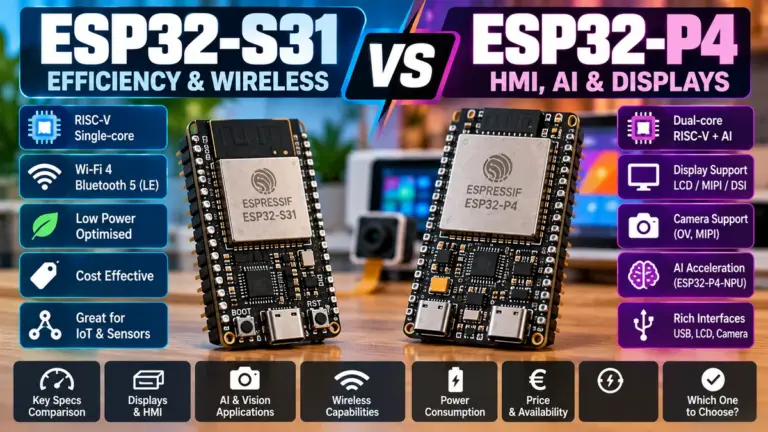
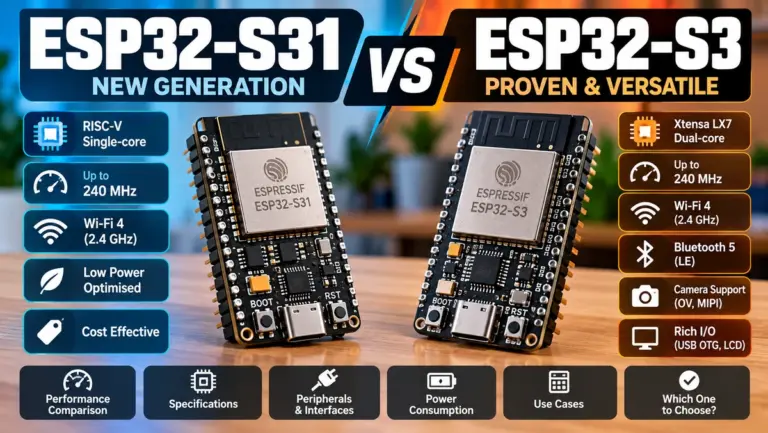
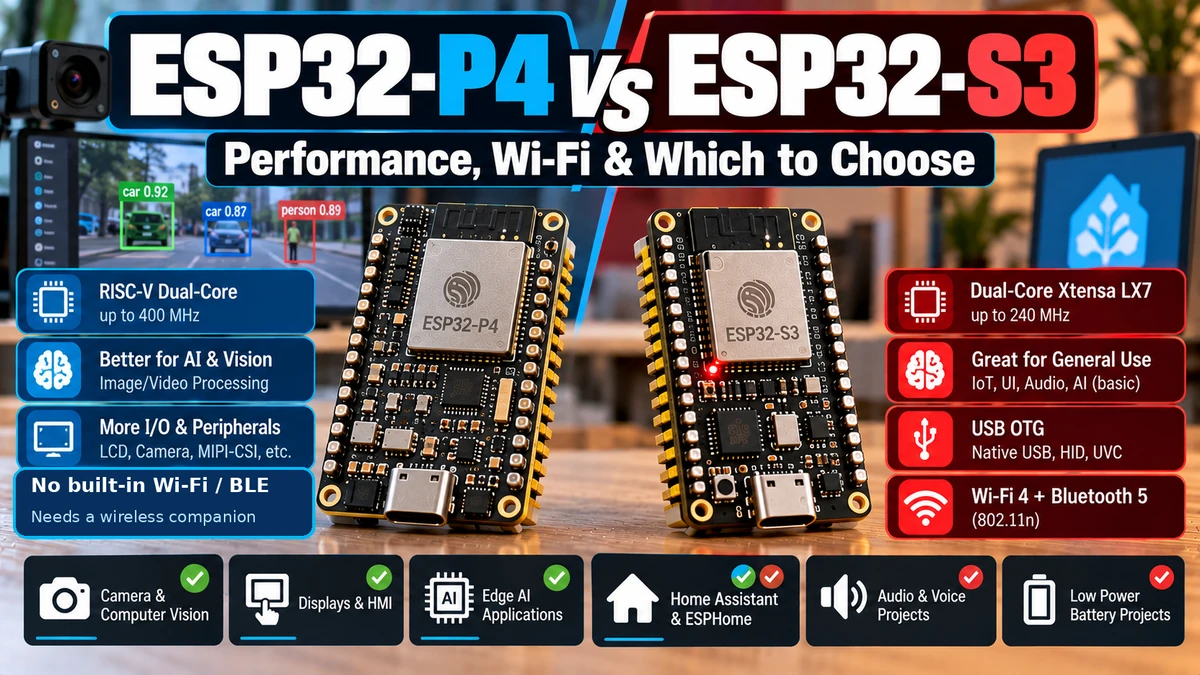
The ESP32-S3AliExpress price and ESP32-P4AliExpress price can both run displays, cameras, LVGL and embedded AI workloads, but they are aimed at very different ceilings. The ESP32-S3AliExpress price is the better all-in-one wireless MCU: dual-core Xtensa LX7 up to 240 MHz, 512 KB SRAM, 2.4 GHz Wi-Fi, Bluetooth 5 LE, native USB 2.0 Full-Speed OTG, parallel RGB/I8080 LCD support, 8/16-bit DVP camera input, vector instructions and a huge ecosystem of PSRAM modules, camera boards, displays, Arduino libraries, ESPHome components and examples. The ESP32-P4AliExpress price is the much stronger multimedia processor: dual-core RISC-V up to 400 MHz plus a 40 MHz low-power core, 768 KB HP SRAM, 16 MB or 32 MB in-package PSRAM on current variants, MIPI-CSI, MIPI-DSI, an integrated ISP, PPA, 2D-DMA, JPEG codec and a hardware H.264 encoder capable of up to 1080p at 30 fps. It also adds USB 2.0 High-Speed OTG, Ethernet, SDIO 3.0 and more I/O. The price of that performance is architectural: ESP32-P4AliExpress price has no integrated Wi-Fi or Bluetooth, so a connected P4 product normally uses Ethernet or a companion wireless ESP32 such as C6/C5/S31. For a small/medium Wi-Fi smart display, ESPHome panel, camera sensor, BLE display, voice satellite or Arduino project, S3 is still the easier choice. For a MIPI display, MIPI camera, computer-vision system, video encoder, large LVGL HMI or serious camera/display pipeline, P4 is the better platform.
Materials You’ll Need
| Item | Why it helps |
|---|---|
| ESP32-S3 DevKitC-1 / S3 display board | Mature baseline for RGB/SPI displays, cameras, Wi-Fi and USB |
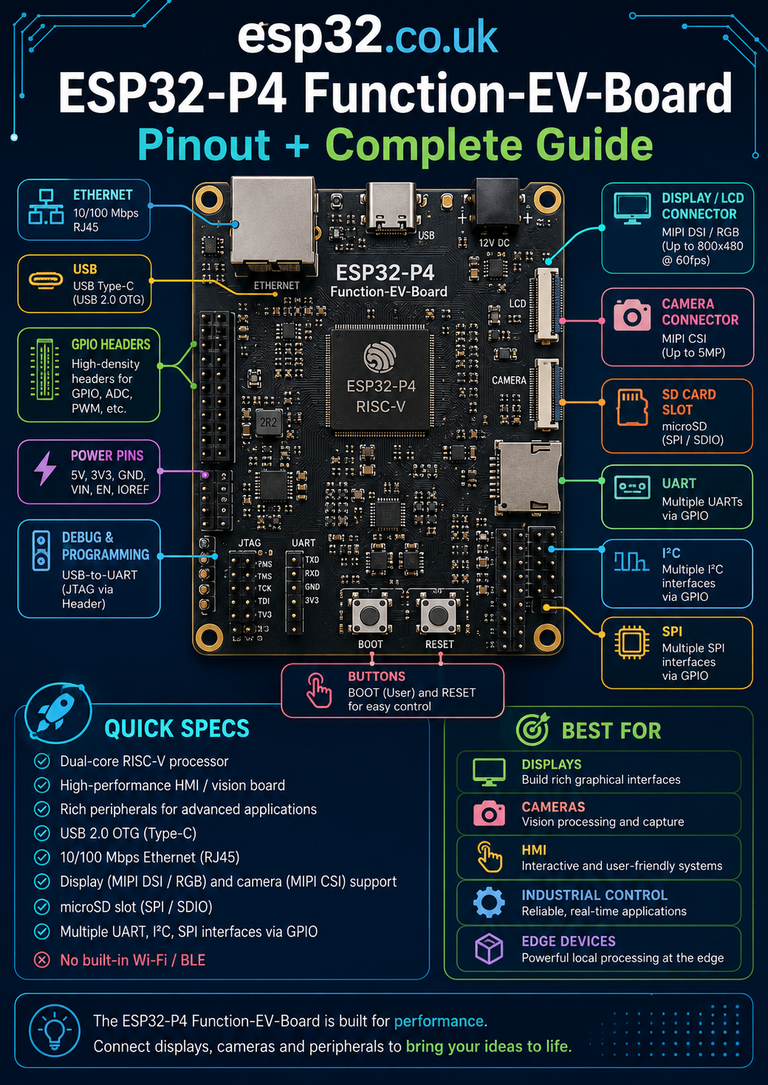
| ESP32-P4 Function-EV-Board | Reference P4 board for MIPI display/camera, Ethernet, USB and multimedia |
| SPI or RGB LCD | Useful for direct S3 vs P4 GUI comparison |
| MIPI-DSI display | Shows a P4-only class of display capability |
| DVP camera module | Works with the mature S3 camera path and P4 parallel camera path |
| MIPI-CSI camera | Uses the advanced P4 camera pipeline |
| PSRAM-equipped hardware | Essential for large framebuffers and camera buffers |
| Ethernet cable | P4 can operate as a wired standalone networked device |
| ESP-IDF | Best framework for advanced P4 multimedia features |
| Arduino-ESP32 | Stable on both S3 and P4 for supported features |
The Real Question: Wireless MCU or Multimedia MCU?
ESP32-S3 is fundamentally a connected microcontroller with strong display/camera capability. ESP32-P4 is fundamentally a high-performance multimedia/application MCU that deliberately leaves wireless networking to another chip or to Ethernet.
ESP32-S3
CPU + display + DVP camera + Wi-Fi + BLE + USB
→ one-chip connected product

ESP32-P4
faster CPU + MIPI display + MIPI camera + ISP + H.264 + Ethernet
→ add companion ESP32 for Wi-Fi/BLE if required
That one distinction explains most of the decision tree. If you never need MIPI, ISP or H.264, the S3 can remain the simpler product even though P4 is faster.
ESP32-P4 vs ESP32-S3 Specifications
| Feature | ESP32-P4 | ESP32-S3 |
|---|---|---|
| CPU | Dual-core RISC-V up to 400 MHz | Dual-core Xtensa LX7 up to 240 MHz |
| Low-power CPU | Single-core RISC-V up to 40 MHz | No separate equivalent LP core |
| Internal SRAM | 768 KB HP + 32 KB LP | 512 KB + 16 KB RTC SRAM |
| PSRAM | 16 MB / 32 MB in-package variants | External PSRAM supported; mature module ecosystem |
| Wi-Fi | None | 2.4 GHz 802.11 b/g/n |
| Bluetooth | None | Bluetooth 5 LE |
| Parallel LCD | Yes | Yes |
| MIPI-DSI | Yes | No |
| DVP camera | Yes | Yes |
| MIPI-CSI | Yes | No |
| ISP | Integrated | No comparable integrated ISP |
| JPEG | Hardware codec | Software/peripheral-assisted workflows; no equivalent P4 codec block |
| H.264 encoder | Hardware 1080p30 max | No |
| PPA | Yes | No equivalent dedicated P4-style PPA |
| 2D-DMA | Yes | GDMA; no equivalent P4 2D-DMA subsystem |
| USB | USB 2.0 High-Speed + Full-Speed OTG | USB 2.0 Full-Speed OTG |
| Ethernet MAC | Yes | No comparable integrated EMAC |
| GPIO | 55 programmable | 45 programmable |
| Arduino support | Stable | Stable |
| Best role | High-end HMI / vision / video | Connected display/camera/voice/ESPHome |
CPU: 400 MHz RISC-V vs 240 MHz Xtensa
ESP32-P4 gives you dual 400 MHz high-performance RISC-V cores, while ESP32-S3 uses two Xtensa LX7 cores up to 240 MHz.
That is a major jump in raw compute headroom, but multimedia performance still depends heavily on memory movement and hardware accelerators. A camera application that spends its time copying framebuffers may not scale linearly with CPU clock.
P4 addresses this by combining the faster CPU with dedicated media hardware rather than relying on the CPU to perform every pixel operation.
P4’s Separate Low-Power Core
P4 also includes a 40 MHz low-power RISC-V core. This lets the high-performance subsystem remain dormant while low-power monitoring or control tasks continue.
That is useful for products such as panels and cameras that spend long periods idle but occasionally need a burst of heavy UI/vision processing.
Internal Memory: 768 KB vs 512 KB
P4 provides 768 KB of high-performance L2 memory, versus 512 KB SRAM on S3.
The difference matters because drivers, display stacks, camera pipelines and networking consume internal memory before large buffers are even allocated in PSRAM.
Neither device should be evaluated only by internal SRAM for graphics work; external/in-package PSRAM is usually essential for large displays and cameras.
PSRAM: P4 Makes Large-Memory Multimedia the Default
Current ESP32-P4 variants integrate 16 MB or 32 MB PSRAM in the package. That is a very different starting point from a bare MCU where external memory is optional.
S3 has an excellent PSRAM ecosystem, with modules and boards offering several flash/PSRAM configurations, but you must choose the correct module/board.
800 × 480 RGB565 framebuffer
= 800 × 480 × 2 bytes
≈ 768 KB

Double-buffered ≈ 1.5 MB
+ assets + camera buffers + network + app → PSRAM becomes essential
For P4, large-memory multimedia is the intended operating model rather than an optional extension.
Displays: S3 Is Good; P4 Goes Much Further
S3 supports parallel LCD interfaces including 8/16-bit RGB, I8080 and MOTO6800-style buses. It is excellent for embedded TFTs and LVGL.
P4 also supports parallel displays, but adds MIPI-DSI. That moves it into a different class of modern high-resolution display integration.
SPI TFT → S3 or P4
Parallel RGB TFT → S3 or P4
MIPI-DSI panel → P4
Why MIPI-DSI Is a Big Deal
Parallel RGB uses many GPIOs for data, clock and synchronization. MIPI-DSI carries high-speed display data over a small number of differential lanes.
That means fewer pins for the display link, cleaner high-speed routing and access to modern phone/tablet-style panels.
Espressif positions P4 for displays up to the 1080p class. S3 does not have a native MIPI-DSI interface, so an S3 project requiring a MIPI panel would need an external bridge or a different architecture.
Which Is Better for LVGL?
| LVGL project | Best choice |
|---|---|
| 240×240 / 320×240 SPI UI | S3 — simpler and mature |
| 480×320 / 480×480 display | S3 or P4 |
| 800×480 RGB HMI | S3 works; P4 gives more headroom |
| Large animation-heavy GUI | P4 |
| Camera preview + GUI | P4 for advanced pipeline |
| MIPI-DSI HMI | P4 |
| Wi-Fi Home Assistant wall panel | S3 if UI performance is sufficient |
PPA: P4 Can Manipulate Pixels Without Burning CPU
P4 integrates a Pixel Processing Accelerator (PPA) for common graphics operations.
- scaling
- rotation
- mirroring
- blending
- fills
- pixel-format processing
Those are exactly the operations that can consume a surprising amount of CPU time in GUI and camera applications.
P4 also includes a 2D-DMA engine designed around moving blocks of image data efficiently. S3 uses its general DMA architecture but does not have the same dedicated P4 multimedia subsystem.
Camera Interfaces: DVP vs MIPI-CSI
S3 supports an 8/16-bit DVP camera interface, and this is one of its strongest mature use cases. Boards such as ESP32-S3-EYE and many third-party camera designs make it easy to prototype.
P4 supports parallel/DVP cameras too, but additionally provides MIPI-CSI-2.
S3 camera path
DVP sensor → DMA → PSRAM → application

P4 advanced camera path
MIPI-CSI sensor → ISP → PPA / memory / H.264 / display
If your sensor is MIPI-CSI, P4 is the native platform. If your project uses a common DVP sensor and Wi-Fi, S3 can still be the easier overall solution.
MIPI-CSI Bandwidth
P4 implements a two-lane MIPI-CSI-2 receiver using a D-PHY interface, with high-speed lane rates suitable for significantly richer camera sensors than the typical low-cost parallel modules used with S3.
That gives P4 access to modern RAW and YUV camera formats without external CSI bridges.
The P4 ISP Is a Major Architectural Difference
P4 includes an Image Signal Processor. An ISP sits between the raw image sensor and the application, processing camera data before it becomes a ready-to-use image.
That can include colour and sensor pipeline operations that otherwise require significant software processing.
S3 does not contain a comparable dedicated ISP block, so sophisticated camera pipelines rely much more heavily on the sensor itself or software.
H.264: P4 Wins by an Entire Category
ESP32-P4 contains a hardware baseline H.264 encoder with a documented maximum performance of 1080p at 30 fps.
This is one of the clearest reasons to choose P4 for video.
Still images / JPEG snapshots → S3 can be excellent
Live compressed 1080p-class H.264 video → P4
S3 can stream JPEG/MJPEG-style camera content and is widely used for network cameras, but it does not have a dedicated hardware H.264 encoder comparable to P4.
Why H.264 Matters for Network Video
Raw or lightly compressed frames consume enormous bandwidth and memory. H.264 reduces the data rate dramatically while preserving useful visual quality.
For video doorbells, intercoms, surveillance devices and camera streams, hardware encoding can change the product from “possible demo” to “practical system.”
JPEG
P4 includes a hardware JPEG codec and can use it alongside the ISP, PPA, DMA and camera/display pipelines.
S3 remains very capable for JPEG camera projects, particularly because many low-cost camera sensors such as OV-series modules can output JPEG directly.
If the camera already outputs compressed JPEG and the job is simply to send it over Wi-Fi, S3 may not need P4’s more advanced media blocks.
Video Doorbell: S3 or P4?
| Doorbell design | Recommended platform |
|---|---|
| DVP camera + Wi-Fi + simple stream | S3 |
| DVP camera + local screen + Wi-Fi | S3 if performance is enough |
| MIPI camera + ISP processing | P4 + wireless companion |
| 1080p H.264 streaming | P4 + wireless companion |
| Simple low-cost smart doorbell | S3 |
| High-end vision intercom | P4 |
AI Camera
P4 is the better new platform for advanced vision workloads.
The reason is not just CPU clock. It is the combination of faster RISC-V cores, larger on-chip memory, in-package PSRAM, MIPI-CSI, ISP, PPA, 2D-DMA and H.264.
S3 remains very useful for compact AI camera projects and has a mature ecosystem of ESP-WHO/ESP-DL-style examples, but the multimedia ceiling is lower.
Vector and AI Acceleration
ESP32-S3 includes vector instructions that accelerate neural-network and DSP workloads, and this was one of the reasons S3 became popular for embedded AI.
P4 also includes dedicated RISC-V AI/DSP instruction extensions and a more powerful media/memory subsystem.
For a tiny classifier, S3 can still be more than adequate. For vision inference operating alongside high-resolution camera/display pipelines, P4 is more comfortable.
Wireless: S3 Wins Completely
S3 integrates 2.4 GHz Wi-Fi and Bluetooth 5 LE. P4 integrates neither.
ESP32-S3
→ Wi-Fi + BLE built in

ESP32-P4
→ no Wi-Fi
→ no Bluetooth
→ use Ethernet or companion ESP32
This is the biggest system-level reason not to replace every S3 display/camera product with P4.
What Wireless Companion Does P4 Need?
| Wireless requirement | Companion option |
|---|---|
| Simple Wi-Fi/BLE | ESP32-C3 / S3 depending product |
| Wi-Fi 6 + Thread/Zigbee | ESP32-C6 |
| 2.4 + 5 GHz Wi-Fi 6 | ESP32-C5 |
| High-end Wi-Fi 6 + BLE + 802.15.4 | ESP32-S31 |
The official ESP32-P4 Function-EV-Board demonstrates this architecture by using an onboard ESP32-C6 module for wireless connectivity.
P4 + C6 Is a Very Sensible Architecture
ESP32-P4
├─ display
├─ camera
├─ H.264 / JPEG / ISP / PPA
├─ application UI
└─ Ethernet / USB
      ↕ host link
ESP32-C6
├─ Wi-Fi 6
├─ BLE
└─ Thread / Zigbee
This keeps multimedia and radio workloads separate, but increases board cost, firmware complexity and power-rail/component count compared with an S3 single-chip product.
Ethernet
P4 includes an Ethernet MAC and is therefore perfectly capable of being a standalone networked device without Wi-Fi.
For industrial HMI, wired cameras, control panels and fixed installations, Ethernet can actually be preferable to wireless.
S3 typically needs an external Ethernet solution if wired networking is required.
USB: High-Speed P4 vs Full-Speed S3
S3 includes USB 2.0 Full-Speed OTG and USB Serial/JTAG. This is excellent for HID, MIDI, device/host projects and debugging.
P4 goes further with USB 2.0 High-Speed OTG as well as additional USB capabilities.
For transferring images, camera data, storage or large assets, High-Speed USB can matter significantly.
SD / Storage
Both can work with SD storage, but P4’s broader high-speed multimedia/storage architecture, SDIO support and large PSRAM make it more naturally suited to video assets and camera recording pipelines.
S3 is already excellent for SD-based photo capture, UI assets and logging, especially on boards with integrated microSD slots.
GPIO
P4 offers up to 55 programmable GPIOs, compared with up to 45 on S3.
For large parallel display/camera buses this matters because many pins disappear quickly. MIPI on P4 also reduces the need for huge parallel buses in the first place.
Board Availability: S3 Still Wins
S3 has an enormous market of official and third-party boards: DevKitC, camera boards, round displays, RGB panels, AMOLED modules, voice boards, USB boards and tiny modules.
P4 board choice is expanding, but it is still much narrower and more focused on serious HMI/multimedia development.
If you want a cheap ready-made 2.8-inch display board from multiple vendors, S3 is easier. If you want Espressif’s reference MIPI/vision platform, P4 is the right place to look.
ESP32-S3 Ecosystem Maturity
- years of ESP-IDF support
- stable Arduino-ESP32 support
- very mature LVGL examples
- huge ESPHome ecosystem
- camera examples and community projects
- USB examples
- voice-assistant hardware
- many PSRAM module variants
- large community knowledge base
This maturity can save more engineering time than P4’s extra performance when the project does not actually need P4-exclusive peripherals.
ESP32-P4 Software Maturity in 2026
P4 is no longer an experimental target. Current Arduino-ESP32 documentation lists ESP32-P4 as stable, just like ESP32-S3.
ESP-IDF exposes its MIPI-DSI, MIPI-CSI, ISP, PPA and other dedicated multimedia peripherals directly.
The difference is not basic framework availability; it is that P4’s advanced media use cases naturally require more specialized drivers and board-specific examples than an S3 SPI display.
Arduino: Which Is Easier?
S3 is still easier overall because there are far more boards and third-party libraries tested against it.
P4 is now a stable Arduino target, so ordinary GPIO/I²C/SPI/USB development is not the problem. The complexity comes from advanced MIPI/ISP/video features, where ESP-IDF is often the better tool anyway.
ESP-IDF: P4’s Natural Environment
If you buy P4 because you need its MIPI, ISP, H.264, PPA or high-speed media capabilities, ESP-IDF is the natural framework.
That is not a weakness. Those are advanced peripherals where low-level control, DMA layout and pipeline configuration matter.
ESPHome: S3 Is the Better Choice
For Home Assistant and ESPHome, S3 remains far more sensible for most display/camera projects.
ESPHome projects value integrated Wi-Fi, simple OTA, mature board definitions, BLE support and working display/touch/camera components more than raw multimedia performance.
ESPHome wall display / BLE proxy / voice panel → S3
custom 1080p MIPI HMI / video processor → P4
P4 may become useful in custom Home Assistant panels, but it is not the default ESPHome replacement for S3.
Home Assistant Wall Panel
Choose S3 unless the UI itself needs P4-class graphics.
A normal 480×480 or 800×480 panel can often be handled by S3 with PSRAM, while keeping Wi-Fi in the same chip.
P4 becomes attractive when the display moves to MIPI/high resolution, the UI is animation-heavy, a camera feed is integrated locally or multiple media pipelines run simultaneously.
Voice Assistant
S3 is still excellent for proven voice satellites.
The S3 ecosystem around I²S microphones, codecs, wake words and ESPHome voice is mature, and integrated Wi-Fi is exactly what a voice satellite needs.
P4 is better when voice is only one part of a much larger multimedia system, such as a large HMI with vision and video.
Smart Display
| Smart display requirement | Best choice |
|---|---|
| Wi-Fi + small/medium display | S3 |
| BLE + touch display | S3 |
| Large parallel RGB HMI | S3 or P4 |
| MIPI-DSI display | P4 |
| Camera + GUI + local AI | P4 |
| Lowest component count | S3 |
Camera Streaming
S3 is ideal for simple Wi-Fi camera streaming where a DVP sensor provides JPEG frames and the MCU sends them over the network.
P4 is ideal when the camera subsystem itself needs processing, MIPI input or H.264 compression.
Cheap JPEG Wi-Fi camera → S3
High-resolution processed/video camera → P4
Power Consumption
P4 is designed for high-performance processing and can use its LP core to reduce idle-system consumption, but the total product power often includes display backlight, PSRAM, camera, Ethernet PHY and companion radio.
S3 can produce a simpler, lower-component-count connected product.
Neither should be selected for a simple battery temperature sensor; C3/C6/H-series chips are more appropriate there.
PCB Complexity
S3 can support a complete connected display/camera product with one RF module plus the display/camera peripherals.
A wireless P4 product usually adds:
- wireless companion chip/module
- host interconnect
- extra power supply/decoupling
- additional firmware interface
- more PCB area
P4 compensates by eliminating external bridges/accelerators that would otherwise be needed for MIPI, video and richer image processing.
When P4 Is Actually Simpler
If you need MIPI-DSI, MIPI-CSI, H.264 and an ISP, trying to force S3 to perform those jobs would require external bridge/processing hardware or major compromises.
In that case P4 becomes the simpler architecture despite needing a radio companion.
When S3 Is Actually Faster to Ship
- you already have an S3 board/module selected
- your display/camera drivers are known to work
- Wi-Fi/BLE are required
- Arduino/ESPHome libraries exist
- your UI fits comfortably in the S3 performance envelope
Time-to-market is an engineering specification too.
S3 vs P4 for Common Display Resolutions
| Display | Recommendation |
|---|---|
| 240×240 | S3 |
| 320×240 | S3 |
| 480×272 | S3 usually |
| 480×480 | S3 or P4 |
| 800×480 RGB | S3 works; P4 for richer UI |
| 1024×600 | P4 increasingly attractive |
| MIPI 1080p-class | P4 |
S3 vs P4 for Common Camera Workloads
| Camera workload | Recommendation |
|---|---|
| OV2640/OV5640-style DVP capture | S3 for simplicity |
| JPEG snapshots over Wi-Fi | S3 |
| Camera + basic image classification | S3 or P4 |
| MIPI-CSI sensor | P4 |
| ISP-based raw sensor pipeline | P4 |
| 1080p H.264 encoding | P4 |
| Camera + display + vision AI | P4 |
P4 Does Not Replace S3
P4 is not “S3 but faster.” It removes integrated wireless and adds a much more powerful multimedia architecture.
S3 → connected high-performance MCU
P4 → high-performance multimedia MCU
That is why both can remain valid in the same product generation.
Could You Use Both?
Yes. A premium system can use P4 for the application/display/camera side and an S3/C6/C5/S31 companion for wireless.
For example:
P4
├─ MIPI-DSI UI
├─ MIPI-CSI camera
├─ H.264 / ISP / PPA
└─ local AI
     ↕
C6/S31 companion
├─ Wi-Fi
├─ BLE
└─ Thread/Zigbee
This is more complex than a single S3, but creates a system with much more headroom.
Which One Should Beginners Buy?
It teaches displays, cameras, USB, PSRAM, Wi-Fi, BLE, LVGL and AI with a huge number of examples and inexpensive boards.
P4 is better once your project requirement clearly includes something P4-specific rather than simply because it is the newer/faster chip.
Which One Should Product Developers Evaluate?
Evaluate P4 if the product roadmap includes larger displays, advanced camera sensors, local video processing or long-term multimedia growth.
Evaluate S3 if the product needs proven wireless integration, cost control, mature certification/module options and a performance envelope that is already sufficient.
My Recommendation by Project
| Project | Best choice |
|---|---|
| ESPHome touchscreen | S3 |
| BLE display device | S3 |
| Wi-Fi smart display | S3 |
| Basic Wi-Fi camera | S3 |
| Voice satellite | S3 |
| Large LVGL HMI | P4 |
| MIPI display | P4 |
| MIPI camera | P4 |
| Computer vision | P4 |
| 1080p H.264 camera | P4 |
| Industrial Ethernet HMI | P4 |
| High-end wireless multimedia device | P4 + wireless companion |
Decision Flow
Need integrated Wi-Fi/BLE in one chip?
 └─ YES
     Need MIPI / ISP / H.264 anyway?
      └─ NO → ESP32-S3
      └─ YES → ESP32-P4 + wireless companion
 └─ NO
     Need MIPI-DSI, MIPI-CSI, ISP or H.264?
      └─ YES → ESP32-P4
      └─ NO
          Need maximum multimedia headroom?
           └─ YES → ESP32-P4
           └─ NO → ESP32-S3
My 2026 Verdict
| Category | Winner |
|---|---|
| Integrated Wi-Fi/BLE | ESP32-S3 |
| Arduino/community board ecosystem | ESP32-S3 |
| ESPHome | ESP32-S3 |
| Small/medium displays | ESP32-S3 |
| MIPI display | ESP32-P4 |
| DVP camera simplicity | ESP32-S3 |
| MIPI camera | ESP32-P4 |
| ISP | ESP32-P4 |
| H.264 | ESP32-P4 |
| Large LVGL HMI | ESP32-P4 |
| Vision AI headroom | ESP32-P4 |
| USB throughput | ESP32-P4 |
| Simplest connected product | ESP32-S3 |
Final Recommendation
Choose ESP32-S3 when the project is fundamentally a connected microcontroller product that happens to have a display or camera. It remains one of Espressif’s best-balanced chips for Wi-Fi/BLE, LVGL, DVP cameras, USB, voice and ESPHome.
Choose ESP32-P4 when the display/camera system becomes the main workload. MIPI-DSI, MIPI-CSI, integrated ISP, PPA, 2D-DMA, 16/32 MB in-package PSRAM and 1080p30 H.264 are not small incremental upgrades — they move the platform into a different multimedia class.
The main mistake is comparing only 240 MHz vs 400 MHz. The real question is whether you need wireless integration or multimedia acceleration.
ESP32-S3 = connected display/camera MCU
ESP32-P4 = multimedia/vision MCU

Need Wi-Fi/BLE + straightforward display/camera → S3
Need MIPI/ISP/H.264/large HMI → P4
Related ESP32 Guides
- ESP32-P4 Function-EV-Board Pinout + Complete Guide
- ESP32-S31 vs ESP32-P4: Which Is Better for HMI, AI & Displays?
- ESP32-S31 vs ESP32-S3: Is the S31 the New S3?
- ESP32-S3-DevKitC-1 Pinout + Safe GPIOs
- ESP32 Versions Explained: Which Board Should You Buy?
Datasheets & External Resources
All manufacturer/framework references are collected here so the main article keeps readers inside esp32.co.uk.
- Espressif ESP32-P4 Product Page — 400 MHz RISC-V, MIPI-CSI/DSI, ISP, H.264, PPA, 1080p multimedia and memory positioning.
- ESP32-P4 Series Datasheet — CPU, 768 KB L2 memory, 16/32 MB PSRAM variants, MIPI, H.264, USB, Ethernet and GPIO details.
- ESP-IDF ESP32-P4 ISP Guide — P4 camera image-signal processing pipeline.
- ESP-IDF ESP32-P4 MIPI-DSI Guide — native DSI display controller support.
- ESP-IDF ESP32-P4 PPA Guide — hardware scaling, rotation, mirroring, blending and fill.
- Espressif ESP32-S3 Product Page — dual-core 240 MHz Xtensa, Wi-Fi/BLE, vector acceleration and mature software ecosystem.
- ESP32-S3 Series Datasheet — 512 KB SRAM, LCD, DVP camera, USB, PSRAM and GPIO specifications.
- Arduino-ESP32 Supported SoCs — current stable support for both ESP32-P4 and ESP32-S3.