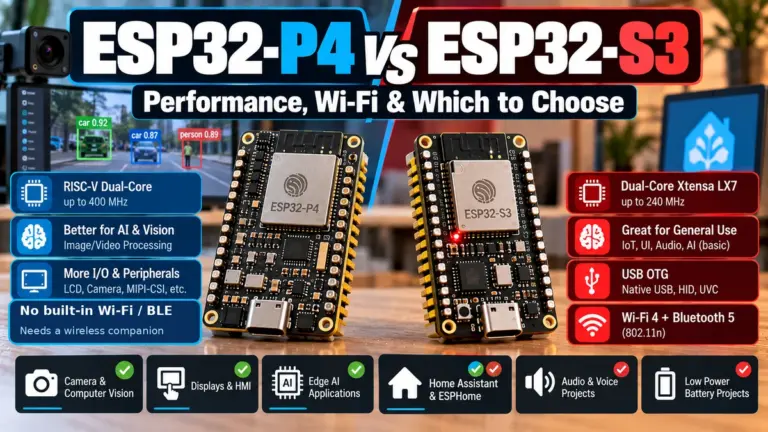
Quick verdict: choose ESP32-S3AliExpress price for most new projects because it adds native USB, Bluetooth 5 LE, more GPIOs and SIMD instructions for AI/DSP. Choose the original ESP32AliExpress price or ESP32AliExpress price-WROOM when you need Bluetooth Classic, its two on-chip DACs or maximum compatibility with older boards and tutorials.
Espressif’s ESP32 family has exploded with variants, but for most makers and IoT projects the real question is simple:
Both chips are dual-core Wi-Fi + Bluetooth SoCs, both are cheap, and both are very well supported in Arduino and ESP-IDF. But there are important differences in CPU architecture, peripherals, AI acceleration, USB support, and power that can make one a much better fit for your project.
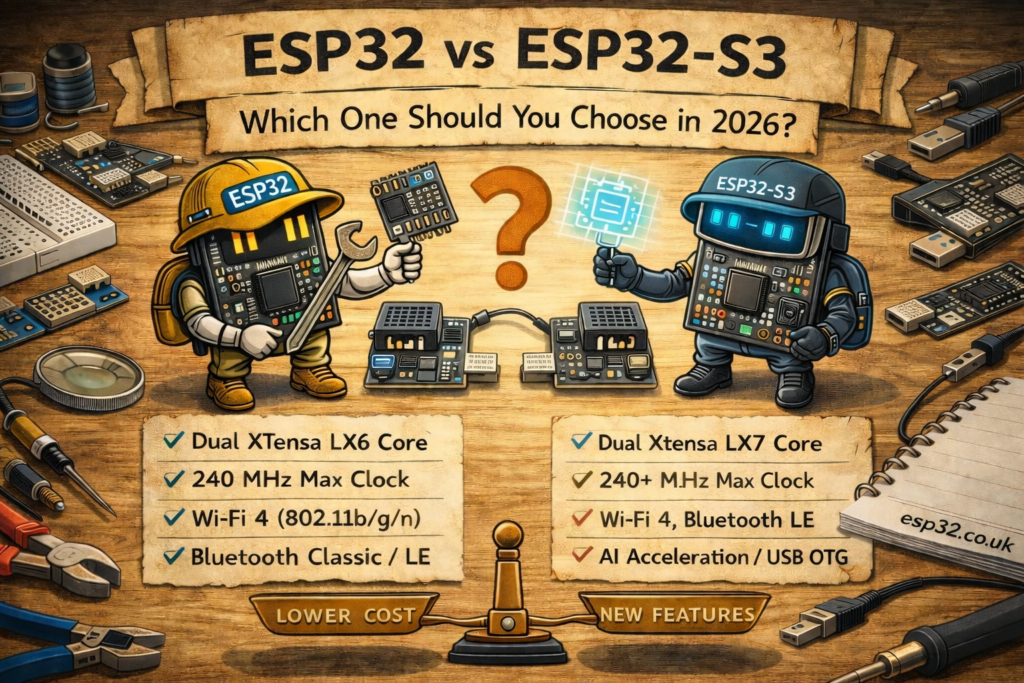
ESP32 vs ESP32-S3 Comparison Table
| Feature | ESP32 (original) | ESP32-S3 |
|---|---|---|
| CPU architecture | Dual-core Xtensa LX6 | Dual-core Xtensa LX7 |
| Max clock | Up to 240 MHz | Up to 240 MHz |
| Instruction set extras | FPU, DSP | FPU, DSP + vector (SIMD) instructions for AI |
| Wi-Fi | 2.4 GHz 802.11b/g/n | 2.4 GHz 802.11b/g/n |
| Bluetooth | Classic + BLE 4.2 | Bluetooth 5 LE, no Classic Bluetooth |
| USB (built-in) | None | Full-speed USB OTG plus USB Serial/JTAG |
| PSRAM support | External PSRAM on many modules | Optional in-package or module-integrated PSRAM, SKU-dependent |
| Flash | External SPI flash (4–16 MB typical) | External SPI flash (4–16 MB typical) |
| ADC quality | 12-bit SAR ADC, up to 18 channels | Two 12-bit SAR ADCs, up to 20 channels |
| GPIO count | 34 GPIO (not all exposed) | 45 GPIO (not all exposed) |
| AI / ML acceleration | No dedicated SIMD extensions | Dedicated SIMD instructions for AI and DSP |
| Target use | General IoT, Wi-Fi, BT Classic, audio, legacy projects | Vision / voice / USB-based devices, modern BLE, AI at the edge |
The core idea:
- If you need Bluetooth Classic (A2DP audio, SPP serial, etc.) → ESP32 (original).
- If you need USB, BLE 5, better AI/DSP, or want a “newer” long-term platform → ESP32-S3.
CPU and Performance
Both chips run up to 240 MHz, but the core itself is newer on the S3.
ESP32 (original)
- Dual-core Xtensa LX6, 32-bit
- Good general performance for Wi-Fi, networking, basic DSP
- Widely used in hobby projects and products – huge ecosystem
ESP32-S3
- Dual-core Xtensa LX7, 32-bit
- Supports vector (SIMD) instructions specifically designed to accelerate:
- DSP (audio processing, filtering)
- Tiny machine learning / AI workloads (keyword spotting, small CNNs, etc.)
- Similar clock speed, but more efficient for code that uses the vector unit
What this means in practice
- For “normal” Arduino-style projects (sensors, MQTT, web UI), performance feels similar.
- For audio, signal processing, or TensorFlow Lite Micro, ESP32-S3 can be significantly faster or more power efficient, if you use libraries that take advantage of its vector instructions.
Wi-Fi and Bluetooth Differences
Wi-Fi
Both chips:
- Use 2.4 GHz Wi-Fi (802.11 b/g/n)
- Have similar throughput and range for typical IoT use
For most hobby projects, Wi-Fi is effectively “the same” between ESP32 and S3.
Bluetooth
This is where things diverge:
- ESP32 (original)
- Supports Bluetooth Classic and BLE 4.2.
- You can use:
- Classic profiles like A2DP (audio streaming)
- SPP for simple serial over BT
- Useful for legacy Android support, older devices, audio gateways, etc.
- ESP32-S3
- Supports Bluetooth Low Energy 5.0 (LE)
- No Bluetooth Classic.
- Better suited for modern BLE beacons, BLE sensors, BLE HID (keyboards, etc.).
So:
- If your project needs Bluetooth audio or classic serial over BT, choose ESP32.
- If you’re building a BLE peripheral (sensors, HID, BLE Mesh, etc.), ESP32-S3 is the better, more modern choice.
Native USB Support
This is one of the biggest practical differences.
ESP32 (original)
- No native USB controller in the chip.
- Boards typically have an external USB-to-Serial bridge (CP2102, CH340, FTDI, etc.) used only for flashing and serial monitor.
- You cannot easily make the ESP32 appear as a USB keyboard, USB microphone, USB audio device without extra hardware.
ESP32-S3
- Integrates full-speed USB OTG and a USB Serial/JTAG controller in the chip.
- The official ESP32-S3-DevKitC-1 exposes both an on-board USB-to-UART bridge and a separate native USB OTG port; third-party boards vary.
- You can make it appear as:
- USB CDC (serial)
- USB HID (keyboard, mouse, gamepad)
- USB MIDI, etc.
- In host mode it can talk to:
- USB flash drives
- Some cameras
- HID devices (keyboards, mice)
If your project says “it connects via USB directly to a PC as X”, ESP32-S3 is the obvious choice.
Flash and PSRAM
Both families use external SPI flash (commonly 4–16 MB on modules) and support external PSRAM for RAM-hungry applications (graphics buffers, AI, etc.).
- ESP32-WROVER modules → ESP32 with PSRAM on board (typical 4–8 MB).
- ESP32-S3-WROOM / S3-WROOM-1 → some SKUs with PSRAM, some without.
For typical web / MQTT / sensor projects, 4 MB flash + no PSRAM is plenty.
For heavy stuff:
- Web servers with big UI
- Cameras, displays, AI, FFT, or audio buffers
…you want a module/board with PSRAM, and ESP32-S3 is usually preferred for new designs.
ADC, DAC and Other Peripherals
ADC
The original ESP32 ADC is infamous: it works, but:
- Non-linear
- Noisy
- Requires calibration and careful scaling if you want accurate readings
ESP32-S3 provides two 12-bit SAR ADCs with up to 20 channels; the original ESP32 provides a 12-bit SAR ADC with up to 18 channels. Both need calibration and careful input design for accurate measurements, so use an external ADC such as ADS1115 when precision matters.
DAC
- ESP32 has 2 basic 8-bit DAC channels (GPIO25, GPIO26).
- ESP32-S3 has no built-in DAC, you use external DACs or PWM + filter instead.
If you really need on-chip analog output, original ESP32 is handy. For most modern work, external DACs or class-D audio amps are better anyway.
Other peripherals
Both families have:
- Multiple UARTs, I²C, SPI
- RMT (great for NeoPixels / IR)
- I²S (audio), timers, PWM, etc.
ESP32-S3 adds:
- More GPIOs
- Some extra internal features aimed at voice / vision (e.g. LCD interface, better integration with external PSRAM and camera modules compared to the original ESP32’s ESP32-CAM style approach).
Power Consumption
At high level, both are not ultra-low-power MCUs like tiny Cortex-M0+ chips, but both offer:
- Modem sleep, light sleep, deep sleep
- RTC memory and wakeup sources (timer, GPIO, ULP, etc.)
At chip level, Espressif specifies 10 µA deep-sleep current for the original ESP32 and 7 µA for ESP32-S3. Real development boards usually draw more because regulators, USB bridges, LEDs and sensors remain powered.
For battery-powered projects, compare the complete board’s measured sleep current; board design often matters more than choosing between these two chips.
Arduino, ESP-IDF and Library Support
Both chips are:
- Supported in Arduino and ESP-IDF
- Supported by PlatformIO, MicroPython, etc.
- Have many DevKit and NodeMCU-style boards.
However:
- A lot of older tutorials and libraries on the internet assume “classic ESP32” (WROOM/DevKitC).
- Newer examples from Espressif, especially for USB, AI and camera, often target ESP32-S3 by default.
For a new project, you won’t struggle with either. For copy-pasting older code, the original ESP32 might match more closely, but S3 support has caught up very well.
Which Should You Choose?
Here’s the practical decision guide.
Choose ESP32 (original) if:
- You explicitly need Bluetooth Classic:
- A2DP audio streaming
- Classic SPP serial (some legacy Android apps)
- You want to reuse lots of older ESP32-WROOM-based code and tutorials with minimal friction.
- You want simple analog output via the on-chip 8-bit DAC.
- You’re using an existing design / shield that was made specifically for original ESP32 and don’t want to adjust pin mapping.
Typical examples:
- Bluetooth audio receiver / transmitter
- Retro projects using BT SPP as a serial link
- Simple IoT boards already in production (no reason to change yet)
Choose ESP32-S3 if:
- Your project will connect to a PC / phone as a USB device:
- USB serial
- USB HID keyboard / mouse / gamepad
- USB MIDI
- You want BLE 5 capabilities and only need BLE (not classic BT).
- You plan to do AI / ML / DSP (voice detection, keyword spotting, small image classification) and want the benefit of vector instructions.
- You want a design that’s more “future-proof”, as Espressif’s newer devkits, camera boards, and AI demos tend to focus on S3.
- You don’t care about on-chip DACs and are happy to use PWM or external DACs.
Typical examples:
- USB-C development boards that show up as a serial device + HID keyboard
- Smart speakers / voice assistants with wake-word detection
- Camera / vision projects that are not yet on pure ESP32-P4 territory
- Human-machine interfaces (TFT + touch, USB + BLE)
ESP32 vs ESP32-S3 Verdict
- ESP32 (classic) is still a great all-rounder:
- Wi-Fi + BT Classic + BLE 4.2, basic DAC, tons of examples.
- Best when you need Bluetooth Classic or you’re extending an older design.
- ESP32-S3 is the better default for new designs:
- Wi-Fi + Bluetooth 5 LE, native USB, more GPIOs, AI-friendly SIMD instructions and two 12-bit ADCs.
- Best when you care about USB, modern BLE, AI, cameras, and long-term support.