
Quick Summary (TL;DR):
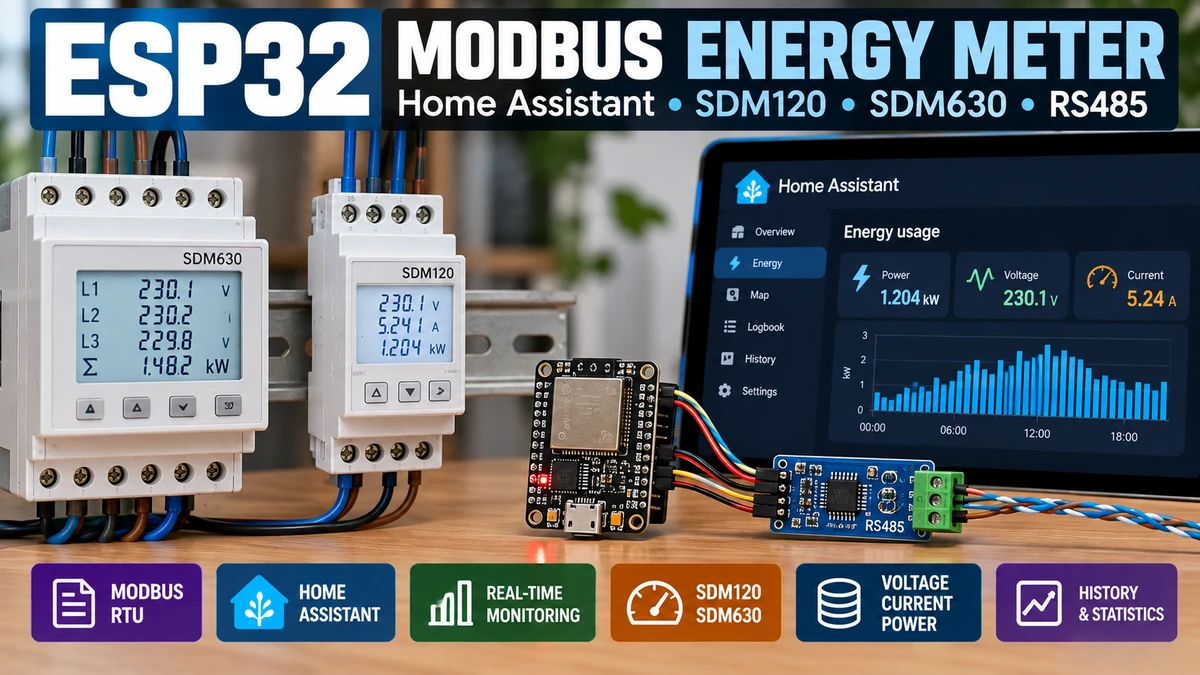
An ESP32AliExpress price can turn an RS-485 Modbus energy meterAliExpress price into a completely local Home Assistant energy monitor. For single-phase circuits, an Eastron SDM120-M/Modbus-class meter is one of the easiest DIN-rail choices; for three-phase, solar, EV charging or more advanced metering, an SDM630-class meter is the natural step up. The ESP32AliExpress price does not measure mains directly: it polls the meter over Modbus RTU on RS-485 using a 3.3 V-compatible or isolated transceiver. Current Eastron Modbus variants commonly use slave address 1, 9600 baud, no parity and one stop bit by default, but variants exist, so always verify the exact model menu/manual. In ESPHome, the most important register-addressing rule is that the manual’s 30001 voltage register corresponds to protocol start address 0x0000, not decimal 30001. For SDM120, useful input-register starts include 0x0000 voltage, 0x0006 current, 0x000C active power, 0x001E power factor, 0x0046 frequency, 0x0048 import kWh and 0x004A export kWh. SDM630 uses the same leading register layout but adds per-phase and total values. For a permanent Home Assistant installation, use proper DIN-rail mains wiring, twisted-pair RS-485, termination only at the physical bus ends, unique slave addresses, and preferably an isolated RS-485 interface when the ESP32AliExpress price is mounted in or near a distribution board.
Materials You’ll Need
| Item | Why you need it |
|---|---|
| ESP32AliExpress price development board | Runs ESPHome and acts as the Modbus client/master |
| SDM120-M/Modbus meter | Single-phase metering option |
| SDM630 Modbus meter | Three-phase / advanced metering option |
| RS-485 transceiver | Converts ESP32 UART logic to differential A/B bus |
| 3.3 V MAX3485/SP3485-class module or isolated RS-485 module | Safer logic-level match than many 5 V MAX485 boards |
| Twisted-pair cable | Reliable A/B communications |
| 120 Ω termination resistor | Used at each physical end of a longer RS-485 bus |
| 5 V / USB power supply for ESP32 | Keeps the low-voltage gateway separate from the meter |
| DIN enclosure / suitable electrical enclosure | Safe permanent installation |
| Home Assistant + ESPHome | Local data collection, dashboards and Energy integration |
Safety: SDM120/SDM630 meters are mains electrical equipment. The ESP32 side is low voltage, but the meter terminals are not. Permanent meter installation should follow local electrical regulations and be carried out by a competent electrician. Do not mount an uninsulated ESP32 or hobby RS-485 module beside exposed mains terminals.
What This Project Actually Does
Mains circuit
    ↓
SDM120 / SDM630 energy meter
    ↓  RS-485 Modbus RTU
RS-485 transceiver
    ↓  UART
ESP32 + ESPHome
    ↓  Wi-Fi / Ethernet
Home Assistant
The energy meter performs the electrical measurement. It samples voltage/current internally, calculates power and accumulates energy. The ESP32 simply asks for those values digitally over Modbus and republishes them to Home Assistant.
That separation is important. Unlike a DIY CT-clamp circuit, the ESP32 ADC is not involved in the accuracy of voltage/current measurement. The quality of the electrical measurements is determined by the meter and its installation; the ESP32 is the communications gateway.
SDM120 vs SDM630: Which Meter Should You Use?
| Feature | SDM120-M/Modbus | SDM630 Modbus family |
|---|---|---|
| Typical supply | Single-phase | Three-phase (many variants also support other wiring modes) |
| DIN width | Very compact, typically 1 module / 18 mm class | Typically 4 modules / 72 mm class |
| Voltage/current/power | Yes | Yes, per phase + totals |
| Power factor | Yes | Yes, per phase + total |
| Frequency | Yes | Yes |
| Import energy | Yes | Yes |
| Export energy | Yes on suitable Modbus variants | Yes |
| Reactive/apparent power | Yes | Yes |
| Three-phase | No | Yes |
| CT-operated variants | Some product families | Yes, including SDM630MCT variants |
| Best use | Heat pump, EV circuit, apartment sub-meter, single-phase solar/load | Whole-building 3-phase, PV import/export, EV, industrial monitoring |
For most European homes with a single-phase circuit you want to sub-meter, SDM120 is simpler and cheaper. If the supply is three-phase, or you need per-phase voltage/current and total import/export values, SDM630 is the better architecture.
What RS-485 Adds
Modbus RTU is the protocol; RS-485 is the electrical layer that carries the serial data. RS-485 uses a balanced differential pair, normally labelled A and B, which is much more robust than TTL UART in electrically noisy environments.
ESP32 UART TX/RX
      ↓
RS-485 transceiver
      ↓
A ================================ A
B ================================ B
          twisted-pair bus
      ↓                 ↓
   SDM120 #1        SDM120 #2
Multiple Modbus meters can share the same A/B pair. Each device needs a unique slave address and matching serial settings.
Use a 3.3 V-Compatible RS-485 Transceiver
A classic MAX485 IC is normally a 5 V device. Many cheap MAX485 modules drive their receiver output close to 5 V, which is not a good logic-level match for a 3.3 V ESP32 GPIO.
For a new build, use a MAX3485, SP3485 or another 3.3 V RS-485 transceiver, or better, use an isolated RS-485 module intended for industrial gateways.
Isolation is particularly attractive in a distribution board because it breaks unwanted ground paths and helps protect the low-voltage ESP32 from transients/noise on the field bus.
RS-485 Wiring
| ESP32 / transceiver side | Function |
|---|---|
| TX GPIO | UART transmit into transceiver DI |
| RX GPIO | UART receive from transceiver RO |
| Flow-control GPIO | Controls DE/RE on manual half-duplex transceivers |
| 3.3 V | Transceiver supply for 3.3 V modules |
| GND | Low-voltage logic ground |
| A | RS-485 differential bus |
| B | RS-485 differential bus |
On an ESP32, almost any suitable GPIO pair can be used for hardware UART. GPIO16/17 are commonly chosen on classic ESP32 boards, but they are not mandatory.
Example ESP32 wiring:
GPIO17 → DI (TX)
GPIO16 ← RO (RX)
GPIO4  → DE + /RE (flow control)
3V3    → VCC
GND    → GND

RS485 A → meter A
RS485 B → meter B
A/B Labelling Is Not Completely Universal
RS-485 naming is annoyingly inconsistent between vendors. If everything looks correct but the meter never answers, one of the first diagnostic tests is to swap A and B. Do that only on the communications pair — never experiment with the mains terminals.
Termination: When to Use 120 Ω
RS-485 is a transmission line. The usual rule is 120 Ω termination at the two physical ends of the bus, not at every device.
120Ω                                         120Ω
 |                                             |
Gateway ---- Meter ---- Meter ---- Meter ---- End
On a very short, slow 9600-baud bench connection, the bus may work perfectly without termination. On a long cable, a multi-drop bus or an electrically noisy installation, correct termination becomes much more important.
Do not fit 120 Ω across A/B on every meter. Too many parallel terminators heavily load the bus.
Bias / Fail-Safe Resistors
When no RS-485 driver is active, the bus can otherwise float. Some transceivers provide internal fail-safe behaviour; other installations use one set of bias resistors on the bus.
Do not blindly add pull resistors at every node. If the gateway/transceiver already provides fail-safe biasing, extra bias networks can unnecessarily load the bus. For a permanent installation, follow the transceiver manufacturer’s recommended RS-485 network design.
Common SDM Modbus Settings
| Setting | Typical current SDM Modbus value | Important note |
|---|---|---|
| Slave address | 1 | Valid Modbus addresses normally 1–247 |
| Baud rate | 9600 bps | Current SDM120-M/SDM630-M manuals commonly use 9600; verify your exact variant |
| Data bits | 8 | Standard Modbus RTU |
| Parity | None | Some models allow Even/Odd |
| Stop bits | 1 | Some configurations permit 2 |
Eastron has produced many SDM variants over the years, including Modbus, M-Bus, pulse-only, TCP and CT-operated versions. Older or alternate manuals can show different defaults. The value shown in the meter’s setup menu is the final authority.
Why Modbus Register Numbers Are Confusing
This is the single most important software concept in the project.
The Eastron manual may show a measurement as register 30001. That is a human-friendly Modbus reference number. The actual protocol request uses a zero-based start address.
Manual register 30001 → protocol start address 0x0000
Manual register 30007 → protocol start address 0x0006
Manual register 30013 → protocol start address 0x000C
ESPHome’s modbus_controller normally wants the protocol start address, not the printed 30xxx number.
If you enter 30001 where ESPHome expects 0x0000, you will request the wrong location and usually get an illegal-address response, timeout or meaningless data.
SDM120 Useful Input Registers
| Measurement | Manual register | ESPHome address | Type |
|---|---|---|---|
| Voltage | 30001 | 0x0000 | Float32 |
| Current | 30007 | 0x0006 | Float32 |
| Active power | 30013 | 0x000C | Float32 |
| Apparent power | 30019 | 0x0012 | Float32 |
| Reactive power | 30025 | 0x0018 | Float32 |
| Power factor | 30031 | 0x001E | Float32 |
| Frequency | 30071 | 0x0046 | Float32 |
| Import active energy | 30073 | 0x0048 | Float32 kWh |
| Export active energy | 30075 | 0x004A | Float32 kWh |
| Total active energy | 30343 | 0x0156 | Float32 kWh |
These measurement registers are read using Modbus function code 04 (Read Input Registers). Each IEEE-754 Float32 value occupies two 16-bit Modbus registers.
SDM630 Useful Input Registers
| Measurement | ESPHome start address | Type |
|---|---|---|
| L1 voltage | 0x0000 | Float32 |
| L2 voltage | 0x0002 | Float32 |
| L3 voltage | 0x0004 | Float32 |
| L1 current | 0x0006 | Float32 |
| L2 current | 0x0008 | Float32 |
| L3 current | 0x000A | Float32 |
| L1 active power | 0x000C | Float32 |
| L2 active power | 0x000E | Float32 |
| L3 active power | 0x0010 | Float32 |
| Total active power | 0x0034 | Float32 |
| Total apparent power | 0x0038 | Float32 |
| Total reactive power | 0x003C | Float32 |
| Total power factor | 0x003E | Float32 |
| Frequency | 0x0046 | Float32 |
| Import active energy | 0x0048 | Float32 kWh |
| Export active energy | 0x004A | Float32 kWh |
The SDM630 family contains many more registers than this, including line-to-line voltages, demand values, phase angles, THD on relevant variants and reactive-energy totals. Start with the core measurements and add only what you actually need in Home Assistant.
Why Float32 Matters
SDM meters encode most live measurements as 32-bit IEEE-754 floating-point values. Because a Modbus register is only 16 bits, each measurement spans two registers.
Voltage Float32
Register N     → high 16 bits
Register N + 1 → low 16 bits
In ESPHome, the usual value type for these meters is FP32. If the wrong value type or word order is used, a perfectly valid reply can decode into absurd values.
Complete ESPHome Base Configuration
The following is a sensible starting structure for an ESP32 + manual-direction RS-485 transceiver.
esphome:
  name: sdm-energy-meter
  friendly_name: SDM Energy Meter

esp32:
  board: esp32dev
  framework:
    type: esp-idf

logger:

api:

ota:
  - platform: esphome

wifi:
  ssid: !secret wifi_ssid
  password: !secret wifi_password

uart:
  id: modbus_uart
  tx_pin: GPIO17
  rx_pin: GPIO16
  baud_rate: 9600
  parity: NONE
  stop_bits: 1
  flow_control_pin: GPIO4

modbus:
  id: modbus_bus
  uart_id: modbus_uart

modbus_controller:
  - id: sdm_meter
    address: 1
    modbus_id: modbus_bus
    update_interval: 10s
If your RS-485 interface has automatic direction control, you normally do not need the flow-control GPIO. If it exposes DE and /RE separately, they are commonly tied together and controlled from one ESP32 GPIO.
ESPHome SDM120 Sensors
sensor:
  - platform: modbus_controller
    modbus_controller_id: sdm_meter
    name: "SDM120 Voltage"
    address: 0x0000
    register_type: input
    value_type: FP32
    unit_of_measurement: "V"
    device_class: voltage
    state_class: measurement
    accuracy_decimals: 1

  - platform: modbus_controller
    modbus_controller_id: sdm_meter
    name: "SDM120 Current"
    address: 0x0006
    register_type: input
    value_type: FP32
    unit_of_measurement: "A"
    device_class: current
    state_class: measurement
    accuracy_decimals: 2

  - platform: modbus_controller
    modbus_controller_id: sdm_meter
    name: "SDM120 Active Power"
    address: 0x000C
    register_type: input
    value_type: FP32
    unit_of_measurement: "W"
    device_class: power
    state_class: measurement
    accuracy_decimals: 1

  - platform: modbus_controller
    modbus_controller_id: sdm_meter
    name: "SDM120 Power Factor"
    address: 0x001E
    register_type: input
    value_type: FP32
    state_class: measurement
    accuracy_decimals: 3

  - platform: modbus_controller
    modbus_controller_id: sdm_meter
    name: "SDM120 Frequency"
    address: 0x0046
    register_type: input
    value_type: FP32
    unit_of_measurement: "Hz"
    device_class: frequency
    state_class: measurement
    accuracy_decimals: 2

  - platform: modbus_controller
    modbus_controller_id: sdm_meter
    name: "SDM120 Import Energy"
    address: 0x0048
    register_type: input
    value_type: FP32
    unit_of_measurement: "kWh"
    device_class: energy
    state_class: total_increasing
    accuracy_decimals: 3

  - platform: modbus_controller
    modbus_controller_id: sdm_meter
    name: "SDM120 Export Energy"
    address: 0x004A
    register_type: input
    value_type: FP32
    unit_of_measurement: "kWh"
    device_class: energy
    state_class: total_increasing
    accuracy_decimals: 3
ESPHome SDM630 Core Sensors
For SDM630, the UART/Modbus base stays the same. Add per-phase and total sensors using the SDM630 register addresses.
sensor:
  - platform: modbus_controller
    modbus_controller_id: sdm_meter
    name: "SDM630 L1 Voltage"
    address: 0x0000
    register_type: input
    value_type: FP32
    unit_of_measurement: "V"
    device_class: voltage
    state_class: measurement

  - platform: modbus_controller
    modbus_controller_id: sdm_meter
    name: "SDM630 L2 Voltage"
    address: 0x0002
    register_type: input
    value_type: FP32
    unit_of_measurement: "V"
    device_class: voltage
    state_class: measurement

  - platform: modbus_controller
    modbus_controller_id: sdm_meter
    name: "SDM630 L3 Voltage"
    address: 0x0004
    register_type: input
    value_type: FP32
    unit_of_measurement: "V"
    device_class: voltage
    state_class: measurement

  - platform: modbus_controller
    modbus_controller_id: sdm_meter
    name: "SDM630 Total Active Power"
    address: 0x0034
    register_type: input
    value_type: FP32
    unit_of_measurement: "W"
    device_class: power
    state_class: measurement

  - platform: modbus_controller
    modbus_controller_id: sdm_meter
    name: "SDM630 Total Power Factor"
    address: 0x003E
    register_type: input
    value_type: FP32
    state_class: measurement

  - platform: modbus_controller
    modbus_controller_id: sdm_meter
    name: "SDM630 Import Energy"
    address: 0x0048
    register_type: input
    value_type: FP32
    unit_of_measurement: "kWh"
    device_class: energy
    state_class: total_increasing

  - platform: modbus_controller
    modbus_controller_id: sdm_meter
    name: "SDM630 Export Energy"
    address: 0x004A
    register_type: input
    value_type: FP32
    unit_of_measurement: "kWh"
    device_class: energy
    state_class: total_increasing
Home Assistant Energy Dashboard
For the Home Assistant Energy dashboard, the most useful entities are the accumulated energy registers rather than instantaneous watts.
| Entity | Home Assistant role |
|---|---|
| Import active energy (kWh) | Grid consumption |
| Export active energy (kWh) | Return to grid for solar/bidirectional installations |
| Active power (W) | Live power graphs and automations |
| Voltage/current/PF | Diagnostics and electrical quality monitoring |
Use device_class: energy and state_class: total_increasing for monotonically increasing kWh counters. Do not integrate a kWh total again with another integration sensor — that would double-integrate the value.
Import and Export with Solar
A major advantage of a suitable SDM meter over a basic CT-only project is that it can distinguish import and export energy.
Import power  → grid supplies the house
Export power  → house / PV sends energy to grid
For solar, that directional information is critical. Home Assistant can then show grid consumption and return-to-grid separately instead of trying to infer direction from a current magnitude.
Three-Phase Monitoring with SDM630
A three-phase system should not be reduced to one current value. The useful SDM630 dataset includes each phase individually plus totals.
- L1/L2/L3 line-to-neutral voltage
- L1/L2/L3 current
- L1/L2/L3 active power
- L1/L2/L3 power factor
- total active/apparent/reactive power
- frequency
- import/export active energy
This makes it possible to detect phase imbalance, overloaded phases and unusual power-factor behaviour in addition to simply tracking total kWh.
Direct-Connected vs CT-Operated SDM630
The SDM630 family contains both direct-connected and CT-operated meter variants. CT-operated models use external current transformers and must be configured with the correct CT primary/secondary ratio.
If the CT ratio in the meter is wrong, Modbus communications can be perfect while every current/power/energy reading is scaled incorrectly. The meter configuration is part of the measurement chain.
Multiple Meters on One ESP32
RS-485 is naturally multi-drop. One ESP32 can poll several SDM meters as long as each has a unique slave address.
ESP32 gateway
   ↓ A/B
SDM120 address 1
SDM120 address 2
SDM120 address 3
SDM630 address 4
In ESPHome, define multiple modbus_controller entries on the same Modbus bus, each with a different address. Avoid giving two devices the same address: both may answer simultaneously, corrupting the frame.
Polling Interval: Faster Is Not Always Better
Energy meters do not need 20 polls per second. Home Assistant dashboards are usually perfectly useful at 5–30 second intervals.
| Use case | Suggested starting interval |
|---|---|
| Live power display | 5–10 s |
| Normal home energy dashboard | 10–30 s |
| Many meters on one RS-485 bus | 15–60 s, stagger/optimize |
| Long-term kWh only | 30–60 s |
Aggressive polling increases bus traffic, log noise and the chance of collisions/timeouts without adding meaningful information.
ESPHome Can Combine Adjacent Registers
ESPHome’s Modbus controller can optimize reads by grouping compatible register ranges rather than issuing one request for every sensor. This can dramatically reduce traffic when an SDM630 exposes many adjacent values.
Start with a simple configuration that works. Optimize only after communication is reliable.
Common Problem: No Response at All
Work through the physical layer before changing register addresses.
- Confirm meter is the Modbus/RS-485 variant, not an M-Bus or pulse-only version.
- Check A/B wiring; try swapping A and B if documentation naming differs.
- Confirm slave address.
- Confirm baud rate, parity and stop bits.
- Check ESP32 TX/RX and flow-control pin.
- Verify DE/RE control on manual transceiver.
- Check common reference/ground requirements for your transceiver design.
- Reduce the bus to one meter and a short cable for testing.
If the ESP32 is transmitting but the transceiver never switches back to receive mode, the meter can answer correctly and the ESP32 will still hear nothing.
Common Problem: ‘Illegal Data Address’
This almost always points to the register map or addressing convention.
Wrong for ESPHome:
address: 30001

Correct protocol start address:
address: 0x0000
Also confirm that you are using register_type: input for the SDM measurement registers. That selects Modbus function code 04.
Common Problem: Values Are Huge, Tiny or Nonsense
The usual causes are:
- Wrong value type (for example U_WORD instead of FP32)
- Wrong start address
- Wrong word/byte order for a different device family
- Reading only one register of a two-register Float32
- Using a register map for a different SDM variant
SDM live measurements are commonly IEEE-754 Float32. Two 16-bit registers belong to one value.
Common Problem: Works on the Bench, Fails in the Distribution Board
That pattern strongly suggests physical-layer noise, grounding, cable routing or power-supply problems rather than YAML.
- Use twisted pair for A/B.
- Keep RS-485 away from switching/high-current conductors where practical.
- Use correct termination on longer buses.
- Consider isolated RS-485.
- Use a stable ESP32 power supply.
- Avoid long unshielded stubs.
- Check that the ESP32 enclosure and wiring maintain mains/SELV separation.
Common Problem: Two Meters Work Individually but Not Together
Check slave addresses first. If both meters are address 1, both answer the same request at the same time.
Then check bus topology. RS-485 prefers a daisy-chain trunk, not a star with long branches.
Good:
Gateway ---- Meter ---- Meter ---- Meter

Less ideal:
           ---- Meter
Gateway ---+--- Meter
           ---- Meter
Common Problem: Import/Export Seems Reversed
For a direct-connected meter, check line/load orientation and the exact meter manual. For CT-operated SDM630 variants, CT direction matters as well. A reversed CT can invert the sign/direction of power.
Do not “fix” this in Home Assistant with a negative multiplier until you have verified that the meter is electrically installed in the intended direction.
Common Problem: Energy Sensor Resets or Decreases
Home Assistant expects a total_increasing energy entity to increase except for legitimate meter resets/rollovers. If the value jumps backwards, check whether you accidentally selected a demand register, a resettable partial counter or the wrong data type.
Should the ESP32 Be Inside the Electrical Panel?
It can be, but it does not have to be. RS-485 exists specifically so the gateway can be some distance from the meter.
A very clean architecture is:
Distribution board:
  SDM meter + isolated RS-485 wiring

Low-voltage enclosure nearby:
  ESP32 + RS-485 interface + power supply
This improves serviceability and makes it easier to maintain safe separation between low-voltage electronics and mains terminals.
Wi-Fi vs Ethernet for the ESP32 Gateway
Wi-Fi is sufficient for most houses. If the gateway sits inside a metal distribution cabinet or in a plant room with poor RF coverage, an ESP32 board with Ethernet can be a better long-term choice.
The RS-485 side remains identical; only the Home Assistant network connection changes.
Why SDM120/630 Are Better Than a PZEM for a Permanent Panel
PZEM-004T is excellent value, but an SDM DIN meter is mechanically designed to be switchboard equipment. It provides standard DIN mounting, protected terminals, front-panel configuration and robust RS-485 communications.
| Feature | PZEM-004T | SDM120 / SDM630 |
|---|---|---|
| Cost | Lower | Higher |
| DIN-rail mechanical design | Not inherently | Yes |
| RS-485 differential bus | No on standard TTL PZEM interface | Yes |
| Long multi-drop bus | Not ideal | Designed for it |
| Three-phase | Not normal PZEM-004T role | SDM630 |
| Import/export | Limited use case | Strong on suitable SDM variants |
| Certified meter variants | No billing-class assumption | MID variants available |
When SDM120 Is the Best Choice
- Single-phase heat pump
- EV charger circuit
- Apartment or workshop sub-meter
- Single-phase solar inverter circuit
- One large appliance or plant circuit
- Compact DIN-rail installation
When SDM630 Is the Best Choice
- Three-phase whole-home monitoring
- Three-phase heat pump
- Three-phase EV charging
- Commercial/industrial distribution
- Solar import/export monitoring
- Phase-balance analysis
- CT-operated high-current metering
Recommended Build Architecture
SDM120/SDM630
   │
   │ RS-485 A/B twisted pair
   │
Isolated 3.3V RS-485 interface
   │ UART
ESP32
   │ Wi-Fi/Ethernet
ESPHome
   │ Native API
Home Assistant
That design keeps the meter doing the metrology, uses a robust industrial communications layer, and keeps Home Assistant completely local.
Final Recommendation
For a permanent ESP32 energy-monitoring installation, RS-485 Modbus is one of the best architectures available. It is more robust than TTL serial, much richer than pulse counting and avoids the analogue-calibration limitations of a basic CT-only ESP32 project.
Single-phase → SDM120-M/Modbus
Three-phase / advanced → SDM630 Modbus
Gateway → ESP32 + 3.3 V or isolated RS-485
Software → ESPHome modbus_controller
Dashboard → Home Assistant
The technical traps are straightforward once you know them: verify the exact meter variant, match address/baud/parity, use proper RS-485 wiring, and remember that register 30001 in the manual means protocol start address 0x0000. If those pieces are correct, an SDM120 or SDM630 can provide years of local voltage, current, watts, power factor, frequency and import/export kWh data with no cloud service involved.
Related ESP32 Guides
- ESP32 Energy Monitoring Methods Compared: Pulse vs CT vs PZEM vs Modbus
- Home Assistant Modbus/RS-485 Gateway for Energy Meters & Heat Pumps
- ESP32 PZEM-004T Energy Monitor
- ESP32 CT Clamp Energy Monitor for Home Assistant
- ESP32 Electricity Meter Pulse Reader for Home Assistant
Datasheets & External Resources
All manufacturer and framework documentation is collected here so the main article remains focused on esp32.co.uk.
- Eastron SDM120-M User Manual — current register map, Modbus settings, input/holding registers and energy counters.
- Eastron SDM630MCT Modbus Product Page — current three-phase/CT-operated/bidirectional capabilities and Modbus interface.
- Eastron SDM630MCT User Manual — per-phase and total Modbus register map.
- ESPHome Modbus Component — RS-485 hardware, flow-control and Modbus bus configuration.
- ESPHome Modbus Controller — client/controller setup, polling, SDM120 examples and register handling.
- ESPHome Modbus Controller Sensor — input/holding register sensor configuration and value types.
- ESPHome UART Component — ESP32 UART and RS-485 half-duplex flow-control configuration.