Quick Summary (TL;DR):
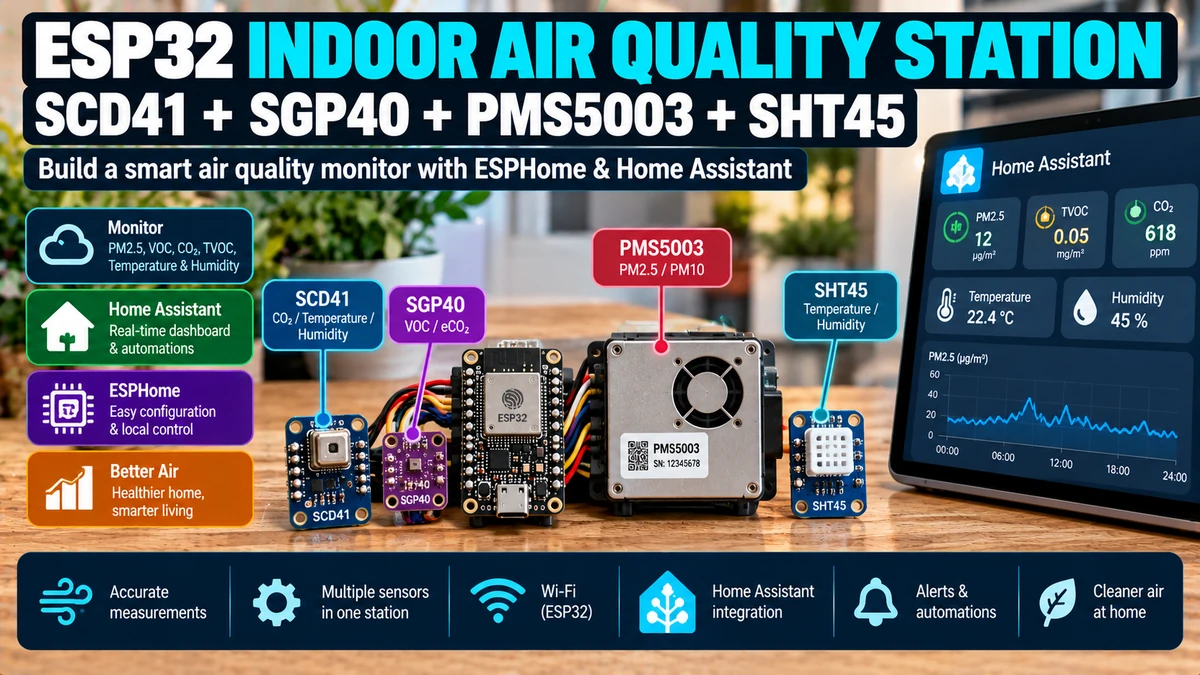
A serious Home Assistant indoor-air-quality station should not try to turn one cheap “air quality” sensor into everything. Use SCD41AliExpress price for true CO₂, SGP40AliExpress price for VOC Index, PMS5003AliExpress price for PM1/PM2.5/PM10, and SHT45 for the primary room temperature and humidity. These four sensors measure different physical problems: CO₂ tells you about ventilation/occupancy, VOC Index reacts to chemical/gaseous pollution, PMS5003AliExpress price detects airborne particles such as cooking smoke and dust, and SHT45 gives accurate environmental temperature/humidity while also improving the SGP40AliExpress price gas compensation. Current ESPHome supports all four directly. SCD41 uses scd4x at I²C address 0x62; SHT45 uses sht4x at 0x44; SGP40 uses sgp4x and can take the SHT45 temperature/humidity entities as compensation sources; PMS5003 uses pmsx003 on a 9600-baud UART. Current ESPHome also renamed SGP4x outputs from voc/nox to voc_index/nox_index; the old names are deprecated and scheduled for removal in ESPHome 2027.2.0. The SGP40 VOC algorithm must be driven internally at 1 Hz, which ESPHome handles automatically even if Home Assistant only receives an updated VOC Index every 30–60 seconds. For PMS5003, if you connect both UART RX and TX and choose an update interval above 30 seconds, current ESPHome can sleep/wake the sensor automatically; 120 seconds or longer is sensible for a permanent monitor when you want to reduce fan/laser wear. The biggest challenge is not YAML—it is enclosure airflow and thermal layout. Keep SCD41 and SHT45 away from the ESP32, voltage regulator and PMS5003 exhaust; give every sensor access to real room air; do not seal them in one stagnant plastic box. For automation, treat each pollutant separately rather than producing one fake “IAQ percentage”: CO₂ can trigger ventilation, PM2.5 can boost extraction or filtration, VOC Index can flag solvents/cooking/cleaners, and humidity can control dehumidification. This gives Home Assistant a real multi-pollutant view of the room instead of one ambiguous gas-resistance number.
Materials You’ll Need
| Item | Role |
|---|---|
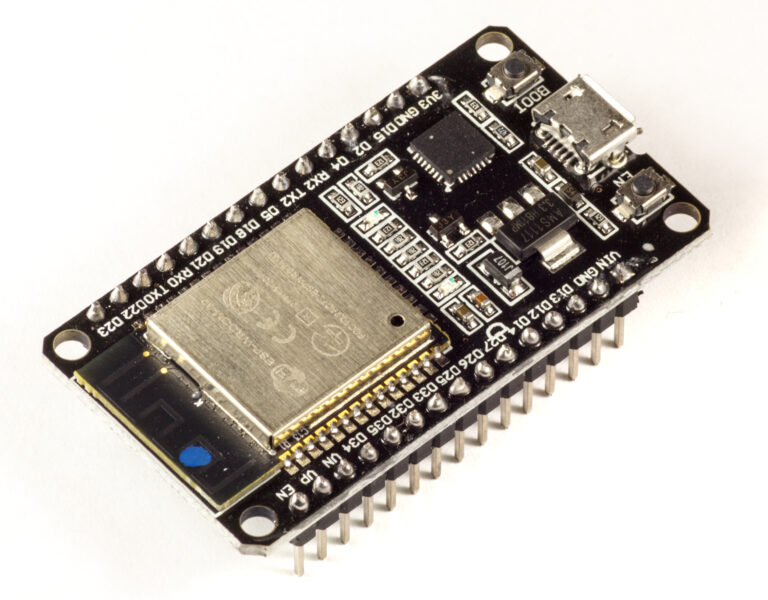
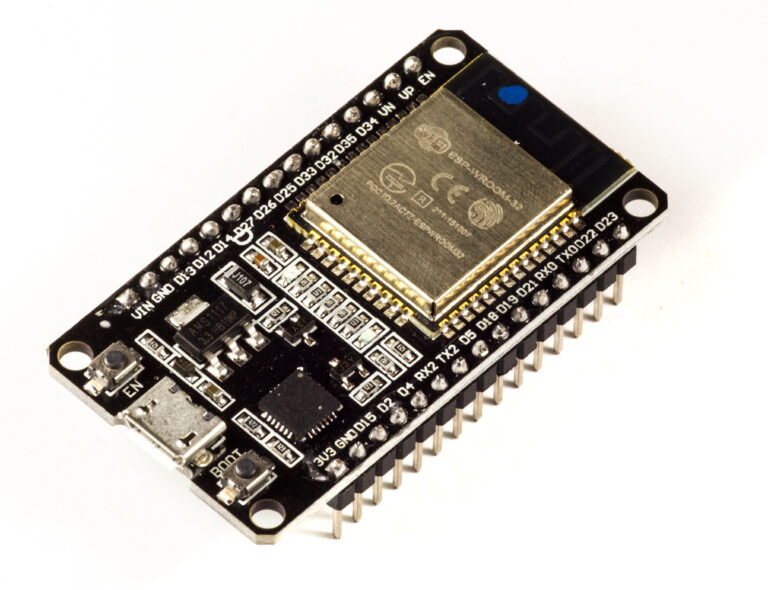
| ESP32 development board | Runs ESPHome, I²C and UART |
| SCD41 | True CO₂ measurement using photoacoustic sensing |
| SGP40 | VOC Index / chemical-air-quality trend |
| PMS5003 | PM1.0, PM2.5 and PM10 particulate matter |
| SHT45 | Accurate room temperature and relative humidity |
| Stable 5 V USB supply | Powers ESP32 and PMS5003 |
| 3.3 V rail | Typical safe supply for SHT45/SGP40 breakout logic |
| Ventilated enclosure | Allows representative room air to reach sensors |
| Home Assistant | Dashboards, history, alerts and ventilation automation |
Why Four Sensors Instead of One
| Pollutant / variable | Sensor | What it tells you |
|---|---|---|
| CO₂ | SCD41 | Ventilation effectiveness and occupancy-related CO₂ buildup |
| VOC trend | SGP40 | Changes in volatile organic gas mixture |
| PM1/PM2.5/PM10 | PMS5003 | Airborne particulate / smoke / dust / aerosols |
| Temperature + RH | SHT45 | Thermal comfort, humidity and SGP40 compensation |
These measurements are complementary. High CO₂ does not imply high PM2.5. A room can have excellent CO₂ but terrible cooking particles, or low particles but strong VOCs from cleaning products.
Do Not Create One Fake IAQ Percentage
Combining CO₂, PM2.5, VOC Index and humidity into one arbitrary 0–100 score hides useful information. Home Assistant should expose the actual measurements and let automations react to the relevant pollutant.
CO2 high
→ ventilation problem

PM2.5 high
→ particles / smoke / aerosol problem

VOC Index high
→ gaseous/chemical event

Humidity high
→ moisture / condensation risk
Why SCD41 for CO₂
SCD41 is a true optical/photoacoustic CO₂ sensor, not an “eCO₂” estimate derived from VOC resistance. Sensirion specifies its main accuracy range from approximately 400 to 5000 ppm, with a typical response time around 60 seconds.
For a room monitor, this is exactly what you want: a real CO₂ concentration in ppm that can be used directly for ventilation decisions.
SCD41 vs eCO₂
| True SCD41 CO₂ | VOC-derived eCO₂ |
|---|---|
| Measures CO₂ physically | Estimates CO₂ from gas/VOC behaviour |
| Outputs ppm based on CO₂ sensing | Can be fooled by cleaners/perfume/cooking |
| Useful for ventilation | Useful only as a rough proxy |
Do not substitute an SGP40 VOC Index for real CO₂. The sensors answer different questions.
SCD41 ESPHome Basics
sensor:
  - platform: scd4x
    id: scd41_sensor
    co2:
      name: "Indoor CO2"
      id: indoor_co2
    update_interval: 30s
Current ESPHome defaults the SCD4x I²C address to 0x62 and the reporting interval to 60 seconds.
SCD41 Measurement Modes
| Mode | Behaviour | Use |
|---|---|---|
| periodic | New measurement every ~5 s | Fast normal monitoring |
| low_power_periodic | New measurement every ~30 s | Lower-power fixed node |
| single_shot | SCD41 only; one measurement per interval | Low-power specialised use |
| single_shot_rht_only | Temperature/RH only; CO₂ reports 0 | Not useful for normal IAQ CO₂ monitoring |
For a mains-powered Home Assistant IAQ station, periodic or low_power_periodic is simpler than single-shot operation.
Automatic Self-Calibration
ESPHome enables SCD4x automatic self-calibration by default. For a normal occupied building that periodically receives fresh-air CO₂ conditions, this is usually the right starting point.
Do not repeatedly force-calibrate because two cheap sensors disagree by 50 ppm. Forced calibration should be done only against a known reference condition after the sensor has stabilised in the same operating mode.
SCD41 Temperature Is Not My Primary Room Temperature
SCD41 contains internal temperature/humidity sensing because those values are needed for its own compensation and are also available as outputs. However, the SCD4x package and nearby electronics can create a temperature offset. Current ESPHome even defaults the SCD4x temperature offset setting to 4°C.
For this multi-sensor station, use the SHT45 as the primary exposed room temperature/humidity sensor. Keep SCD41 temperature/humidity diagnostic or omit them from the UI if you do not need them.
Why SHT45 Is the Better Environmental Reference
Sensirion specifies SHT45 around ±0.1°C typical temperature accuracy and ±1% RH typical humidity accuracy. That makes it a much stronger standalone room sensor than using SCD41’s thermal reading from inside a busy electronics enclosure.
Primary room temperature → SHT45
Primary room humidity    → SHT45
CO2                      → SCD41
VOC compensation         → SHT45 T + RH
SHT45 ESPHome Configuration
sensor:
  - platform: sht4x
    id: sht45_sensor
    address: 0x44
    precision: High
    temperature:
      name: "Indoor Temperature"
      id: indoor_temperature
    humidity:
      name: "Indoor Humidity"
      id: indoor_humidity
    update_interval: 10s
Current ESPHome defaults SHT4x to address 0x44, High precision and a 60-second update interval. Ten to thirty seconds is convenient when the values also compensate SGP40.
SHT45 Heater
Current ESPHome supports the SHT4x on-chip heater with a maximum automatic duty cycle of 5%. It is intended mainly for condensation recovery/high-humidity situations.
Leave the heater off by default in a normal indoor station. Heating the humidity sensor continuously would distort the local temperature/humidity environment you are trying to measure.
Why SGP40 Needs Temperature and Humidity Compensation
The SGP40 raw gas signal changes with ambient temperature and humidity. ESPHome can feed external temperature and humidity sensors into the SGP4x component for compensation.
Since this project already has an accurate SHT45, use it.
Current SGP40 ESPHome Syntax
sensor:
  - platform: sgp4x
    id: sgp40_sensor

    voc_index:
      name: "Indoor VOC Index"
      id: indoor_voc_index

    compensation:
      temperature_source: indoor_temperature
      humidity_source: indoor_humidity

    update_interval: 30s
As of current ESPHome, use voc_index. The older voc key still works temporarily but is deprecated and scheduled for removal in ESPHome 2027.2.0.
SGP40 Is Read Internally Every Second
Current ESPHome requires the SGP4x gas algorithm to be driven at 1 Hz. ESPHome therefore reads the device locally every second regardless of a slower frontend update_interval. The update interval only controls how often the state is reported to the rest of ESPHome/Home Assistant.
SGP40 sampling on ESP32
→ every 1 second

Home Assistant update_interval: 30s
→ network/UI gets a value every 30s

Algorithm still receives required 1Hz samples
What VOC Index Means
Sensirion’s VOC Index is unitless. Its algorithm adapts to the local indoor background: around 100 represents the recent typical indoor gas composition, values above 100 indicate a deterioration relative to that background, and values below 100 indicate improvement.
That means VOC Index is excellent for detecting events but is not a direct ppm concentration of “all VOCs”.
VOC Index Is Relative, Not an Absolute Pollution Concentration
VOC Index ~100
→ typical recent indoor gas background

VOC Index rises strongly
→ current gas mixture is worse/more intense than learned background

VOC Index falls below 100
→ cleaner than recent background
Do not write automations that claim VOC Index 200 means “200 ppm VOC”. It does not.
SGP40 Startup and Learning
The VOC algorithm learns the room’s background over time. Expect startup adaptation rather than judging the sensor from its first few minutes after boot.
Current ESPHome stores baseline/algorithm state by default, which helps the sensor resume more quickly after normal restarts.
Why PMS5003 Is Needed Even with SGP40
SGP40 cannot measure particles. PMS5003 cannot measure gaseous VOCs. Cooking can create both, but many events affect one far more strongly than the other.
| Event | Likely VOC | Likely PM |
|---|---|---|
| Perfume / solvent / cleaner | High response | May be small |
| Frying / searing | Often high | Often very high PM2.5 |
| Dusting / vacuuming | Variable | PM10/PM2.5 can rise |
| Human occupancy without cooking | Limited VOC change possible | Usually low particles |
PMS5003 UART Configuration
uart:
  id: pms_uart
  rx_pin: GPIO16
  tx_pin: GPIO17
  baud_rate: 9600
  parity: NONE
  stop_bits: 1
Current ESPHome PMSX003 support uses 9600 baud. Sensor TX connects to ESP32 RX. ESP32 TX back to the PMS receiver is required if you want ESPHome-controlled passive sleep/wake operation.
PMS5003 ESPHome Configuration
sensor:
  - platform: pmsx003
    type: PMSX003
    uart_id: pms_uart
    update_interval: 120s

    pm_1_0:
      name: "Indoor PM1.0"
      id: indoor_pm1

    pm_2_5:
      name: "Indoor PM2.5"
      id: indoor_pm25

    pm_10_0:
      name: "Indoor PM10"
      id: indoor_pm10
For the standard PMS5003, use type: PMSX003. These PM entities are the atmospheric values suited to normal environmental monitoring.
Why 120 Seconds Is a Good Permanent PMS5003 Interval
Current ESPHome automatically changes behaviour when PMSX003 update_interval is above 30 seconds and bidirectional UART control is available. It can sleep the sensor, wake it roughly 30 seconds before a reading, allow stabilisation, request the sample and return to the long cycle.
This reduces fan/laser operating time. ESPHome’s documentation recommends 120 seconds or longer when extending sensor life is the objective.
Continuous PMS5003 Can Still Make Sense
If the monitor’s main job is catching rapid cooking/smoke events, continuous operation gives faster particle response. For a general living-room/bedroom station, two-minute sampling is usually enough.
I²C Address Map
| Sensor | Interface | Address / speed |
|---|---|---|
| SHT45 | I²C | 0x44 |
| SGP40 | I²C | Fixed SGP4x bus device; no conflict with SHT45/SCD41 |
| SCD41 | I²C | 0x62 |
| PMS5003 | UART | 9600 baud |
The three Sensirion devices can share one ESP32 I²C bus without address conflicts in this design.
I²C Wiring
ESP32 3.3V ───── SHT45 VCC
ESP32 3.3V ───── SGP40 VCC/breakout logic
SCD41 supply ─── according to breakout/module design
ESP32 GND ────── all sensor grounds

ESP32 SDA ────── SHT45 + SGP40 + SCD41 SDA
ESP32 SCL ────── SHT45 + SGP40 + SCD41 SCL
Bare sensor IC voltage limits differ from breakout-board input limits. Check the exact boards you buy instead of assuming every “SCD41 module” or “SGP40 board” has the same regulator/level shifting.
ESPHome I²C Setup
i2c:
  sda: GPIO21
  scl: GPIO22
  scan: true
Keep scan: true during bring-up so ESPHome logs confirm the expected I²C devices. Once stable, leaving the scan enabled is normally harmless.
The Enclosure Is More Important Than the YAML
A single plastic project box can destroy the quality of otherwise excellent sensors. The ESP32, voltage regulator and PMS5003 fan/laser all create heat or airflow. If SCD41 and SHT45 sit beside those components in stagnant air, Home Assistant will measure the electronics enclosure instead of the room.
Sensirion’s SCD4x Placement Guidance
Sensirion recommends strong coupling to ambient air: place the SCD4x close to an enclosure opening, minimise trapped dead air, and separate it from heat sources such as CPUs, displays, Wi-Fi modules, regulators and batteries.
This is directly relevant to an ESP32 IAQ station because the ESP32 Wi-Fi radio and regulator are both local heat sources.
Recommended Internal Layout
Room-air vent
   ↓
[ SHT45 ]   [ SCD41 ]   [ SGP40 ]
   ↑ open ambient-air region

---------------- thermal / airflow separation ----------------

[ ESP32 + regulator ]

[ PMS5003 ] → dedicated inlet → fan chamber → dedicated exhaust
Do not aim the PMS5003 exhaust directly across SHT45 or SCD41. That airflow has been warmed by the particle sensor and can distort temperature/humidity response.
Give PMS5003 Its Own Airflow Path
PMS5003 has an internal fan. The enclosure should allow room air into its inlet and allow exhaust back out without recirculating the same trapped air.
Good:
room → PMS inlet → optical chamber → exhaust → room

Bad:
sealed box → PMS exhaust loops back into inlet
Keep SGP40 Away from Contaminating Materials
VOC sensors respond to chemicals from the environment—including the enclosure itself. Fresh paint, silicone, adhesives, solvent-cleaned plastics, some foams and freshly printed materials can produce VOC events and long adaptation periods.
- Allow a newly built enclosure to air out before judging baseline behaviour.
- Avoid placing the SGP40 directly beside adhesive/solvent sources.
- Do not clean the assembled gas-sensor chamber with strong solvents and immediately expect normal VOC Index.
Do Not Mount SHT45 Above the ESP32
Warm air from the regulator/ESP32 can rise toward the humidity sensor and make temperature read high while relative humidity reads artificially low. Place SHT45 on the cool, ventilated edge of the enclosure.
SCD41 Membrane
ESPHome documentation warns not to remove or tamper with the white SCD4x membrane. It is part of the sensor design.
Full ESPHome Configuration
esphome:
  name: indoor-air-quality-station
  friendly_name: Indoor Air Quality Station

esp32:
  board: esp32dev
  framework:
    type: esp-idf

logger:

api:
  encryption:
    key: !secret iaq_api_key

ota:
  - platform: esphome
    password: !secret ota_password

wifi:
  ssid: !secret wifi_ssid
  password: !secret wifi_password

i2c:
  sda: GPIO21
  scl: GPIO22
  scan: true

uart:
  id: pms_uart
  rx_pin: GPIO16
  tx_pin: GPIO17
  baud_rate: 9600
  parity: NONE
  stop_bits: 1

sensor:
  - platform: sht4x
    id: sht45_sensor
    address: 0x44
    precision: High
    temperature:
      name: "Indoor Temperature"
      id: indoor_temperature
    humidity:
      name: "Indoor Humidity"
      id: indoor_humidity
    update_interval: 10s

  - platform: sgp4x
    id: sgp40_sensor
    voc_index:
      name: "Indoor VOC Index"
      id: indoor_voc_index
    compensation:
      temperature_source: indoor_temperature
      humidity_source: indoor_humidity
    update_interval: 30s

  - platform: scd4x
    id: scd41_sensor
    measurement_mode: periodic
    automatic_self_calibration: true
    co2:
      name: "Indoor CO2"
      id: indoor_co2
    update_interval: 30s

  - platform: pmsx003
    type: PMSX003
    uart_id: pms_uart
    update_interval: 120s

    pm_1_0:
      name: "Indoor PM1.0"
      id: indoor_pm1

    pm_2_5:
      name: "Indoor PM2.5"
      id: indoor_pm25

    pm_10_0:
      name: "Indoor PM10"
      id: indoor_pm10
This configuration intentionally exposes SHT45 temperature/humidity as the room values and only SCD41 CO₂ from the SCD4x component. You can add SCD41 temperature/humidity diagnostic entities if you want to compare enclosure thermal offsets.
Should All Sensors Update at the Same Rate?
No. Their physical response and useful automation timescales differ.
| Sensor | Practical interval |
|---|---|
| SHT45 | 10–30 s |
| SGP40 frontend report | 30–60 s; ESPHome still samples internally at 1 Hz |
| SCD41 CO₂ | 30–60 s is plenty for rooms |
| PMS5003 | 120 s for low-wear general monitoring, faster/continuous for rapid PM events |
Do not force every sensor to publish every second just because the ESP32 can handle it.
Home Assistant Dashboard Layout
- CO₂ ppm current value + 24-hour graph
- PM2.5 µg/m³ current value + spike graph
- VOC Index current value + trend
- Temperature
- Relative humidity
- PM1/PM10 secondary values
- Ventilation / extractor / purifier state
Put CO₂, PM2.5 and VOC Index on separate graph scales. Their units and behaviour are completely different.
CO₂ Automation
Home Assistant’s current air-quality guidance uses a practical ventilation example that turns ventilation on when CO₂ rises above 1000 ppm and off again below 800 ppm.
alias: Ventilate room when CO2 is high
triggers:
  - trigger: numeric_state
    entity_id: sensor.indoor_co2
    above: 1000

actions:
  - action: fan.turn_on
    target:
      entity_id: fan.ventilation
Use hysteresis for the OFF action so the fan does not chatter around one threshold.
CO₂ Is Primarily a Ventilation Metric
In ordinary occupied rooms, CO₂ rises mainly because people exhale it. That makes it a very useful signal for whether ventilation is keeping up with occupancy.
It does not directly tell you whether the room contains cooking smoke, VOCs or humidity problems.
PM2.5 Automation
PM2.5 sustained high
→ kitchen extraction / air purifier boost

PM2.5 returns low
→ normal fan speed
Cooking can create genuine short-lived particle spikes. Do not filter them away just because the graph looks dramatic.
VOC Automation
VOC Index is best used as an event/trend signal. Large increases can come from cleaners, perfume, solvents, cooking or other gas-phase emissions.
VOC Index rises far above recent baseline
→ investigate source
→ boost ventilation if appropriate
Because the index adapts to recent indoor background, avoid treating one absolute VOC Index threshold as a certified pollutant concentration limit.
Humidity Automation
Humidity high for sustained period
→ bathroom/dehumidifier ventilation

Humidity normalises
→ return to normal
SHT45 gives you a clean humidity signal that is independent of the SCD41 enclosure temperature offset.
Use Pollutant-Specific Hysteresis
| Metric | Example ON | Example OFF |
|---|---|---|
| CO₂ ventilation | Above 1000 ppm | Below 800 ppm |
| PM2.5 purifier | Above chosen sustained PM threshold | Below a lower threshold |
| Humidity extraction | Above chosen RH threshold | Below a lower RH threshold |
The exact PM/humidity thresholds depend on your policy, room and equipment. The architectural rule is simple: use separate ON/OFF thresholds.
A ‘Ventilation Needed’ Composite Sensor
You can create a convenience binary sensor that becomes ON if any relevant pollutant calls for ventilation, while still retaining the raw measurements.
binary_sensor:
  - platform: template
    name: "Ventilation Needed"
    device_class: problem
    lambda: |-
      return id(indoor_co2).state > 1000.0
          || id(indoor_pm25).state > 35.0
          || id(indoor_voc_index).state > 200.0;
    filters:
      - delayed_on: 2min
      - delayed_off: 5min
This is a convenience automation state, not an official IAQ index. Keep the real CO₂/PM/VOC values visible.
Why the Composite Thresholds Need Care
CO₂ is an absolute ppm measurement, PM2.5 is mass concentration, and VOC Index is an adaptive unitless index. They are not directly comparable. The composite sensor simply says “one of my chosen triggers is elevated”.
Outdoor Air Matters
Ventilation only improves particulate air if outdoor PM is better than indoor PM. Opening windows during wildfire smoke or heavy urban pollution can make PM2.5 worse while lowering CO₂.
Indoor CO2 high
+ outdoor PM low
→ fresh-air ventilation is attractive

Indoor CO2 high
+ outdoor PM extremely high
→ ventilation strategy needs filtration / timing
Kitchen Example
A kitchen event can show a very distinctive signature:
Frying starts
→ VOC Index rises
→ PM2.5 rises sharply
→ CO2 may rise only modestly

Extractor starts
→ PM and VOC should fall
This is why a multi-sensor station can tell you much more than CO₂ alone.
Bedroom Example
Overnight bedroom occupancy often produces a strong CO₂ rise while PM2.5 remains low. That points directly toward insufficient ventilation rather than particle pollution.
Cleaning Product Example
Spray cleaners or solvent products can drive VOC Index sharply upward while PMS5003 remains relatively quiet. The station correctly identifies a gas-phase event rather than inventing a particle problem.
Humidifier Example
An ultrasonic humidifier can raise humidity and may also increase PMS5003 particle readings if it aerosolises minerals from tap water. That is not necessarily a PMS5003 fault—the optical sensor sees real airborne droplets/mineral particles.
Avoid Cross-Contamination from the Device Itself
- Let fresh 3D-printed/plastic enclosures air out.
- Avoid silicone/solvent fumes near SGP40.
- Keep hot regulators away from SHT45/SCD41.
- Do not vent PMS5003 exhaust directly across the environmental sensors.
- Do not put the entire station inside an airtight decorative box.
Wi-Fi Heat
ESP32 Wi-Fi causes local self-heating. Sensirion explicitly recommends separating SCD4x from Wi-Fi modules and other heat sources. If you cannot physically separate them, expect to need careful enclosure design and possibly temperature offset compensation for SCD41’s own temperature output.
Use SHT45 Compensation for SGP40, Not an Arbitrary Constant
If no compensation source is configured, ESPHome uses defaults. Since an accurate SHT45 is already present, there is no reason to leave SGP40 compensation at fixed generic temperature/humidity values.
Do Not Feed Filtered/Stale Humidity Too Slowly
SGP40 is internally sampled every second, but compensation can only be as current as the source sensor state. A 10–30 second SHT45 interval is a sensible balance for a fixed indoor station.
What About SGP41 Instead of SGP40?
SGP41 adds a NOx Index channel as well as VOC Index and is automatically detected by ESPHome’s same sgp4x component. If traffic/combustion NOx trends matter and the price difference is acceptable, SGP41 is the richer gas sensor.
If the goal is a broad indoor chemical/VOC trend, SGP40 remains perfectly useful.
What About SCD40 Instead of SCD41?
SCD40 is also a true CO₂ sensor and works with the same ESPHome component. SCD41 offers the wider specified CO₂ accuracy range and single-shot mode. For a mains-powered room station, either can work, but SCD41 is the stronger specification choice.
What About SEN55 / SEN66 Instead of Separate Sensors?
Integrated Sensirion environmental modules can reduce wiring and enclosure work, but separate SCD41 + SGP40 + PMS5003 + SHT45 gives you a modular system, independent replacement and easy experimentation.
This article is about maximising transparency and learning rather than minimising component count.
Can One ESP32 Handle All Four?
Yes. Three sensors share low-speed I²C and PMS5003 uses UART. The processing load is modest for a normal ESP32.
The harder problem is physical packaging and stable power, not CPU performance.
ESP32 Board Choice
A classic ESP32 DevKit works well. ESP32-S3 gives extra headroom if you later add a display, but you do not need S3 just to read these four sensors.
Choose the board based on available GPIO, enclosure and future features rather than expecting one ESP32 family to make the sensors more accurate.
Power Budget
PMS5003 is the largest obvious continuous load because it contains a fan and laser. SCD41 also has non-trivial current peaks. Use a good 5 V supply with comfortable margin rather than powering the whole station from a weak USB port/cable.
Power instability can show up as UART checksum errors, I²C dropouts or random ESP32 resets.
Troubleshooting: SCD41 Reads Too Warm
- sensor too close to ESP32/regulator
- stagnant enclosure
- temperature offset not matched to enclosure
- PMS5003 exhaust warming SCD41
Use SHT45 as the room reference and improve physical layout before applying large arbitrary offsets.
Troubleshooting: SHT45 Reads Too Warm
- mounted above ESP32 heat plume
- enclosure ventilation poor
- sensor touching warm PCB/copper area
- heater accidentally enabled
SHT45 itself is highly accurate; system-level thermal design usually dominates.
Troubleshooting: VOC Index Stays Near 100
That can be normal in a stable environment because 100 represents the learned typical indoor gas composition. Test whether real household VOC events produce a response before assuming failure.
Troubleshooting: VOC Index Is Wild after Assembly
Fresh adhesives, plastics, solvents or enclosure outgassing can dominate the first hours/days. Let the assembled device air out and allow the VOC algorithm to adapt.
Troubleshooting: SGP40 Compensation Error
Check that the SHT45 temperature/humidity IDs exist before the SGP4x component references them and that both sensors are returning valid states. If SHT45 is unavailable, compensation cannot reflect the true environment.
Troubleshooting: PM2.5 Spikes but VOC Does Not
That can be a genuine dust/particle event with little gas-phase VOC change. Vacuuming or resuspended dust is a good example.
Troubleshooting: VOC Spikes but PM Does Not
That can be a genuine solvent/perfume/cleaner event with little particulate matter. The sensors are supposed to disagree sometimes.
Troubleshooting: Everything Rises When Cooking
That is also plausible. Cooking can emit particles, VOCs, humidity and CO₂ depending on the fuel/process. Multi-pollutant correlation is one of the biggest advantages of this station.
Troubleshooting: PMS5003 Has Checksum Errors
- check 9600 baud
- check common ground
- check PMS TX → ESP RX
- use stable 5 V supply
- keep UART away from noisy motor/relay wiring
Do not solve UART corruption with a moving-average filter.
Troubleshooting: I²C Devices Disappear
- check SDA/SCL pull-ups and wiring
- shorten breadboard jumpers
- verify 3.3 V logic compatibility of breakout boards
- check power supply
- run ESPHome I²C scan
Three I²C sensors on one short internal bus is straightforward when wiring is clean.
Troubleshooting: CO₂ Never Falls Near Outdoor Conditions
First verify actual ventilation and placement. Do not immediately force-calibrate a room sensor just because it reads higher than an outdoor weather website.
If calibration is genuinely needed, follow SCD4x forced-calibration requirements: stable homogeneous reference CO₂, correct operating mode and adequate stabilisation time.
Troubleshooting: SCD41 Responds Slowly
SCD41 has a physical response time around a minute and enclosure dead volume can make it slower. Large vents close to the sensor improve ambient-air coupling; a tiny decorative pinhole far away from the sensor does not.
Troubleshooting: Home Assistant Graph Is Too Noisy
Use light per-sensor filtering appropriate to the physical variable. Avoid applying one huge moving average to everything.
| Sensor | Filtering idea |
|---|---|
| SCD41 CO₂ | 30–60 s reporting already smooth for rooms |
| SHT45 | Small moving average if needed |
| SGP40 VOC Index | Let gas algorithm do its job; avoid excessive extra smoothing |
| PMS5003 | Median for occasional outliers; preserve real spikes |
Do Not Over-Filter IAQ Events
The reason to install these sensors is to see changes. A 30-minute moving average can make the dashboard beautiful while hiding the exact cooking/cleaning event you wanted to detect.
Automation Philosophy
CO2 → ventilation
PM2.5 → filtration / extraction
VOC Index → source investigation / ventilation
Humidity → moisture control
Temperature → comfort / HVAC
Each sensor should drive the equipment capable of fixing that particular problem.
Recommended Home Assistant History
- CO₂ for at least 7–30 days
- PM2.5 high-resolution history around cooking events
- VOC Index trend
- temperature/humidity trend
- fan/extractor/air-purifier state on the same timeline
Correlating pollutant graphs with ventilation state turns the device from a sensor box into a commissioning tool.
Best Use Cases
| Room | Most useful signals |
|---|---|
| Bedroom | CO₂ + temperature/humidity |
| Kitchen | PM2.5 + VOC + humidity |
| Living room | CO₂ + VOC + PM2.5 |
| Workshop | VOC + PM + CO₂ depending process |
| Nursery | CO₂ + humidity + temperature + PM |
| Home office | CO₂ + temperature + VOC |
You can expose all channels everywhere, but these combinations explain which ones usually become operationally important.
My Recommended Physical Build
Front/top ambient vents
├─ SHT45 near cool outer vent
├─ SCD41 near large ambient opening
└─ SGP40 exposed to room air

Separate lower/rear section
├─ ESP32
└─ regulator/power electronics

Dedicated side channel
└─ PMS5003 inlet → sensor → exhaust
If you only remember one thing from this guide, remember this layout. Sensor placement can matter more than changing any YAML option.
My Recommended ESPHome Settings
| Component | Recommendation |
|---|---|
| SCD41 | periodic or low_power_periodic; ASC enabled initially; 30–60 s report |
| SHT45 | High precision; heater off normally; 10–30 s update |
| SGP40 | voc_index; SHT45 compensation; baseline storage on |
| PMS5003 | 120 s sleep-cycle for general monitor or continuous for fast PM detection |
These are sensible defaults for a mains-powered Home Assistant room station rather than universal laboratory settings.
Final Recommendation
If you want one ESP32 node that actually explains indoor air rather than producing a vague “air quality” number, SCD41 + SGP40 + PMS5003 + SHT45 is an excellent combination.
Use SCD41 for true CO₂, SHT45 as the primary environmental temperature/humidity reference, feed those SHT45 values into SGP40 compensation, and use PMS5003 for real particulate matter. Do not substitute VOC-derived eCO₂ for SCD41 or assume VOC Index is a ppm concentration.
Keep the ESPHome syntax current: use voc_index for SGP40, not the deprecated voc key; use PMS5003 at 9600 baud; and let ESPHome handle the SGP40 1 Hz gas-algorithm sampling and PMS5003 sleep/wake cycle.
Most importantly, design the enclosure around airflow and heat. Put SCD41 and SHT45 near real ambient openings and away from the ESP32/regulator, isolate the PMS5003 airflow path, and let a new enclosure air out before judging VOC behaviour.
In Home Assistant, keep the pollutants separate. CO₂ tells you whether the room needs fresh-air ventilation; PM2.5 reveals smoke/aerosol events; VOC Index highlights gaseous chemical changes; humidity tracks moisture. That separation makes the station far more useful for real automation and troubleshooting than any single composite IAQ score.
Related ESP32 Guides
- ESP32 PMS5003 in Home Assistant & ESPHome
- PMS5003 ESPHome Troubleshooting
- SGP40 vs SGP41: VOC & NOx for Home Assistant
- Best Temperature & Humidity Sensor: SHT45 vs BME280 vs AHT20 vs DHT22
Datasheets & External Resources
All external manufacturer/framework references are collected here so the main article keeps readers inside esp32.co.uk.
- ESPHome SCD4X Component — current SCD41 modes, ASC, pressure/altitude compensation and calibration actions.
- ESPHome SGP4X Component — current
voc_indexsyntax, 1 Hz sampling, compensation and baseline handling. - ESPHome SHT4X Component — SHT45 precision, heater and I²C configuration.
- ESPHome PMSX003 Component — PMS5003 UART, particle fields and sleep-cycle behaviour.
- Sensirion SCD41 — official CO₂ performance and electrical specifications.
- Sensirion SGP40 — official VOC sensor/VOC Index specifications.
- Sensirion SHT45 — official temperature/humidity accuracy specifications.
- Sensirion SCD4x Design-In Guide — enclosure airflow and thermal placement guidance.
- Home Assistant Air Quality — current air-quality entities and CO₂ ventilation automation examples.