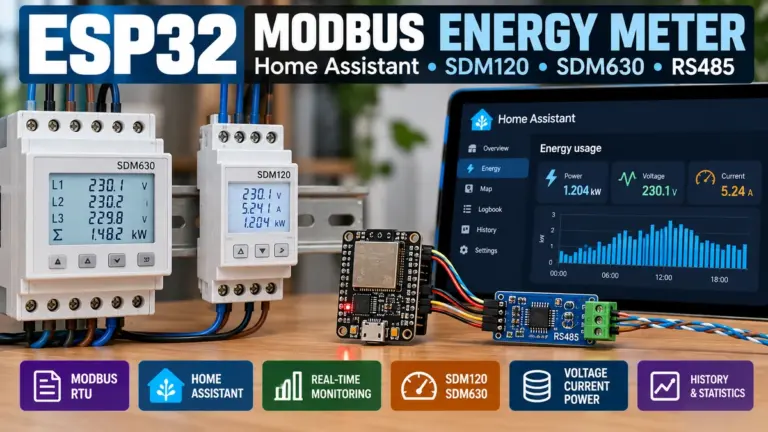
Quick Summary (TL;DR)
For most single-phase Home Assistant installations, start with a documented RS485 Modbus meter sized for the actual circuit. The Eastron SDM120-M is a compact direct-connected example (manufacturer states up to 45 A). For a conventional three-phase whole-home connection, the Eastron SDM630AliExpress price-Modbus V2 offers up to 100 A direct connection, while the SDM630MCT is a separate current-transformer-operated design for installations that require external 1 A or 5 A CT secondaries. These products are not interchangeable merely because all are called SDM meters.
For an established industrial meter brand, consider Schneider Electric iEM3155 (63 A direct connection, Modbus RS485, MID version) or Carlo Gavazzi EM540 in its specific RS485 bidirectional variant. For solar installations, check that the exact order code reports imported and exported energy separately; some similar-looking order codes are specified for consumption only. The right choice depends more on the supply, signed-energy semantics, register documentation and access for an electrician than on a list of marketing features.
Best Home Assistant route: use an existing vendor integration if a suitable one exists, otherwise the official Modbus integration with a USB–RS485 adapter or correctly configured network gateway. An ESP32AliExpress price running ESPHome can also read Modbus registers. For the Energy dashboard, expose properly classified cumulative kWh counters, not just instantaneous watts. None of these sub-meters automatically becomes your electricity supplier’s billing authority.
Which DIN-rail Modbus energy meter should you buy?
A DIN-rail meter is useful when you want a permanent local measurement point in a consumer unit, distribution board, plant cabinet or dedicated solar/EV sub-board. Compared with cloud-based plug-in monitors, a properly selected Modbus device can make its electrical measurements available to local software without relying on the manufacturer’s cloud. However, DIN-rail describes the mounting format, not the electrical connection, communications protocol, billing approval or Home Assistant compatibility.
A practical shortlist is below. All capacities are manufacturer-stated product ratings, not recommendations to load a domestic circuit to that current; the surrounding conductors, protection, enclosure and national wiring rules remain decisive. Model variants and distributor suffixes matter.
| Meter / verified example | Measurement and wiring | Comms / documented capability | Most sensible use | Main trade-off |
|---|---|---|---|---|
| Eastron SDM120-M | Single-phase 1P2W, direct connection up to 45 A | RS485 Modbus, pulse outputs, bidirectional measurement | One modest circuit or single-phase supply within rating | Not a blanket solution for 63 A/80 A single-phase incomers |
| Eastron SDM630AliExpress price-Modbus V2 | Direct-connected, up to 100 A; suitable 1P2W / 3P3W / 3P4W configurations | RS485 Modbus RTU, import/export energy, pulse outputs | Three-phase whole-home measurement with enough cabinet room | Requires metering conductors to pass through unit; installation may involve significant rewiring |
| Eastron SDM630MCT | CT-operated three-phase; 1 A / 5 A CT secondaries | RS485 Modbus and pulse outputs in specified variant | Higher-current or established CT-based installations | CT ratios, secondary safety, wiring and configuration increase complexity |
| Carlo Gavazzi EM540DINAV23XS1PFB | Direct-connected three-phase, up to 65 A | RS485 Modbus RTU; manufacturer specifies consumption and generation | Compact three-phase sites where separate production and consumption figures matter | Order code is essential: PFA/PFB differ |
| Schneider Electric iEM3155 (A9MEM3155) | Direct connection, 63 A; 5 DIN modules | RS485 Modbus; MID version, multi-tariff features | Building-services-style submetering with formal product documentation | Check needed bidirectional data and available registers for specific use |
| Eastron SDM630AliExpress price-TCP (network alternative) | Direct-connected, up to 100 A | Ethernet Modbus TCP rather than RS485 RTU | When a correctly secured Ethernet run is preferable to serial wiring | Different model, network exposure and price; not an RS485 replacement |
Our shortlist is a fit-for-purpose comparison, not a ranking by measurements we performed. We have not bench-tested these devices, verified live stock or compared today’s street prices. Follow the linked official specifications before ordering because firmware, voltage options, availability and certifications can differ by market. In particular, Eastron sells SDM630AliExpress price-Modbus, SDM630-Mbus and SDM630-TCP variants: “M-Bus” and “Modbus” are different technologies.
The five questions that eliminate the wrong meter
- What exactly are you measuring? Is this the grid connection, a solar inverter AC feed, a heat pump, an EV charger, or a tenant sub-board? A whole-grid meter and a branch meter serve different functions; installing both does not mean you should add both into the grid consumption total.
- Which supply topology is present? A single-phase two-wire domestic circuit is not the same as 230/400 V three-phase four-wire, three-wire systems or split-phase supplies elsewhere. Choose only a meter whose manual supports the actual voltage and conductor arrangement.
- Direct current or external CTs? Direct-connected meters are simpler to select if they fit the electrical rating and enclosure. CT-operated meters minimise high-current conductor routing through a meter but demand correctly matched 1 A / 5 A secondaries, CT ratio settings and safe CT practices.
- Does it provide the registers you need? Seek separate import kWh, export kWh, instantaneous signed active power, and—if three phase—per-phase power/current/voltage. A device marketed as bidirectional may expose multiple accounting methods or variant-specific register sets.
- Can you actually connect and service it? Verify an accessible RS485 interface, published register map, locally adjustable address and baud rate, suitable isolation, spare panel space, and an electrical installer who will accept and document the chosen installation.
Direct-connected versus CT-operated meters: the electrical decision
Direct-connected DIN meters
A direct meter puts its calibrated current-measurement path in series with the circuit conductors according to its installation diagram. You must not treat a stated “100 A maximum” as approval for an arbitrary 100 A installation: terminal conductor range, cable sizing, short-circuit protection, heat rise, permissible wiring configuration and applicable regulations govern whether that device belongs in a particular board. Plan for the electrician to isolate, reterminate, label and test the circuits. Existing main tails often cannot simply be rerouted without board modifications or supplier involvement.
Direct-connected meters are attractive for new distribution boards, purpose-built sub-boards and circuits whose normal current is within the specific model’s rated envelope. Some Eastron SDM630 versions support 1P2W as well as 3P3W/3P4W, but a three-phase meter in a single-phase board is not inherently the cheapest or neatest answer.
CT-operated DIN meters
A CT-operated meter measures secondary current from one or more external current transformers and voltage using appropriately protected voltage references. The Eastron SDM630MCT specifies 1 A or 5 A current-transformer secondary inputs. It is not a voltage-output split-core CT monitor. Its documented CT ratio and polarity must match the installed CTs; it also needs the auxiliary supply specified for that model.
A 250/5 A CT, for example, has a nominal ratio of 50:1: at 100 A primary, the secondary current is nominally 2 A. This example describes the ratio, not accuracy at any given load or CT compatibility with a particular meter. Check the CT class, burden in VA, lead resistance, phase orientation and voltage reference with the installer. A larger-than-needed CT can degrade useful resolution at the low currents relevant to standby consumption.
Safety: never open-circuit the secondary of a conventional current-output CT while primary current flows. Dangerous secondary voltage can result. The qualified installer must follow the CT and meter manufacturer’s shorting, isolation and earthing instructions. A voltage-output CT clamp and a 5 A metering CT are not substitutes for one another.
What does “Modbus” actually mean on an electricity meter?
Modbus describes the request/response data protocol; it does not guarantee a common register map. Two meters can speak Modbus RTU over RS485 and still expose voltage or imported kWh at different addresses, data formats and scales. All the parameters must match the actual meter: device address (unit ID), serial baud rate, parity, stop bits, function type (holding versus input), register offset, word order and unit scale.
| Term on a listing | What it means | Home Assistant consequence |
|---|---|---|
| RS485 / Modbus RTU | Serial Modbus using differential RS485 wiring | Needs USB–RS485, an ESPHome RS485 node or suitable gateway |
| Modbus TCP | Modbus application messages over Ethernet/IP | Can use Home Assistant Modbus TCP or supported device-specific integration |
| RTU over TCP | Serial RTU frames tunnelled across an IP serial server | Select an appropriate RTU-over-TCP connection, not ordinary Modbus TCP |
| M-Bus (EN 13757) | A distinct metering protocol and physical interface | An ordinary RS485 Modbus adapter will not communicate with it |
| Pulse / S0 output | Contacts or electronic pulses representing energy increments | Requires pulse counting, calibrated pulses/kWh; does not expose the full live register map |
| Optical IEC 62056 / DLMS | Other metering interfaces used by some utility meters | Needs its own supported reader and protocol implementation |
The Eastron SDM630 series illustrates the trap: the SDM630-Modbus V2 provides RS485 Modbus; the SDM630-Mbus V2 explicitly specifies M-Bus; and the SDM630-TCP has Ethernet. A generic product search displaying “SDM630” is insufficient evidence of which interface arrives.
RS485 wiring and gateways: what you need in addition to the meter
RS485 is useful because multiple addressable devices can share a correctly designed cable run. That does not mean you should connect arbitrary star branches, omit biasing/termination or assume all USB adapters are equally robust. In an electrical cabinet, noise immunity, electrical isolation and proper segmentation from mains wiring matter more than buying the cheapest unlabelled converter.
| Connection approach | Benefits | Limitations and checks |
|---|---|---|
| USB–RS485 adapter into Home Assistant host | Low cost, direct serial ownership, no extra network protocol conversion | Host must be close enough; ensure stable device path (e.g. /dev/serial/by-id), driver support, isolation and correct A/B mapping |
| Ethernet-to-RS485 industrial gateway | Longer physical separation, convenient for rack/mini-PC HA hosts | Choose genuine Modbus TCP translation versus serial tunnelling; control remote access and gateway availability |
| ESP32/ESPHome with an RS485 transceiver | Flexible distributed interface and additional ESPHome telemetry | Design proper transceiver power, UART, DE/RE control, isolation where required and firmware maintenance |
| Native Ethernet Modbus TCP meter | One network endpoint without a separate RS485 converter | Buy the actual TCP model; plan secured LAN, IP management and cabinet-compliant networking |
- Use a bus, not an improvised star. A typical two-wire half-duplex RS485 multidrop installation uses a daisy-chain topology; apply termination at the physical ends when required by transceivers and vendor instructions, not at every device.
- Confirm device-specific naming. Manufacturers may label polarity A/B, +/− or D+/D− differently. Follow the meter and adapter wiring diagrams instead of trusting letter names alone.
- Set a unique unit ID for every serial meter. All devices on a bus must share suitable serial settings, but not a common unit address; collisions cause mysterious timeouts.
- Prefer a galvanically isolated interface where warranted. Isolation can protect the computing system and reduce ground-loop problems; it does not excuse poor installation or substitute for mains separation.
- Keep Modbus away from the public internet. Treat unencrypted Modbus TCP like an internal operational protocol. Restrict access to a trusted LAN or properly segmented network.
Local integration with Home Assistant: two robust routes
Route A: Home Assistant’s official Modbus integration
Home Assistant documents Modbus support for serial RTU, Modbus TCP and suitable RTU-over-TCP gateways. A dedicated manufacturer integration may be simpler if one actually supports the specific model, so search Devices & services first. Otherwise configure a hub and then the required registers. The snippet below configures only the serial connection; it deliberately does not invent register addresses for a particular model revision.
# configuration.yaml – connection skeleton, not a complete meter mapping
modbus:
  - name: household_meter_bus
    type: serial
    method: rtu
    port: /dev/serial/by-id/YOUR_USB_RS485_ADAPTER
    baudrate: 9600
    bytesize: 8
    parity: N
    stopbits: 1

# Add sensors beneath the hub only after checking the exact meter
# register list, address-base convention, data type and scale.
These serial settings are illustrative: read and set your own meter to matching values. The manufacturer may use 9600, 2400 or another rate, odd/even/no parity, and configurable Modbus address. Do not copy a unit ID or register table from another revision. Newer Home Assistant configuration uses specific data types such as float32 for two-register IEEE 754 values; a raw 16-bit register and a float32 must not be interpreted the same way. A typical 32-bit measurement needs two registers, but whether it is an input or holding register and which word comes first are device-specific.
For a network gateway that translates Modbus TCP, replace the serial connection with type: tcp, host: and port: matching that gateway’s manual. If the gateway merely tunnels raw RTU frames, the appropriate configuration is different (type: rtuovertcp in the Home Assistant docs). Picking the wrong framing mode can look like an electrical fault because requests receive no valid replies.
Route B: ESPHome and an ESP32 as a local Modbus reader
The ESPHome Modbus Controller component allows an ESP32 with a suitable UART-to-RS485 interface to poll meter registers and expose sensors to Home Assistant. It is a good fit if you already use ESPHome nearby, want to isolate Modbus wiring from a remote server, or plan other ESP32 peripherals. The controller is the Modbus client (historically called master); the meter is the server (slave).
ESPHome requires a properly specified RS485 transceiver: the ESP32 UART alone is logic-level, not an RS485 line driver. A 5 V-only MAX485 module may expose unsafe logic levels to an ESP32 unless the design includes level compatibility. A purpose-designed 3.3 V RS485 interface with appropriate isolation and surge/environmental protection is preferable in a noisy plant cabinet. GPIO choices, UART settings, transceiver direction control and the exact meter register definitions must be configured before the examples in ESPHome documentation become functional.
The separate ESPHome Modbus Controller Sensor documentation shows how to select register type, address, value type and scaling. Do not paste examples aimed at an unrelated solar charge controller into a DIN electricity meter configuration. Start with a harmless live value, such as correctly identified voltage, validate it against the local display, then add power and cumulative energy registers.
What Home Assistant actually needs for accurate energy statistics
A Modbus meter can provide dozens of values, but the dashboard needs only a few reliable, correctly classified ones. Power in W or kW describes the present rate of transfer. Energy in Wh or kWh accumulates over time. Home Assistant’s Energy dashboard usually uses cumulative energy statistics; feeding it a fluctuating instantaneous-watts sensor in place of a cumulative kWh counter will not give sensible totals.
| Signal to expose | Units | Home Assistant metadata / use | Common error |
|---|---|---|---|
| Grid imported active energy | kWh, cumulative | device_class: energy; state_class: total_increasing if truly monotonic | Using a daily-resetting figure as an all-time counter without appropriate handling |
| Grid exported active energy | kWh, cumulative | Separate return-to-grid energy if meter exposes it and installation exports | Using signed net energy as though it were a positive cumulative export counter |
| Whole-grid instantaneous active power | W or kW, can be signed | device_class: power; state_class: measurement | Assuming positive sign always means import across all devices |
| L1/L2/L3 power, current and voltage | W, A, V | Troubleshooting phase loading, high-current circuits and imbalance | Adding per-phase import without checking whether the utility nets phases |
| Power factor, reactive energy and demand | ratio, kvarh, kVA or demand unit | Useful for advanced investigation or commercial controls | Confusing apparent kVA or reactive kvarh with billed active kWh |
The official Energy FAQ requires suitable energy device/state classes and supported units. Under Settings → Dashboards → Energy, assign the cumulative import statistic to grid consumption and the cumulative export statistic to return-to-grid. Some raw meter registers can reset, wrap, roll over or be rescaled when firmware or configuration changes; watch the first few days of long-term statistics for unexplained jumps.
If your chosen meter offers only instantaneous power but no useful energy counter, Home Assistant can integrate a power sensor to estimate kWh. That adds sampling and outage sensitivity and is not an excuse to ignore a reliable hardware energy total already supplied by the meter. A local energy meter also generally does not know your tariff, standing charge, VAT, time-of-use schedule or the utility’s settlement conventions.
Solar PV, batteries and EV charging: where metering goes wrong
There are at least three distinct boundaries in a solar-equipped home: grid connection, PV inverter output and individual loads. They should not be treated as three independent sources of grid import. The meter at the point of common coupling tells you net grid exchange. An inverter output meter tells you AC production. A dedicated EV or heat-pump submeter helps account for an individual consumer. Avoid adding submeter energy to grid import: much of it is already included in the whole-home reading.
For a three-phase property, a meter can expose a signed sum of instantaneous phase powers and/or separate import and export energy totals. During simultaneous phase import and export, the sum of positive phase imports need not equal the whole-home signed net import. Different official billing meters and country rules may apply different aggregation methods. Follow the actual utility meter semantics before using the DIN meter’s counters to estimate settlement or savings; this distinction is explored in the revised series’ single-phase versus three-phase guide.
For an EV charger, confirm the desired boundary before buying a meter. Do you need to measure charger consumption for your Home Assistant Energy dashboard, track a dedicated EV charging circuit for internal reporting, or implement the measurement required by the charger manufacturer’s dynamic load management? These are not automatically the same thing. A charger may require a specific model, firmware, register map and wiring arrangement for its control algorithm, even if a different meter speaks generic Modbus.
Likewise, a smart inverter may specify a proprietary external energy meter for export limitation or anti-islanding functions. Do not substitute an arbitrary Modbus meter into a safety- or grid-code-relevant control loop. Home Assistant monitoring can be an additional independent layer; the inverter and charger’s mandatory control and protective functions must follow the manufacturer and installer design.
MID approval, accuracy class and “revenue grade”: what the labels do—and do not—guarantee
The EU Measuring Instruments Directive (MID) is relevant to qualifying electricity meters placed on the market for regulated metering purposes in the EU and similar frameworks elsewhere. A product listing that claims an MID-approved variant is not permission to charge a tenant from any installation. The legal use depends on the complete approved variant, seal or configuration conditions, calibration/CT arrangement where applicable, installation and the jurisdiction. For a consumer wanting trend graphs, an appropriate non-MID meter may be entirely adequate; for contractual charging, seek specialist advice and suitable approved equipment.
Manufacturers may advertise active-energy accuracy as a “class”, for example class B under EN 50470-3, while additionally listing voltage, current and power accuracy percentages. These are not interchangeable measurements. Accuracy at the very low end of a current range can differ materially from a simple headline specification. CT-operated installations also have the meter’s error, the CT’s error, ratio and polarity settings and wiring losses to consider.
For the shortlist, the published Schneider iEM3155 page names an MID product; Carlo Gavazzi’s EM540 … PFB product page lists MID and bidirectional measurement; and Eastron publishes specific MID models. Verify the exact part-number marking and certificate documents before purchase. A generic “revenue grade” marketplace claim without test documentation or a matching approval is not enough.
Buying checklist: the costs beyond the meter itself
It is tempting to compare only the front-panel price of two meters. That understates the installed cost, especially for a three-phase direct-connected meter in an existing consumer unit. Request a written installer quote that covers panel modifications, isolation, routing, protection, labelling, commissioning and testing—not just the part. Ask whether the RS485 conductors and the communications gateway are included, how the Home Assistant host will connect, and who owns the mapping/documentation.
| Cost component | Direct-connected meter | CT-operated meter | Where surprises occur |
|---|---|---|---|
| Meter hardware | Single-phase / three-phase model as ordered | CT-input meter matched to secondaries | MID, Ethernet, bidirectional and accessory variants affect the bill |
| CTs / voltage references | No external metering CTs in normal direct mode | One correctly specified CT per measured phase, voltage wiring and any auxiliary supply | Incorrect ratio, split-core choice or missing shorting terminal increases rework |
| Installation work | Conductor rerouting, isolations, board space and protected terminals | CT fitting, correct secondary practice, voltage references, phase pairing | Supplier-sealed equipment, overcrowded consumer units or inaccessible tails |
| Communications | RS485 cable + USB adaptor or Ethernet gateway | Same plus possible distance to existing CT panel | Isolation, reliable drivers, termination, cabinet EMC and IP addressing |
| Software commissioning | Read register map, verify register scaling and units | As direct, plus CT ratio, polarity and phase mapping | Readings plausible at idle but wrong under solar export or phase changes |
| Maintenance | Documented addresses, backups and basic updates | Same plus inspection of CT wiring and markings | Owner changes router/server; meter mappings disappear after a configuration reset |
There is no honest universal cheapest option. A small one-phase circuit with spare board space favours a direct meter; a retrofit monitoring point on large fixed conductors may justify a CT-operated meter; and a long network separation may make an Ethernet-equipped meter or gateway more attractive. Get component and installer quotations in your own country. We deliberately do not invent street prices or implied electricity savings.
Commissioning and validation: a repeatable checklist
- Inspect the actual delivered product. Confirm the exact model suffix, communications type, rated voltage and current, production/consumption semantics, enclosure size and any MID identification against its datasheet and the purchase order.
- Have a qualified electrician install and test it. Follow electrical safety legislation and the manufacturer’s diagrams. Do not break seals, open live panels, bypass isolation or modify protected metering equipment yourself.
- Record the wiring and settings. Keep phase labels, CT ratios and arrow direction (where fitted), RS485 unit ID, baud/parity/stop settings, register-map version and the gateway’s IP/port documented.
- Check values locally before building dashboards. Compare reported voltage with a suitable independent measurement and test a known load. For a load drawing roughly 1 kW, a meter should show a corresponding change in active power, allowing for baseline demand and power factor. This is a plausibility check, not calibration.
- Validate directions and phase mapping. Where export is present, observe consumption versus generation and verify the sign convention. On three phase, verify that L1 current is paired with L1 voltage, and so forth.
- Check cumulative energy over a period. A steady 1 kW load for an hour consumes approximately 1 kWh. Compare with meter increments under controlled, safe conditions; investigate counters that jump, reset or show impossible units.
- Set up HA statistics only after the readings make sense. Give entities correct energy/power metadata, verify recorder history and Energy dashboard eligibility, then compare daily totals with the household utility meter while recognising that different measurement boundaries may not agree exactly.
Common faults and the fastest way to identify them
| Symptom | Likely issue | Safe first check |
|---|---|---|
| Every Modbus query times out | Wrong interface (M-Bus vs Modbus), unit ID, parity, A/B wiring or gateway framing | Read exact part label; compare settings and wiring diagrams; check bus termination |
| Voltage looks realistic; power is zero | Wrong power register, unsupported register mode, zero-current path or wrong phase mapping | Compare current and voltage per phase; confirm function code and register type |
| Huge or nonsensical float values | Wrong register offset, float32 versus int16, or swapped words | Use the manufacturer’s register table and datatype/endianness notes |
| Reading has wrong multiplier | Wh versus kWh; CT ratio misconfigured; fixed-point register scaling | Compare dashboard units and local meter energy register; check ratio once, not twice |
| Export appears as consumption | Sign polarity or import/export mapping incorrect | Compare two signed-power examples and meter’s import/export counters |
| Occasional spikes or dropped readings | RS485 noise, concurrent pollers, bus topology, retry and scan intervals | Check bus layout and client concurrency; reduce poll load before changing registers |
| Meter works but no Energy dashboard entity appears | Missing device/state class, inappropriate unit, or recorder statistics issue | Inspect entity attributes and Home Assistant statistics warnings |
| Matches instant power but not utility bill | Different metering boundary, phase aggregation, billing period or tariffs | Compare same time window and import/export definitions, not dashboard cost to bill alone |
FAQ
Is a DIN-rail Modbus meter automatically accurate enough for billing?
No. Modbus is only the communications interface. Billing suitability depends on the exact meter’s metrological approval, approved installation, tamper and seal requirements, the parties’ agreement and local law. An MID-marked model is a useful product attribute where relevant, but it does not by itself authorise any particular private charging scheme.
Do I need one meter per phase?
Not necessarily. A suitable three-phase energy meter measures all three phases and can provide total and individual readings. The electrical installer must ensure that each current measurement corresponds to the correct voltage phase and that the selected topology supports the supply. Three independent single-phase meters are possible in some submetering designs but complicate aggregation and wiring.
Should I use a USB–RS485 converter, ESP32 or Ethernet gateway?
Choose according to distance and reliability. USB is simple when Home Assistant is physically close, a properly managed Ethernet gateway is useful at a distance, and an ESPHome RS485 reader is attractive for an existing ESP32 setup. Each path can expose locally acquired meter data; none changes the meter’s underlying metrology.
Can I connect a Modbus meter directly to Home Assistant via Wi-Fi?
A plain RS485 Modbus RTU meter has no Wi-Fi. It needs an RS485-capable host, an ESP32 bridge or a serial-network gateway. Even a native Ethernet Modbus TCP meter does not automatically have Wi-Fi. If you need wireless connectivity, plan a suitable bridge and account for its reliability and security.
Is a pulse-output meter equivalent to a Modbus meter?
Not for data richness. Counting pulses can provide accumulated energy when the pulse constant is known, but may not provide voltage, per-phase watts, import/export detail or remote configuration. Some meters have both interfaces, but check exactly what each output represents.
Will a CT-operated meter read correctly if I use arbitrary split-core clamps?
No. Conventional meter CT inputs commonly expect rated secondary currents such as 1 A or 5 A, while many hobby clamps have mV or low-level voltage outputs. The CT ratio, burden, accuracy class, wiring and meter compatibility must all be confirmed. Do not disconnect live conventional current-transformer secondaries.
Does an energy meter need an internet subscription to work with Home Assistant?
A locally readable Modbus meter does not inherently need a manufacturer cloud subscription for local measurements. Home Assistant still needs the correct interface hardware, register definitions, and appropriate local connectivity. A particular vendor solution might add remote services, but those are not the essence of standard Modbus.
Related esp32.co.uk/ guides
- ESP32 Modbus Energy Meter with Home Assistant: SDM120 / SDM630 Guide — practical sensor integration and commissioning.
- ESP32 Energy Monitoring Methods Compared — when Modbus beats pulse counting, CT sensing or PZEM.
- ESP32 CT Clamp Energy Monitor for Home Assistant — a different DIY measurement approach and its trade-offs.
- Home Assistant Energy Dashboard Troubleshooting for ESPHome — solving energy statistics and missing entity problems.
Official sources and product documentation
The following first-party resources underpin the model specifications and integration guidance. Confirm current part-number documentation and your jurisdiction’s installation rules before you order:
- Eastron — SDM120-M single-phase direct-connected Modbus meter.
- Eastron — SDM630-Modbus V2 direct-connected three-phase meter.
- Eastron — SDM630MCT CT-operated meter.
- Eastron — SDM630-TCP native Ethernet variant.
- Carlo Gavazzi — EM540 Modbus bidirectional PFB variant.
- Schneider Electric — iEM3155 A9MEM3155.
- Home Assistant — official Modbus integration and Energy dashboard FAQ.
- ESPHome — Modbus Controller and Modbus Controller Sensor.
Editorial note: Product descriptions reflect referenced manufacturer documentation available in October 2026. This is a researched selection guide, not an electrical installation manual or a claim of hands-on testing. Have the finished electrical design and compliance checked by a competent electrician.