
Home Assistant Connect ZBT-2 is the official USB radio adapter for adding Zigbee or Thread to Home Assistant. This guide explains what it does, how it differs from ZBT-1, whether it works with Matter, when to choose Zigbee instead of Thread, and who should buy it.
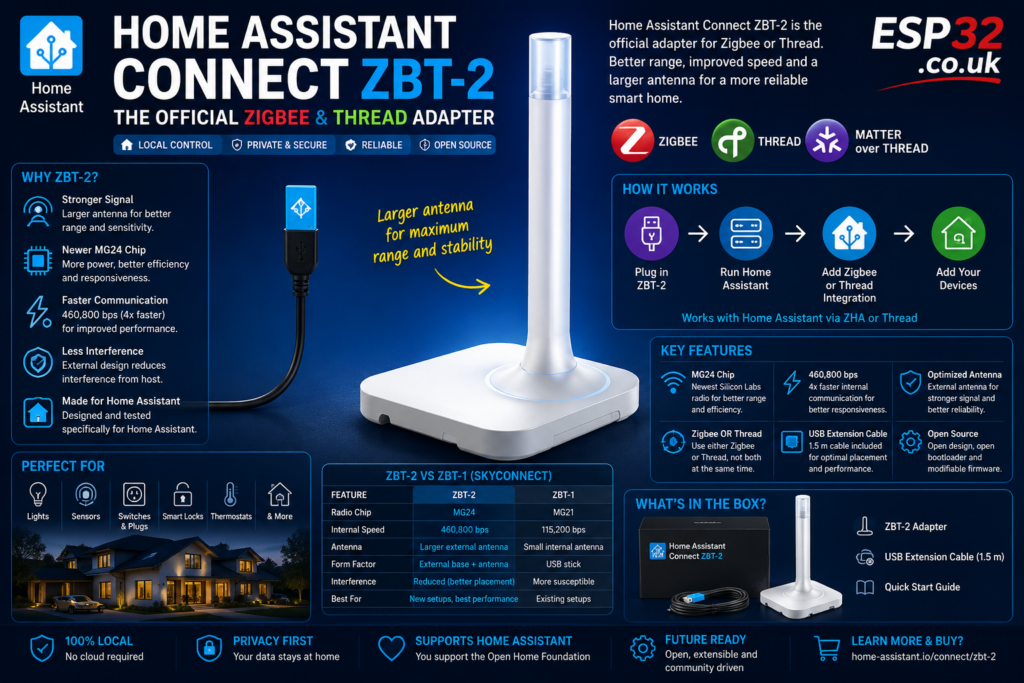
If you are building a local smart home with Home Assistant, sooner or later you hit the same question: how do you connect Zigbee devices, Thread devices, or Matter-over-Thread devices without relying on a pile of brand hubs? That is exactly where Home Assistant Connect ZBT-2 comes in. It is the official Home Assistant radio adapter designed to let you run either a Zigbee network or a Thread network directly from your Home Assistant system.
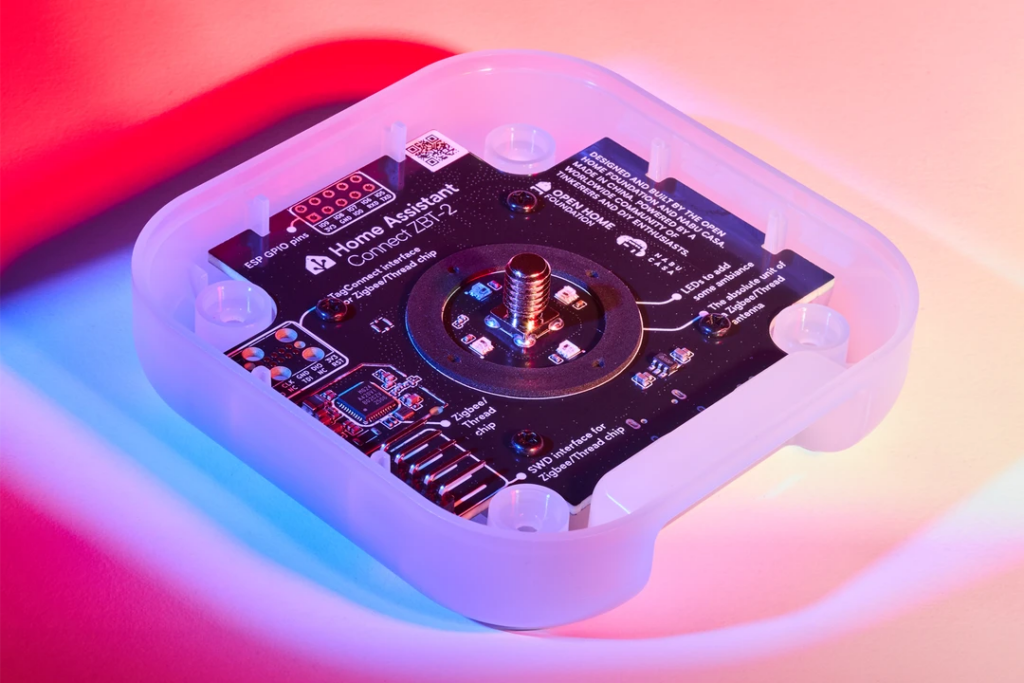
The important part is either. ZBT-2 does not run Zigbee and Thread on the same radio at the same time. You dedicate it to one protocol, then use Home Assistant’s setup tools to start a new network or migrate an existing one. Home Assistant presents it as the easiest way to get started with Zigbee or Thread, with an intuitive startup wizard, one-click updates, and migration support.
What is Home Assistant Connect ZBT-2
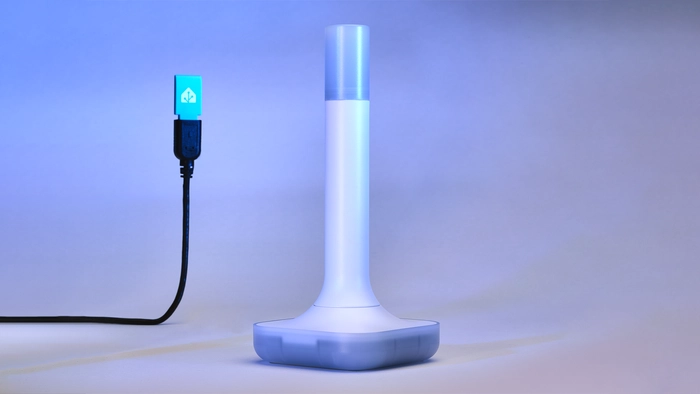
Home Assistant Connect ZBT-2 is a USB adapter made by Nabu Casa for Home Assistant. It is positioned as the official way to add Zigbee or Thread connectivity to systems such as Home Assistant Green and other Home Assistant installs with a spare USB port. Home Assistant says the adapter is designed and tuned specifically for home use, with an external housing and larger antenna setup rather than the older tiny stick-style form factor.
On the official product page, Home Assistant says Connect ZBT-2 lets you directly connect devices you already have, including Zigbee devices from brands such as Hue and IKEA, and use either Zigbee or Thread for a local low-power mesh network. The product page lists an MSRP of $49 / €45, though Home Assistant notes regional prices can vary.
What it is actually for
In practical terms, ZBT-2 is for three main use cases:
- building a Zigbee network directly in Home Assistant
- building a Thread network directly in Home Assistant
- using Thread as the radio layer for Matter devices that rely on Thread
Home Assistant’s own wording is that Connect ZBT-2 helps connect Zigbee, Thread, or Matter devices, but the Matter part matters here only when those Matter devices communicate over Thread. Matter is the application standard; Thread is the radio network underneath for many battery-powered Matter devices.
That means ZBT-2 is not “a Matter stick” in the vague marketing sense. It is a radio adapter that can be used for Thread, and Thread is what many Matter devices need. That distinction matters because people often bundle Zigbee, Thread, and Matter together as if they were the same thing. They are not.
Zigbee or Thread: which should you choose
This depends on what devices you actually plan to buy.
If you already own a lot of Zigbee devices, or you want the biggest device selection today, Zigbee is usually the obvious choice. Home Assistant describes Zigbee as the tried-and-tested option with the biggest selection of devices and support from many established brands.
If you are buying newer Matter-over-Thread devices, or you want to build around Thread from the start, then Thread is the better fit. Home Assistant describes Thread as the newer technology with a big future, especially because it enables direct connection to many Matter devices.
Bluntly, the choice is usually this:
- choose Zigbee for broader device availability right now
- choose Thread if your plan is specifically Matter-over-Thread
That is also why Home Assistant markets the adapter as flexible rather than magical. It gives you a good path either way, but you still have to pick the network you want it to run.
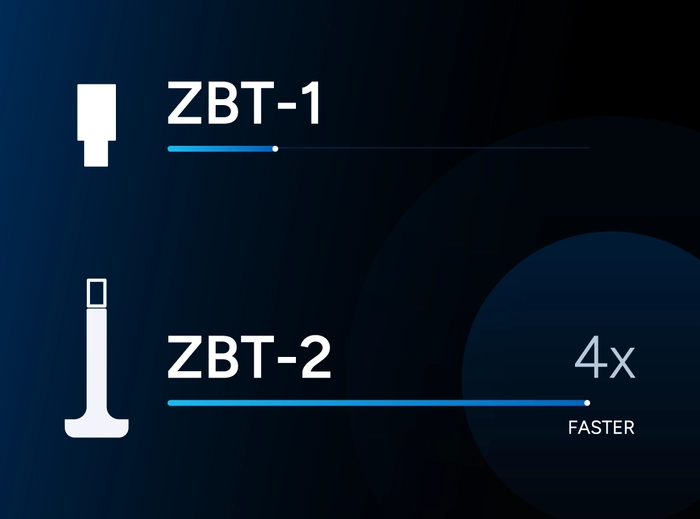
Why ZBT-2 matters compared to ZBT-1
ZBT-2 is the successor to Home Assistant Connect ZBT-1, previously known as SkyConnect. Home Assistant says ZBT-1 remains supported, but production has ended, and ZBT-2 is the new official adapter going forward.
The main improvements Home Assistant highlights are:
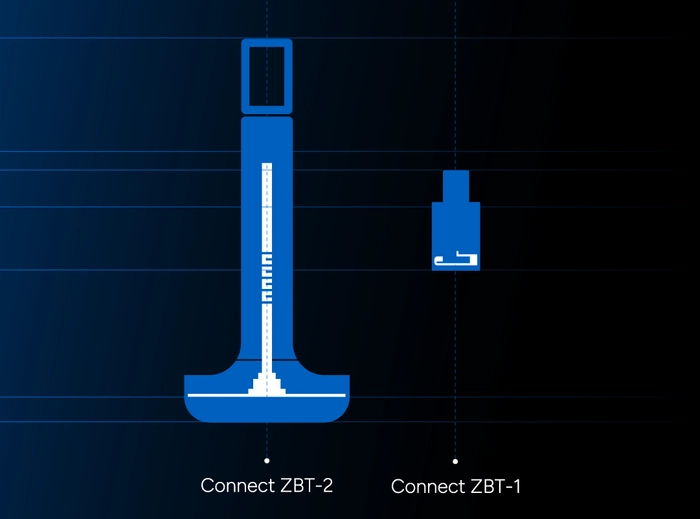
- a move away from the tiny stick format to reduce USB-port and nearby-electronics interference
- a larger antenna design
- a newer Silicon Labs MG24 chip instead of the MG21 used in ZBT-1
- a higher internal communication speed, from 115,200 bps to 460,800 bps
- better sensitivity and improved responsiveness in testing
That does not mean your bulbs will suddenly behave like a gaming mouse. But it does mean ZBT-2 is meant to be the cleaner, stronger, more stable official radio choice if you are starting fresh or upgrading older Home Assistant Zigbee or Thread hardware.
Why the larger design is actually a good thing
USB sticks look neat, but they are often a bad place for radio hardware. Home Assistant explicitly says nearby USB ports and electronics can create interference, which is why ZBT-1 often benefited from a USB extension cable. With ZBT-2, the larger external format is part of the performance strategy, not just cosmetic design.
That also means ZBT-2 is the sort of accessory you should place thoughtfully, not hide behind a metal case or jam into the noisiest possible corner of your setup. Radio performance is still radio performance. Better hardware helps, but bad placement can still sabotage it. Home Assistant’s support material also includes specific installation and interference troubleshooting guidance for the device.
Does it work with Zigbee2MQTT
Yes, Home Assistant says it has tested ZBT-2 working with ZHA, zigpy-cli, Zigbee2MQTT, matter.js, and OpenThread Border Router. That means it is not limited to just one narrow official stack, even though the most streamlined and officially guided Home Assistant experience is obviously with the native Home Assistant tools.
That said, the official Home Assistant positioning leans heavily toward simplicity, setup wizard support, and migration tools inside Home Assistant. So if your goal is “least friction,” the natural angle for the article is ZHA or native Thread setup. If your audience is more advanced, it is fair to mention that Zigbee2MQTT support exists too.
Can it run Zigbee and Thread at the same time
Not on one ZBT-2. Home Assistant is clear that you dedicate the adapter to either Zigbee or Thread. If you want both at once in the same Home Assistant setup, the practical answer is separate radios, not wishful thinking.
This is where some people may choose to keep an older ZBT-1 around for one network and use ZBT-2 for the other. Home Assistant even notes that existing ZBT-1 users can keep using it and, for example, repurpose it for Thread while upgrading Zigbee to ZBT-2.
Is it only for Home Assistant Green or Yellow
No. It is designed for Home Assistant, but not limited to one specific Home Assistant box. Home Assistant says it plugs into your Home Assistant system via the included cable and uses a spare USB port. It is marketed alongside Green and Yellow, but the product itself is a USB radio adapter, not a board tied to only one machine.
So if you run Home Assistant on a mini PC, Raspberry Pi, x86 box, or similar setup with USB access, ZBT-2 can still be relevant.
Who should buy it
ZBT-2 makes the most sense for:
- people starting a new Zigbee network in Home Assistant
- people starting a new Thread / Matter-over-Thread setup
- ZBT-1 users who want stronger official hardware
- users trying to get rid of extra vendor hubs
- people who want an official Home Assistant radio rather than a random third-party dongle
It is especially attractive if you value:
- easy setup
- official migration paths
- official firmware and support resources
- hardware that financially supports Home Assistant development, because Nabu Casa says purchases support the Open Home Foundation and projects like Home Assistant and ESPHome.
Who should probably not buy it
It is a weaker fit if:
- you need Zigbee and Thread simultaneously but only want one adapter
- you are already happy with a strong existing Zigbee coordinator and have no reason to change
- you only need Wi-Fi devices and do not care about Zigbee, Thread, or Matter-over-Thread
- you expect it to replace Z-Wave or Bluetooth, which it does not
This is one of those products that is very good at its actual job and useless for the jobs it was never meant to do.
Setup and migration are a big part of the story
One reason ZBT-2 is more interesting than “just another radio dongle” is that Home Assistant has clearly invested in the onboarding and migration side. The official pages and support center highlight:
- setup wizard support
- forming a new Zigbee network
- forming a new Thread network
- migrating existing Zigbee networks
- switching the device from Zigbee mode to Thread support
- firmware updates
- troubleshooting interference and discovery issues
That matters because for most users the hard part is not buying the adapter. It is migrating without breaking half the house.
Home Assistant Connect ZBT-2 at a glance
If you want the short version:
- it is the official Home Assistant Zigbee / Thread USB adapter
- it runs either Zigbee or Thread
- it also helps with Matter devices that use Thread
- it improves on ZBT-1 with a bigger antenna, newer chip, and faster internal communications
- it is designed for easier setup and migration inside Home Assistant
- it supports more advanced ecosystems too, including Zigbee2MQTT and OpenThread Border Router
Final thoughts
Home Assistant Connect ZBT-2 is not exciting in the flashy gadget sense. It is exciting in the much better sense: it removes pain from the part of the smart home stack that actually matters. If you want a clean, official, local way to add Zigbee or Thread to Home Assistant, this is exactly what it is for.
The biggest mistake people will make with it is misunderstanding what it is. It is not a universal everything-radio. It is a dedicated, official, better-than-before Home Assistant adapter for one mesh network at a time. If that matches your plan, it is a very sensible piece of hardware.
Specifications
Product details
SoCs
Silicon Labs MG24
ESP32-S3 (USB-serial bridge)
Power/data
USB-C, 5 V DC, 500mA
Supported protocols
Zigbee 3.0, Thread
Antenna characteristics
Different building materials and placement of the unit will affect the wireless connectivity range.
Frequency range:2400-2483.5 MHz
Transmit power:10 dBm (Europe)
8 dBm (rest of world)
Antenna dimensions:24 mm diameter, 164mm height
Peak gain:4.16 dBi
Radiation pattern:Omnidirectional
Environmental conditions for operation
Indoor use only
0 °C to 65 °C (antenna -40 to +85 °C)
32 °F to 149 °F
Humidity: non-condensing
Keep in dry, not excessively dusty environment as this can cause damage to the unit
Do not leave the unit in direct sunlight or near any heat source, as this can cause overheating.
In the box
Antenna + Base
1.5m USB-C cable (USB 2.0/3.0)
Quickstart guide
Warranty and Safety Information