
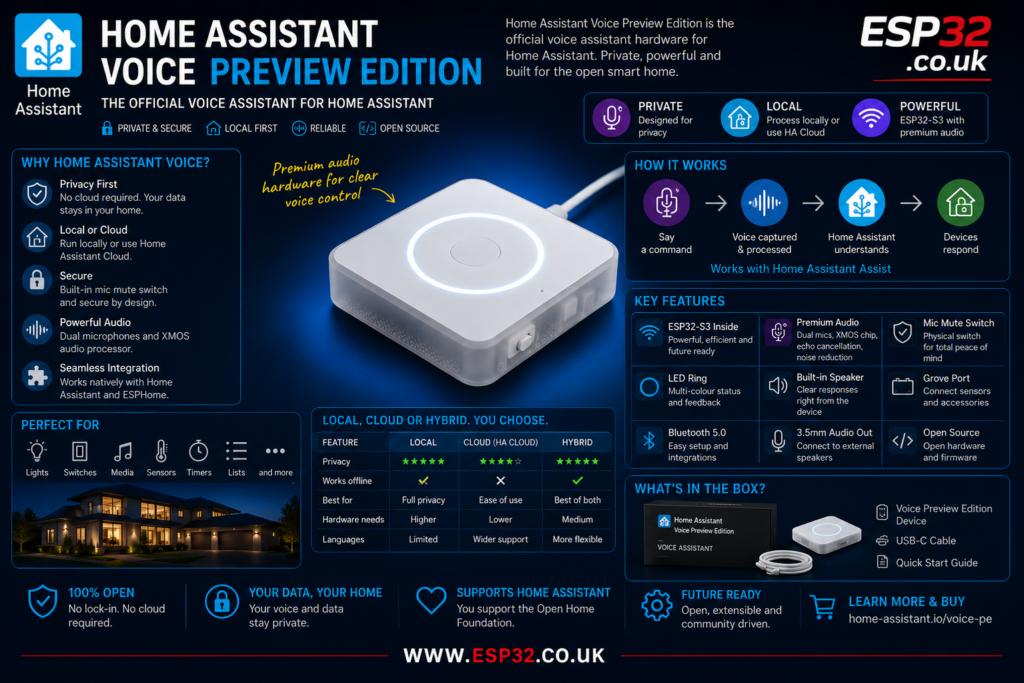
Home Assistant Voice Preview Edition is the official voice assistant hardware built for Home Assistant. It is designed to let you control your smart home by voice, without relying on the usual big tech voice assistants. Instead of sending every command through Amazon, Google or Apple, Home Assistant gives you a more private and more open approach to voice control.
This guide explains what Home Assistant Voice Preview Edition is, what hardware it uses, how it works with Home Assistant Assist, and whether it is worth buying for a smart home setup.
What is Home Assistant Voice Preview Edition?
Home Assistant Voice Preview Edition is a small dedicated voice device for Home Assistant Assist, the built-in voice assistant inside Home Assistant. It is intended to make voice control easier for normal users, without needing to build a DIY ESPHome microphone/speaker device from scratch.
The device was launched as part of Home Assistant’s push toward open, local and private voice assistants. Home Assistant describes it as the best way to get started with voice, while still calling it a “Preview Edition” because the voice ecosystem is still developing.
In simple terms, it is a ready-made voice satellite for Home Assistant. You place it in a room, connect it to your Home Assistant system, and use it to control lights, switches, media players, timers, shopping lists, sensors and other supported entities.
Why Home Assistant Voice matters
Voice control is useful, but most commercial voice assistants come with a trade-off. They are convenient, but they are also tied to cloud platforms, advertising ecosystems, account restrictions and external servers.
Home Assistant takes a different route. Its Assist voice assistant can run on hardware you control, and depending on your setup and language support, it can process voice locally inside your home. It can also use Home Assistant Cloud where that gives better performance or language support.
That matters because Home Assistant users usually care about privacy, local control and avoiding unnecessary dependency on third-party platforms. Voice Preview Edition fits that philosophy much better than putting another Alexa or Google speaker in every room.
Key features
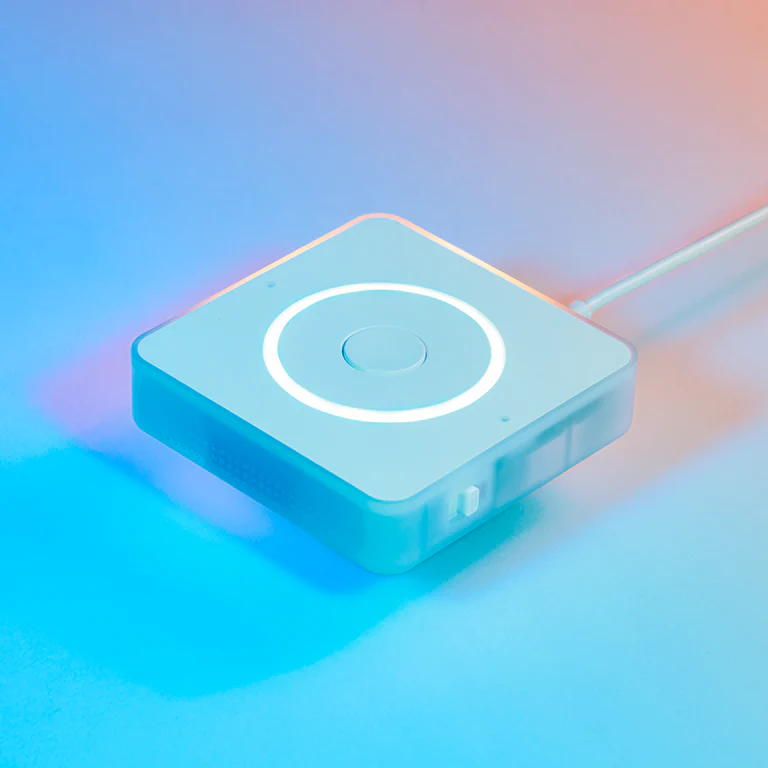
Home Assistant Voice Preview Edition is not just a generic smart speaker. It is built specifically for Home Assistant and ESPHome.
Important features include:
- Built for Home Assistant Assist
- ESPHome preloaded
- ESP32-S3 processor
- Dual microphone array
- XMOS audio processing chip
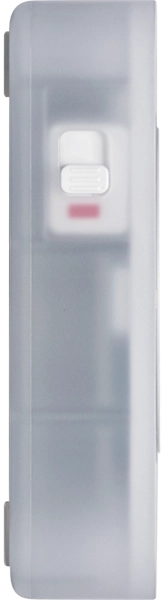
- Physical microphone mute switch
- Rotary volume dial
- Multipurpose button
- Multicolour LED ring
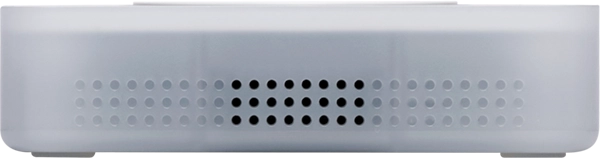
- Internal speaker
- 3.5 mm stereo audio output
- Grove port for sensors or accessories
- Open-source firmware
- 2.4 GHz Wi-Fi
- Bluetooth 5.0
The official specification lists an ESP32-S3 with 16 MB flash and 8 MB octal PSRAM. Audio processing is handled by an XMOS XU316 chip, with echo cancellation, stationary noise removal and automatic gain control.
For ESP32 users, that is one of the most interesting parts. This is not just a voice gadget. It is also an ESP32-S3 based ESPHome device with proper audio hardware, expansion options and open firmware.
Designed for real rooms, not just test benches
Many DIY voice assistant builds work well on a desk but struggle in real rooms. The hard part is not just detecting a wake word. The hard part is hearing someone clearly while there is music, background noise, echo or people speaking from across the room.
Home Assistant Voice Preview Edition uses dual microphones and a dedicated XMOS audio chip to improve voice capture. The device also has an LED ring for visual feedback, an internal speaker for responses and a physical mute switch that cuts power to the microphones.
That physical mute switch is important. A software mute button is useful, but a hardware mute switch gives more confidence because the microphones are physically disabled.
Local voice or cloud voice?
Home Assistant Voice Preview Edition can be used in different ways depending on your Home Assistant hardware, language and expectations.
There are three broad approaches:
- Focused local voice processing
- Full local voice processing
- Home Assistant Cloud voice processing
Focused local processing is designed for common home-control phrases. It can run on lower-powered hardware but is more limited. It is suitable for commands like turning devices on and off, but not for open-ended speech.
Full local speech processing gives more flexibility, but it needs much more processing power. Home Assistant notes that running Whisper locally for speech-to-text generally needs stronger hardware, recommending at least an Intel N100 or equivalent processor for the Whisper Base model.
Home Assistant Cloud can be used when local processing is not practical, when the hardware is lower powered, or when a language is better supported through cloud processing. Home Assistant states that Cloud voice processing does not keep records of your voice, data or commands.
What can you control with it?
Home Assistant Voice Preview Edition uses Assist, so it can control exposed Home Assistant entities. Typical voice commands include:
- Turn on the kitchen light
- Turn off the TV
- Set a timer for five minutes
- What is the temperature?
- Turn on the fan
- Add milk to my shopping list
The official product page gives examples for lights, media players, thermostats, timers, fans and shopping lists.
The important point is that Home Assistant Voice is not trying to be a general entertainment assistant first. It is mainly a smart home voice controller. It is strongest when used for actual home automation tasks.
Setup requirements
To set up Home Assistant Voice Preview Edition, you need:
- The Voice Preview Edition device
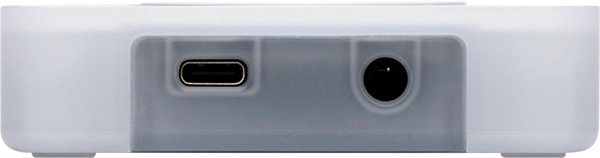
- A USB-C cable and USB power supply
- A running Home Assistant server
- Administrator access to Home Assistant
- A 2.4 GHz Wi-Fi network
The official setup guide states that the USB-C cable and power supply are not included in the box, and that the device needs to connect to a 2.4 GHz Wi-Fi network.
Setup can be done through the Home Assistant Companion App on iPhone or Android. Bluetooth is used during onboarding, so the phone needs Bluetooth enabled and the app needs the required permissions.
If you do not want to use a phone, Home Assistant can also discover the device through Bluetooth, or through an ESPHome Bluetooth proxy connected to Home Assistant.
Why it is interesting for ESPHome users
For ESPHome users, Voice Preview Edition is more than a finished product. It is also a clean example of where ESPHome voice hardware is heading.
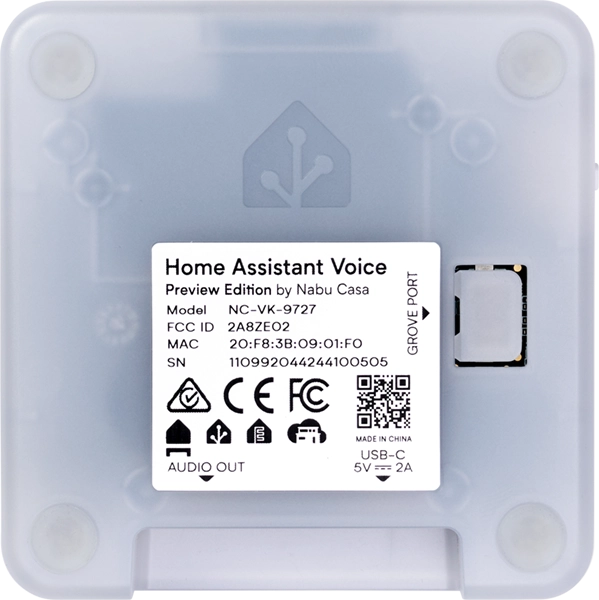
The device comes with ESPHome preloaded and has open-source firmware for both the ESP32 and XMOS chip. It also includes a Grove port, exposed PCB pads and a case that can be opened with screws.
That means advanced users can treat it as a proper ESPHome device, not a locked smart speaker. The Grove port can be used for sensors or accessories, and the 3.5 mm audio output can be used with external speakers.
For example, a Home Assistant Voice device could potentially sit in a room and also act as a sensor node. That makes it more interesting than a normal commercial smart speaker.
Hardware specifications
The official hardware specifications include:
- Dimensions: 84 × 84 × 21 mm
- Weight: 96 g
- Enclosure: injection-moulded polycarbonate
- Colour: white and semi-transparent
- SoC: ESP32-S3
- Flash: 16 MB
- PSRAM: 8 MB octal PSRAM
- Audio processor: XMOS XU316
- Wi-Fi: 2.4 GHz
- Bluetooth: 5.0
- Power: USB-C, 5 V DC, 2 A
- Audio output: 3.5 mm stereo jack
- DAC: TI AIC3204, 48 kHz sampling rate
- Software: ESPHome preloaded
These specifications make it more capable than many simple ESP32 voice experiments, mainly because the audio side has been taken seriously.
Is it a replacement for Alexa, Google Home or Apple HomePod?
Not completely.
Home Assistant is clear that the Preview Edition is not yet a full replacement for every feature offered by big tech voice assistants. It is mainly for people who want private smart home voice control, timers, lists and Home Assistant commands.
If you mainly use a smart speaker for music services, general trivia, jokes, random questions and ecosystem-specific features, this may still feel limited.
But if your main goal is controlling Home Assistant, then this is much more aligned with that purpose. It is built for Home Assistant from the start, instead of being a third-party smart speaker awkwardly connected through integrations.
Who should buy Home Assistant Voice Preview Edition?
Home Assistant Voice Preview Edition makes sense if:
- You already use Home Assistant
- You want voice control without relying fully on big tech assistants
- You care about privacy and local control
- You want a ready-made device instead of a DIY ESPHome build
- You want official hardware that supports Home Assistant development
- You like the idea of open-source voice hardware
- You want to experiment with local voice, cloud voice or AI integrations
It may not be the best choice if you expect a polished Alexa-style experience for every possible question. The word “Preview” is important. This is a serious product, but it is also part of an evolving open voice ecosystem.
Price and availability
The official Home Assistant product page lists the recommended MSRP as $69 / €59, with prices varying by region and retailer.
Nabu Casa designs and builds official Home Assistant hardware, and the product page states that purchases support the Open Home Foundation and projects such as Home Assistant and ESPHome.
Final thoughts
Home Assistant Voice Preview Edition is one of the most important Home Assistant hardware products so far. It is not just another smart speaker. It is a dedicated, ESP32-S3 based, ESPHome-powered voice device designed around privacy, local control and open-source development.
For normal users, it gives a much easier way to start using Home Assistant Assist. For advanced users, it provides a capable hardware platform with open firmware, proper audio processing and expansion options.
It will not instantly replace every Alexa, Google Home or HomePod in every house. But for Home Assistant users who want private voice control, it is probably the most sensible starting point.
Specs
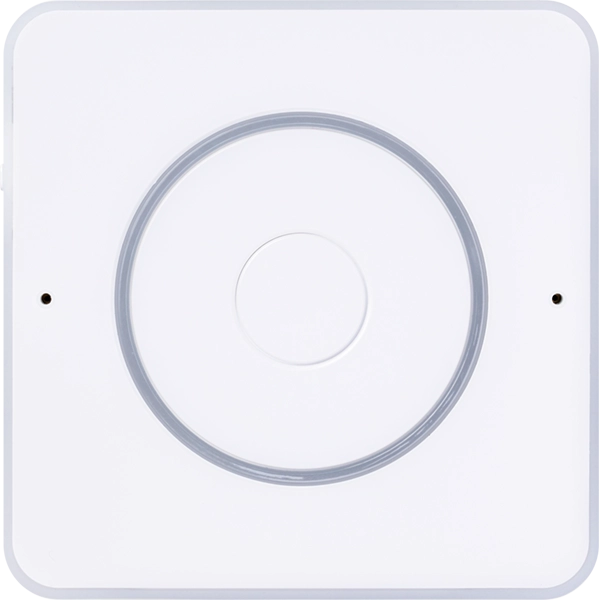
Dimensions and weight
Device
- 84x84x21 mm
- 96 g
With box
- 94x94x30 mm
- 120 g
Material
Enclosure
- Injection-molded Polycarbonate plastic
Colors
- White and semi-transparent


Outside
Physical controls
- Multipurpose button
- Rotary dial for volume and other input
- Mute switch that physically cuts power to the microphone
Microphone & speaker
- Internal speaker
- Internal dual-mic array
- 3.5mm audio output
Expandability
- Grove port to connect sensors or other accessories
- Easy to open – no clips, only screws to access internals
- Exposed pads on PCB for modding
Inside
SoC
- ESP32-S3 SoC with 16 MB of FLASH storage
- 8 MB octal PSRAM
Audio Processing
- XMOS XU316
- Featuring:
Echo cancellation
Stationary noise removal
Auto gain control - Dedicated I2S lines for audio in and out
Power / data
- USB-C, 5 V DC, 2 A
Radios
- 2.4 GHz Wi-Fi
- Bluetooth 5.0
Audio output
- 3.5 mm (⅛”) stereo headphone jack
- Digital to analog converter (DAC):
TI AIC3204
48 kHz sampling rate
Software
- ESPHome preloaded
- Fully open-source firmware for both the ESP32 and XMOS chip
Environmental conditions for operation
- Indoor use only
O °C to 30 °C | 32 °F to 86 °F - Humidity: non-condensing
Keep in dry, not excessively dusty environment as this can cause damage to the unit