This guide maps the whole ecosystem and helps you pick the right S3 board in 60 seconds.
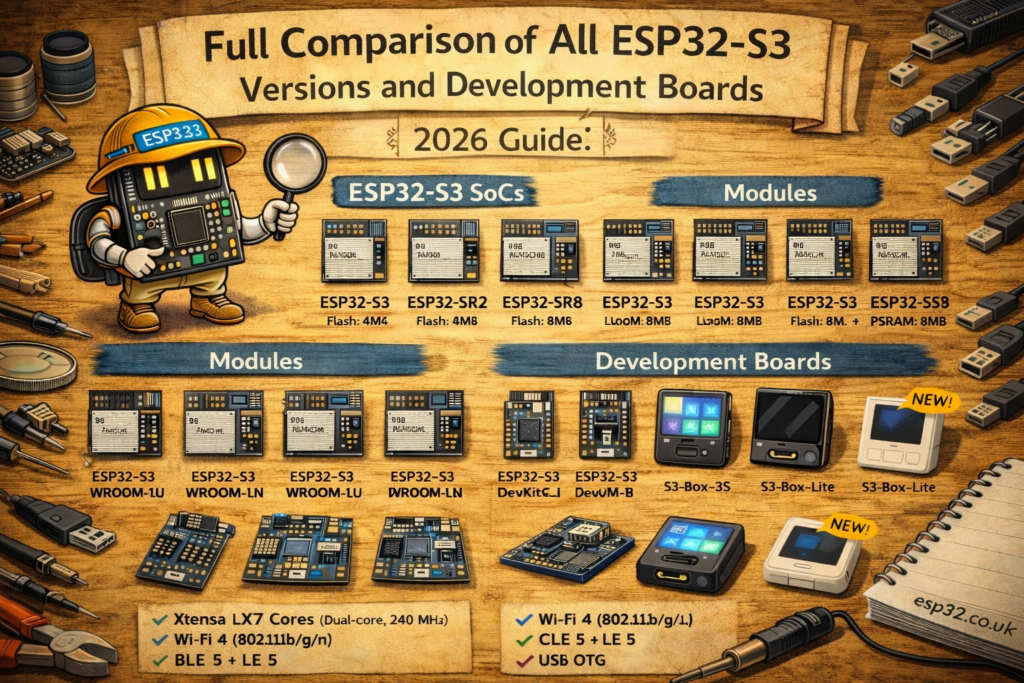
ESP32-S3 is the “modern classic” ESP32 for USB, AI/DSP workloads, and display/camera projects. But “ESP32-S3” can mean a lot of different things:
- different chip variants (built-in flash/PSRAM options, packaging, lifecycle)
- different modules (WROOM vs MINI, PCB antenna vs U.FL)
- different development boards (DevKitC vs DevKitM vs USB-OTG vs BOX vs Korvo, etc.)
Sources below are Espressif’s official datasheets + board docs.
What should you buy?
- General “best default S3 dev board” → ESP32-S3-DevKitC-1 (most tutorials, broad compatibility).
- Smallest official dev board → ESP32-S3-DevKitM-1 (based on S3-MINI modules). Discontinued
- USB device / HID / MIDI / CDC projects → any S3 board works, but boards designed for USB are easiest (S3 has native USB).
- Voice assistant / mic array / speaker → ESP32-S3-BOX / BOX-3 or Korvo (audio-focused kits).
- Need external antenna → choose “U” module variant (WROOM-1U, MINI-1U, etc.).
- Need PSRAM (UI, LVGL, camera, big buffers) → choose a module/board variant with R2/R8 (PSRAM) in the ordering code.
1) ESP32-S3 basics (what all S3 chips have in common)
ESP32-S3 is a 2.4 GHz Wi-Fi + Bluetooth LE SoC with dual-core Xtensa LX7 up to 240 MHz and extra vector instructions for DSP/AI acceleration (used by ESP-DSP / ESP-NN).
Key S3 “why you care” features:
- Native USB capability (huge for USB devices and painless flashing on many boards)
- Strong ecosystem around display + audio + UI and camera/vision projects (when paired with PSRAM)
2) ESP32-S3 chip variants (the confusing part)
Espressif has multiple ESP32-S3 chip variants and the lineup changes over time (EOL happens). The official ESP32-S3 datasheet includes a “series comparison” table and lifecycle notes (for example, some R-series variants have been marked EOL in recent revisions).
How to read common S3 part names
You’ll see variants like:
- ESP32-S3 (base)
- ESP32-S3FN8
- ESP32-S3FH4R2
- ESP32-S3R8 / R8V / R16V etc. (lifecycle depends on revision)
Instead of memorizing every suffix, use the practical rule:
If your project needs large buffers (LVGL UI, camera frames, audio pipelines): prioritize PSRAM variants (often encoded as R2/R8 in the module/board ordering). Espressif documents the family and variant status in the S3 datasheet revision history and comparison section.
3) Module families (what’s soldered on most dev boards)
Most dev boards do not expose the raw chip. They carry a module. For ESP32-S3, the mainstream module families are:
A) ESP32-S3-WROOM-1 / WROOM-1U (the mainstream default)
- WROOM-1: PCB antenna
- WROOM-1U: external antenna connector
These are the most common modules you’ll see on general dev boards.
B) ESP32-S3-WROOM-2 (different flash interface + larger flash options)
WROOM-2 is another S3 module family with its own datasheet and variant range.
C) ESP32-S3-MINI-1 / MINI-1U (small module for compact boards)
- MINI-1: PCB antenna
- MINI-1U: external antenna connector
These show up on smaller boards like DevKitM-1.
The “U” suffix matters
U = external antenna connector (great for enclosures, metal boxes, long range, or noisy RF environments).
The “NxxRyy” ordering code matters
You’ll often see module variants like:
- N8 = 8 MB flash, N16 = 16 MB flash
- R2 / R8 = PSRAM size (e.g., 2 MB / 8 MB) depending on family/variant
These conventions are used throughout Espressif’s module lineup and are the main thing to check before buying.
4) Official ESP32-S3 development boards: what each is for
Below are the “big buckets” most people should consider first (official ecosystem).
4.1 ESP32-S3-DevKitC-1 (the default dev board)
Espressif describes DevKitC-1 as an entry-level board equipped with S3 WROOM modules (WROOM-1 / WROOM-1U / sometimes WROOM-2 depending on revision).
Pick DevKitC-1 if:
- you want maximum compatibility with tutorials/examples
- you want a “normal” header-based dev board for breadboards/prototyping
- you want a safe default for Home Assistant / ESPHome / Arduino / ESP-IDF learning
4.2 ESP32-S3-DevKitM-1 (compact “mini module” dev board)
DevKitM-1 is an entry-level board equipped with ESP32-S3-MINI-1 or MINI-1U modules.
Pick DevKitM-1 if:
- you want something smaller than DevKitC-1
- you want MINI-module form factor (often easier in compact enclosures)
- you want a neat “production-prototype” feel
4.3 ESP32-S3-BOX / BOX-3 / BOX-3B / BOX-Lite (UI + voice + “product-ish” device)
The ESP-BOX family is a purpose-built kit for voice/UI and “smart panel” style applications. Espressif’s ESP-BOX repo documents that BOX-3 and BOX-3B differ mainly in included accessories (3B is the more “starter” bundle).
Pick an S3-BOX variant if:
- you want a ready-made voice assistant target
- you want a polished dev kit with screen + audio focus
- you want something that users can actually interact with (not just a bare board)
Home Assistant has an official guide for using ESP32-S3-BOX variants as a voice assistant.
4.4 ESP32-S3-Korvo (audio reference platforms)
Korvo boards are Espressif’s audio/voice reference kits (mic/speaker focus). They’re documented in Espressif’s repos and board docs.
Pick Korvo if:
- you’re doing serious audio/voice pipeline work
- you want reference-quality audio hardware instead of “DIY wiring”
5) Practical comparison table (what to choose)
| You need… | Best fit | Why |
|---|---|---|
| “Just give me an ESP32-S3 dev board” | DevKitC-1 | Most common default, WROOM-based, matches most examples. |
| Small board, MINI module | DevKitM-1 | Based on ESP32-S3-MINI-1/1U. |
| External antenna | Any board with “U” module | WROOM-1U / MINI-1U etc include antenna connector. |
| UI + voice assistant “device” | ESP32-S3-BOX family | Built for voice/UI; HA supports it directly. |
| Audio reference / mic array work | Korvo | Espressif audio reference platform. |
| LVGL UI / camera / big buffers | S3 + PSRAM (R2/R8) | PSRAM is the difference between “works” and “random resets.” |
6) How to pick the right ESP32-S3 variant (the “buyer checklist”)
Step 1: Do you need PSRAM?
If you’re doing any of these, you probably want PSRAM:
- LVGL / large display buffers
- camera frames / image processing
- large JSON, TLS-heavy work, or big local caching
- audio pipelines that buffer aggressively
If yes: pick a module/board ordering code with R2/R8 (PSRAM). The S3 datasheet and module datasheets document the family capabilities and variants.
Step 2: Do you need an external antenna?
If the device will sit inside:
- a metal box,
- behind a TV,
- inside a wall enclosure,
- near switching power supplies,
…choose the U module version.
Step 3: Do you need USB device features?
ESP32-S3 is popular specifically because it has native USB capability (and an ecosystem built around that).
If you plan to build a USB gadget (HID/MIDI/CDC), S3 is a strong default.
Step 4: Match the dev board to your project style
- Breadboard + sensors + “normal dev board workflow” → DevKitC-1 / DevKitM-1
- Voice/UI smart panel → S3-BOX family
- Voice/audio reference design → Korvo
7) Common pitfalls (what wastes the most time)
Pitfall: Buying “an ESP32-S3” without checking flash/PSRAM
A huge number of “ESP32-S3 crashes” are just memory pressure. If you’re doing UI/camera/audio, check the module code for flash + PSRAM.
Pitfall: Confusing “board name” with “module type”
Example: DevKitC-1 can be built with different WROOM modules depending on revision. Always check the module marking or your purchase listing.
Pitfall: Assuming Bluetooth Classic exists
ESP32-S3 is Bluetooth LE (not Classic BT). If you need Classic BT (SPP), classic ESP32 is often the better pick. (S3 product page focuses on Wi-Fi + BLE.)
Official reference links
ESP32-S3 SoC product page:
https://www.espressif.com/en/products/socs/esp32-s3

ESP32-S3 Series datasheet:
https://www.espressif.com/sites/default/files/documentation/esp32-s3_datasheet_en.pdf

ESP32-S3-WROOM-1 / WROOM-1U datasheet:
https://www.espressif.com/sites/default/files/documentation/esp32-s3-wroom-1_wroom-1u_datasheet_en.pdf

ESP32-S3-WROOM-2 datasheet:
https://www.espressif.com/sites/default/files/documentation/esp32-s3-wroom-2_datasheet_en.pdf

ESP32-S3-MINI-1 / MINI-1U datasheet:
https://documentation.espressif.com/esp32-s3-mini-1_mini-1u_datasheet_en.pdf

ESP32-S3-DevKitC-1 user guide:
https://docs.espressif.com/projects/esp-dev-kits/en/latest/esp32s3/esp32-s3-devkitc-1/index.html

ESP32-S3-DevKitM-1 user guide:
https://docs.espressif.com/projects/esp-idf/en/v5.2/esp32s3/hw-reference/esp32s3/user-guide-devkitm-1.html

ESP-BOX repo (BOX-3 vs BOX-3B notes):
https://github.com/espressif/esp-box

Home Assistant: ESP32-S3-BOX voice assistant:
https://www.home-assistant.io/voice_control/s3_box_voice_assistant/