Quick Answer:
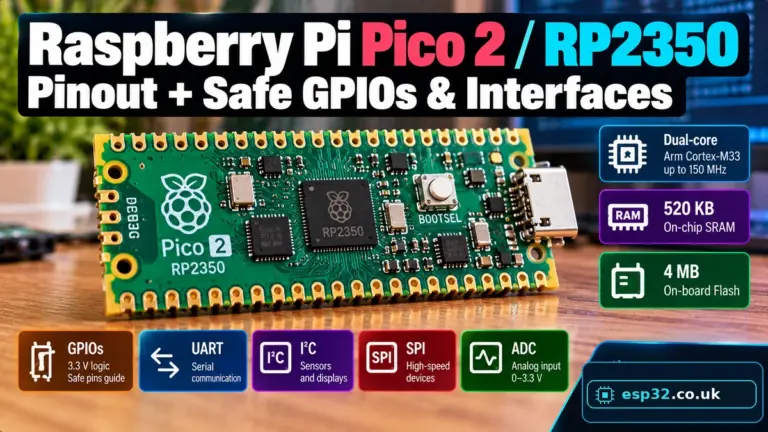
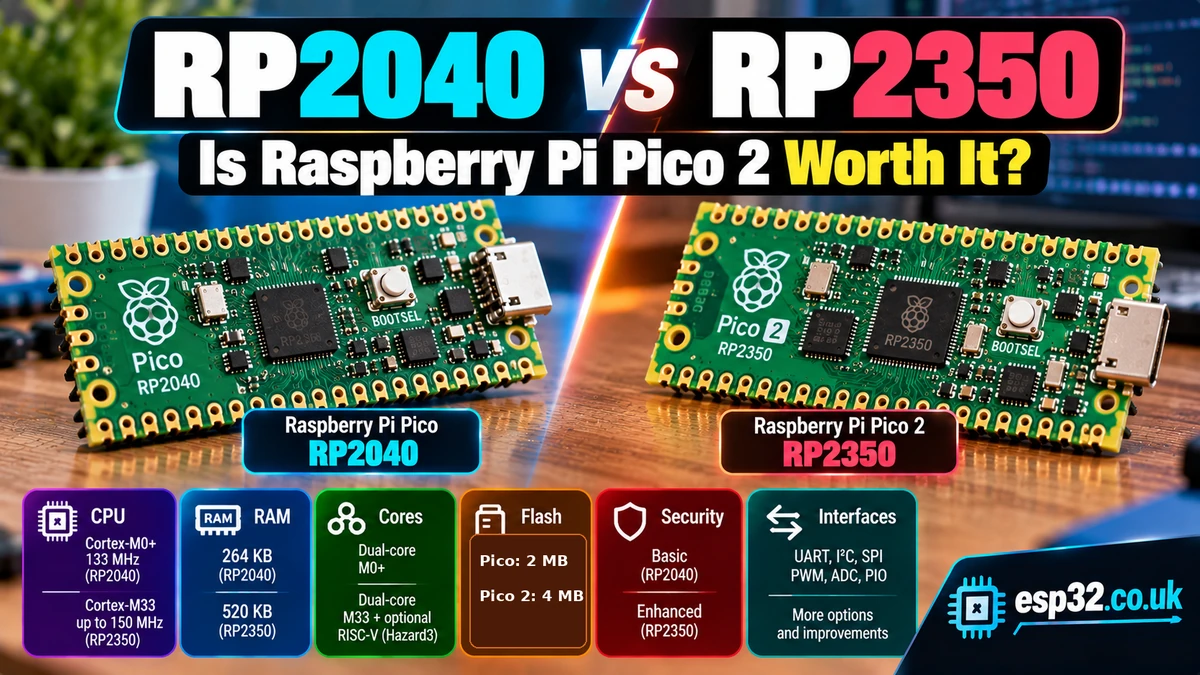
The RP2350AliExpress price is a major upgrade over RP2040AliExpress price, not just a small clock-speed refresh. RP2040AliExpress price gives you dual 133 MHz Cortex-M0+ cores, 264 KB SRAM, 8 PIO state machines and 16 PWM channels. RP2350AliExpress price moves to dual 150 MHz Cortex-M33 cores or dual Hazard3 RISC-V cores, doubles SRAM to 520 KB, increases PIO to 12 state machines, increases PWM to 24 channels, adds hardware floating-point/DSP capability on Arm, and introduces a much stronger security architecture with TrustZone, secure boot features, OTP storage, SHA-256 acceleration and a TRNG. At board level, the original Raspberry Pi PicoAliExpress price has 2 MB flash while Pico 2 has 4 MB. The best part is that Pico 2 preserves the familiar 21 × 51 mm form factor and 40-pin header layout, so many existing Pico projects can migrate with little or no wiring change. If you are buying new today, choose Pico 2 / RP2350 unless you specifically need an RP2040 target, proven legacy compatibility or the lowest possible cost.
RP2040 vs RP2350: Specification Comparison
| Feature | RP2040 | RP2350 | Winner |
|---|---|---|---|
| CPU | Dual Arm Cortex-M0+ | Dual Cortex-M33 or dual Hazard3 RISC-V | RP2350 |
| Maximum clock | 133 MHz | 150 MHz | RP2350 |
| Hardware floating point | No FPU; accelerated libraries | Single-precision FPU on Cortex-M33 | RP2350 |
| DSP instructions | Limited | Cortex-M33 DSP support | RP2350 |
| SRAM | 264 KB | 520 KB | RP2350 |
| PIO blocks | 2 | 3 | RP2350 |
| PIO state machines | 8 | 12 | RP2350 |
| UART | 2 | 2 | Tie |
| SPI | 2 | 2 | Tie |
| I²C | 2 | 2 | Tie |
| PWM channels | 16 | 24 | RP2350 |
| USB | USB 1.1 host/device | USB 1.1 host/device | Tie |
| ADC | 12-bit | 12-bit | Tie for Pico-class use |
| Chip GPIO | 30 | 30 on RP2350A / 48 on RP2350B | RP2350 family |
| Security | Basic MCU security | TrustZone, secure boot features, OTP, SHA-256, TRNG | RP2350 |
| Architecture choice | Arm only | Arm or RISC-V | RP2350 |
Pico vs Pico 2: Board-Level Comparison
| Feature | Raspberry Pi Pico | Raspberry Pi Pico 2 |
|---|---|---|
| Microcontroller | RP2040 | RP2350A |
| CPU | Dual Cortex-M0+ @ 133 MHz | Dual Cortex-M33 or Hazard3 @ 150 MHz |
| SRAM | 264 KB | 520 KB |
| Onboard flash | 2 MB | 4 MB |
| Main header | 40 pins | 40 pins, same Pico layout |
| Exposed GPIO | 26 | 26 |
| Exposed analogue inputs | 3 | 3 |
| USB connector | Micro-USB | Micro-USB |
| USB host/device | Yes | Yes |
| BOOTSEL UF2 programming | Yes | Yes |
| SWD debugging | Yes | Yes |
| Board size | 21 × 51 mm | 21 × 51 mm |
| VSYS input range | 1.8–5.5 V | 1.8–5.5 V |
| Wireless | No on Pico; yes on Pico W | No on Pico 2; yes on Pico 2 W |
Raspberry Pi deliberately kept Pico 2 physically familiar. For many projects, the important migration question is therefore not ‘will the board fit?’ but ‘does my software stack support RP2350?’
CPU: Cortex-M0+ vs Cortex-M33
RP2040 uses two Arm Cortex-M0+ cores running at up to 133 MHz. Cortex-M0+ is intentionally small and efficient. It is excellent for embedded control, bit manipulation, state machines, sensors and general microcontroller work.
RP2350’s Arm option uses two Cortex-M33 cores at up to 150 MHz. The clock increase is modest on paper, but the architectural improvement is much larger. Cortex-M33 adds a more capable instruction set, hardware floating-point support, DSP-oriented instructions and the TrustZone security model.
A simple LED blink or I²C temperature sensor will not suddenly become useful because of Cortex-M33. The difference appears when firmware starts doing meaningful calculations, signal processing, control algorithms, audio work, cryptography, larger protocol stacks or multitasking.
RP2350 Adds RISC-V
RP2350 has one of the most unusual features in a mainstream hobby microcontroller: it contains both Arm Cortex-M33 cores and Hazard3 RISC-V cores. Firmware selects which processor architecture to use.
This does not mean RP2350 is a four-core device that runs two Arm and two RISC-V application cores at the same time. Think of it as two alternative dual-core processor implementations inside the same chip.
For most Pico 2 owners, Arm remains the simplest option because the ecosystem is extremely mature. RISC-V makes RP2350 particularly interesting for education, architecture experimentation, open-instruction-set development and toolchain research.
RAM: 264 KB vs 520 KB
The RAM increase is one of the most immediately useful upgrades. RP2040 provides 264 KB SRAM; RP2350 provides 520 KB.
That is almost twice the working memory. Extra SRAM helps with frame buffers, audio buffers, protocol packets, MicroPython heaps, large arrays, USB stacks, data logging, display graphics and more complex multitasking.
RP2040 already had unusually generous RAM for a low-cost microcontroller, which is one reason Pico became popular. RP2350 pushes that advantage further.
Flash: Pico 2 Doubles the Onboard Storage
RP2040 and RP2350 both use external QSPI flash rather than integrating application flash inside the microcontroller die. The amount you get therefore depends on the board design.
| Official board | Onboard flash |
|---|---|
| Raspberry Pi Pico | 2 MB |
| Raspberry Pi Pico 2 | 4 MB |
For Arduino and MicroPython users, the extra Pico 2 flash means more room for firmware, frozen modules, assets, fonts, web content, files and update images. Custom RP2040/RP2350 boards can use different flash capacities within the limits supported by the silicon and software.
PIO: 8 State Machines vs 12
Programmable I/O is the feature that made RP2040 genuinely different from many other inexpensive microcontrollers. PIO runs tiny programs in deterministic state machines that can generate and capture digital signals independently of the main CPU.
| PIO feature | RP2040 | RP2350 |
|---|---|---|
| PIO blocks | 2 | 3 |
| State machines per block | 4 | 4 |
| Total state machines | 8 | 12 |
| Generation | First-generation PIO | Second-generation PIO with enhancements |
The extra PIO block is a substantial upgrade if your project builds custom interfaces. You can dedicate state machines to WS2812 LEDs, I²S, custom serial buses, precise pulse capture, VGA/DVI-style output, encoders or other timing-sensitive tasks without consuming CPU time.
If your existing RP2040 project already relies heavily on all eight state machines, Pico 2 creates much more room for expansion.
PWM: RP2350 Expands to 24 Channels
RP2040 provides 16 PWM channels. RP2350 expands this to 24 PWM channels through 12 PWM slices.
That can matter for LED installations, multi-motor projects, RC-style control outputs, switching control, audio experiments or any application that needs many independent PWM-capable GPIOs.
As always, PWM is a digital pulse waveform rather than a true analogue voltage. Multiple channels may share timer or slice configuration constraints depending on how you assign them.
UART, SPI and I²C: Familiar Rather Than Revolutionary
| Peripheral | RP2040 | RP2350 |
|---|---|---|
| UART | 2 | 2 |
| SPI | 2 | 2 |
| I²C | 2 | 2 |
| USB 1.1 controller + PHY | 1 | 1 |
RP2350 does not double every peripheral count. Raspberry Pi retained two UARTs, two SPI controllers and two I²C controllers, because PIO already provides an escape route when a project needs additional digital interfaces.
At Pico board level, the familiar GPIO muxing means much existing wiring and many breakout-board designs remain usable.
ADC: Similar Pico Experience
Both Pico and Pico 2 expose three external 12-bit ADC inputs on GPIO26, GPIO27 and GPIO28. The Pico board family also uses an internal ADC-capable path for monitoring supply/temperature-related functions.
For ordinary potentiometers and analogue sensors, the user experience is deliberately similar. Pico 2 is not primarily an ADC-resolution upgrade; its gains are CPU architecture, memory, PIO, PWM and security.
If high-precision analogue measurement matters, board layout, reference quality, calibration and potentially an external ADC are more important than choosing between RP2040 and RP2350 purely on headline ADC resolution.
USB: Both Support Host and Device
Both RP2040 and RP2350 include a USB 1.1 controller and PHY with host and device support. Official Pico and Pico 2 boards expose USB through the Micro-USB connector.
Typical uses include USB CDC serial, HID keyboards/controllers, MIDI, custom USB devices and USB-host projects. Pico 2 does not move to USB 2.0 high-speed; if raw USB throughput is your primary requirement, that is not the reason to upgrade.
BOOTSEL and UF2 Programming
One of the strongest Pico features survives unchanged: simple ROM-based USB booting. Hold BOOTSEL while connecting or resetting the board and it appears as a mass-storage device. Copy a UF2 firmware file to it and the board flashes and reboots.
This workflow makes both boards unusually difficult to brick through normal application firmware. You do not need a separate USB-to-serial chip or a flash-resident third-party bootloader for basic programming.
Security: RP2350 Is in a Different Class
Security is perhaps the largest architectural change after CPU and memory. RP2040 was designed primarily as a straightforward, accessible microcontroller. RP2350 adds features intended for products that need stronger firmware and key protection.
- Arm TrustZone for Cortex-M when using the Cortex-M33 cores.
- Optional boot signing enforced by mask ROM.
- OTP storage for security configuration and key material.
- Optional boot-decryption support.
- Security/privilege filtering across buses and peripherals.
- Hardware SHA-256 accelerator.
- True random number generator.
- Hardware countermeasures designed to improve resistance to some fault-injection attacks.
A hobby LED project does not need any of this. A commercial device that must protect firmware, credentials or a secure boot chain may care a great deal.
Pin Compatibility: Can Pico 2 Replace Pico?
For many designs, yes. Raspberry Pi kept the same 21 × 51 mm form factor and the same familiar 40-pin Pico header arrangement. Pico 2 exposes the same 26 user GPIO positions and the same three external ADC pin positions.
That does not make every compiled RP2040 binary run on RP2350. The MCU architecture, SDK target and low-level hardware are different. Source code that uses supported APIs is much easier to migrate than code that depends on RP2040-specific registers, timing assumptions or undocumented behaviour.
| Compatibility area | Pico → Pico 2 |
|---|---|
| Physical board outline | Excellent |
| 40-pin header position | Excellent |
| GPIO numbering | Largely preserved |
| I²C/SPI/UART wiring | Often reusable |
| BOOTSEL workflow | Very similar |
| MicroPython source | Usually easy to migrate |
| Arduino sketches | Usually easy when libraries support RP2350 |
| RP2040 binary firmware | Must be rebuilt for RP2350 |
| Direct-register / silicon-specific code | May require changes |
MicroPython: Pico 2 Benefits from the Extra RAM
MicroPython runs very well on both generations, but RP2350’s 520 KB SRAM gives Pico 2 much more breathing room for Python objects, buffers and libraries.
For basic sensors, displays and classroom projects, Pico already performs well. Pico 2 becomes more attractive as the script grows, uses more modules, buffers more data or combines several interfaces.
from machine import Pin
from time import sleep

led = Pin("LED", Pin.OUT)

while True:
    led.toggle()
    sleep(0.5)
Simple MicroPython code can look identical on both boards. The difference is the amount of performance and memory available when the application becomes more ambitious.
Arduino IDE: Which Has Better Support?
Both RP2040 and RP2350 are supported by the community Arduino-Pico core. Pico has had more years for libraries to mature, while Pico 2 support is now well established for mainstream Arduino-style development.
The biggest compatibility variable is not the Arduino language itself but individual third-party libraries. A library that assumes RP2040-specific registers or timing may require an update even when a normal Arduino API sketch compiles unchanged.
For a new sketch using GPIO, Wire, SPI, UART, PWM and common libraries, I would choose Pico 2 unless a required library explicitly supports only RP2040.
C/C++ SDK Development
Raspberry Pi’s official Pico SDK supports both RP2040 and RP2350. This is where Pico 2’s new architecture and security capabilities become especially interesting because you can access the MCU more directly than through a high-level framework.
If you maintain one codebase for both generations, keep hardware-specific sections isolated and use SDK-supported abstractions where practical. That gives you the best chance of preserving compatibility without hiding the extra features available on RP2350.
Power Consumption and Battery Projects
Both families provide low-power sleep/dormant modes and the official Pico boards accept a wide VSYS input range. RP2350 also adds improved power-management capabilities compared with the first-generation chip.
However, do not select a battery microcontroller solely from the CPU generation. Real battery life depends on clock configuration, regulator efficiency, peripheral duty cycle, radio use on W boards, sleep time, sensor current and how aggressively firmware powers subsystems down.
For a long-lived sensor node, measure the complete board in its real operating cycle rather than assuming Pico 2 will automatically consume less power because it is newer.
RP2350 Early-Silicon E9 GPIO Note
Early RP2350 A2 silicon has a documented GPIO pad erratum known as E9. It can affect circuits that depend on very high-impedance input states or weak pull-down behaviour.
Raspberry Pi’s later A4 stepping fixes E9. For ordinary actively driven GPIO, buttons and common sensor interfaces this is not a reason to avoid Pico 2, but production designs that rely on weak pull-down or high-impedance behaviour should identify the silicon stepping and read the current errata.
This is an important distinction from RP2040: the older device has had years of deployment and a very mature understanding of its silicon behaviour. RP2350 is newer and therefore deserves the normal engineering discipline of checking current errata before freezing a production design.
RP2040 Still Has a Major Advantage: Maturity
RP2350 wins most specification comparisons, but RP2040 has something that cannot be created by adding RAM: years of ecosystem maturity.
- Huge number of existing boards and modules.
- Large library and example base.
- Known behaviour across many production designs.
- Broad support from Arduino, MicroPython, CircuitPython, Rust and other ecosystems.
- Extensive community troubleshooting information.
- Very low-cost RP2040 modules and custom-board options.
If a project already works perfectly on RP2040, upgrading simply because RP2350 exists may add validation work without adding value.
When Pico 2 Is Clearly Better
- You are buying a new general-purpose Pico-class board.
- You need more than 264 KB SRAM.
- You want more PIO state machines.
- You need more PWM channels.
- Your application performs significant floating-point or DSP work.
- You want to experiment with RISC-V.
- Security and secure-boot capabilities matter.
- You want 4 MB onboard flash on the official Raspberry Pi board.
- You expect the project to grow and want more headroom.
When the Original Pico Is Still the Better Choice
- You already have a proven RP2040 hardware/firmware design.
- A required library or binary package is RP2040-only.
- You need maximum ecosystem maturity and minimum migration risk.
- RP2040 boards are substantially cheaper in your quantity/source.
- The application is simple enough that the extra RAM/CPU/PIO provides no benefit.
- You are maintaining compatibility with an existing educational or production platform.
Project-by-Project Recommendation
| Project | Best choice | Reason |
|---|---|---|
| Learning microcontrollers from scratch | Pico 2 | More capable platform with same approachable Pico workflow |
| Basic I²C sensor node | Either | Both are far more than powerful enough |
| MicroPython application with many modules | Pico 2 | 520 KB SRAM |
| Large display/frame buffer | Pico 2 | More RAM |
| PIO-heavy custom interface | Pico 2 | 12 state machines vs 8 |
| DSP / audio processing | Pico 2 | Cortex-M33 FPU/DSP and more RAM |
| RISC-V learning | Pico 2 | Hazard3 RISC-V option |
| Existing RP2040 commercial design | Stay on RP2040 unless upgrade solves a problem | Avoid unnecessary requalification |
| USB HID / MIDI | Either | Both have USB 1.1 host/device |
| High-I/O custom PCB | RP2350B | Up to 48 GPIO at chip level |
| Security-sensitive product | RP2350 | TrustZone, secure boot, OTP, crypto features |
| Cheapest proven board | RP2040 may win | Mature supply and many low-cost modules |
Pico 2 vs ESP32
The jump from RP2040 to RP2350 makes Pico 2 a stronger microcontroller, but it still does not automatically replace ESP32. Standard Pico 2 has no integrated Wi-Fi or Bluetooth.
For ESPHome, MQTT, Home Assistant and wireless sensor nodes, an ESP32 remains extremely convenient. Pico 2 W adds wireless to the RP2350 ecosystem, but ESP32 still has a very mature connected-device ecosystem.
Pico 2 becomes especially compelling when PIO, deterministic custom interfaces, USB, architecture experimentation or its specific security model matter more than Espressif’s wireless integration.
Should You Upgrade an Existing Pico Project?
Do not upgrade automatically. If your RP2040 project uses 40 KB RAM, one PIO state machine and a few sensors, Pico 2 may make no practical difference.
Upgrade when you can identify a concrete benefit: memory pressure, processing time, extra PIO, security, PWM count, RISC-V experimentation or a desire to standardise future builds on the newer platform.
The strong physical compatibility means migration is relatively painless compared with changing to a completely different microcontroller family, but software still deserves proper regression testing.
Which One Should You Buy in 2026?
If you are standing in front of both boards with no legacy requirement, buy the Raspberry Pi Pico 2. The extra RAM alone is valuable, and the stronger CPU, extra PIO, more PWM, security features and architecture choice make it far more future-proof.
If you already own original Picos, keep using them. RP2040 is not obsolete. A 133 MHz dual-core MCU with 264 KB RAM, USB and eight PIO state machines remains an extremely capable controller for sensors, automation, displays, robotics and custom interfaces.
The best way to think about the relationship is that RP2350 extends the Pico idea rather than replacing it with something incompatible. Raspberry Pi kept the board familiar while giving the silicon much more headroom.
Final Verdict
RP2350 wins the technical comparison. It gives you newer Cortex-M33 cores, optional Hazard3 RISC-V, 150 MHz operation, almost twice the SRAM, more PIO, more PWM and a far more advanced security architecture.
RP2040 wins on maturity. It has a massive installed base, years of library support and remains more than adequate for a huge percentage of embedded projects.
For a new design or new development board purchase, choose Pico 2 / RP2350. For an existing stable RP2040 product, migrate only when the newer chip solves a real limitation.
Related Raspberry Pi & ESP32 Guides
- Raspberry Pi Pico 2 / RP2350 Pinout + Safe GPIOs & Interfaces
- Raspberry Pi Pico W vs ESP32: Which Is Better for IoT & Home Assistant?
- ESP32 DevKitC V4 Pinout Diagram & Safe GPIOs
- ESP32-S3 DevKitC-1 Pinout Diagram & Safe GPIOs
Datasheets & External Resources
- Raspberry Pi RP2040 Specifications — official RP2040 CPU, SRAM, PIO, USB and peripheral specification.
- Raspberry Pi RP2350 Product Page — official RP2350 CPU, RISC-V, SRAM, PIO and security features.
- RP2040 Datasheet — full silicon reference.
- RP2350 Datasheet — full silicon reference, electrical specifications and errata.
- Raspberry Pi Pico Product Page — official Pico board specifications.
- Raspberry Pi Pico-Series Documentation — Pico and Pico 2 board details and compatibility information.
- What’s New in Raspberry Pi Pico 2 — Raspberry Pi overview of the RP2350 generation.
- Arduino-Pico — Arduino core for RP2040 and RP2350 boards.