
The Ai-Thinker RD-03D is a 24 GHz FMCW mmWave radar designed for multi-target trajectory tracking. Connected to an ESP32, ESPHome can report up to three targets simultaneously, including each target’s X/Y position, distance, speed and angle, then expose everything directly to Home Assistant. The current RD-03D V2 is specified for up to 8 m detection range, approximately ±60° horizontal coverage, and communicates over UART at 256000 baud. Unlike presence-focused sensors such as the LD2410, the RD-03D is primarily intended to track moving targets, so it should not be chosen when reliable detection of a completely motionless person is the main requirement.
What is the RD-03D?
The RD-03D is a multi-target mmWave radar module from Ai-Thinker.
The current RD-03D V2 combines:
- 24 GHz FMCW radar
- ICL1122 radar SoC
- 1 transmitter and 2 receiver antennas
- onboard signal-processing firmware
- UART communication
- multi-target trajectory tracking
Ai-Thinker describes it as a positioning and tracking radar for indoor applications such as smart homes, offices, hotels, lighting, security and proximity-triggered equipment.
The important difference from a conventional mmWave presence sensor is that RD-03D does not simply answer:
“Is someone in the room?”
It can instead provide information more like:
Target 1
X = -850 mm
Y = 3250 mm
Speed = -210 mm/s

Target 2
X = 1400 mm
Y = 4700 mm
Speed = 120 mm/s
That gives an ESP32 enough information to determine where people are moving inside a room, rather than simply reporting occupancy. ESPHome currently supports up to three simultaneous targets.
Why use RD-03D with Home Assistant?
Basic Home Assistant presence sensors normally provide one binary state:
Occupied
Not occupied
RD-03D can provide considerably more information:
- Any target detected
- Number of detected targets
- Target 1 presence
- Target 2 presence
- Target 3 presence
- X position
- Y position
- Distance
- Angle
- Speed
- Detection resolution
ESPHome added native RD-03D support in its January 2026 release, so a custom ESPHome component is no longer required.
This opens up automations such as:
Someone enters desk zone
→ Turn on desk lighting

Someone approaches TV area
→ Activate living-room scene

Two or more people detected
→ Increase ventilation

Person walks toward doorway
→ Prepare hallway lighting
The X/Y coordinates are particularly useful because Home Assistant logic can convert parts of a room into virtual zones.
RD-03D V2 specifications
Ai-Thinker’s current V2 documentation specifies the following hardware characteristics:
| Feature | RD-03D V2 |
|---|---|
| Radar technology | 24 GHz FMCW |
| Radar chip | ICL1122 |
| Antenna | 1T2R |
| Maximum tracking distance | Up to 8 m |
| Horizontal coverage | Approximately ±60° |
| Vertical coverage | Approximately ±30° |
| Interface | UART |
| UART speed | 256000 baud |
| Supply | 5 V |
| Recommended supply capability | ≥200 mA |
| Typical operating current | ~92 mA |
| Module size | 15 × 44 × 5 mm |
| Targets reported by ESPHome | Up to 3 |
Ai-Thinker notes that the 8 m figure comes from open-field measurements and that walls, ceilings, large objects and installation position can affect practical range.
Important: RD-03D is not the same as RD-03
The names are easy to confuse.
RD-03 / RD-03 V2
is primarily a human presence sensor.
RD-03D / RD-03D V2
is designed for multi-target trajectory tracking.
Ai-Thinker’s current product family explicitly separates the RD-03 V2, which targets moving, micro-moving and stationary human presence detection, from the RD-03D V2, which focuses on detecting and tracking multiple targets.
Make sure the module being purchased actually says:
RD-03D
and not simply:
RD-03
if multi-target X/Y tracking is required.
RD-03D and stationary people
This is probably the most important limitation to understand before buying one.
ESPHome describes the RD-03D as an FMCW radar that depends on Doppler shift for its target-tracking data and warns that it cannot reliably detect or range objects that are not moving.
That means RD-03D is excellent for:
- walking people
- tracking movement around a room
- identifying which area someone enters
- detecting direction of travel
- multi-person movement
But it is not the ideal choice for:
- detecting someone sleeping
- maintaining occupancy while someone sits completely still
- bathroom presence where movement may be minimal
- desk occupancy based entirely on micro-motion
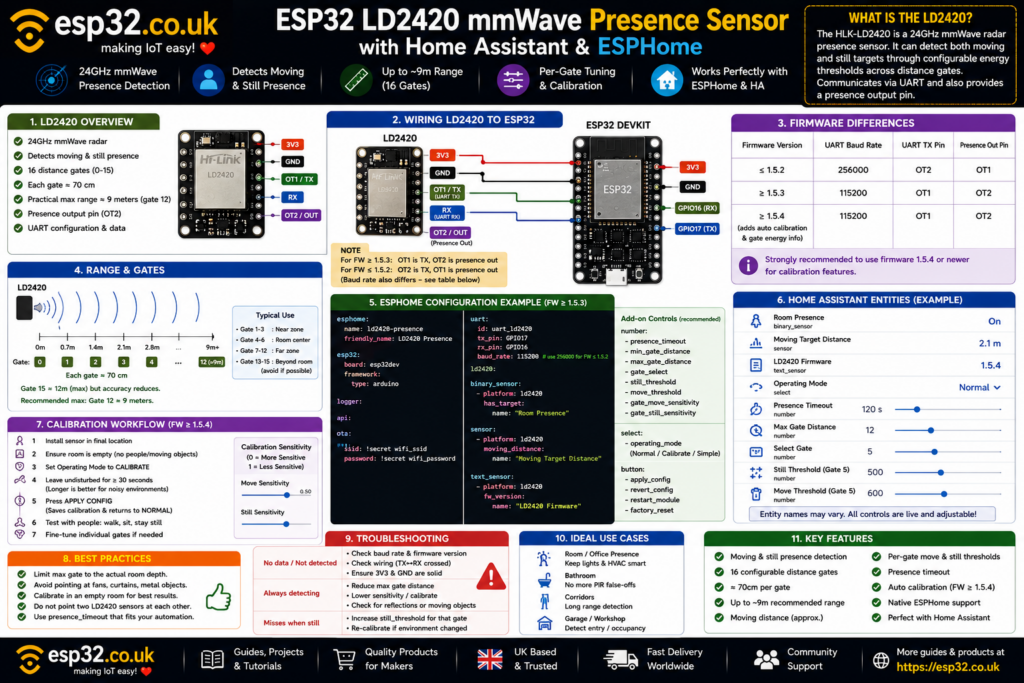
For those applications, sensors such as the LD2410 or LD2420 are usually a better fit.
Think of the difference like this:
LD2410 / LD2420
"Is somebody still here?"

RD-03D
"Where are the moving targets?"
Wiring RD-03D V2 to ESP32
The current RD-03D V2 uses four connections:
| RD-03D | Function |
|---|---|
| 5V | Power |
| GND | Ground |
| TX | UART output |
| RX | UART input |
Ai-Thinker specifies a 5 V supply and recommends a source capable of at least 200 mA. The UART I/O itself is specified as 3.3 V logic, which makes it suitable for direct communication with ESP32 GPIOs.
For a classic ESP32 DevKit, a convenient connection is:
| RD-03D | ESP32 |
|---|---|
| 5V | 5V / VIN |
| GND | GND |
| TX | GPIO16 |
| RX | GPIO17 |
Remember that UART connections cross:
RD-03D TX → ESP32 RX

RD-03D RX ← ESP32 TX
GPIO16 and GPIO17 are simply convenient choices on a classic ESP32. Other suitable hardware-UART-capable pins can be used on C3, C6, S2 or S3 boards.
Do you need both TX and RX?
Not always.
If the ESP32 only needs to receive target data, the radar’s TX connection to the ESP32’s RX pin is the important one.
ESPHome states that an ESP32 TX pin is required when using the tracking_mode option because ESPHome must send configuration commands back to the radar.
For the most flexible installation, connect both:
RD-03D TX → ESP32 RX
RD-03D RX ← ESP32 TX
Basic ESPHome UART configuration
RD-03D uses:
256000 baud
8 data bits
No parity
1 stop bit
ESPHome strongly recommends using a hardware UART because 256000 baud is relatively fast.
A classic ESP32 example is:
uart:
  id: uart_rd03d
  rx_pin: GPIO16
  tx_pin: GPIO17
  baud_rate: 256000
  parity: NONE
  stop_bits: 1
Then create the radar component:
rd03d:
  id: rd03d_radar
  uart_id: uart_rd03d
  tracking_mode: multi
  throttle: 500ms
tracking_mode: multi tells the radar to operate in multi-target mode.
ESPHome also supports:
tracking_mode: single
for single-target operation.
Why use throttle?
The RD-03D sends tracking data very frequently.
Publishing every radar frame to Home Assistant can create a large number of entity updates without providing much practical benefit.
ESPHome therefore provides:
throttle: 500ms
or:
throttle: 1s
to limit how often new values are published.
For most Home Assistant dashboards:
500 ms to 1 second
is plenty fast.
For debugging trajectory movement, a shorter interval can be useful.
Add overall presence to Home Assistant
The simplest RD-03D entity is:
binary_sensor:
  - platform: rd03d
    rd03d_id: rd03d_radar

    target:
      name: "Radar Presence"
This becomes ON whenever the radar reports at least one target.
Home Assistant can then use it like a conventional occupancy sensor.
Add individual target presence
ESPHome can also expose each tracked target separately:
binary_sensor:
  - platform: rd03d
    rd03d_id: rd03d_radar

    target:
      name: "Radar Presence"

    target_1:
      name: "Target 1 Presence"

    target_2:
      name: "Target 2 Presence"

    target_3:
      name: "Target 3 Presence"
Up to three targets can be reported simultaneously.
Add target count
A useful Home Assistant entity is simply:
0
1
2
3
representing the number of detected targets.
ESPHome configuration:
sensor:
  - platform: rd03d
    rd03d_id: rd03d_radar

    target_count:
      name: "Radar Target Count"
This can drive automations such as:
Target count = 0
→ Room empty

Target count = 1
→ Normal ventilation

Target count >= 2
→ Increase ventilation
ESPHome exposes target count as a value from 0 to 3.
X and Y coordinates explained
RD-03D reports every target using X/Y coordinates.
ESPHome defines:
X
Horizontal position relative to the radar.
Negative X = left of radar
Positive X = right of radar
Y
Distance forward from the radar.
Larger Y = farther into the room
Both are reported in millimetres.
Imagine a room like this:
           Y+
            ↑

     Target     Target
       ●           ●

            ROOM

X-  ←     RD-03D      → X+
This coordinate system is what makes software-defined room zones possible.
Add Target 1 position
sensor:
  - platform: rd03d
    rd03d_id: rd03d_radar

    target_1:
      x:
        name: "Target 1 X"

      y:
        name: "Target 1 Y"

      distance:
        name: "Target 1 Distance"

      angle:
        name: "Target 1 Angle"

      speed:
        name: "Target 1 Speed"

      resolution:
        name: "Target 1 Resolution"
ESPHome can provide all six values for each target.
Track all three targets
A full three-target configuration looks like:
sensor:
  - platform: rd03d
    rd03d_id: rd03d_radar

    target_count:
      name: "Target Count"

    target_1:
      x:
        name: "Target 1 X"
      y:
        name: "Target 1 Y"
      speed:
        name: "Target 1 Speed"
      angle:
        name: "Target 1 Angle"
      distance:
        name: "Target 1 Distance"

    target_2:
      x:
        name: "Target 2 X"
      y:
        name: "Target 2 Y"
      speed:
        name: "Target 2 Speed"
      angle:
        name: "Target 2 Angle"
      distance:
        name: "Target 2 Distance"

    target_3:
      x:
        name: "Target 3 X"
      y:
        name: "Target 3 Y"
      speed:
        name: "Target 3 Speed"
      angle:
        name: "Target 3 Angle"
      distance:
        name: "Target 3 Distance"
ESPHome calculates the distance and angle from the reported trajectory information and publishes them as normal sensor entities.
Speed direction explained
ESPHome reports target speed in millimetres per second.
The sign tells the direction of movement:
Positive speed
→ target moving away from radar

Negative speed
→ target approaching radar
This makes some interesting automations possible.
For example:
Target close to doorway
AND speed is negative
→ person entering room
versus:
Target close to doorway
AND speed is positive
→ person leaving room
This requires some experimentation because target IDs may change as people enter, leave or cross paths.
Angle explained
ESPHome defines the radar’s forward direction as 0°.
Targets on one side return negative angles and targets on the other side positive angles.
The current RD-03D V2 hardware specification gives an approximate physical azimuth detection range of:
±60°
with approximately:
±30° vertical/elevation coverage.
Actual useful coverage depends heavily on installation and the target environment.
Complete ESPHome example
A useful starting configuration is:
esphome:
  name: rd03d-radar
  friendly_name: RD-03D Radar

esp32:
  board: esp32dev
  framework:
    type: arduino

logger:

api:

ota:

wifi:
  ssid: !secret wifi_ssid
  password: !secret wifi_password

uart:
  id: uart_rd03d
  rx_pin: GPIO16
  tx_pin: GPIO17
  baud_rate: 256000
  parity: NONE
  stop_bits: 1

rd03d:
  id: rd03d_radar
  uart_id: uart_rd03d
  tracking_mode: multi
  throttle: 500ms

binary_sensor:
  - platform: rd03d
    rd03d_id: rd03d_radar

    target:
      name: "Radar Presence"

    target_1:
      name: "Target 1 Presence"

    target_2:
      name: "Target 2 Presence"

    target_3:
      name: "Target 3 Presence"

sensor:
  - platform: rd03d
    rd03d_id: rd03d_radar

    target_count:
      name: "Target Count"

    target_1:
      x:
        name: "Target 1 X"
      y:
        name: "Target 1 Y"
      speed:
        name: "Target 1 Speed"
      angle:
        name: "Target 1 Angle"
      distance:
        name: "Target 1 Distance"

    target_2:
      x:
        name: "Target 2 X"
      y:
        name: "Target 2 Y"
      speed:
        name: "Target 2 Speed"
      angle:
        name: "Target 2 Angle"
      distance:
        name: "Target 2 Distance"

    target_3:
      x:
        name: "Target 3 X"
      y:
        name: "Target 3 Y"
      speed:
        name: "Target 3 Speed"
      angle:
        name: "Target 3 Angle"
      distance:
        name: "Target 3 Distance"
This uses the currently documented ESPHome rd03d component and exposes the most useful radar data to Home Assistant.
Creating room zones
The real advantage of RD-03D appears when the X/Y coordinates are converted into virtual zones.
Imagine this room:
┌──────────────────────────────────┐
│                                  │
│      DESK            SOFA        │
│                                  │
│                                  │
│            WALKWAY               │
│                                  │
│             RD-03D               │
└──────────────────────────────────┘
Example coordinates might be:
Desk Zone

X = -2500 to -500 mm
Y = 1500 to 4000 mm
and:
Sofa Zone

X = 500 to 2800 mm
Y = 1800 to 4500 mm
The ESP32 can then determine whether one of the reported targets lies within those boundaries.
This allows one physical radar sensor to act like several virtual occupancy sensors.
A simple ESPHome zone example
First give the target coordinates IDs:
sensor:
  - platform: rd03d
    rd03d_id: rd03d_radar

    target_1:
      x:
        name: "Target 1 X"
        id: target1_x

      y:
        name: "Target 1 Y"
        id: target1_y
Then create a template binary sensor:
binary_sensor:
  - platform: template
    name: "Desk Zone"
    lambda: |-
      if (id(target1_x).state > -2500 &&
          id(target1_x).state < -500 &&
          id(target1_y).state > 1500 &&
          id(target1_y).state < 4000) {
        return true;
      }
      return false;
This particular example only watches Target 1.
A real multi-target zone should test all three targets so that any tracked person can activate the zone.
Multi-target zones need a little care
Target numbers should not be treated like permanent identities.
“Target 1” does not necessarily mean the same person forever.
When:
- people cross paths
- someone leaves the detection field
- a new target appears
the radar can reorganise which trajectory is represented as Target 1, 2 or 3.
So Home Assistant logic should normally ask:
“Is any target inside this zone?”
rather than:
“Is Target 1 Bob?”
RD-03D is a tracker, not a biometric identity system.
Best mounting position
Ai-Thinker recommends installing the radar so that:
- the antenna faces the area being monitored
- there are no obstructions directly in front of the antenna
- the module is mounted firmly
- the sensor itself does not vibrate
- large moving objects are not directly behind it
- nearby metal does not obstruct the antenna
The documentation also warns that radar can detect movement behind the module due to the rear antenna lobe; a metal backplate can help suppress unwanted rear detection.
A wall-mounted installation facing into the room is usually the easiest starting point.
Avoid fans and moving curtains
Typical sources of false tracking include:
- ceiling fans
- desk fans
- curtains moving in airflow
- large plants moving near vents
- pets
- vibrating objects
- machinery
Ai-Thinker specifically lists moving curtains, plants in airflow, fans and strong reflectors as environmental factors that can affect detection.
This matters more for a trajectory tracker than for a simple PIR because the radar may attempt to interpret moving reflections as targets.
Avoid pointing multiple 24 GHz radars at each other
Ai-Thinker recommends avoiding direct alignment between several nearby 24 GHz radar modules and keeping them separated where possible to reduce potential mutual interference.
If several radars are required in the same room:
- avoid aiming them directly at one another
- separate them physically
- use only as much coverage as actually required
Power supply matters
RD-03D V2 is designed for a 5 V supply.
Ai-Thinker specifies approximately 92 mA typical operating current and recommends a supply capable of more than 200 mA peak current. It also recommends keeping supply ripple below approximately 100 mV.
The ESP32’s 5 V/VIN rail can often supply the radar when the entire board is USB powered, provided the development board and USB supply have enough capacity.
For unreliable installations, use a proper regulated 5 V supply and connect:
Power supply GND
ESP32 GND
RD-03D GND
together.
UART data is 3.3 V logic
Although the radar is powered from 5 V, Ai-Thinker documents the RD-03D V2 I/O as 3.3 V logic.
That distinction is important:
Power = 5 V

UART logic = 3.3 V
So do not interpret the 5 V supply requirement as meaning the ESP32 RX pin should receive a 5 V UART signal.
RD-03D not detected by ESPHome
Check the basics first:
Radar TX → ESP32 RX
Radar RX → ESP32 TX
GND      → GND
Then confirm:
baud_rate: 256000
parity: NONE
stop_bits: 1
ESPHome strongly recommends a hardware UART for this data rate.
Also check that the ESP32 GPIOs selected are not being used by another peripheral.
No target data but radar has power
Possible causes include:
- TX/RX reversed
- wrong UART pins
- wrong baud rate
- no common ground
- poor 5 V power supply
- wrong module variant
- radar facing away from the target area
If the physical module is an RD-03 rather than RD-03D, the protocol and intended functionality are different.
Target jumps around
Some movement in reported coordinates is normal.
Radar measurements are affected by:
- body shape
- orientation
- reflections
- walls
- furniture
- multipath propagation
Ai-Thinker notes that ranging accuracy varies with target characteristics and installation environment.
Avoid designing zones with boundaries only a few millimetres wide.
Give each zone a reasonable margin.
For example, instead of:
X = 1000 to 1100 mm
use a substantially larger region appropriate to the physical space.
Person disappears when sitting still
This is the expected limitation to remember.
ESPHome describes RD-03D as a Doppler-dependent tracker and warns that a completely non-moving target cannot reliably be detected or ranged.
If this behaviour is unacceptable, consider:
- LD2410 for strong stationary presence
- LD2420 for configurable gate-based presence
- combining RD-03D with another occupancy sensor
A particularly powerful setup is:
LD2410
→ Is someone still in the room?

RD-03D
→ Where are the moving people?
The two sensors solve different problems.
Best Home Assistant use cases
Living room zones
Probably the strongest application.
Use one radar to distinguish movement around:
- sofa
- dining table
- doorway
- TV area
Large office
Track movement between:
- desk
- door
- meeting space
- storage area
Hallway direction detection
Speed and position can help distinguish movement toward or away from a doorway.
Smart lighting
Turn on only the lights corresponding to the area currently being approached or occupied by a moving target.
People counting
The radar’s target count can provide a rough instantaneous count of up to three active targets. It should not be treated as a guaranteed entrance/exit people-counter without additional logic because trajectories and target IDs can change.
RD-03D vs LD2450
These are the closest competitors conceptually.
Both are:
- 24 GHz FMCW radar
- multi-target trackers
- capable of X/Y position reporting
- designed for indoor trajectory tracking
- supported by ESPHome
RD-03D V2 is specified by Ai-Thinker for up to 8 m open-field detection range, while the RD-03D ESPHome integration exposes up to three targets with position, speed, distance and angle.
The LD2450 has a larger existing Home Assistant community and is still an excellent choice.
RD-03D is particularly interesting for anyone wanting to experiment with a newer multi-target alternative and longer stated tracking range.
RD-03D vs LD2410
The choice is much easier.
Choose LD2410 when the objective is:
Reliable room presence
including people sitting still
Choose RD-03D when the objective is:
Position and trajectory
of moving people
Trying to use the RD-03D purely as an LD2410 replacement misses its main strength.
Final recommendation
The RD-03D + ESP32 + ESPHome combination is one of the more interesting Home Assistant radar projects because it provides much more than a basic motion sensor.
ESPHome can expose:
- overall presence
- individual target presence
- target count
- X position
- Y position
- distance
- angle
- speed
- detection resolution
for up to three moving targets.
For a first installation:
- power the radar from a stable 5 V supply
- share ground with the ESP32
- use hardware UART at 256000 baud
- connect both TX and RX
- start with
tracking_mode: multi - throttle Home Assistant updates to 500 ms or 1 second
- mount the radar firmly facing the room
- keep fans and moving curtains out of its field of view
- create broad X/Y zones before trying very precise boundaries
Most importantly:
Buy RD-03D for tracking, not simply for stationary presence.
For zones, trajectory and multi-person movement, it is an extremely capable module.
For detecting a person who may remain completely motionless for long periods, combine it with a presence-oriented radar or choose an LD2410/LD2420 instead.