ESP32-S2 is the “USB + Wi-Fi” ESP32: single-core, Wi-Fi only (no Bluetooth), and designed for USB devices, low-cost IoT, and HMI-style projects where you want native USB without stepping up to ESP32-S3.
But “ESP32-S2” can mean different things:
- different chips (S2 base silicon variants)
- different modules (WROOM vs WROVER vs MINI vs SOLO, PCB antenna vs IPEX/u.FL)
- different dev boards / kits (DevKitC, DevKitM, Saola, Kaluga…)
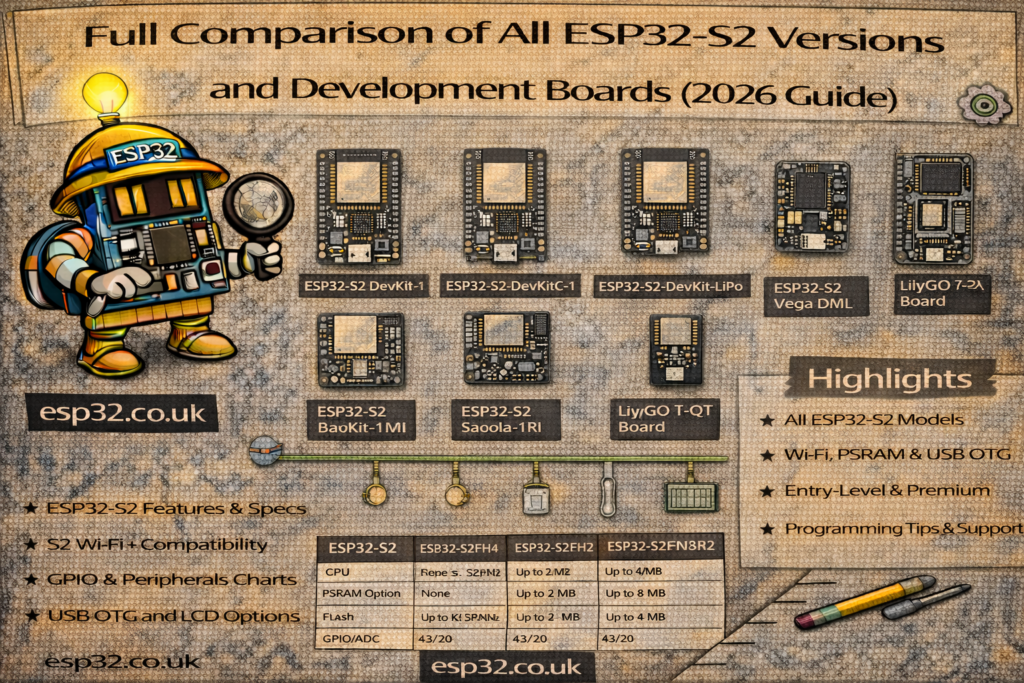
This guide compares the ecosystem and helps you pick the right S2 option quickly, using Espressif’s official docs.
TL;DR: what should you buy?
- Best “default” S2 dev board → ESP32-S2-DevKitC-1 (classic form factor, easiest for general work).
- Smallest “official breadboard-friendly” S2 dev board → ESP32-S2-DevKitM-1 (MINI module based).
- Compact dev board often used in community tutorials → ESP32-S2-Saola-1 (small board, supports WROOM/WROVER module options).
- You want displays / cameras / large buffers → choose a WROVER (PSRAM) module/board variant.
- You need external antenna → choose “-I” / “U” variants (IPEX/u.FL connector).
- You want a “demo kit” with add-on boards (LCD, touch, audio, etc.) → ESP32-S2-Kaluga-1 Kit.
1) ESP32-S2 in one minute (what all S2 chips share)
ESP32-S2 is an Espressif SoC with:
- Single-core Xtensa LX7 up to 240 MHz
- 2.4 GHz Wi-Fi (no Bluetooth)
- Native USB 2.0 full-speed OTG (device/host)
- Typical ESP peripherals (GPIO matrix, I²C, SPI, UART, PWM, ADC, etc.)
This makes it ideal for:
- USB gadgets (CDC serial, HID keyboard/mouse, MIDI, etc.)
- Wi-Fi devices that need simple USB configuration
- HMI / display projects (especially with PSRAM modules)
2) The confusing part: chip vs module vs dev board
Chip (ESP32-S2 SoC)
That’s the silicon: CPU + RAM + Wi-Fi + USB + peripherals.
Module (WROOM / WROVER / MINI / SOLO)
That’s the chip on a certified RF module, plus flash (and sometimes PSRAM) and an antenna solution.
Development board
That’s the carrier board with USB, regulator, buttons, headers, etc., that has a module soldered on.
When you’re choosing hardware, module choice matters more than the raw chip name, because module choice decides:
- flash size
- whether you have PSRAM
- whether you have PCB antenna vs external antenna connector
3) ESP32-S2 module families (the “versions” people actually buy)
A) ESP32-S2-WROOM / WROOM-I
Mainstream module for general projects.
- WROOM: PCB antenna
- WROOM-I: IPEX/u.FL connector for external antenna
Pick WROOM if:
- you want the standard “cheap + easy” Wi-Fi module
- you don’t need big buffers (unless your WROOM variant includes PSRAM)
Pick WROOM-I if:
- the module goes inside an enclosure
- you need range and want to use an external antenna
B) ESP32-S2-WROVER / WROVER-I (PSRAM)
WROVER modules add PSRAM, which is the difference between:
- “my UI/camera/audio buffers are fine”
and - “random crashes / out of memory”
- WROVER: PCB antenna
- WROVER-I: external antenna connector
Pick WROVER if you’re doing:
- LVGL + display buffers
- camera frames
- large JSON/TLS-heavy apps
- complex HMI
C) ESP32-S2-MINI-1 / MINI-1U (compact modules)
Smaller form factor modules:
- MINI-1: PCB antenna
- MINI-1U: external antenna connector
These appear on smaller dev boards like DevKitM. MINI modules are great when:
- you want compact hardware
- you’re designing something closer to a final product enclosure
D) ESP32-S2-SOLO / SOLO-U
Another module family:
- SOLO: PCB antenna
- SOLO-U: external antenna connector
You’ll often see SOLO modules on some DevKitC configurations and supplier listings.
4) Official ESP32-S2 development boards and kits
4.1 ESP32-S2-DevKitC-1 (the default S2 dev board)
Espressif’s entry-level S2 board, lots of GPIO broken out, “classic” dev board format.
Choose DevKitC-1 if:
- you want a standard header board
- you want maximum compatibility with examples
- you’re building general IoT or USB projects without special add-ons
4.2 ESP32-S2-DevKitM-1 (smaller board, MINI module based)
Smaller board aimed at compact builds; still breaks out most pins.
Choose DevKitM-1 if:
- you want a smaller footprint than DevKitC
- you want MINI modules (often a more “product-like” path)
4.3 ESP32-S2-Saola-1 (small, popular dev board)
Small development board; Espressif explicitly notes Saola can be populated with multiple module options (WROOM/WROVER variants).
Choose Saola-1 if:
- you want a compact board
- you want flexibility across module options
- you see it referenced in older ESP-IDF docs/tutorials
4.4 ESP32-S2-Kaluga-1 Kit (HMI / expansion kit)
Kaluga is a full kit: a mainboard plus extension boards (display, touch, audio, etc.). It’s designed to demonstrate HMI-style use cases and peripherals.
Choose Kaluga-1 if:
- you want a demo platform for LCD/touch/audio
- you want a “bundle” with supported expansion boards
5) Choosing the right ESP32-S2 “version” (buyer checklist)
Step 1: Do you need PSRAM?
If you do any of these, assume yes:
- displays with framebuffers (especially LVGL)
- camera capture or image buffers
- large web UI assets
- audio buffering and DSP
Pick a WROVER board/module (PSRAM) in that case.
Step 2: Do you need an external antenna?
If the device goes inside a box, behind a TV, or near noisy power electronics, choose:
- WROOM-I / WROVER-I
- MINI-1U
- SOLO-U
Step 3: Do you need native USB projects?
ESP32-S2 is a great fit specifically because it supports USB OTG in the SoC. If your project is:
- USB keyboard / macro pad
- USB serial device
- USB configuration interface for a Wi-Fi device
…S2 makes life easier.
Step 4: Do you actually need S2, or should you use S3?
Quick sanity check:
- If you need Bluetooth, don’t pick S2 — move to S3 (BLE) or classic ESP32 (Classic BT).
- If you need AI acceleration or dual core, S3 usually wins.
- If you want simple Wi-Fi + USB, S2 is the clean, cheaper choice.
6) Comparison table: S2 modules and dev boards
| Option | Best for | Antenna options | PSRAM option | Notes |
|---|---|---|---|---|
| ESP32-S2-WROOM / WROOM-I | general Wi-Fi + USB devices | PCB or IPEX/u.FL | depends on variant | common module family |
| ESP32-S2-WROVER / WROVER-I | displays/camera/big buffers | PCB or IPEX/u.FL | Yes | safest for UI-heavy builds |
| ESP32-S2-MINI-1 / MINI-1U | compact designs | PCB or IPEX/u.FL | depends on variant | used on DevKitM |
| ESP32-S2-SOLO / SOLO-U | general-purpose module | PCB or external antenna | varies | shows up on some dev board configs |
| DevKitC-1 | default dev workflow | depends on fitted module | depends | most common “learning” board |
| DevKitM-1 | smaller board | depends on fitted MINI module | depends | compact footprint |
| Saola-1 | compact dev board | depends on fitted module | depends | good for breadboard builds |
| Kaluga-1 | HMI / demo kit | depends on fitted module | depends | expansion boards, richer demos |
7) Common pitfalls (what wastes time)
Pitfall 1: Buying S2 expecting Bluetooth
ESP32-S2 is Wi-Fi only. If you need BLE, use S3.
Pitfall 2: No PSRAM for UI projects
If you’re doing display buffers or camera, PSRAM often stops “mystery crashes”. Choose WROVER (PSRAM).
Pitfall 3: Antenna mismatch for enclosures
A PCB antenna module inside a metal or dense enclosure can be painful. Use -I / -U external antenna variants.
8) Suggested “hub + satellites” structure for SEO
This page should be your ESP32-S2 hub. Then build satellites:
- ESP32-S2-DevKitC-1 Pinout & Safe GPIO page
- ESP32-S2-DevKitM-1 Pinout (MINI module specifics)
- ESP32-S2 USB cookbook (CDC/HID/MIDI examples)
- ESP32-S2 PSRAM guide (when you need it, how to detect it in code)
- ESP32-S2 Saola-1 pinout + differences vs DevKitC
Official references (each link once)
ESP32-S2 datasheet:
https://www.espressif.com/sites/default/files/documentation/esp32-s2_datasheet_en.pdfESP32-S2-DevKitC-1 docs:
https://docs.espressif.com/projects/esp-dev-kits/en/latest/esp32s2/esp32-s2-devkitc-1/user_guide.htmlESP32-S2-DevKitM-1 docs:
https://docs.espressif.com/projects/esp-dev-kits/en/latest/esp32s2/esp32-s2-devkitm-1/user_guide.htmlESP32-S2-Saola-1 docs:
https://docs.espressif.com/projects/esp-dev-kits/en/latest/esp32s2/esp32-s2-saola-1/user_guide_v1.2.htmlESP32-S2-Kaluga-1 kit docs:
https://docs.espressif.com/projects/esp-dev-kits/en/latest/esp32s2/esp32-s2-kaluga-1/user_guide.htmlESP32-S2-WROOM / WROOM-I datasheet:
https://www.espressif.com/sites/default/files/documentation/esp32-s2-wroom_esp32-s2-wroom-i_datasheet_en.pdfESP32-S2-WROVER / WROVER-I datasheet:
https://www.espressif.com/sites/default/files/documentation/esp32-s2-wrover_esp32-s2-wrover-i_datasheet_en.pdfESP32-S2-MINI-1 / MINI-1U datasheet:
https://documentation.espressif.com/esp32-s2-mini-1_esp32-s2-mini-1u_datasheet_en.pdfESP32-S2-SOLO / SOLO-U datasheet:
https://www.espressif.com/sites/default/files/documentation/esp32-s2-solo_esp32-s2-solo-u_datasheet_en.pdf