The ESP8266 is the chip that kicked off the Wi-Fi microcontroller revolution. Even today it’s still a great choice for simple IoT devices: cheap, small, and supported everywhere.
But it has quirks (boot pins, one ADC input, weak power rails on some boards), and a lot of online guides gloss over the details. This article aims to be the complete ESP8266 reference + cookbook:
- Chip deep dive (CPU, clock, RAM, flash, Wi-Fi)
- Module vs dev board differences (ESP-01 vs ESP-12 vs NodeMCU vs D1 mini)
- Boot process + boot modes + strap pins
- Memory map + flash layout + OTA notes
- GPIO capability matrix (safe/tricky pins, UART, boot pins)
- Recommended pin maps (I²C/SPI/UART/PWM)
- Stable wiring patterns (power, I²C pullups, relays, ADC protection)
- Copy-paste recipes (GPIO, ADC, I²C, SPI, Wi-Fi, deep sleep)
⚠️ All ESP8266 GPIO are 3.3V only. Feeding 5V into any GPIO can kill the chip.
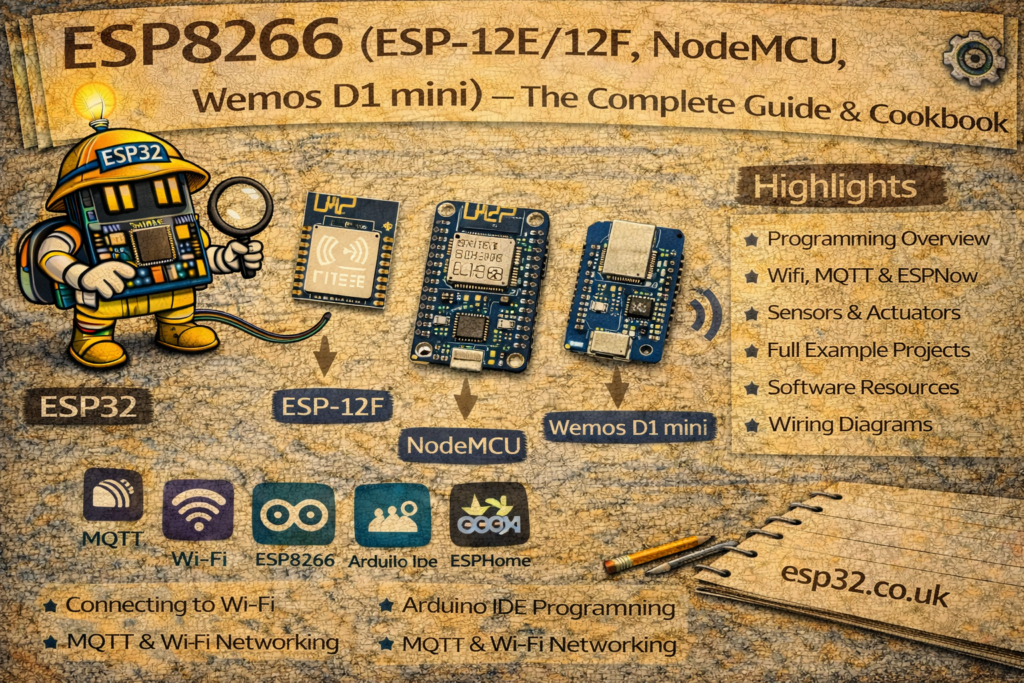
1) ESP8266 family overview (chip vs module vs dev board)
1.1 The chip: ESP8266EX
The SoC is typically ESP8266EX:
- 32-bit CPU + Wi-Fi radio + RAM + peripherals on one chip
- External SPI flash stores firmware and filesystem
1.2 Modules (the “ESP-xx” boards)
Common modules:
- ESP-01 / ESP-01S: tiny 8-pin, only a couple of GPIO exposed
- ESP-12E / ESP-12F: most popular SMD module (used on NodeMCU & D1 mini)
- ESP-07: variant with different antenna options
1.3 Dev boards (what most people actually use)
- NodeMCU: ESP-12E + USB serial + regulator, pins labeled D0..D8
- Wemos D1 mini: compact dev board, also D0..D8 naming
2) ESP8266 chip deep dive (CPU, MHz, RAM, Wi-Fi, peripherals)
2.1 CPU and clock
ESP8266 is a single-core 32-bit MCU (Xtensa architecture).
Typical clock options:
- 80 MHz default
- 160 MHz optional (can be enabled in many environments)
What it means
- For simple IoT (MQTT, HTTP, sensors), it’s plenty.
- For heavy multitasking or UI/camera work, ESP32/S3 wins.
2.2 RAM (why big web pages crash)
ESP8266 has limited RAM compared to ESP32:
- Internal RAM is shared between system (Wi-Fi stack) and your app
- Free heap can drop quickly when Wi-Fi is active, TLS is used, or you build large JSON strings
Practical advice:
- Avoid huge
Stringconcatenations - Prefer streaming responses for web servers
- Use smaller MQTT payloads
- If you need big buffers, move to ESP32 + PSRAM
2.3 Flash (external SPI flash)
ESP8266 stores everything in external SPI flash:
- App firmware
- OTA slot (optional)
- Filesystem (SPIFFS/LittleFS)
- SDK config / RF calibration data
Flash sizes vary widely: 1MB, 2MB, 4MB, 8MB, 16MB.
2.4 Wi-Fi
ESP8266 is Wi-Fi only:
- 2.4 GHz 802.11 b/g/n
- No Bluetooth
3) Boot process and strap pins (this is where people brick boards)
ESP8266 uses a few pins as strapping pins at reset to decide boot mode.
3.1 Boot modes (the only ones you care about)
- Normal boot from flash (run your program)
- UART download mode (flash new firmware)
3.2 The key strapping pins
The big three:
- GPIO0
- GPIO2
- GPIO15
For normal boot, the required levels at reset are:
- GPIO0 = HIGH
- GPIO2 = HIGH
- GPIO15 = LOW
For flashing mode (UART download):
- GPIO0 = LOW (others remain: GPIO2 HIGH, GPIO15 LOW)
3.3 Practical rules (keep it simple and accurate)
- Don’t attach hardware that pulls GPIO0 or GPIO2 LOW at boot.
- Don’t attach hardware that pulls GPIO15 HIGH at boot.
- If you need those pins, use them only with circuits that won’t fight the boot levels.
4) ESP8266 memory map + flash layout (OTA, filesystem, NVS-equivalent)
ESP8266 uses external flash partitioning (layout depends on SDK/core settings).
Typically you’ll have:
- Bootloader
- App partition(s):
- single app (no OTA) or dual app (OTA)
- Filesystem:
- SPIFFS or LittleFS partition for files
- RF calibration / system parameters near the end of flash
4.1 OTA (why you need two slots)
OTA requires:
- two firmware slots (current + update target)
- enough flash space for both
If your module only has 1MB flash, OTA is often not practical unless firmware is tiny.
4.2 Filesystem (SPIFFS vs LittleFS)
- SPIFFS is older and widely referenced
- LittleFS is newer and generally preferred for reliability
Both work, but the available size depends on your chosen flash layout.
5) GPIO capability matrix (ESP-12 / NodeMCU / D1 mini)
First: ignore the “D0, D1…” labels for a second. Those are board labels.
ESP8266 GPIO of interest (most common on ESP-12 modules):
- GPIO0, 1, 2, 3, 4, 5, 12, 13, 14, 15, 16
- ADC0 (A0) is separate
5.1 “Do not use” flash pins
ESP8266 has internal flash SPI pins that are not exposed on dev boards in a safe way. On ESP-12 boards you typically don’t see them as headers. If a module exposes them, treat them as reserved for flash.
5.2 ESP8266 practical GPIO matrix
Legend:
- Safe = generally safe for normal use
- Boot strap = must be correct at reset
- UART = used for programming/logging
- Special = limitations
| GPIO | Safe for general I/O | Boot strap | UART role | Notes |
|---|---|---|---|---|
| GPIO0 | ⚠️ | Yes | — | Must be HIGH to boot, LOW to flash |
| GPIO1 | ⚠️ | — | TX0 | Serial output at boot; avoid if you need stable output |
| GPIO2 | ⚠️ | Yes | — | Must be HIGH at boot; often onboard LED on dev boards |
| GPIO3 | ⚠️ | — | RX0 | Used for flashing; avoid if you need Serial |
| GPIO4 | ✅ | — | — | Great general pin (often I²C SDA) |
| GPIO5 | ✅ | — | — | Great general pin (often I²C SCL) |
| GPIO12 | ✅ | — | — | Good general pin (SPI MISO often) |
| GPIO13 | ✅ | — | — | Good general pin (SPI MOSI often) |
| GPIO14 | ✅ | — | — | Good general pin (SPI SCK often) |
| GPIO15 | ⚠️ | Yes | — | Must be LOW at boot (pulldown on dev boards) |
| GPIO16 | ✅* | — | — | No interrupt wake like others; used for deep sleep wake via RST |
*GPIO16 is special: it’s commonly used to wake the chip from deep sleep by wiring GPIO16 → RST.
5.3 NodeMCU / D1 mini pin label mapping
| Board label | ESP8266 GPIO |
|---|---|
| D0 | GPIO16 |
| D1 | GPIO5 |
| D2 | GPIO4 |
| D3 | GPIO0 |
| D4 | GPIO2 |
| D5 | GPIO14 |
| D6 | GPIO12 |
| D7 | GPIO13 |
| D8 | GPIO15 |
| RX | GPIO3 |
| TX | GPIO1 |
| A0 | ADC0 |
6) Recommended “known-good” pin maps
6.1 I²C (best default)
- SDA = GPIO4 (D2)
- SCL = GPIO5 (D1)
6.2 SPI (HSPI default)
- SCK = GPIO14 (D5)
- MISO = GPIO12 (D6)
- MOSI = GPIO13 (D7)
- CS = GPIO15 (D8) (but remember boot strap — it must stay LOW at boot)
If you want a CS that doesn’t risk boot issues, use GPIO4/5 as CS instead and keep GPIO15 free or carefully managed.
6.3 UART
- UART0 (GPIO1/3) is used for flashing/logging.
- If you need a second serial port, ESP8266 is limited — many people use SoftwareSerial (with caveats) or swap roles.
6.4 PWM
ESP8266 supports PWM on many pins, but keep it on “safe” GPIO:
- GPIO4, 5, 12, 13, 14 are the nicest set.
7) Stable wiring patterns (the “why does it reset?” section)
7.1 Power is everything
ESP8266 can brown out easily with weak supplies.
Best practice:
- Use a decent 5V USB adapter + good cable
- On bare modules, use a 3.3V regulator that can supply bursts comfortably
- Add local capacitors:
- 100 µF + 0.1 µF close to VCC/GND
7.2 I²C pull-ups
I²C needs pull-ups:
- Start around 4.7k to 3.3V
- Too many sensor boards can make pull-up too strong (equivalent resistance too low)
7.3 Buttons and debouncing
Use:
- button to GND
INPUT_PULLUP- small debounce delay or state machine
7.4 Relays / inductive loads
Never drive a relay coil from a GPIO.
Use a transistor/MOSFET driver + flyback diode, and power the relay from a separate supply (common ground).
7.5 ADC input constraints (ESP8266 is strict)
ESP8266 has one ADC input (A0), and on the bare chip it’s typically 0–1.0V max.
Many dev boards include a resistor divider so A0 can accept ~3.3V, but it depends on the board.
Best practice:
- Check your board’s A0 scaling before connecting sensors.
- If you need accurate analog: use an external ADC (ADS1115).
8) Cookbook recipes (Arduino core)
Assume:
- Board: NodeMCU 1.0 or Wemos D1 mini in Arduino IDE
- Serial: 115200
Recipe 0: Blink onboard LED (usually D4 / GPIO2)
const int LED_PIN = 2; // D4 on many boards

void setup() {
  pinMode(LED_PIN, OUTPUT);
}

void loop() {
  digitalWrite(LED_PIN, LOW);  // many onboard LEDs are active LOW
  delay(500);
  digitalWrite(LED_PIN, HIGH);
  delay(500);
}
Recipe 1: Serial debug template
void setup() {
  Serial.begin(115200);
  delay(500);
  Serial.println("\nESP8266 serial OK");
}

void loop() {
  static uint32_t t = 0;
  if (millis() - t > 1000) {
    t = millis();
    Serial.printf("Uptime: %lu ms\n", (unsigned long)t);
  }
}
Recipe 2: Button input (D2/GPIO4 to GND)
const int BTN = 4; // D2

void setup() {
  Serial.begin(115200);
  pinMode(BTN, INPUT_PULLUP);
}

void loop() {
  if (digitalRead(BTN) == LOW) {
    Serial.println("Button pressed");
    delay(200);
  }
}
Recipe 3: Read A0 (ADC0)
void setup() {
  Serial.begin(115200);
}

void loop() {
  int raw = analogRead(A0);
  Serial.printf("A0 raw: %d\n", raw);
  delay(500);
}
Recipe 4: I²C template (D2/D1)
#include <Wire.h>

void setup() {
  Serial.begin(115200);
  Wire.begin(4, 5); // SDA=GPIO4(D2), SCL=GPIO5(D1)
  Serial.println("I2C started");
}

void loop() {}
Recipe 5: Wi-Fi connect + print IP
#include <ESP8266WiFi.h>

const char* SSID = "YOUR_SSID";
const char* PASS = "YOUR_PASS";

void setup() {
  Serial.begin(115200);
  delay(500);

  WiFi.begin(SSID, PASS);
  Serial.print("Connecting");

  for (int i=0; i<30 && WiFi.status()!=WL_CONNECTED; i++) {
    delay(500);
    Serial.print(".");
  }

  Serial.println();
  if (WiFi.status() == WL_CONNECTED) {
    Serial.print("IP: ");
    Serial.println(WiFi.localIP());
  } else {
    Serial.println("WiFi failed");
  }
}

void loop() {}
Recipe 6: Deep sleep (wake with GPIO16 → RST)
Deep sleep wiring:
- Connect GPIO16 (D0) to RST
- Then:
void setup() {
  Serial.begin(115200);
  delay(200);
  Serial.println("Sleeping 10 seconds...");
  Serial.flush();

  ESP.deepSleep(10e6); // microseconds
}

void loop() {}
9) Troubleshooting (ESP8266 classics)
Board won’t boot after you connected something
Check boot pins:
- GPIO0 must be HIGH
- GPIO2 must be HIGH
- GPIO15 must be LOW
Upload fails
- If using ESP-01: ensure GPIO0 is held LOW during reset to enter flashing mode.
- On dev boards: press and hold FLASH/BOOT, tap reset if needed.
Random resets when Wi-Fi starts
- Power supply/cable/regulator is marginal.
- Add bulk caps and use a better supply.