Arduino released App Lab 0.11 on 22 October 2026, adding ready-to-run application packages, an agent panel inside the editor, local pose estimation on VENTUNO Q and richer phone-sensor streaming. The update is available as App Lab 0.11.0 and targets Arduino’s Linux-capable UNO QPriceAliExpress price and VENTUNO Q environment; it is not an Arduino IDE update or a feature for every microcontroller board.
Quick summary
- App Releases freeze an App Lab project into an immutable package with locked dependencies and precompiled sketches.
- A new Agent Panel can inspect the open project and edit its files without replacing the normal editor view.
- VENTUNO Q gains a Pose Estimation Brick for 17-point skeleton tracking and standard or custom pose recognition.
- The Mobile Companion App can send microphone and IMU data over WebSockets, with password and encryption options.

App Releases move projects beyond the development machine
The main deployment change is the new App Release format. App Lab can package a project into a ready-to-run file that can be installed on another compatible board. Unlike the existing project export option, a release is frozen: dependencies are locked, sketches are precompiled and remote requirements such as AI models are fetched during installation.
Arduino says the package can also run on compatible third-party hardware in its Works with Arduino programme. That does not make it a universal binary for every Arduino or ESP32PriceAliExpress price board; the destination still needs to support the App Lab application architecture and the required hardware features. Our UNO Q App Lab guide explains how Linux applications, Python, Bricks and the real-time microcontroller side work together.
An agent panel without leaving the editor
App Lab 0.11 places an Agent Panel beside the code editor. It uses the open app, files and code as context, can change workspace files through a plain-language conversation and keeps a separate history for each app. This differs from the full-window Agent Mode introduced in version 0.10: the panel stays alongside the normal editing and run workflow rather than making the agent the main interface.
Local pose recognition arrives on VENTUNO Q
The new Pose Estimation Brick runs locally on VENTUNO Q. Arduino specifies 17-point skeleton tracking at up to 10 frames per second, with built-in recognition for poses such as standing, sitting and raised or lowered arms. A custom mode accepts one folder of example images for the target pose and another folder of negative examples, removing the need for a separate model-training tool.
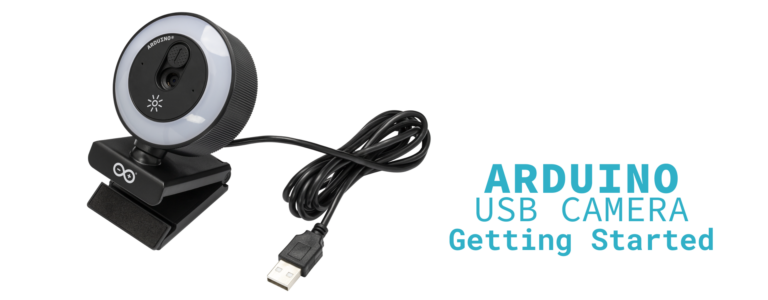
App Lab can now import language models for its LLM Brick from Hugging Face using a model ID or URL. The software checks compatibility and selects a supported quantisation, but the announcement does not provide universal speed or accuracy figures; practical results will depend on the model and target hardware. Camera input remains important for pose projects, and Arduino recently launched a USB camera for UNO Q and VENTUNO Q.
Phones become protected remote sensor nodes
The Mobile Companion App previously supplied camera video. Version 0.11 extends this with microphone and inertial measurement unit data through a remote-sensor peripheral. Streams use WebSockets, can be protected with a password and encryption, and carry JSON data with user-defined keys. Arduino says compatible external devices can use the supported WebSocket interface too, opening a route to remote controls and other IoT sensor sources.
Smaller additions include built-in VENTUNO Q flashing, configuration for attached carriers and JHAT add-ons, direct publication of an app draft to Arduino Project Hub, YAML checking, Python and C++ reference search, and separate console tabs for Brick containers.
Availability and limitations
Arduino App Lab 0.11.0 is available from Arduino’s software download page. Arduino publishes the desktop application’s source under GPL-3.0. The headline pose feature is specifically documented for VENTUNO Q, while the wider App Lab environment is presented for UNO Q and VENTUNO Q; owners of conventional Arduino boards should not assume these Linux-side tools apply to their hardware.