Indoor air quality (IAQ) is influenced not only by CO₂ and humidity, but also by volatile organic compounds (VOCs) such as cooking fumes, cleaning chemicals, paints, perfumes, and off-gassing from furniture.
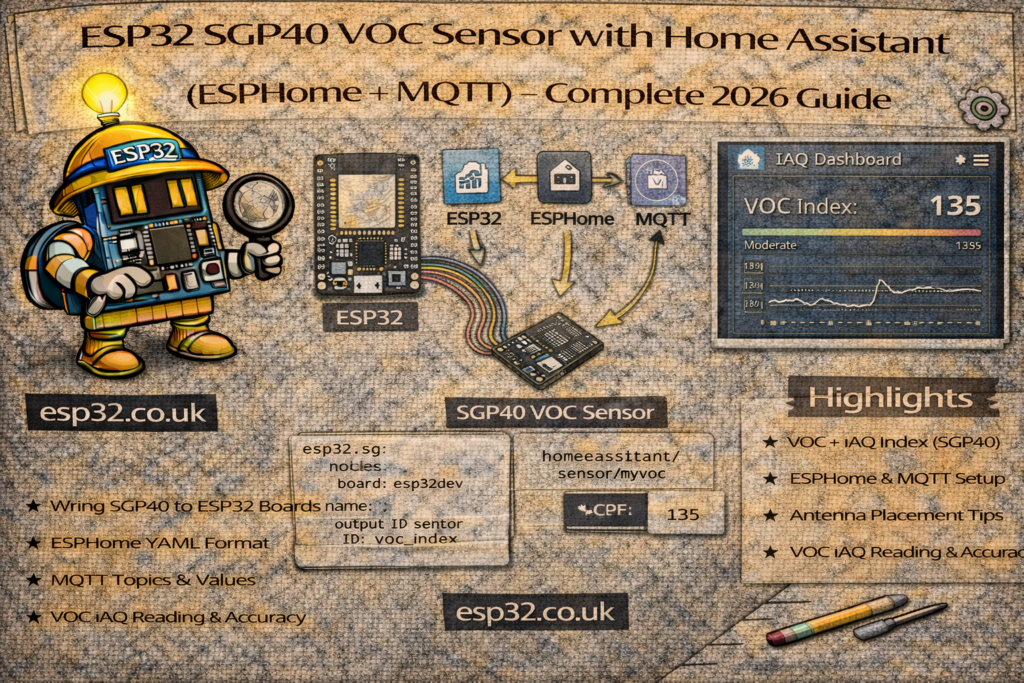
The SGP40 is a high-quality VOC sensor from Sensirion that provides a reliable VOC Index for Home Assistant using an ESP32.
This guide covers both ESPHome and MQTT integration methods.
1. What Is the SGP40 VOC Sensor?
The SGP40 measures volatile organic compounds, producing a VOC Index:
- 0–100 → Excellent air
- 100–200 → Normal
- 200–400 → Polluted air
- 400+ → Very poor air (cooking/chemicals)
It does not measure specific gases; instead it outputs a calibrated score for overall VOC presence.
2. Hardware Required
- ESP32 DevKit
- SGP40 sensor board
- Jumper wires
- (Optional) BME280/SHT45 for humidity compensation
- USB cable
The SGP40 uses I2C, like most environmental sensors.
3. Wiring Diagram (I2C)
ESP32 → SGP40
3.3V → VIN
GND  → GND
GPIO21 → SDA
GPIO22 → SCL
METHOD 1 — ESPHome Integration
ESPHome supports SGP40 with optional humidity compensation for better accuracy.
4. ESPHome YAML – SGP40 Only
esphome:
  name: esp32-sgp40
  platform: ESP32
  board: esp32dev

wifi:
  ssid: "YOUR_WIFI"
  password: "YOUR_PASSWORD"

logger:
api:
ota:

i2c:
  sda: 21
  scl: 22
  scan: true

sensor:
  - platform: sgp40
    name: "VOC Index"
This creates:
sensor.voc_index
Auto-discovered by Home Assistant.
5. ESPHome YAML – SGP40 + Humidity Compensation (Recommended)
VOC readings improve greatly if humidity is also supplied to the SGP40 algorithm.
Example with SHT45:
sensor:
  - platform: sht4x
    temperature:
      name: "Temperature"
      id: temp_air
    humidity:
      name: "Humidity"
      id: hum_air
    update_interval: 10s

  - platform: sgp40
    name: "VOC Index"
    compensation:
      temperature: temp_air
      humidity: hum_air
Now ESPHome uses real temperature & humidity to correct VOC output.
METHOD 2 — MQTT Integration
This matches the same Home Assistant structure used in BME280, SHT45, and other MQTT articles.
6. Home Assistant configuration.yaml — MQTT VOC Sensor
Add under your existing:
mqtt:
  sensor:
Correct MQTT YAML Block
mqtt:
  sensor:
    - name: "VOC Index"
      state_topic: "home/air/voc"
      value_template: "{{ value_json.voc }}"
      unit_of_measurement: "Index"
This creates one sensor reading the VOC score.
7. ESP32 Arduino Code for MQTT (SGP40 VOC Index)
#include <WiFi.h>
#include <PubSubClient.h>
#include <SensirionI2CSgp40.h>

#define WIFI_SSID "YOUR_WIFI"
#define WIFI_PASS "YOUR_PASSWORD"
#define MQTT_SERVER "192.168.0.10"

WiFiClient espClient;
PubSubClient client(espClient);

SensirionI2CSgp40 sgp40;
uint16_t voc_index;

void setup() {
  Serial.begin(115200);
  Wire.begin(21, 22);

  sgp40.begin(Wire);

  WiFi.begin(WIFI_SSID, WIFI_PASS);
  while (WiFi.status() != WL_CONNECTED) delay(500);

  client.setServer(MQTT_SERVER, 1883);
}

void loop() {
  if (!client.connected()) {
    while (!client.connected()) client.connect("ESP32_VOC");
  }

  voc_index = sgp40.measureRawSignal(0, 0); // no compensation

  String json = "{\"voc\":" + String(voc_index) + "}";
  client.publish("home/air/voc", json.c_str());

  client.loop();
  delay(3000);
}
Adding temperature & humidity compensation
Use readings from any sensor (BME280, SHT45, DS18B20).
8. Home Assistant Dashboard Example
type: gauge
entity: sensor.voc_index
min: 0
max: 500
severity:
  green: 0
  yellow: 150
  red: 300
9. Useful VOC Automations
Alert when kitchen fumes spike
automation:
  - alias: "VOC High Alert"
    trigger:
      - platform: numeric_state
        entity_id: sensor.voc_index
        above: 250
    action:
      - service: notify.mobile_app
        data:
          message: "Air quality is poor — open a window."
Automatically turn on ventilation
  - alias: "Auto Ventilate on VOC Rise"
    trigger:
      - platform: numeric_state
        entity_id: sensor.voc_index
        above: 200
    action:
      - service: fan.set_percentage
        target:
          entity_id: fan.cabinet_fan
        data:
          percentage: 100
Restore low fan speed after cleaning VOC drops
  - alias: "Restore Fan After Ventilation"
    trigger:
      - platform: numeric_state
        entity_id: sensor.voc_index
        below: 120
    action:
      - service: fan.set_percentage
        target:
          entity_id: fan.cabinet_fan
        data:
          percentage: 30
10. Troubleshooting
VOC Index always high
- Sensor needs 24h burn-in for calibration
- Airflow must reach sensor → avoid sealed boxes
VOC Index drops too slowly
- High humidity slows VOC clearing
- Use humidity compensation for better accuracy
Sensor not detected
- Swap SDA/SCL wiring
- Enable
scan: truein ESPHome I2C config - Cheap breakout boards sometimes mislabeled pins
Readings fluctuate rapidly
- Update interval too short → increase to 5–10 seconds
11. SGP40 vs Other VOC Sensors
| Sensor | VOC Accuracy | Notes |
|---|---|---|
| SGP40 | ★★★★★ | Best accuracy, recommended |
| CCS811 | ★★★☆☆ | Needs baseline calibration |
| MQ Gas Sensors | ★☆☆☆☆ | Very inaccurate, high power |
| SGP30 | ★★★★☆ | Older but still good |
SGP40 is the current recommended choice for Home Assistant.
Keywords
esp32 sgp40
home assistant voc sensor
esphome sgp40
mqtt voc index
esp32 air quality voc
sgp40 voc sensor tutorial
esp32 indoor air quality
voc monitoring home assistant