Building a reliable CO₂ monitor is one of the best “bang-for-buck” ESPHome projects. The Sensirion SCD41 is a true CO₂ sensor (photoacoustic sensing / PAS), not a “calculated eCO₂” VOC estimate, so it’s ideal for proper IAQ monitoring.
Using MQTT keeps your sensor data decoupled from Home Assistant: the same measurements can feed Node-RED, InfluxDB, Grafana, custom dashboards, and HA at the same time.
This guide covers wiring, ESPHome flashing, MQTT topics, calibration, and Home Assistant setup.
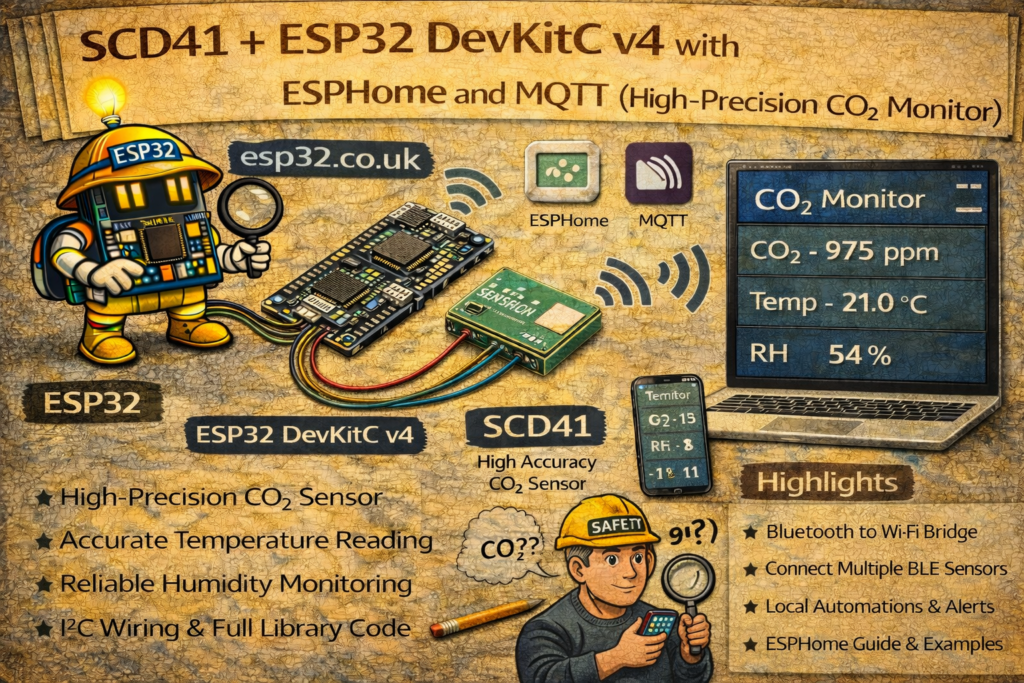
Part 1: Hardware and wiring
Components
- ESP32 DevKitC v4 (classic ESP32 / ESP-WROOM-32 DevKitC)
- Sensirion SCD41 breakout/module (Adafruit, SparkFun, or generic)
- Jumper wires
Wiring (I²C)
The DevKitC v4 commonly uses:
- SDA = GPIO21
- SCL = GPIO22
| SCD41 pin | ESP32 DevKitC v4 pin | Notes |
|---|---|---|
| VIN / VCC | 3V3 | Use 3.3V for safest logic compatibility |
| GND | GND | Ground |
| SDA | GPIO21 | I²C data |
| SCL | GPIO22 | I²C clock |
Important: Even if your breakout claims 5V tolerant, the SCD41 chip is fundamentally a 3.3V device. 3V3 is the safe default.
Part 2: ESPHome YAML (MQTT-first, stable, copy/paste)
This config:
- Connects to Wi-Fi
- Publishes to MQTT under a clean
topic_prefix - Reads CO₂, temperature, and humidity from SCD41 via I²C
- Keeps OTA enabled for easy updates
- Avoids “random reboots because no API client connected” (common gotcha)
Note: The “reboot if no API client connects” setting belongs to the ESPHome native API, not MQTT. If you’re MQTT-only, either disable
api:or setapi.reboot_timeout: 0s.
living-room-co2.yaml
esphome:
  name: living-room-air-monitor
  friendly_name: "Living Room CO2"

esp32:
  board: esp32dev        # DevKitC v4 (classic ESP32). NOT ESP32-C3.
  framework:
    type: esp-idf

# Logging (leave enabled for troubleshooting)
logger:
  # Optional: if you get boot noise or want UART silent:
  # baud_rate: 0

wifi:
  ssid: "YOUR_WIFI_SSID"
  password: "YOUR_WIFI_PASSWORD"
  ap:
    ssid: "CO2-Monitor-Fallback"
    password: "change_this_password"

captive_portal:

ota:
  - platform: esphome

# If you don't need ESPHome native API, you can remove this block entirely.
# If you keep it, disable reboot timeout so MQTT-only use won't restart the device.
api:
  reboot_timeout: 0s

mqtt:
  broker: 192.168.1.100
  username: "mqtt_user"
  password: "mqtt_password"

  # All topics will be under:
  # home/living-room-air-monitor/...
  topic_prefix: "home/living-room-air-monitor"

  # Optional (recommended): let HA discover entities automatically via MQTT Discovery.
  discovery: true

i2c:
  sda: 21
  scl: 22
  scan: true
  id: bus_a

sensor:
  - platform: scd4x
    i2c_id: bus_a
    update_interval: 60s

    co2:
      name: "CO2 Level"
      accuracy_decimals: 0
      unit_of_measurement: "ppm"

    temperature:
      name: "Temperature"
      accuracy_decimals: 1
      # If the sensor sits close to the ESP32, you may see heat bias.
      # Start with -1.0 to -3.0 and tune.
      filters:
        - offset: -2.0

    humidity:
      name: "Humidity"
      accuracy_decimals: 1
      unit_of_measurement: "%"
Why 60 seconds update interval?
The SCD41 can update faster, but for room monitoring:
- 60 seconds keeps MQTT traffic reasonable
- reduces self-heating effects
- gives stable trends for ventilation decisions
Part 3: MQTT topics
With topic_prefix: "home/living-room-air-monitor" ESPHome will publish sensor states under that tree. The exact entity/object IDs can differ depending on naming, so don’t guess—verify once.
Verify with MQTT Explorer
- Connect MQTT Explorer to your broker.
- Expand:
home/living-room-air-monitor - You should see payloads updating every 60 seconds.
Typical paths look like:
.../sensor/co2_level/state.../sensor/temperature/state.../sensor/humidity/state
(Exact topic names depend on how ESPHome slugifies the sensor names; MQTT Explorer removes all doubt.)
Part 4: Calibration (this matters)
Automatic Self Calibration (ASC)
By default, many CO₂ sensors use a background calibration assumption:
- Over time, the sensor expects that the lowest CO₂ level it sees occasionally is “fresh air” (~400 ppm).
ASC works well if:
- the room regularly gets fresh air (open windows / doors) at least weekly
ASC can drift if:
- the sensor never sees near-outdoor air (e.g., sealed room, always occupied)
If you cannot guarantee fresh air exposure
Disable ASC (if you choose to do so) and do manual calibration occasionally. ESPHome supports forced calibration actions for SCD4x; a common method is calibrating near outdoor fresh air (not next to traffic).
If you want a “press a button in HA to calibrate” approach, it can be done safely, but it should be treated carefully (calibrate in the wrong conditions and you’ll bake the error in).
Practical rule: Don’t add “forced calibration” buttons unless you’re sure you’ll only press them under correct conditions.
Part 5: Home Assistant integration (two ways)
Option A (recommended): MQTT Discovery (no YAML sensors)
If you set:
mqtt:
  discovery: true
Then Home Assistant will usually create entities automatically (Settings → Devices & services → MQTT).
Option B: Manual MQTT sensors
If you prefer explicit mqtt: sensors in configuration.yaml, do this after confirming the topics in MQTT Explorer:
mqtt:
  sensor:
    - name: "Living Room CO2"
      state_topic: "home/living-room-air-monitor/sensor/co2_level/state"
      unit_of_measurement: "ppm"
      device_class: carbon_dioxide
      state_class: measurement

    - name: "Living Room Temperature"
      state_topic: "home/living-room-air-monitor/sensor/temperature/state"
      unit_of_measurement: "°C"
      device_class: temperature
      state_class: measurement

    - name: "Living Room Humidity"
      state_topic: "home/living-room-air-monitor/sensor/humidity/state"
      unit_of_measurement: "%"
      device_class: humidity
      state_class: measurement
Part 6: Troubleshooting (fast)
I²C scan shows no device
- SDA/SCL swapped is the #1 mistake
- Confirm power is 3V3
- Check ESPHome logs: you should see I²C scan results (SCD4x usually at 0x62)
CO₂ jumps wildly
- Give it a few hours after first power-up
- Avoid direct airflow blasts (AC vent blowing on it)
- Avoid mounting it above warm electronics
Temperature reads too high
- Your ESP32 heat is biasing it
- Increase negative offset (e.g.,
-1.5,-2.0,-2.5) until it matches a trusted reference
MQTT entities don’t appear in HA
- Verify broker IP/credentials
- Check MQTT Explorer to ensure data is publishing
- If using discovery: confirm HA MQTT integration is connected to the same broker
Nice next step: IAQ dashboard in HA
Once CO₂ is in Home Assistant, add a simple gauge card and a ventilation automation (e.g., alert if CO₂ > 1200 ppm for 10 minutes).