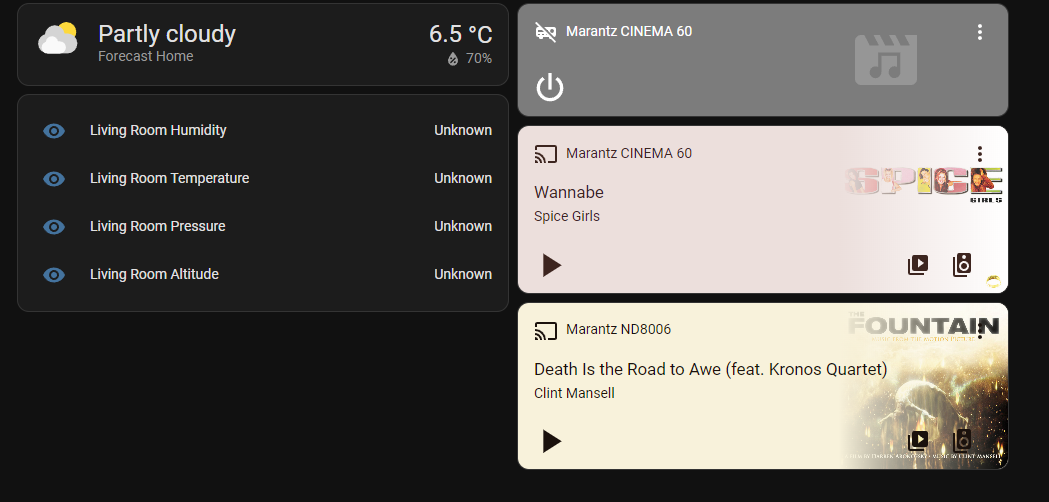

Marantz AVRs integrate cleanly with Home Assistant over the local network. There are three main integrations you’ll see in HA, and choosing the right one matters:
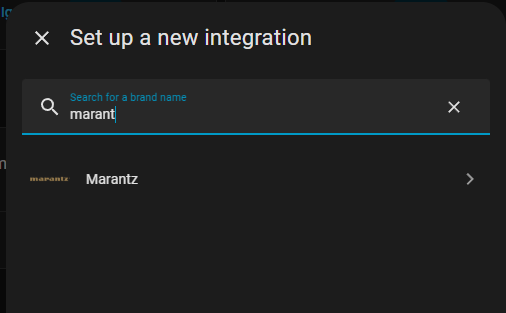
- Marantz integration (basic AVR control, auto-discovery)
- Denon AVR Network Receivers (“denonavr”) (often the best overall control surface for Marantz AVRs too)
- Denon HEOS (best when you care about HEOS streaming / multi-room behavior)
Marantz Cinema models (like Cinema 60) work fine with HA; one common requirement for remote power-on is enabling Auto-Standby / Network Standby depending on model/region.
1) What you get in Home Assistant
Typically you’ll get one or more media_player entities that support:
- Power on/off (with correct standby settings)
- Volume / mute
- Source selection (HDMI, TV audio, etc.)
- Sound mode selection (varies by model/integration)
- Zone control (Main / Zone2, etc. if enabled)
2) Setup (GUI) – the normal way
A) Try auto-discovery first
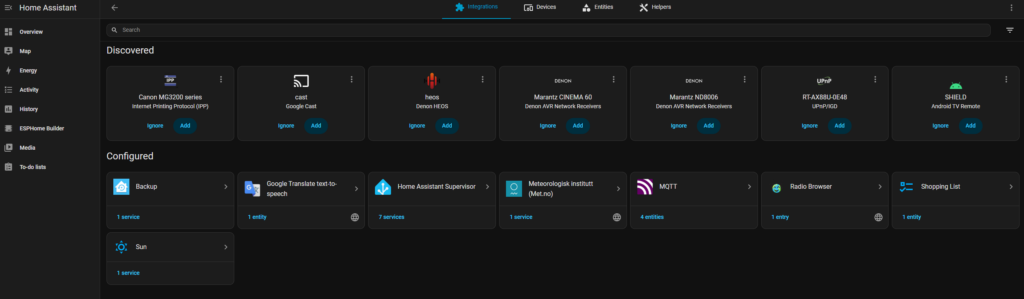
- Home Assistant → Settings → Devices & services
- If discovered, you’ll see Marantz/Denon AVR as “Discovered” → Add
Marantz can be auto-discovered.
Denon AVR Network Receivers can also be auto-discovered.
B) Manual add (if discovery fails)
- Settings → Devices & services → Add integration
- Search and add one of:
- Denon AVR Network Receivers
- Marantz
- Denon HEOS
- Enter the receiver IP (recommended: set a DHCP reservation so it never changes)
Manual steps are supported for both Marantz and denonavr.
3) Receiver settings that make or break it
These settings names vary slightly by model, but the idea is consistent:
Must-have
- Network Control / IP Control: ON
- Network Standby / Always On / Auto-Standby: enabled (so HA can power it on remotely)
- HDMI Control / CEC: optional (sometimes causes odd on/off behavior; enable only if you want TV to drive AVR)
If power-on doesn’t work from HA, it’s almost always the standby/network control setting.
4) Which integration should you use?
Option 1: Denon AVR Network Receivers (denonavr) — usually best
Use this if you want “AVR as a device”: sources, zones, volume, power, etc.
Option 2: Marantz integration
Use this if HA discovers it cleanly and it exposes what you need.
Option 3: Denon HEOS
Use this if your focus is HEOS streaming / multi-room grouping, or you have HEOS speakers too.
A common real-world setup is: denonavr for AVR control + HEOS for streaming/multiroom, depending on what entities you want.
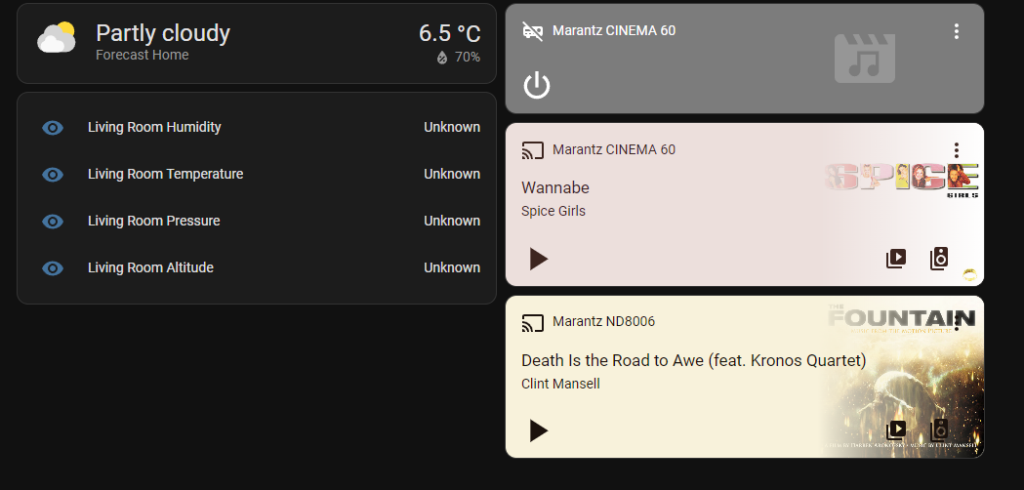
5) Example Home Assistant dashboard card
type: media-control
entity: media_player.marantz_cinema
(Use the entity HA created, e.g. media_player.cinema_60.)
6) Example automations
“TV Time” (power on + set source + volume)
automation:
  - alias: "TV Time"
    trigger:
      - platform: state
        entity_id: input_boolean.tv_time
        to: "on"
    action:
      - service: media_player.turn_on
        target:
          entity_id: media_player.marantz_cinema
      - service: media_player.select_source
        target:
          entity_id: media_player.marantz_cinema
        data:
          source: "TV Audio"
      - service: media_player.volume_set
        target:
          entity_id: media_player.marantz_cinema
        data:
          volume_level: 0.35
Night mute (drop volume after midnight if still on)
automation:
  - alias: "Marantz Night Volume"
    trigger:
      - platform: time
        at: "00:30:00"
    condition:
      - condition: state
        entity_id: media_player.marantz_cinema
        state: "on"
    action:
      - service: media_player.volume_set
        target:
          entity_id: media_player.marantz_cinema
        data:
          volume_level: 0.20
7) Troubleshooting checklist
- Give the AVR a static/reserved IP (DHCP reservation)
- If HA sees it but commands fail:
- confirm Network Control/IP Control is enabled
- confirm Network Standby/Auto-Standby allows wake-on-LAN-style behavior
- If sources are missing or weird:
- update AVR firmware
- reconfigure the integration (remove/add)
- some models expose only enabled inputs (check AVR input settings)
For Cinema 60 + ND8006, the cleanest Home Assistant setup is:
- Cinema 60: use Denon AVR Network Receivers integration for power/volume/source/zones.
(There’s also a separate Marantz integration, but most people end up happier with the Denon AVR one for AVRs.) - ND8006: use Denon HEOS integration for streaming/playback/grouping (ND8006 has HEOS built-in).
That gives you the best of both worlds: AVR controls stay “AVR-like”, and HEOS controls stay “streamer-like”.
8) Network prerequisites (do this first)
- Give both units a DHCP reservation (static IP via your router).
- On the Cinema 60, enable the equivalent of Network Control / Network Standby so it can be powered on from the network (wording varies, but this is the setting that usually breaks power-on). (This is why people think HA is broken when it’s actually standby settings.)
9) Add the Cinema 60 to Home Assistant
Settings → Devices & services → Add integration → “Denon AVR Network Receivers”
- If discovery doesn’t find it, add by IP (same integration supports manual host entry).
You’ll get a media_player entity (often one per zone).
10) Add the ND8006 to Home Assistant
Settings → Devices & services → Add integration → “Denon HEOS”
ND8006 supports HEOS multi-room / grouping.
This will usually also discover HEOS capability on the Cinema 60 (many Marantz AVRs expose HEOS too), so you may see multiple HEOS players.
11) How to use both together (recommended wiring + control model)
Best practical setup
- Connect ND8006 digital out (optical/coax) → Cinema 60 input.
- In the Cinema 60 input setup, rename that input to “ND8006” (or “CD Streamer”).
Control logic in HA
- Use Cinema 60 (Denon AVR integration) for:
- Power on/off
- Volume/mute
- Selecting the input “ND8006”
- Use ND8006 (HEOS integration) for:
- Play/pause/track control
- Selecting streaming sources supported by HEOS
- Grouping / multi-room behavior
This avoids fighting between “AVR state” and “streamer state”.
12) Example automations
“Music on ND8006 through Cinema 60”
automation:
  - alias: "Music - ND8006 via Cinema 60"
    trigger:
      - platform: state
        entity_id: input_boolean.music_time
        to: "on"
    action:
      - service: media_player.turn_on
        target:
          entity_id: media_player.cinema_60
      - service: media_player.select_source
        target:
          entity_id: media_player.cinema_60
        data:
          source: "ND8006"
      - service: media_player.volume_set
        target:
          entity_id: media_player.cinema_60
        data:
          volume_level: 0.30
      - service: media_player.media_play
        target:
          entity_id: media_player.nd8006
“Night mode: cap volume”
automation:
  - alias: "Cinema 60 - Night Volume Cap"
    trigger:
      - platform: time
        at: "23:30:00"
    condition:
      - condition: state
        entity_id: media_player.cinema_60
        state: "on"
    action:
      - service: media_player.volume_set
        target:
          entity_id: media_player.cinema_60
        data:
          volume_level: 0.20