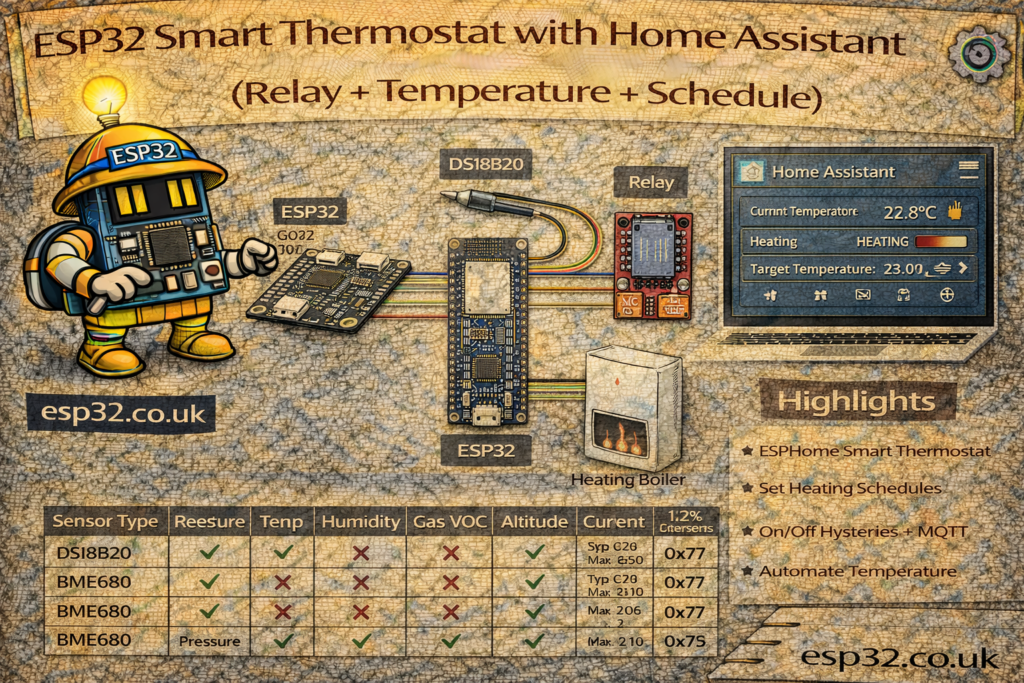
A simple boiler or electric heater can behave like a full smart thermostat using:
- An ESP32
- A temperature sensor (DS18B20 or SHT45)
- A relay for on/off control
- Home Assistant for schedules, modes and UI
This guide shows how to build a room or boiler thermostat with:
- ESPHome “climate” entity
- Hysteresis (to avoid rapid on/off cycling)
- Manual & automatic modes
- Time-based schedules in Home Assistant
Both DS18B20 (wired, accurate, great for pipes/tanks) and SHT45 (room temp/humidity) are covered.
1. Hardware Overview
Typical setup:
- ESP32 DevKit
- One of:
- DS18B20 (waterproof probe for tank / pipe / floor)
- SHT45 breakout (room air temperature + humidity)
- Relay module (dry contact or contactor coil like in boiler article)
- 4.7 kΩ resistor (for DS18B20 data pull-up)
- 10 kΩ resistor (optional if using SHT45 breakout without onboard pull-ups)
- USB power supply
- DIN enclosure or wall box if installed permanently
2. Wiring
2.1 DS18B20 + Relay (Boiler or Electric Heater)
Temperature probe (1-Wire bus):
ESP32        DS18B20
3.3V   ----> VDD
GND    ----> GND
GPIO4  ----> DQ (data)

3.3V ---- 4.7kΩ ---- GPIO4
Relay control (example: GPIO26):
ESP32       Relay
3.3V  ----> VCC
GND   ----> GND
GPIO26 ----> IN

Relay COM/NO → boiler thermostat input or contactor coil circuit
2.2 SHT45 + Relay (Room Thermostat)
SHT45 on I²C:
ESP32        SHT45
3.3V   ----> VCC
GND    ----> GND
GPIO21 ----> SDA
GPIO22 ----> SCL
Relay wiring is identical (GPIO26 → IN).
METHOD 1 – ESPHome Climate-Based Thermostat
ESPHome can expose a full climate entity (thermostat) to Home Assistant.
The ESP32:
- Reads the sensor
- Applies hysteresis / min run time
- Decides when to turn the relay on/off
Home Assistant only sees a thermostat card with setpoint and mode.
3. ESPHome Smart Thermostat (DS18B20 Example)
3.1 Base ESPHome YAML
esphome:
  name: esp32-smart-thermostat
  platform: ESP32
  board: esp32dev

wifi:
  ssid: "YOUR_WIFI"
  password: "YOUR_PASSWORD"

logger:
api:
ota:
3.2 DS18B20 Temperature Sensor
dallas:
  - pin: 4

sensor:
  - platform: dallas
    address: 0x1234567890ABCDEF
    name: "Boiler Temperature"
    id: boiler_temp
    filters:
      - median:
          window_size: 7
          send_every: 3
          send_first_at: 1
    update_interval: 10s
(Use dallas.read_sensors or omit address to auto-detect; you can let ESPHome print the address in logs.)
3.3 Relay Switch
switch:
  - platform: gpio
    id: boiler_relay
    pin: 26
    restore_mode: ALWAYS_OFF
3.4 Climate “Bang-Bang” Thermostat
climate:
  - platform: thermostat
    name: "Boiler Thermostat"
    sensor: boiler_temp
    default_target_temperature_low: 45 °C
    default_target_temperature_high: 50 °C

    # Single-stage heating control
    heat_action:
      - switch.turn_on: boiler_relay
    idle_action:
      - switch.turn_off: boiler_relay

    min_heating_off_time: 300s   # avoid rapid cycling
    min_heating_run_time: 300s
    min_idle_time: 120s

    visual:
      min_temperature: 30 °C
      max_temperature: 70 °C
      temperature_step: 1 °C

    # Optional: supported modes
    supported_modes:
      - HEAT
      - OFF
What this does:
- Exposes
climate.boiler_thermostatin Home Assistant - Uses hysteresis between
target_temperature_lowandtarget_temperature_high - Enforces minimum run/idle times to protect the heater
You can later adjust the target range directly from Home Assistant.
4. ESPHome Room Thermostat (SHT45)
For room air control (radiators, electric panel heater, underfloor):
4.1 SHT45 Sensor
i2c:
  sda: 21
  scl: 22
  scan: true

sensor:
  - platform: sht4x
    temperature:
      name: "Room Temperature"
      id: room_temp
    humidity:
      name: "Room Humidity"
    update_interval: 10s
4.2 Climate Config
switch:
  - platform: gpio
    id: room_heater_relay
    pin: 26
    restore_mode: ALWAYS_OFF

climate:
  - platform: thermostat
    name: "Room Thermostat"
    sensor: room_temp
    default_target_temperature_low: 20 °C
    default_target_temperature_high: 21 °C

    heat_action:
      - switch.turn_on: room_heater_relay
    idle_action:
      - switch.turn_off: room_heater_relay

    min_heating_off_time: 180s
    min_heating_run_time: 300s

    visual:
      min_temperature: 16 °C
      max_temperature: 26 °C
      temperature_step: 0.5 °C

    supported_modes:
      - HEAT
      - OFF
Now the room thermostat:
- Heats up to ~21 °C, cools down to ~20 °C (1 °C hysteresis)
- Shows as a standard thermostat in Home Assistant (supports setpoint sliders, modes, graphs, etc.)
5. Home Assistant – Using the Climate Entity
Once flashed, ESPHome auto-registers the thermostat:
climate.boiler_thermostatorclimate.room_thermostatsensor.boiler_temperatureorsensor.room_temperature
5.1 Thermostat Card in Dashboard
type: thermostat
entity: climate.room_thermostat
Or an entities card:
type: entities
entities:
  - climate.room_thermostat
  - sensor.room_temperature
From here you can:
- Change the setpoint
- Set mode to HEAT / OFF
- See history of room temperature and relay state
6. Scheduling in Home Assistant
ESPHome handles hysteresis & relay control; Home Assistant handles schedules and modes.
6.1 Simple Time-Based Schedule (Comfort / Eco)
Example: daytime 21 °C, night-time 18 °C.
automation:
  - alias: "Room Thermostat – Daytime Comfort"
    trigger:
      - platform: time
        at: "07:00:00"
    action:
      - service: climate.set_temperature
        target:
          entity_id: climate.room_thermostat
        data:
          temperature: 21

  - alias: "Room Thermostat – Night Eco"
    trigger:
      - platform: time
        at: "23:00:00"
    action:
      - service: climate.set_temperature
        target:
          entity_id: climate.room_thermostat
        data:
          temperature: 18
ESPHome automatically uses that setpoint with its built-in hysteresis.
6.2 Presence-Based Control
Lower the setpoint when nobody is at home:
  - alias: "Room Thermostat – Away Mode"
    trigger:
      - platform: state
        entity_id: person.you
        to: "not_home"
    action:
      - service: climate.set_temperature
        target:
          entity_id: climate.room_thermostat
        data:
          temperature: 16

  - alias: "Room Thermostat – Back Home"
    trigger:
      - platform: state
        entity_id: person.you
        to: "home"
    action:
      - service: climate.set_temperature
        target:
          entity_id: climate.room_thermostat
        data:
          temperature: 21
METHOD 2 – MQTT + Home Assistant “Generic Thermostat”
If you prefer to keep the ESP32 simple, you can:
- Publish temperature only from the ESP32
- Let Home Assistant implement the thermostat logic using
generic_thermostat
In this mode:
- ESP32 is just:
- One temperature sensor
- One MQTT switch for the relay
Home Assistant handles hysteresis, modes, scheduling.
7. ESP32 MQTT Entities
7.1 Temperature Sensor Topic
ESP32 publishes:
{"temperature": 21.8}
to e.g. home/room/thermostat.
Home Assistant:
mqtt:
  sensor:
    - name: "Room Thermostat Temperature"
      state_topic: "home/room/thermostat"
      value_template: "{{ value_json.temperature }}"
      unit_of_measurement: "°C"
      device_class: temperature
7.2 Relay as MQTT Switch
mqtt:
  switch:
    - name: "Room Heater Relay"
      command_topic: "home/room/heater/set"
      state_topic: "home/room/heater/state"
      payload_on: "ON"
      payload_off: "OFF"
      retain: true
ESP32 listens on .../set, toggles relay, and reports to .../state.
8. Home Assistant Generic Thermostat
climate:
  - platform: generic_thermostat
    name: "Room Thermostat"
    heater: switch.room_heater_relay
    target_sensor: sensor.room_thermostat_temperature
    min_temp: 16
    max_temp: 26
    ac_mode: false
    cold_tolerance: 0.3     # hysteresis below setpoint
    heat_tolerance: 0.3     # hysteresis above setpoint
    min_cycle_duration:
      minutes: 5
    initial_hvac_mode: "heat"
    away_temp: 16
This:
- Exposes a standard
climate.room_thermostat - Uses built-in hysteresis defined by
cold_tolerance/heat_tolerance - Ensures min 5 minutes per cycle
All scheduling / presence automations from section 6 apply here as well.
9. Optional Extras
- Humidity-based boost: With SHT45, use high humidity as a trigger to raise temperature slightly in bathrooms.
- Window sensor lockout: If a window is open, force the thermostat to OFF or reduce setpoint.
- Energy monitoring: Combine the thermostat with a PZEM or smart plug to estimate heating cost and efficiency.
Summary
An ESP32, a single sensor (DS18B20 or SHT45) and a relay are enough to build a full-featured smart thermostat:
- ESPHome approach: the thermostat logic runs entirely on the ESP32, exposed as a
climateentity. - MQTT + generic_thermostat: ESP32 stays dumb; Home Assistant does all the logic.
Both support:
- Modes (heat/off)
- Hysteresis & minimum runtime to protect equipment
- Time & presence-based schedules via Home Assistant automations
This makes it easy to upgrade boilers, electric heaters or room panels into fully integrated, centrally managed heating zones.