12V LED strips (RGB or RGBW) are one of the easiest ways to add smart lighting to a room – behind the TV, under cabinets, around the bed, or as indirect ceiling lighting.
With an ESP32, a few MOSFETs, and either ESPHome or WLED, you can:
- Control colour, brightness, and effects
- Integrate with Home Assistant (HA)
- Run everything locally, no cloud
This guide covers:
- Safe MOSFET wiring for 12V strips
- ESPHome
light:configuration for RGB/RGBW - A practical comparison to WLED (when to use which)
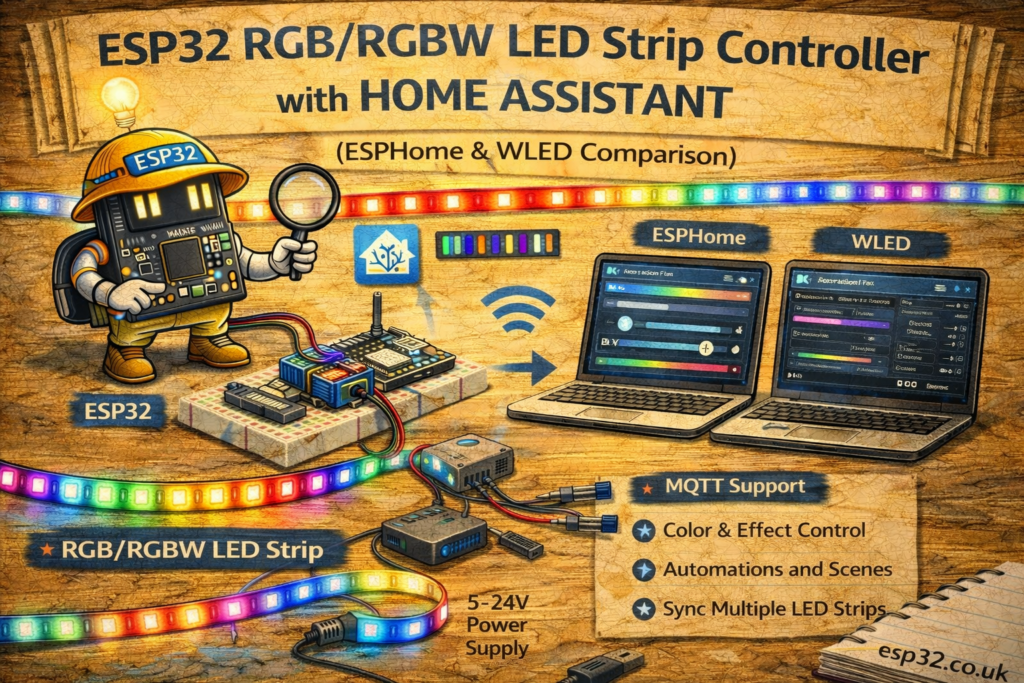
1. Hardware Overview
For a classic 12V common-anode strip (RGB or RGBW):
- ESP32 DevKit
- 12V RGB or RGBW LED strip (common anode)
- 12V DC power supply (size: roughly strip watts ÷ 10 = amps)
- 3 or 4 × N-channel logic-level MOSFETs
- e.g. IRLZ44N, IRLZ34N, AO3400, AOZ1284, etc. (logic-level important)
- 3 or 4 × gate resistors (100–220 Ω)
- Optional pull-down resistors (100 kΩ) from gate to GND for default OFF
- Wires, terminals, and enclosure
Important:
We’re controlling low-voltage 12V DC only here, not mains.
2. 12 V RGB/RGBW Strip Basics
Most 12 V non-addressable strips are:
- Common anode (+12V shared)
- One separate channel per colour
RGB:
+12V R G B
RGBW:
+12V R G B W
We will:
- Connect +12V directly to strip’s +12V
- Use MOSFETs on the low side (ground side) of each channel
3. MOSFET Wiring (Low-Side Switching)
3.1 Basic Channel Wiring (One Colour)
For each channel (R, G, B, W):
12V PSU +  -----> LED strip +12V (common anode)

Strip R pin -----> Drain of MOSFET_R
MOSFET_R Source -> GND (shared with ESP32 and PSU)

ESP32 GPIOX --[220Ω]--> MOSFET_R Gate
MOSFET_R Gate --[100kΩ]--> GND (optional pull-down)
Repeat for G, B, and W with different GPIO pins and MOSFETs.
Shared ground is critical:
ESP32 GND, MOSFET sources, and PSU negative must be connected together.
3.2 Example GPIO Mapping
Let’s pick:
- Red → GPIO 25
- Green → GPIO 26
- Blue → GPIO 27
- White → GPIO 14 (for RGBW only)
You can adjust pins to avoid strapping or ADC pins as needed.
4. ESPHome RGB Controller
ESPHome can create a single light entity with RGB or RGBW channels that show up natively in Home Assistant.
4.1 Base ESPHome Config
esphome:
  name: esp32-rgb-strip
  platform: ESP32
  board: esp32dev

wifi:
  ssid: "YOUR_WIFI"
  password: "YOUR_PASSWORD"

logger:
api:
ota:
4.2 Define PWM Outputs (RGBW)
We’ll use LEDC PWM (hardware PWM on ESP32).
output:
  - platform: ledc
    pin: 25
    id: output_red

  - platform: ledc
    pin: 26
    id: output_green

  - platform: ledc
    pin: 27
    id: output_blue

  - platform: ledc
    pin: 14
    id: output_white
You can specify frequency: if needed (default is fine for strips).
4.3 RGBW Light Entity
light:
  - platform: rgbw
    name: "Living Room LED Strip"
    red: output_red
    green: output_green
    blue: output_blue
    white: output_white
    default_transition_length: 0.5s
    restore_mode: RESTORE_DEFAULT_OFF
For RGB only, use platform: rgb and drop the white channel.
ESPHome → HA:
- Creates
light.living_room_led_strip - Fully supports:
- Brightness
- Colour (HS / RGB)
- Colour temperature (via white channel mixing)
- On/off, transitions
5. Home Assistant Usage (ESPHome)
Once the ESP32 is online, HA will auto-discover the light.
5.1 Lovelace Card
type: light
entity: light.living_room_led_strip
name: TV Backlight
Or as part of an entities card:
type: entities
entities:
  - light.living_room_led_strip
You can:
- Pick colours from the wheel
- Adjust brightness
- Use it in scenes and automations like any other HA light.
5.2 Simple Automation Example
Turn strip on at sunset in warm white:
automation:
  - alias: "TV Backlight at Sunset"
    trigger:
      - platform: sun
        event: sunset
        offset: "-00:15:00"
    action:
      - service: light.turn_on
        target:
          entity_id: light.living_room_led_strip
        data:
          brightness: 150
          color_temp: 370   # warm-ish
Turn off at 01:00:
  - alias: "TV Backlight Off at Night"
    trigger:
      - platform: time
        at: "01:00:00"
    action:
      - service: light.turn_off
        target:
          entity_id: light.living_room_led_strip
6. ESPHome vs WLED – Which One Should I Use?
Both ESPHome and WLED work very well with Home Assistant, but they have different strengths.
Below is a practical comparison, specifically for 12V RGB/RGBW strips (non-addressable).
6.1 ESPHome – Pros & Cons
Pros
- Single firmware for everything: you already use ESPHome for sensors, relays, etc.
- All configuration in YAML, versionable and consistent across devices.
- Can combine in one node:
- LED control
- Sensors (e.g. temp behind TV, ambient light)
- Buttons (physical switches)
- Fine-grained integration with HA:
- Native light entity
- Additional outputs, sensors, binary sensors, etc.
Cons
- Effects support is basic compared to WLED (simple transitions, a few effects via
addressableandeffects:, but not dozens of fancy animations). - No nice built-in web UI for live effect selection.
- If you want heavy effect usage (party / holiday lights), you’ll have to configure manually or move to WLED.
6.2 WLED – Pros & Cons (for this use case)
WLED is a dedicated LED firmware, mostly targeting addressable LEDs (WS2812B, SK6812, etc.), but it also supports “analog” RGB/RGBW (like 12V strips with MOSFETs).
Pros
- Fantastic web UI with:
- Dozens of effects, palettes, playlists
- Intensity, speed, presets
- Excellent Home Assistant integration (WLED integration):
lightentity- Effect selection directly from HA
- Sync with other WLED instances
- Very easy to install using WLED web flasher
Cons
- Firmware focused purely on lighting:
- Harder to “merge” with your sensor/relay logic.
- If the same ESP32 also needs to be a sensor node, it’s messier.
- Configuration is web-based, not YAML; harder to keep in Git with the rest of your ESPHome configs.
- Overkill for a “set colour once and forget” indirect light.
6.3 Summary Table
| Feature | ESPHome RGB/RGBW | WLED (Analog RGB/RGBW) |
|---|---|---|
| Config style | YAML | Web UI / JSON presets |
| HA integration | Native ESPHome API | WLED integration + light entity |
| Effects | Basic | Extensive (dozens) |
| Best for | Mixed nodes (sensors + LEDs) | Pure lighting, effects-heavy setups |
| Version control | Very easy (YAML) | Possible but more manual |
| Learning curve | Easy if you already use ESPHome | Easy for non-coders via web UI |
Rule of thumb:
- Use ESPHome if:
- This ESP32 also handles sensors, relays, fans, etc.
- You want everything consistent in YAML.
- You mainly want static colours and simple transitions.
- Use WLED if:
- The ESP32’s only job is LED effects.
- You care about rich, configurable animations.
- You want an easy UI for non-technical family members.
7. Bonus: Basic WLED Wiring for 12 V RGB Strip
The hardware wiring for WLED in analog mode is the same:
- ESP32 PWM pins → MOSFET gates
- MOSFETs → strip channels
- 12 V PSU → strip + common ground
In WLED’s web UI:
- Go to Config → LED Preferences
- Set “LED Outputs” to Analog
- Assign pins:
- Red GPIO 25
- Green GPIO 26
- Blue GPIO 27
- White GPIO 14 (for RGBW)
- Select “RGBW” mode if needed.
Home Assistant will auto-discover the WLED instance and create light.wled_xxx.
8. Practical Notes
- Logic-level MOSFETs only: ensure the chosen MOSFET fully turns on at 3.3 V gate drive.
- Strip power: feed 12 V directly to strip, not through ESP32 or USB.
- Fusing: add a small inline fuse on the 12 V output to the strip, especially for long runs.
- Ground loops / noise: always tie ESP32 GND to PSU negative at a single solid point.
- Heat: MOSFETs can run warm at high currents – mount them so they can dissipate some heat.
Final Thoughts
For a Home Assistant–centric home where you’re already using ESPHome for sensors and relays, an ESPHome-based RGB/RGBW controller is usually the cleanest choice: one YAML file, one firmware, fully integrated.
If you’re building a pure lighting / effect-heavy installation (TV backlight, party lights, holiday decorations), WLED on an ESP32 plus MOSFETs is hard to beat.
The good news: the wiring is almost identical. You can even start with ESPHome and later reflash to WLED (or vice versa) without changing the hardware.