Summary : Unlock advanced Bluetooth capabilities on your ESP32-C3 or S3. This article explains how to use the Bluedroid stack to run multiple, distinct BLE advertising sets simultaneously from a single chip, bridging the gap between legacy BLE 4.x compatibility and high-performance BLE 5 features.
Mastering BLE5 Multi-Advertising on ESP32-C3 & ESP32-S3
With the introduction of Bluetooth 5.0 in the newer ESP32 system-on-chips (SoCs)—specifically the ESP32-C3 and ESP32-S3—developers gained powerful new radio capabilities. Among the most useful additions is Multi-Advertising.
Traditionally, a BLE peripheral could only broadcast one set of advertising data at a time. If you wanted to change that data or use different advertising intervals, you had to stop advertising, update parameters, and restart.
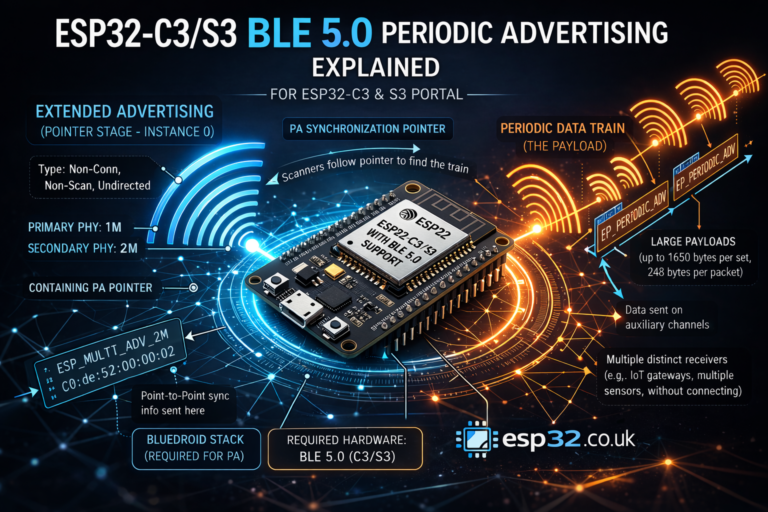
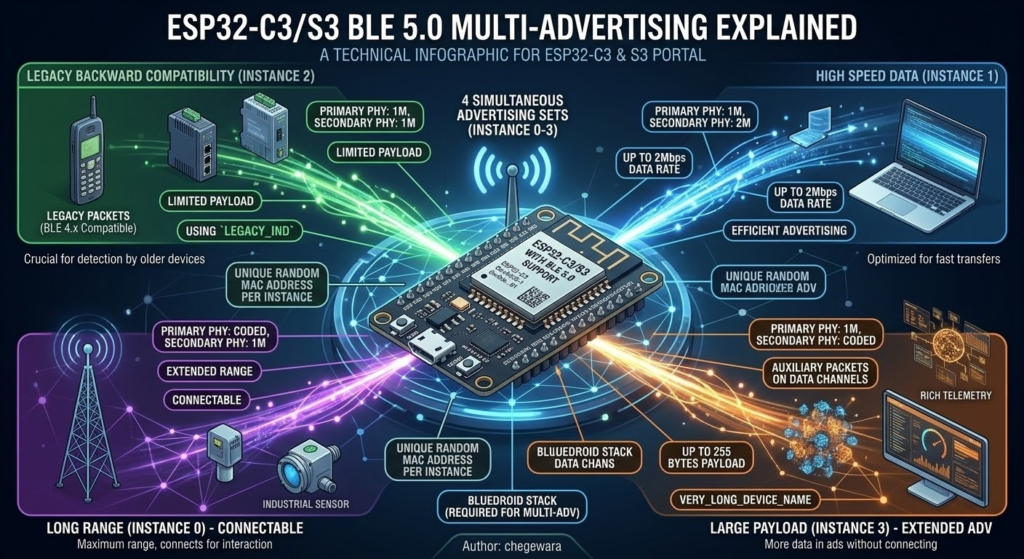
Multi-Advertising changes the game. It allows a single ESP32-C3/S3 to act like multiple virtual devices simultaneously, each broadcasting unique data, using different physical layers (PHYs) like Coded PHY for long-range or 2M PHY for speed, and maintaining individual connection states.
Thanks to the efforts of maintainers like chegewara, utilizing this complex feature in the Arduino IDE is straightforward. Let’s break down the example code.
1. Prerequisites and Safety Checks
The example code begins with crucial compiler checks to ensure you are targeting the right hardware and software configuration.
C++
#ifndef CONFIG_BLUEDROID_ENABLED
#error "NimBLE does not support multi advertising yet. Try using Bluedroid."
#elif !defined(CONFIG_BT_BLE_50_FEATURES_SUPPORTED)
#error "This SoC does not support BLE5. Try using ESP32-C3, or ESP32-S3"
#else
// ... includes
Key Takeaway: You must use the Bluedroid Bluetooth stack in your ESP-IDF configuration (default for Arduino). Furthermore, you cannot run this code on an original ESP32-WROOM-32 or other BLE 4.2-only chips; they simply lack the necessary hardware support for BLE 5.0 Multi-Advertising.
2. Defining Advertising Sets
The heart of this example lies in defining distinct advertising parameters (esp_ble_gap_ext_adv_params_t) for each instance we want to run. This example sets up four unique advertisements.
Instance 0: Connectable (Coded PHY Primary)
This set is connectable. It starts advertising on the standard channels using Coded PHY (Long Range) but expects the connection to transition to the standard 1M PHY.
C++
esp_ble_gap_ext_adv_params_t ext_adv_params_1M = {
  .type = ESP_BLE_GAP_SET_EXT_ADV_PROP_CONNECTABLE,
  // ... intervals, mapping
  .primary_phy = ESP_BLE_GAP_PHY_CODED,
  .secondary_phy = ESP_BLE_GAP_PHY_1M,
  .sid = 0, // Unique Set ID
};
Instance 1: High-Speed (2M PHY)
This scannable advertisement focuses on throughput. It advertised on the primary channels at 1M but points scanners to the auxiliary channels using the high-speed 2M PHY.
C++
esp_ble_gap_ext_adv_params_t ext_adv_params_2M = {
  .type = ESP_BLE_GAP_SET_EXT_ADV_PROP_SCANNABLE,
  .primary_phy = ESP_BLE_GAP_PHY_1M,
  .secondary_phy = ESP_BLE_GAP_PHY_2M,
  .sid = 1,
};
Instance 2: Legacy Backward Compatibility (Crucial)
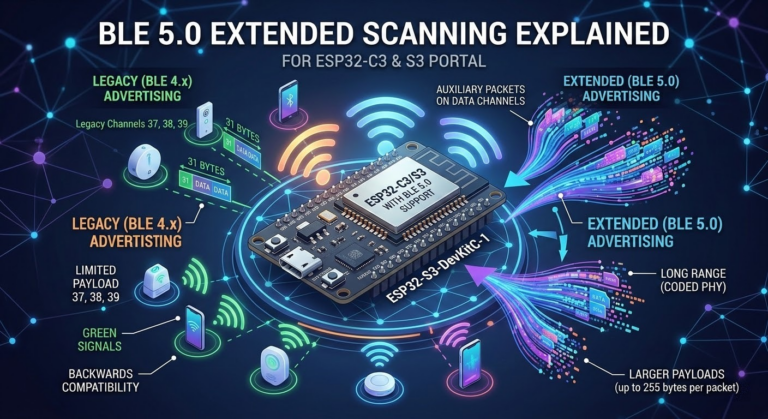
This is the most important configuration if you need your project to be detected by older smartphones or BLE 4.2 hardware. You must use the ESP_BLE_GAP_SET_EXT_ADV_PROP_LEGACY_IND type and keep both PHYs set to 1M. BLE 5.0 Extended Advertisements are invisible to BLE 4.x scanners. This set bridges that gap.
C++
esp_ble_gap_ext_adv_params_t legacy_adv_params = {
  .type = ESP_BLE_GAP_SET_EXT_ADV_PROP_LEGACY_IND,
  .primary_phy = ESP_BLE_GAP_PHY_1M,
  .secondary_phy = ESP_BLE_GAP_PHY_1M,
  .sid = 2,
};
Instance 3: Long-Range (Coded PHY Secondary)
Similar to Instance 1, but this points scanners to auxiliary channels using Coded PHY, optimizing for maximum range.
C++
esp_ble_gap_ext_adv_params_t ext_adv_params_coded = {
  // ...
  .primary_phy = ESP_BLE_GAP_PHY_1M,
  .secondary_phy = ESP_BLE_GAP_PHY_CODED,
  .sid = 3,
};
3. The Payload and Addresses
The code defines raw hex byte arrays for the advertising data and scan response data.
A highlight of BLE 5.0 Extended Advertising is the ability to break free from the old 31-byte advertising data limit. Take a look at raw_scan_rsp_data_coded used by Instance 3:
C++
static uint8_t raw_scan_rsp_data_coded[] = {
    // ... many bytes ...
    'V', 'E', 'R', 'Y', '_', 'L', 'O', 'N', 'G', '_', 'D', 'E', 'V', 'I', 'C', 'E', '_',
    'N', 'A', 'M', 'E', '_', 'S', 'E', 'N', 'T', '_', 'U', 'S', 'I', 'N', 'G', '_', 'E', 'X', 'T',
    'E', 'N', 'D', 'E', 'D', '_', 'A', 'D', 'V', 'E', 'R', 'T', 'I', 'S', 'I', 'N', 'G', 0X0};
This device name would never fit in a legacy packet, demonstrating the power of BLE 5.
Furthermore, the code defines unique Random MAC addresses for each instance. This ensures that scanners treat them as separate physical entities.
C++
uint8_t addr_1m[6] = {0xc0, 0xde, 0x52, 0x00, 0x00, 0x01};
uint8_t addr_2m[6] = {0xc0, 0xde, 0x52, 0x00, 0x00, 0x02};
// ...
4. Orchestration in Setup
In the setup() function, the BLEMultiAdvertising object handles the heavy lifting of registering these sets with the controller.
We initialize the object by stating the maximum number of simultaneous sets we intend to run (4 in this case): BLEMultiAdvertising advert(4);.
We then walk through the configuration index (0 to 3) for each virtual device, assigning the parameters, the data payloads, and the unique address:
C++
void setup() {
  Serial.begin(115200);
  BLEDevice::init("");

  // Instance 0 setup
  advert.setAdvertisingParams(0, &ext_adv_params_1M);
  advert.setAdvertisingData(0, sizeof(raw_adv_data_1m), &raw_adv_data_1m[0]);
  advert.setInstanceAddress(0, addr_1m);
  // (Optional) advert.setDuration(0); // Run forever

  // ... Repeat for instances 1, 2, and 3 ...

  delay(1000); // Small delay to let parameters settle

  // 5. Start all instances simultaneously
  // advert.start(how_many_sets, start_index);
  advert.start(4, 0);
}
The final command, advert.start(4, 0), instructs the ESP32 to begin firing off all four configured advertising sets simultaneously.
When running this code, a nearby scanner (like the Nordic nRF Connect mobile app) will detect four separate “devices” with the names defined in the payload arrays (e.g., ESP_MULTI_ADV_1M, VERY_LONG_DEVICE_NAME_SENT..., etc.), showcasing the remarkable flexibility of the new BLE 5.0 silicon in the C3 and S3.
|
1 2 3 4 5 6 7 8 9 10 11 12 13 14 15 16 17 18 19 20 21 22 23 24 25 26 27 28 29 30 31 32 33 34 35 36 37 38 39 40 41 42 43 44 45 46 47 48 49 50 51 52 53 54 55 56 57 58 59 60 61 62 63 64 65 66 67 68 69 70 71 72 73 74 75 76 77 78 79 80 81 82 83 84 85 86 87 88 89 90 91 92 93 94 95 96 97 98 99 100 101 102 103 104 105 106 107 108 109 110 111 112 113 114 115 116 117 118 119 120 121 122 123 124 125 126 127 128 129 130 131 132 133 134 135 136 137 138 139 140 141 142 143 144 145 |
/* Simple BLE5 multi advertising example on esp32 C3/S3 only ESP_BLE_GAP_SET_EXT_ADV_PROP_LEGACY_IND is backward compatible and can be scanned with BLE4.2 devices author: chegewara */ #ifndef CONFIG_BLUEDROID_ENABLED #error "NimBLE does not support multi advertising yet. Try using Bluedroid." #elif !defined(CONFIG_BT_BLE_50_FEATURES_SUPPORTED) #error "This SoC does not support BLE5. Try using ESP32-C3, or ESP32-S3" #else #include <BLEDevice.h> #include <BLEAdvertising.h> esp_ble_gap_ext_adv_params_t ext_adv_params_1M = { .type = ESP_BLE_GAP_SET_EXT_ADV_PROP_CONNECTABLE, .interval_min = 0x30, .interval_max = 0x30, .channel_map = ADV_CHNL_ALL, .own_addr_type = BLE_ADDR_TYPE_RANDOM, .peer_addr_type = BLE_ADDR_TYPE_RANDOM, .peer_addr = {0, 0, 0, 0, 0, 0}, .filter_policy = ADV_FILTER_ALLOW_SCAN_ANY_CON_ANY, .tx_power = EXT_ADV_TX_PWR_NO_PREFERENCE, .primary_phy = ESP_BLE_GAP_PHY_CODED, .max_skip = 0, .secondary_phy = ESP_BLE_GAP_PHY_1M, .sid = 0, .scan_req_notif = false, }; esp_ble_gap_ext_adv_params_t ext_adv_params_2M = { .type = ESP_BLE_GAP_SET_EXT_ADV_PROP_SCANNABLE, .interval_min = 0x40, .interval_max = 0x40, .channel_map = ADV_CHNL_ALL, .own_addr_type = BLE_ADDR_TYPE_RANDOM, .peer_addr_type = BLE_ADDR_TYPE_RANDOM, .peer_addr = {0, 0, 0, 0, 0, 0}, .filter_policy = ADV_FILTER_ALLOW_SCAN_ANY_CON_ANY, .tx_power = EXT_ADV_TX_PWR_NO_PREFERENCE, .primary_phy = ESP_BLE_GAP_PHY_1M, .max_skip = 0, .secondary_phy = ESP_BLE_GAP_PHY_2M, .sid = 1, .scan_req_notif = false, }; esp_ble_gap_ext_adv_params_t legacy_adv_params = { .type = ESP_BLE_GAP_SET_EXT_ADV_PROP_LEGACY_IND, .interval_min = 0x45, .interval_max = 0x45, .channel_map = ADV_CHNL_ALL, .own_addr_type = BLE_ADDR_TYPE_RANDOM, .peer_addr_type = BLE_ADDR_TYPE_RANDOM, .peer_addr = {0, 0, 0, 0, 0, 0}, .filter_policy = ADV_FILTER_ALLOW_SCAN_ANY_CON_ANY, .tx_power = EXT_ADV_TX_PWR_NO_PREFERENCE, .primary_phy = ESP_BLE_GAP_PHY_1M, .max_skip = 0, .secondary_phy = ESP_BLE_GAP_PHY_1M, .sid = 2, .scan_req_notif = false, }; esp_ble_gap_ext_adv_params_t ext_adv_params_coded = { .type = ESP_BLE_GAP_SET_EXT_ADV_PROP_SCANNABLE, .interval_min = 0x50, .interval_max = 0x50, .channel_map = ADV_CHNL_ALL, .own_addr_type = BLE_ADDR_TYPE_RANDOM, .peer_addr_type = BLE_ADDR_TYPE_RANDOM, .peer_addr = {0, 0, 0, 0, 0, 0}, .filter_policy = ADV_FILTER_ALLOW_SCAN_ANY_CON_ANY, .tx_power = EXT_ADV_TX_PWR_NO_PREFERENCE, .primary_phy = ESP_BLE_GAP_PHY_1M, .max_skip = 0, .secondary_phy = ESP_BLE_GAP_PHY_CODED, .sid = 3, .scan_req_notif = false, }; static uint8_t raw_adv_data_1m[] = {0x02, 0x01, 0x06, 0x02, 0x0a, 0xeb, 0x12, 0x09, 'E', 'S', 'P', '_', 'M', 'U', 'L', 'T', 'I', '_', 'A', 'D', 'V', '_', '1', 'M', 0X0}; static uint8_t raw_scan_rsp_data_2m[] = {0x02, 0x01, 0x06, 0x02, 0x0a, 0xeb, 0x12, 0x09, 'E', 'S', 'P', '_', 'M', 'U', 'L', 'T', 'I', '_', 'A', 'D', 'V', '_', '2', 'M', 0X0}; static uint8_t legacy_adv_data[] = {0x02, 0x01, 0x06, 0x02, 0x0a, 0xeb, 0x15, 0x09, 'E', 'S', 'P', '_', 'M', 'U', 'L', 'T', 'I', '_', 'A', 'D', 'V', '_', 'C', 'O', 'D', 'E', 'D', 0X0}; static uint8_t legacy_scan_rsp_data[] = {0x02, 0x01, 0x06, 0x02, 0x0a, 0xeb, 0x16, 0x09, 'E', 'S', 'P', '_', 'M', 'U', 'L', 'T', 'I', '_', 'A', 'D', 'V', '_', 'L', 'E', 'G', 'A', 'C', 'Y', 0X0}; static uint8_t raw_scan_rsp_data_coded[] = {0x37, 0x09, 'V', 'E', 'R', 'Y', '_', 'L', 'O', 'N', 'G', '_', 'D', 'E', 'V', 'I', 'C', 'E', '_', 'N', 'A', 'M', 'E', '_', 'S', 'E', 'N', 'T', '_', 'U', 'S', 'I', 'N', 'G', '_', 'E', 'X', 'T', 'E', 'N', 'D', 'E', 'D', '_', 'A', 'D', 'V', 'E', 'R', 'T', 'I', 'S', 'I', 'N', 'G', 0X0}; uint8_t addr_1m[6] = {0xc0, 0xde, 0x52, 0x00, 0x00, 0x01}; uint8_t addr_2m[6] = {0xc0, 0xde, 0x52, 0x00, 0x00, 0x02}; uint8_t addr_legacy[6] = {0xc0, 0xde, 0x52, 0x00, 0x00, 0x03}; uint8_t addr_coded[6] = {0xc0, 0xde, 0x52, 0x00, 0x00, 0x04}; BLEMultiAdvertising advert(4); // max number of advertisement data void setup() { Serial.begin(115200); Serial.println("Multi-Advertising..."); BLEDevice::init(""); advert.setAdvertisingParams(0, &ext_adv_params_1M); advert.setAdvertisingData(0, sizeof(raw_adv_data_1m), &raw_adv_data_1m[0]); advert.setInstanceAddress(0, addr_1m); advert.setDuration(0); advert.setAdvertisingParams(1, &ext_adv_params_2M); advert.setScanRspData(1, sizeof(raw_scan_rsp_data_2m), &raw_scan_rsp_data_2m[0]); advert.setInstanceAddress(1, addr_2m); advert.setDuration(1); advert.setAdvertisingParams(2, &legacy_adv_params); advert.setAdvertisingData(2, sizeof(legacy_adv_data), &legacy_adv_data[0]); advert.setScanRspData(2, sizeof(legacy_scan_rsp_data), &legacy_scan_rsp_data[0]); advert.setInstanceAddress(2, addr_legacy); advert.setDuration(2); advert.setAdvertisingParams(3, &ext_adv_params_coded); advert.setDuration(3); advert.setScanRspData(3, sizeof(raw_scan_rsp_data_coded), &raw_scan_rsp_data_coded[0]); advert.setInstanceAddress(3, addr_coded); delay(1000); advert.start(4, 0); } void loop() { delay(2000); } #endif |