Bluetooth Low Energy (BLE) sensors such as the Xiaomi Mi Temperature, Inkbird, Switchbot, and many others are extremely popular for Home Assistant users.
However, Bluetooth range is limited, and placing Home Assistant in a central location may not always be possible.
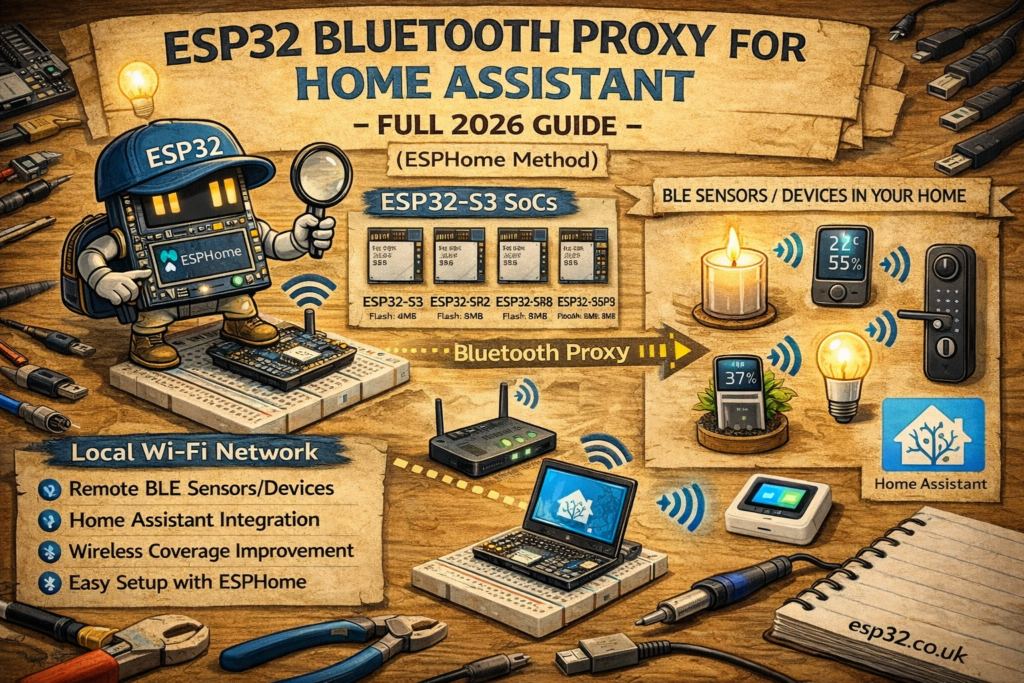
The ESP32 Bluetooth Proxy solves this problem by extending Home Assistant’s Bluetooth range using inexpensive ESP32 boards placed around the home.
This guide shows how to turn any ESP32 board into a Bluetooth range extender using ESPHome.
1. What Is a Bluetooth Proxy?
A Bluetooth Proxy is a small ESP32 device that:
- Listens for BLE advertisements
- Forwards them to Home Assistant through WiFi
- Expands Bluetooth coverage across the home
- Works 24/7
- Requires no coding
- Supports multiple sensors at once
Home Assistant treats all readings as if they were coming from local Bluetooth.
2. Supported ESP32 Boards
Any of the following work out-of-the-box:
- ESP32 DevKit (DOIT)
- ESP32 WROOM / WROVER
- ESP32 NodeMCU
- ESP32-C3 (WiFi + BLE)
- ESP32-S3 (best range)
Note: ESP8266 does not support Bluetooth.
3. Supported BLE Devices
Home Assistant officially supports:
- Xiaomi LYWSD03MMC
- Xiaomi Mi Temperature & Humidity
- Xiaomi CGG1
- Inkbird IBS-TH1 / IBS-TH2
- Switchbot Thermometers
- Govee Sensors
- Govee Plant Monitors
- BLE heart rate monitors
- BLE presence trackers
- BLE energy monitors (Shelly Blu)
No additional configuration is needed — sensors are auto-discovered.
4. Hardware Required
- ESP32 board
- USB cable
- Phone/laptop to flash the device
No wiring, soldering, or external components required.
5. ESPHome Bluetooth Proxy Installation
This is the simplest ESPHome project available.
Open the official installer:
https://esphome.io/components/bluetooth_proxy/
(Flash from browser)
Choose your ESP32 board → Connect → Flash → Enter WiFi details.
After flashing:
- The ESP32 connects to WiFi
- It appears automatically under Settings → Devices & Services → ESPHome
- Bluetooth Proxy is enabled by default
You now have a fully working Bluetooth range extender.
6. Manual ESPHome YAML (Alternative Method)
For advanced users who maintain their own ESPHome YAML files:
esphome:
  name: esp32-bluetooth-proxy
  platform: ESP32
  board: esp32dev

wifi:
  ssid: "YOUR_WIFI"
  password: "YOUR_PASSWORD"

logger:
api:
ota:

esp32:
  board: esp32dev
  framework:
    type: esp-idf

bluetooth_proxy:
Upload the firmware and the device will appear in Home Assistant automatically.
7. Placing the Bluetooth Proxy for Maximum Coverage
Bluetooth range varies based on:
- Walls (especially concrete)
- Metal surfaces
- Appliances (microwaves, fridges)
- Home layout
For best results:
- Place ESP32 devices 5–10 meters from BLE sensors
- Avoid placing behind appliances
- Elevate them (shelves, cabinets)
- Use multiple ESP32 proxies in larger homes
- ESP32-S3 boards generally have stronger radios
8. Adding BLE Devices to Home Assistant
After the proxy is online:
BLE sensors within range begin appearing automatically under:
Settings → Devices & Services → Bluetooth
Examples:
sensor.bedroom_temperaturesensor.fridge_temperaturesensor.govee_humidity
No YAML needed.
9. Why Use ESP32 Instead of a USB Bluetooth Dongle?
| Method | Pros | Cons |
|---|---|---|
| Bluetooth Proxy (ESP32) | Unlimited coverage, multiple nodes, WiFi-based, cheap, highly stable | Requires ESP32 flashing |
| USB Bluetooth Dongle | Easy, plug-and-play | Range is limited, requires long USB extension |
| Raspberry Pi onboard BLE | Simple | Poor range, interference with WiFi |
ESP32 proxies are currently the recommended method in Home Assistant’s documentation.
10. Useful Home Assistant Automations
Presence detection when a BLE tag enters range
automation:
  - alias: "BLE Tag Detected"
    trigger:
      - platform: state
        entity_id: device_tracker.ble_tag
        to: "home"
    action:
      - service: notify.mobile_app
        data:
          message: "BLE tag detected at home."
Monitor temperature from a remote room
type: gauge
entity: sensor.bedroom_temperature
min: 0
max: 40
11. Troubleshooting
ESP32 not appearing in Home Assistant
- Ensure ESPHome add-on is installed
- Ensure the ESP32 is on the same network
- Check WiFi credentials
BLE sensor not detected
- Move sensor closer to ESP32
- Multiple proxies may cause overlap; disable one for testing
- Use ESP32-S3 for better range
Interference issues
- Avoid placing ESP32 near WiFi routers
- Keep away from microwaves and metal enclosures
12. Advanced Tips
Add multiple Bluetooth Proxies
A typical home uses 2–4 ESP32 devices for perfect coverage.
Use large antennas
Some ESP32 models include external antenna connectors for extended range.
Secure the proxy with Home Assistant Tokens
ESPHome supports encrypted API connections for improved security.
check our 3 Advanced ESPHome Bluetooth Proxy Tricks (SwitchBot, Battery Life & Stability)
Keywords
esp32 bluetooth proxy
home assistant bluetooth proxy
esphome bluetooth proxy
esp32 ble range extender
home assistant ble sensors
xiaomi ble proxy esp32
esp32 bluetooth temperature sensor
bluetooth home assistant tutorial