ESP-NOW is a fast, connectionless communication protocol developed by Espressif. It allows ESP32 boards to exchange small packets (up to 250 bytes) with extremely low latency and very little overhead — perfect for sensors, dashboards, wireless controllers, and battery-powered devices.
This guide explains how to send a custom data structure from one ESP32 (Master) to another ESP32 (Slave) using the latest ESP-IDF/Arduino ESP-NOW callback formats.
The code is fully tested and works on all ESP32 boards.
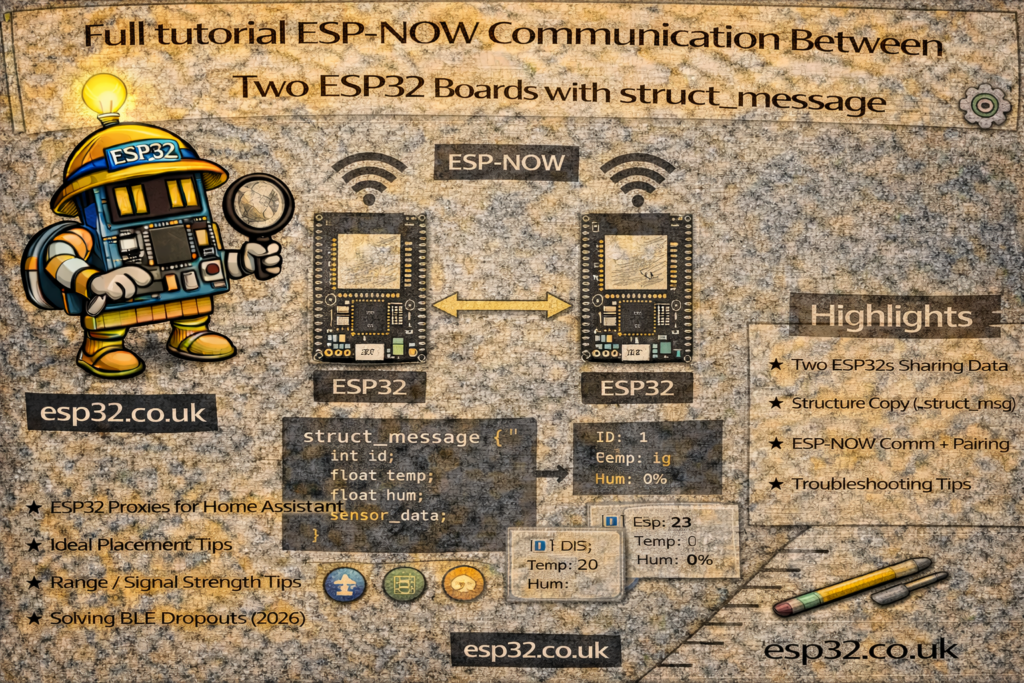
1. How ESP-NOW Works
- Devices communicate directly (no router needed)
- Uses Wi-Fi physical layer but not normal Wi-Fi connections
- Very low power and low latency
- Each device must know the MAC address of the other, but you can set custom MAC on the slave
- You must add each peer before sending/receiving
This tutorial sends a simple struct:
typedef struct struct_message {
  int a;
  long b;
  float c;
  float d;
  bool e;
} struct_message;
2. ESP32 Master – Sending Data
The Master repeatedly sends the struct every 100 ms.
Master Code (Sender)
#include <esp_now.h>
#include <WiFi.h>

uint8_t broadcastAddress[] = {0x18, 0xFE, 0x34, 0xDA, 0x82, 0x31};

typedef struct struct_message {
  int a;
  long b;
  float c;
  float d;
  bool e;
} struct_message;

struct_message myData;
int a;
esp_now_peer_info_t peerInfo;

void OnDataSent(const wifi_tx_info_t *info, esp_now_send_status_t status) {
  Serial.print("\r\nLast Packet Send Status:\t");
  Serial.println(status == ESP_NOW_SEND_SUCCESS ? "Delivery Success" : "Delivery Fail");
}

void setup() {
  Serial.begin(115200);
  WiFi.mode(WIFI_STA);

  if (esp_now_init() != ESP_OK) {
    Serial.println("Error initializing ESP-NOW");
    return;
  }

  esp_now_register_send_cb(OnDataSent);

  memcpy(peerInfo.peer_addr, broadcastAddress, 6);
  peerInfo.channel = 0;
  peerInfo.encrypt = false;

  if (esp_now_add_peer(&peerInfo) != ESP_OK){
    Serial.println("Failed to add peer");
    return;
  }
}

void loop() {
  myData.a = a++;
  myData.b = 44868;
  myData.c = 12.8;
  myData.d = 14.6;
  myData.e = false;

  esp_err_t result = esp_now_send(broadcastAddress, (uint8_t *)&myData, sizeof(myData));

  if (result == ESP_OK) Serial.println("Sent with success");
  else Serial.println("Error sending data");

  delay(100);
}
3. ESP32 Slave – Receiving Data
This board receives packets and prints the values.
It also shows the correct callback signature for new ESP-IDF versions:
void onReceive(const esp_now_recv_info_t *info, const uint8_t *incomingData, int len)
Slave Code (Receiver)
#include <esp_now.h>
#include <WiFi.h>
#include <esp_wifi.h>

// --- Struct Definition ---
typedef struct struct_message {
    int a;
    long b;
    float c;
    float d;
    bool e;
} struct_message;

struct_message myData;

// The MAC of the ESP32 slave itself
uint8_t newMACAddress[] = {0x18, 0xFE, 0x34, 0xDA, 0x82, 0x31};

// Put your MASTER's MAC here
uint8_t masterMAC[] = {0x24, 0x6F, 0x28, 0xAB, 0xCD, 0xEF}; // <-- CHANGE TO REAL MASTER MAC

// --- Receive Callback ---
void onReceive(const esp_now_recv_info_t *info, const uint8_t *incomingData, int len)
{
  memcpy(&myData, incomingData, sizeof(myData));

  Serial.printf("\n--- RECEIVED DATA ---\n");
  Serial.printf("Bytes: %d\n", len);
  Serial.printf("Int: %d\n", myData.a);
  Serial.printf("Long: %ld\n", myData.b);
  Serial.printf("Float C: %.2f\n", myData.c);
  Serial.printf("Float D: %.2f\n", myData.d);
  Serial.printf("Bool: %d\n", myData.e);
  Serial.println("----------------------");
}

void setup() {
  Serial.begin(115200);

  WiFi.mode(WIFI_STA);
  WiFi.disconnect();

  // Set MAC
  if (esp_wifi_set_mac(WIFI_IF_STA, newMACAddress) == ESP_OK) {
    Serial.println("Custom MAC set OK");
  }

  // Init ESP-NOW
  if (esp_now_init() != ESP_OK) {
    Serial.println("ESP-NOW init failed");
    return;
  }

  // MUST ADD PEER (master)
  esp_now_peer_info_t peerInfo = {};
  memcpy(peerInfo.peer_addr, masterMAC, 6);
  peerInfo.channel = 0;
  peerInfo.encrypt = false;

  if (esp_now_add_peer(&peerInfo) != ESP_OK) {
    Serial.println("Failed to add peer");
  }

  // Register receive callback
  esp_now_register_recv_cb(onReceive);

  Serial.println("ESP-NOW Slave Ready");
}

void loop() {}
4. Changing the MAC Address (Optional but Useful)
On the receiver we set a custom MAC:
esp_wifi_set_mac(WIFI_IF_STA, newMACAddress);
This is helpful when:
- You want stable MACs (e.g., in production)
- You have many ESP32 nodes
- You want predictable pairing
5. Key Points to Remember
- Both ESP32s must be in WIFI_STA mode
- A peer must be added before sending/receiving
- Structs must be identical on both devices
- The new ESP-IDF requires esp_now_recv_info_t in the receive callback
- ESP-NOW packets are up to 250 bytes
6. Conclusion
This is the simplest and most reliable way to send structured data between two ESP32 boards using ESP-NOW.
The example covers modern callback formats, custom MAC assignment, and a clean sender/receiver setup — ideal for sensor networks, dashboards, game controllers, and any project where low latency matters.