Physical buttons are the missing piece in many smart homes. Phone apps are fine, but a real smart house needs instant tactile control:
- One button for “Movie time”
- One button for “All lights off”
- A bedside button for “Goodnight”
- A hidden button to trigger a panic/alarm routine
- A remote for blinds, music, or heating presets
BLE buttons and fobs are a great way to do this because they’re:
- Battery powered
- Low cost
- Fast
- Work locally with ESP32 Bluetooth Proxies + Home Assistant
This guide shows how to build reliable BLE button control in HA using repeatable patterns that don’t
misfire.
1. What Counts as a “BLE Button” in Home Assistant?
There are a few device types that behave like BLE buttons:
A) BLE button / fob (advertises on press)
- Sends an advertisement packet when you press a button
- Home Assistant sees an event like:
- single press
- double press
- long press
- Best experience for automations
B) BLE tag with motion / press (less common)
- Some tags include accelerometer/press and can trigger events
C) BLE “scene controllers” (multi-button)
- Multi-key remotes that map naturally to HA scenes
Regardless of brand, the architecture is the same:
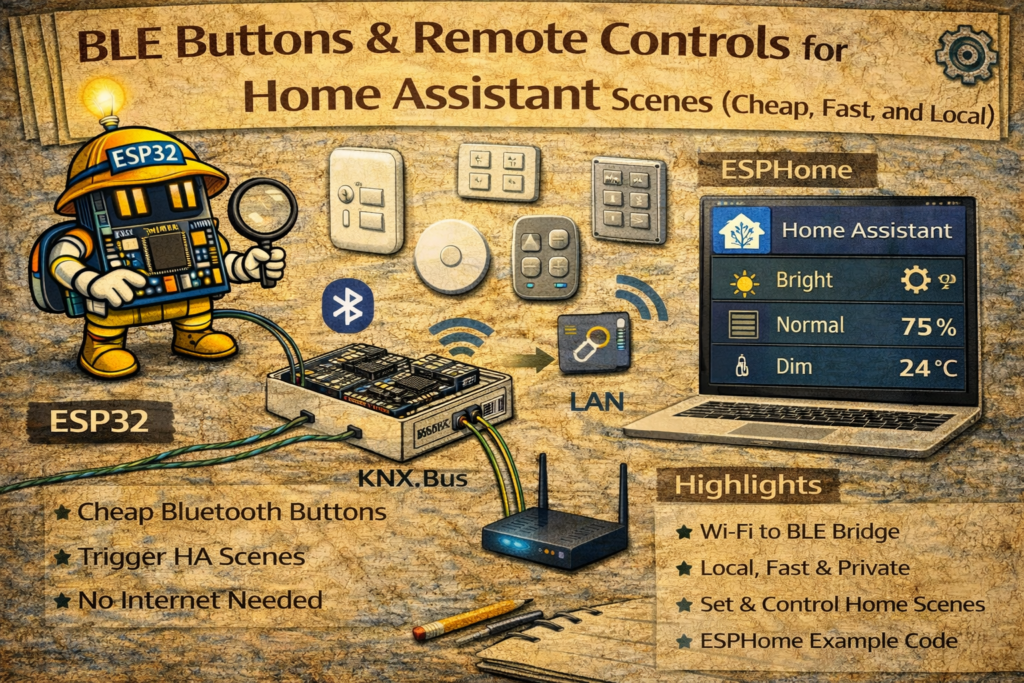
BLE Button → ESP32 Bluetooth Proxy → Home Assistant event → “Run scene/script”
2. Hardware Needed
- Home Assistant
- One or more ESP32 Bluetooth Proxies (ESPHome)
- A BLE button device
Proxy placement matters more than anything:
- Put a proxy within good range of where you press the button (living room / bedroom)
- Don’t hide proxies in cabinets or behind metal
- Keep one proxy per “button zone” for stability
3. ESP32 Bluetooth Proxy Setup (Minimal)
A proxy device can be as simple as:
esphome:
  name: ble-proxy-livingroom
  platform: ESP32
  board: esp32dev

wifi:
  ssid: "YOUR_WIFI"
  password: "YOUR_PASSWORD"

logger:
api:
ota:

bluetooth_proxy:
  active: true
Once flashed and online, Home Assistant can receive BLE events through it.
4. Getting Button Presses into Home Assistant
Different BLE buttons appear in HA in different ways, but typically you’ll get one of:
- A
device_trigger(nice UI-based automation triggers) - An
eventfired on button press - A
sensorthat changes state briefly (less ideal)
Best practice: always use an event trigger or device trigger
Avoid “watching a sensor value” unless that’s the only option.
5. The Reliable Pattern: Scripts + Button Automations
Instead of putting 20 actions inside every automation, use:
- One automation per button (or per press type)
- Call a script that does the heavy lifting
- Keep it clean and maintainable
Example scripts:
script.scene_movie_timescript.scene_goodnightscript.scene_all_offscript.scene_relax_lighting
6. Example: “Movie Time” Button (Single Press)
6.1 Create the script
script:
  movie_time:
    alias: "Movie Time"
    sequence:
      - service: light.turn_on
        target:
          entity_id:
            - light.living_room_main
            - light.tv_backlight
        data:
          brightness: 80
      - service: media_player.turn_on
        target:
          entity_id: media_player.cinema_60
      - service: media_player.select_source
        target:
          entity_id: media_player.cinema_60
        data:
          source: "TV Audio"
      - service: media_player.volume_set
        target:
          entity_id: media_player.cinema_60
        data:
          volume_level: 0.30
(Adjust entities to your system.)
6.2 Automation trigger (example event style)
Your button integration will define the actual trigger. Example generic event trigger:
automation:
  - alias: "BLE Button - Movie Time"
    trigger:
      - platform: event
        event_type: ble_button_press
        event_data:
          button: "livingroom_remote"
          press_type: "single"
    action:
      - service: script.movie_time
If HA exposes device triggers instead, use those in UI (recommended) and call script.movie_time.
7. Multi-Press Mappings (Single / Double / Long)
A common high-value mapping:
- Single press: toggle living room lights
- Double press: movie time
- Long press: all off
Scripts
script:
  all_off:
    alias: "All Off"
    sequence:
      - service: light.turn_off
        target:
          entity_id: all
      - service: media_player.turn_off
        target:
          entity_id: media_player.cinema_60
Automations (generic pattern)
automation:
  - alias: "BLE Button - Single Press"
    trigger:
      - platform: event
        event_type: ble_button_press
        event_data:
          button: "livingroom_remote"
          press_type: "single"
    action:
      - service: light.toggle
        target:
          entity_id: light.living_room_main

  - alias: "BLE Button - Double Press"
    trigger:
      - platform: event
        event_type: ble_button_press
        event_data:
          button: "livingroom_remote"
          press_type: "double"
    action:
      - service: script.movie_time

  - alias: "BLE Button - Long Press"
    trigger:
      - platform: event
        event_type: ble_button_press
        event_data:
          button: "livingroom_remote"
          press_type: "long"
    action:
      - service: script.all_off
The event name and data fields depend on the button integration, but the structure stays identical.
8. Preventing Misfires (Important)
BLE buttons can sometimes fire duplicate events or be heard by multiple proxies. Design around it:
8.1 Add a “cooldown” (simple debounce)
Create a helper:
input_boolean.button_cooldown
Automation pattern:
- If cooldown is ON, ignore press.
- Turn cooldown ON.
- Run script.
- Turn cooldown OFF after 1 second.
automation:
  - alias: "BLE Button - Debounced"
    trigger:
      - platform: event
        event_type: ble_button_press
        event_data:
          button: "livingroom_remote"
          press_type: "single"
    condition:
      - condition: state
        entity_id: input_boolean.button_cooldown
        state: "off"
    action:
      - service: input_boolean.turn_on
        target:
          entity_id: input_boolean.button_cooldown
      - service: light.toggle
        target:
          entity_id: light.living_room_main
      - delay: "00:00:01"
      - service: input_boolean.turn_off
        target:
          entity_id: input_boolean.button_cooldown
8.2 Keep the button close to a proxy
If it’s pressed in the kitchen but your proxy is in the living room behind a fridge, it will be inconsistent.
9. Best Scene Ideas for BLE Buttons
These are high-utility and “wow” without being gimmicky:
- Goodnight: lights off, doors lock, alarm arm home, HVAC eco
- Movie time: lighting preset, TV/AVR input, volume set
- Cooking: kitchen lights bright + extractor fan on
- Panic: all lights on + notification
- Nap mode: bedroom dim + silence notifications (if you use that)
- Leaving: everything off + arm away
Buttons make these routines actually used daily.
10. Troubleshooting Checklist
- Is a BLE proxy close enough to the button location?
- Does HA show press events consistently in logs?
- Are multiple proxies hearing it and causing duplicates? (add debounce)
- Is the button battery low?
- Are you using event/device triggers rather than “sensor changed”?
Summary
BLE buttons are one of the most practical Home Assistant upgrades:
- Cheap, battery powered, local control
- Perfect for scenes and daily routines
- Extremely reliable when paired with good proxy placement and a simple debounce pattern
The winning setup is:
BLE button → nearby ESP32 proxy → event trigger → script