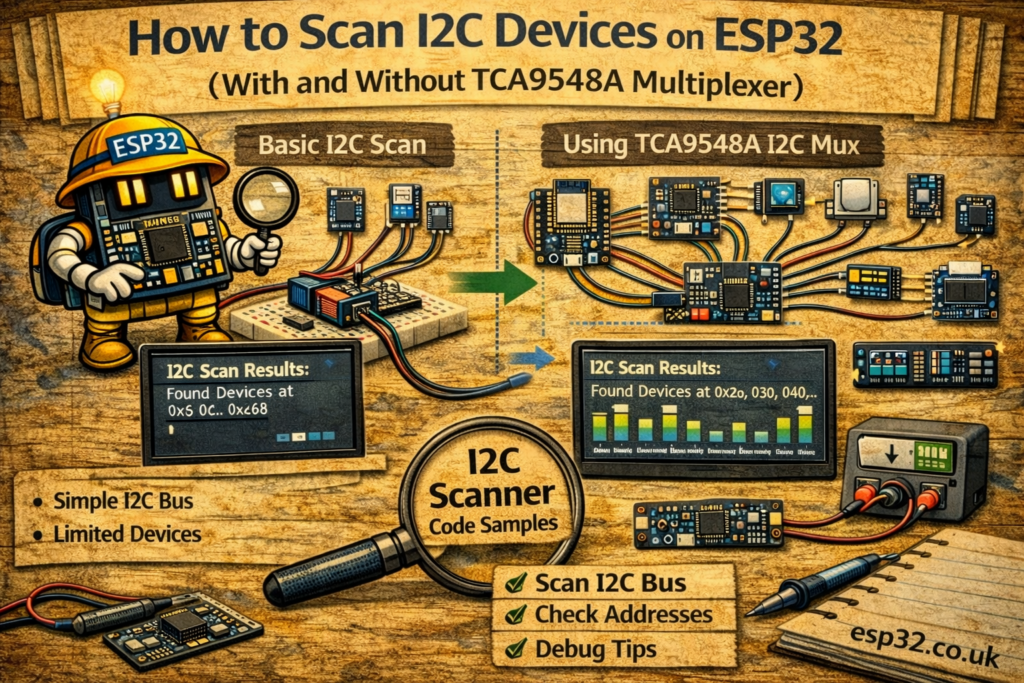
I2C is one of the simplest ways to connect multiple sensors and peripherals to your ESP32 using only two wires (SDA and SCL). When debugging a new project, the first thing you should do is scan the I2C bus and confirm that each device responds at the expected address.
This guide shows two practical scanning methods:
- Standard I2C scan — detects all devices connected directly to the ESP32.
- I2C scan through a TCA9548A multiplexer — required when you need more I2C buses or when you have sensors with fixed, conflicting addresses.
Both examples include complete, ready-to-upload Arduino sketches.
1. Basic I2C Scanner (No Multiplexer)
This sketch scans all valid I2C addresses (0x00–0x7F) and prints the ones that respond.
Code
#include <Wire.h>

void setup() {
  Serial.begin(115200);
  Wire.begin();
}

void loop() {
  scan();
  delay(1000);
}

void scan() {
  Serial.println("nScanning I2C Addresses");

  uint8_t cnt = 0;
  for (uint8_t i = 0; i < 0x7F; i++) {
    Wire.beginTransmission(i);
    uint8_t ec = Wire.endTransmission(true); // Device ACK?
    if (ec == 0) {
      if (i < 16) Serial.print('0');
      Serial.print(i, HEX);
      cnt++;
    } else {
      Serial.print(".."); // No response
    }

    Serial.print(' ');
    if ((i & 0x0f) == 0x0f) Serial.println();
  }

  Serial.print("Scan Completed, ");
  Serial.print(cnt);
  Serial.println(" I2C Devices found.");
}
What to Expect
Open the Serial Monitor at 115200 baud.
You will see something like:
.. .. 3C .. .. .. 76
Scan Completed, 2 I2C Devices found.
Each HEX number is a detected I2C address.
If you see only dots (..), there are no devices, or SDA/SCL wiring is incorrect.
2. I2C Scan Using the TCA9548A Multiplexer
If you use a TCA9548A, each of its 8 ports creates a separate, isolated I2C channel.
You must:
- Select a channel
- Scan it
- Move to the next channel
The sketch below performs an automatic scan on all 8 channels.
Code
#include <Arduino.h>
#include <Wire.h>

#define TCAADDR 0x70

void setup() {
  Serial.begin(115200);
  Wire.begin();
}

void tcaselect(uint8_t i) {
  if (i > 7) return;

  Wire.beginTransmission(TCAADDR);
  Wire.write(1 << i); // Select channel
  Wire.endTransmission();
}

void loop() {
  scan();
  delay(1000);
}

void scan() {
  Serial.println("nScanning I2C Addresses");

  for (uint8_t t = 0; t < 8; t++) {
    tcaselect(t);
    Serial.print("TCA Port #");
    Serial.println(t);

    uint8_t cnt = 0;

    for (uint8_t i = 0; i < 0x7F; i++) {
      Wire.beginTransmission(i);
      uint8_t ec = Wire.endTransmission(true);
      if (ec == 0) {
        if (i < 32) Serial.print('0');
        Serial.print(i, HEX);
        cnt++;
      } else {
        Serial.print("..");
      }

      Serial.print(' ');
      if ((i & 0x0f) == 0x0f) Serial.println();
    }

    Serial.print("Scan Completed, ");
    Serial.print(cnt);
    Serial.println(" I2C Devices found.n");
  }
}
What to Expect
Output example:
TCA Port #0
.. .. 76 ..
Scan Completed, 1 I2C Devices found.

TCA Port #1
.. 3C .. ..
Scan Completed, 1 I2C Devices found.
Each channel shows its own set of devices.
This is critical when you have address conflicts (e.g., two BME280 sensors both locked to 0x76).
Common Issues and Fixes
| Problem | Cause | Fix |
|---|---|---|
Only dots (..) appear | No device responds | Check SDA/SCL wiring |
| Scanner freezes | Pull-ups missing | Add 4.7k–10k resistors to SDA/SCL |
| Wrong addresses | Multiple devices answering | Use TCA9548A or change address jumpers |
| Works on Arduino but not ESP32 | Wrong pins | Use GPIO 21 (SDA) and GPIO 22 (SCL) unless changed |
When You Should Use a TCA9548A
Use it when:
- You have multiple sensors with fixed, identical addresses
(e.g., two MPU6050, two BME280, multiple ADS1115, etc.) - You need cleaner I2C wiring in long runs
- You want isolated channels for stability and reduced noise
- You are building a large sensor array (e.g., weather stations, robotics)
Conclusion
I2C scanning is the fastest way to verify that your ESP32 can see all connected devices. The basic scanner works for most projects, while the TCA9548A scanner is essential when working with multiple sensors that share the same address.