
So, you’ve followed our Bluetooth Proxy 2025 Guide and have an ESP32 piping Bluetooth signals into Home Assistant. Amazing, right?
But maybe you’re noticing your Xiaomi thermometer batteries are draining faster than usual. Or perhaps your SwitchBot Lock keeps showing “Unavailable.”
The basic “install and forget” method is great for 80% of users, but for a rock-solid smart home, you need to fine-tune your configuration. In this guide, we’ll cover three advanced configurations that will stabilize your connections and save your batteries.
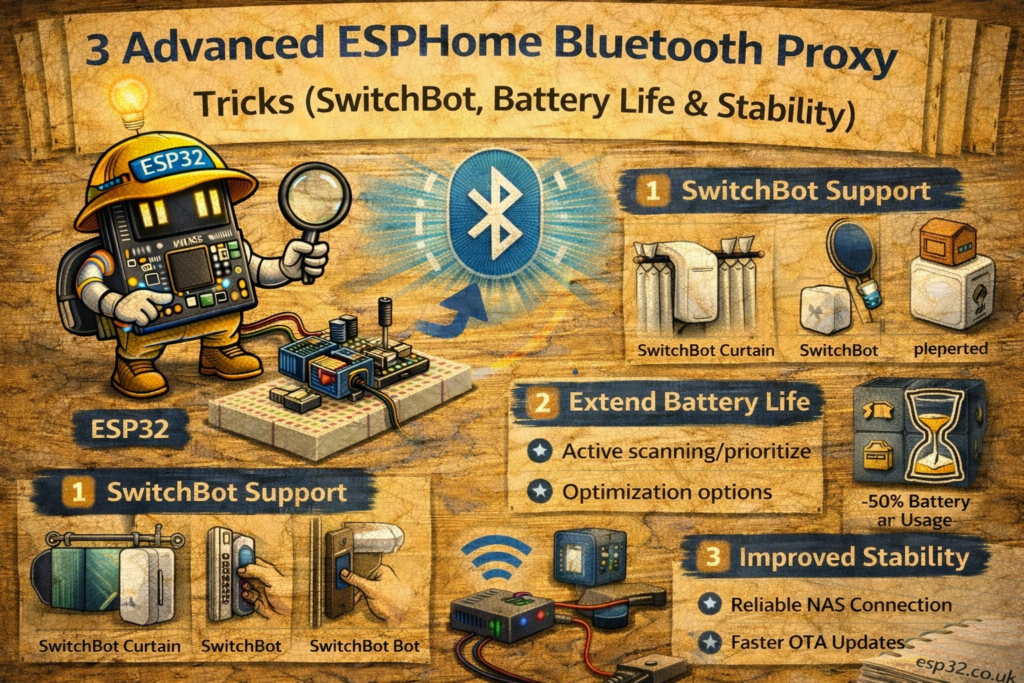
1. The Battery Killer: Active vs. Passive Scanning
The Problem: You installed a Bluetooth Proxy, and suddenly the coin cell batteries in your temperature sensors (like Xiaomi/Mijia) are dying in weeks instead of months.
The Cause: By default, ESPHome’s Bluetooth Proxy is often set to Active Scanning. This means the ESP32 doesn’t just listen; it actively shouts “HELLO?” to every device nearby, forcing them to wake up and respond. For simple sensors that just want to broadcast a temperature reading and sleep, this kills their battery.
The Fix: You need to explicitly tell ESPHome which behavior you want.
- Use Passive Scanning if you only have sensors (Xiaomi, Govee, Inkbird).
- Use Active Scanning only if you have devices that require two-way communication (SwitchBot, Fingerbots, Locks).
The Code: Add this to your ESPHome YAML configuration:
YAML
esp32_ble_tracker:
  scan_parameters:
    # Set to 'false' to save battery on your sensors
    # Set to 'true' ONLY if you need to control SwitchBots/Locks
    active: false

bluetooth_proxy:
  # This MUST remain true for Home Assistant to control devices
  active: true
Note: Even with active: false in the tracker, the bluetooth_proxy: active: true line allows Home Assistant to initiate a connection when YOU click a button. It just stops the constant “poking” of devices when idle.
2. The SwitchBot “Secret” (No Hub Required)
The Problem: You bought a SwitchBot Curtain, Lock, or Bot, but you don’t want to buy their $40 Hub Mini. You tried pairing it with Home Assistant, but it demands an “Encryption Key”.
The Solution: You don’t need the Hub. You just need the key, which is hidden inside your SwitchBot account.
How to get the Encryption Key:
- Do NOT pair the device directly to Home Assistant yet.
- Download the SwitchBot App on your phone and create an account.
- Pair your device to the phone app first.
- In Home Assistant, go to Settings > Devices > Add Integration > SwitchBot Bluetooth.
- When prompted, select “SwitchBot Account” (not “Manual”).
- Enter your SwitchBot app login details.
- Magic: Home Assistant will pull the encryption key from the cloud, save it locally, and then talk to the device directly via your ESP32 Proxy.
Pro Tip: Once the key is fetched, you can block internet access for the ESP32 (if you want local-only control), and it will keep working.
3. WiFi is the Enemy of Bluetooth
The Problem: Your Bluetooth devices continually toggle between Unavailable and Connected.
The Cause: The ESP32 uses a shared radio antenna for both 2.4GHz Wi-Fi and Bluetooth. When it’s streaming data over Wi-Fi, it stops listening for Bluetooth. This “time-sharing” causes dropped packets, especially if your Wi-Fi signal is weak.
The Fix: For mission-critical Bluetooth (like a smart lock), you should move to Ethernet. Using a wired connection frees up the radio 100% for Bluetooth duties.
Recommended Hardware for “Pro” Proxies:
- Olimex ESP32-POE: The gold standard. Powered via Ethernet (PoE), so you just run one cable to your ceiling/wall. No USB plugs needed.
- WT32-ETH01: A cheaper alternative that requires a separate 5V power supply but gives you that rock-solid Ethernet data connection.
- QuinLED-ESP32: Excellent for DIYers needing external antenna support.
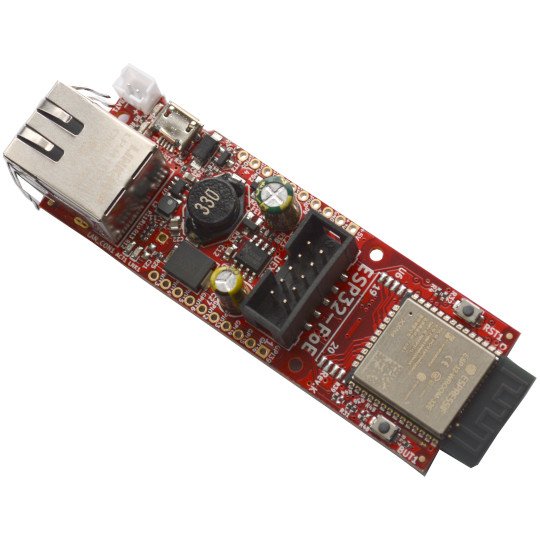
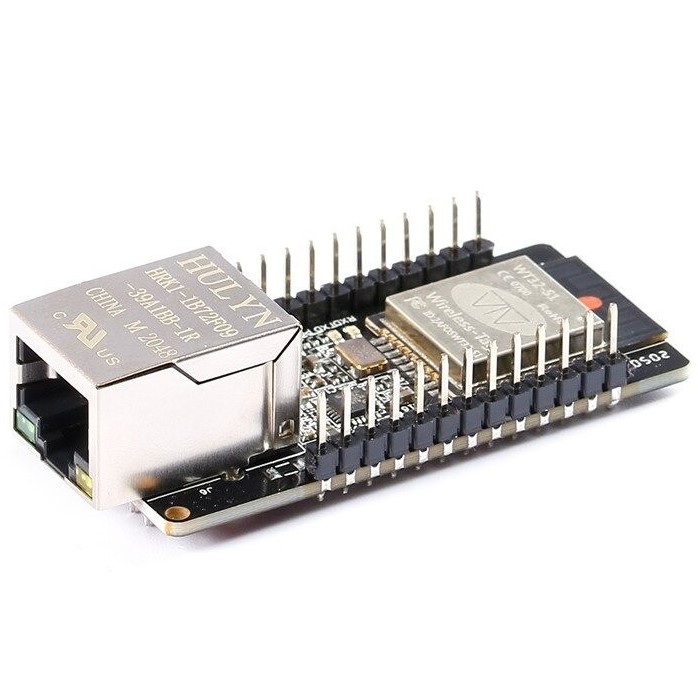
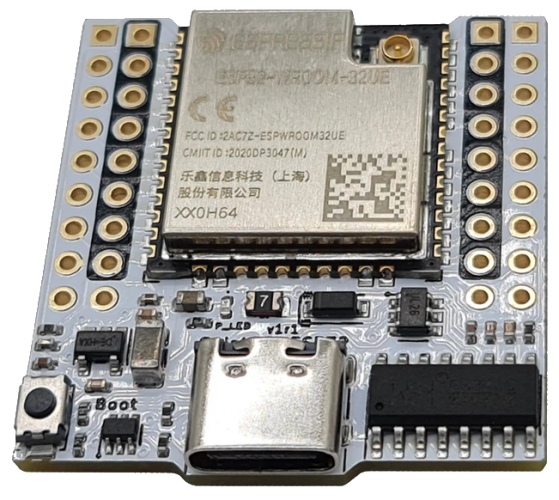
Performance Gain: Moving from Wi-Fi to Ethernet typically increases Bluetooth message reception by 30-50%, effectively “extending” your range without moving the device.
Summary Checklist
- [ ] Sensors only? Set
scan_parameters: active: falsein YAML. - [ ] SwitchBot? Use the “Account Import” trick to get your encryption keys effortlessly.
- [ ] Instability? Ditch the USB cable and Wi-Fi; upgrade to an Ethernet-based ESP32 board.
Have you tried these tweaks? Let us know in the comments if your battery life improved!