
Turn a garage door or sliding gate into a smart Home Assistant device with ESP32, a relay, and a reed switch, adding remote open/close control, closed-position feedback, notifications, and practical safety automations
A lot of garage doors and sliding gates already have a simple “push-button” input that:
- Toggles between OPEN → STOP → CLOSE → STOP
- Or just OPEN/CLOSE depending on the controller
With an ESP32, a small relay, and a reed switch you can turn that into a fully integrated Home Assistant device:
- Tap a button in HA to open/close the door
- See whether it’s OPEN or CLOSED on the dashboard
- Get notifications if it’s left open
- Add night auto-close and other safety automations
This guide focuses on:
- Relay pulse to the motor controller
- Reed switch for position feedback
- ESPHome config (plus an MQTT alternative)
- Home Assistant cover entity and automations
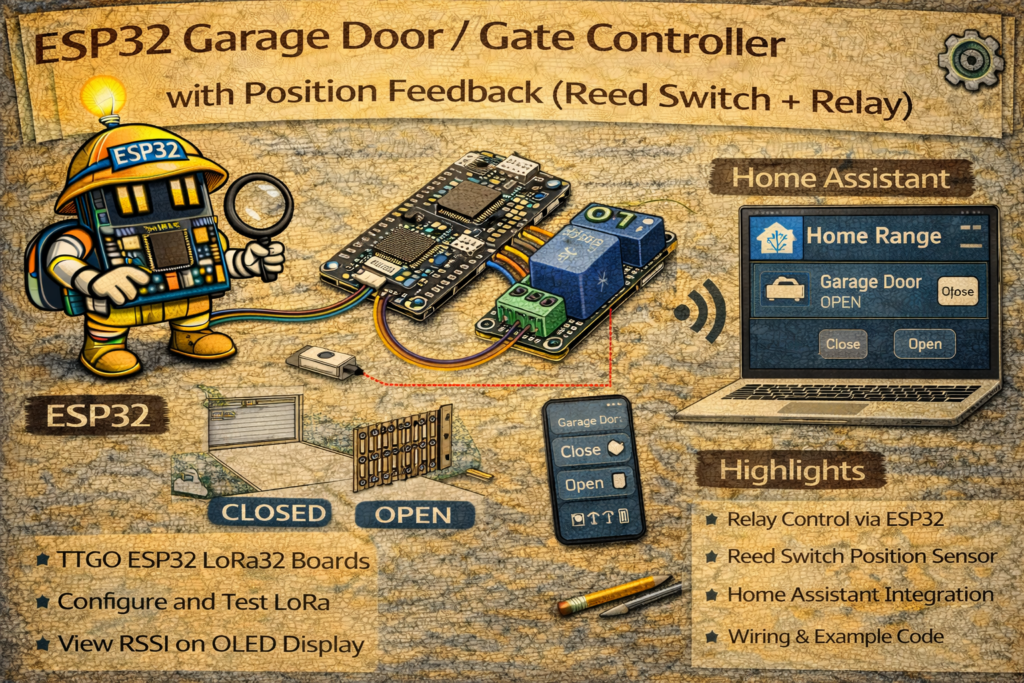
1. Safety & Integration Concept
We are not directly driving the motor power.
Instead, we emulate the wall push-button:
- Motor controller already handles:
- Limit switches
- Safety edges / photocells
- Force detection, etc.
The ESP32 just:
- Shorts the push-button terminals via relay for ~0.5 s → same as pressing the button
- Reads a reed switch (or magnetic contact) that indicates if the door is closed
This is the safest and easiest way to integrate.
⚠️ Important: All wiring should be done with the motor power off and in accordance with the controller manual. Use only the low-voltage control terminals, never experiment directly on mains.
2. Hardware Required
- ESP32 DevKit
- 1 × Relay module (3.3 V compatible signal input)
- 1 × Reed switch contact (like a door/window magnetic sensor)
- 1 × Magnet (for the door)
- Low-voltage wires to:
- Motor controller’s push-button terminals
- Reed switch mounted on the door / frame
- 5 V or 12 V DC power supply (depending on relay / control voltage)
- Optional:
- Second reed switch for fully open position
- Additional photocell / obstacle sensor (if available from controller)
3. Wiring
3.1 Relay to Motor Controller “Push-Button” Terminals
Most garage door/gate controllers have a pair of terminals marked like:
PUSH,START,KEY,PB,SW, etc.- The wall button is just a momentary switch shorting them
We will parallel the relay contacts across these two terminals.
Controller terminals: [PB1] [PB2]

Relay COM  → PB1
Relay NO   → PB2
When the relay is energized, COM–NO closes → same as pressing the button.
ESP32      Relay module
3.3V  → VCC
GND   → GND
GPIO26 → IN
If your relay board needs 5 V, power its coil from 5 V but still drive
INfrom 3.3 V (check it’s a low-level opto-isolated module that accepts 3.3 V).
3.2 Reed Switch for “Door Closed”
Use a magnetic contact like a door/window sensor:
- Reed switch on the frame
- Magnet on the door so they align when fully closed
Wire as a simple normally-open contact to ground:
ESP32 GPIO34 → one side of reed
ESP32 GND   → other side of reed
In firmware, we’ll use internal pull-up, so:
- Door closed (magnet near) → contact closed → GPIO = LOW
- Door open (magnet away) → contact open → GPIO = HIGH
You can invert logic if you prefer.
METHOD 1 – ESPHome Garage Door / Gate Controller
We’ll expose:
- A
switchfor the relay pulse - A
binary_sensorfor door closed - A template cover for a nicer UI (Open/Close/Status)
4. ESPHome Base Config
esphome:
  name: esp32-garage-door
  platform: ESP32
  board: esp32dev

wifi:
  ssid: "YOUR_WIFI"
  password: "YOUR_PASSWORD"

logger:
api:
ota:
5. Relay as a Momentary Pulse (Button Emulation)
We don’t want the relay to stay on – just a quick pulse.
switch:
  - platform: gpio
    id: garage_relay
    pin: 26
    restore_mode: ALWAYS_OFF
    name: "Garage Door Pulse (Raw)"
    icon: mdi:gesture-tap
    on_turn_on:
      - delay: 500ms
      - switch.turn_off: garage_relay
You can hide this from HA later and use only the cover entity.
6. Reed Switch – Door Closed Feedback
binary_sensor:
  - platform: gpio
    id: garage_door_closed
    name: "Garage Door Closed"
    pin:
      number: 34
      mode:
        input: true
        pullup: true
    device_class: door
    filters:
      - invert: true
      # Now: closed contact (LOW) → "on" = closed
Explanation:
- Reed closed (door closed) → pin LOW → inverted → ON (closed)
- Reed open (door moving or open) → pin HIGH → inverted → OFF
You can tweak if you prefer the opposite.
7. Template Cover in ESPHome
Home Assistant understands covers (garage doors, gates) better than raw switches.
We create a cover that:
- Uses the relay pulse for open/close
- Uses the reed switch for closed detection
- Reports open/closed/unknown accordingly
cover:
  - platform: template
    name: "Garage Door"
    id: garage_door

    device_class: garage

    # When HA asks to open:
    open_action:
      - if:
          condition:
            binary_sensor.is_on: garage_door_closed
          then:
            - switch.turn_on: garage_relay   # only pulse if currently closed

    # When HA asks to close:
    close_action:
      - if:
          condition:
            binary_sensor.is_off: garage_door_closed
          then:
            - switch.turn_on: garage_relay   # only pulse if currently open

    stop_action:
      - switch.turn_on: garage_relay         # many controllers use same button to stop

    # State logic:
    lambda: |-
      if (id(garage_door_closed).state) {
        return COVER_CLOSED;
      } else {
        // Could be open or moving; we assume OPEN if not closed
        return COVER_OPEN;
      }
You can extend this with timers to represent “opening” / “closing” states, but for most gates “open vs closed” is enough.
8. Home Assistant Dashboard
Once ESPHome is online, HA will see:
cover.garage_doorbinary_sensor.garage_door_closedswitch.garage_door_pulse_raw(if you didn’t hide it)
8.1 Garage Cover Card
type: cover-entity
entity: cover.garage_door
name: Garage Door
or
type: entities
entities:
  - cover.garage_door
  - binary_sensor.garage_door_closed
The cover card shows Open / Close buttons and status.
9. Safety & Convenience Automations
9.1 Notification if Door Left Open
Example: notify if door is open for more than 15 minutes.
automation:
  - alias: "Garage Door Left Open Alert"
    trigger:
      - platform: state
        entity_id: binary_sensor.garage_door_closed
        to: "off"
        for: "00:15:00"
    action:
      - service: notify.mobile_app
        data:
          message: "Garage door has been open for 15 minutes!"
          title: "Garage Door Alert"
9.2 Auto-Close at Night (If Still Open)
  - alias: "Garage Door Auto-Close at 23:00"
    trigger:
      - platform: time
        at: "23:00:00"
    condition:
      - condition: state
        entity_id: binary_sensor.garage_door_closed
        state: "off"     # not closed
    action:
      - service: cover.close_cover
        target:
          entity_id: cover.garage_door
Optionally, require presence, or disable if guests are around.
9.3 Block Remote Closing If Obstacle Detected
If your controller exposes an obstacle sensor or photocell state to ESP32 (as another binary_sensor), you can:
condition:
  - condition: state
    entity_id: binary_sensor.garage_obstacle
    state: "off"
before sending the close command.
METHOD 2 – MQTT-Based Garage Controller
If you prefer raw MQTT instead of ESPHome:
- ESP32:
- Relay controlled via MQTT command topic
- Reed switch reported via MQTT state topic
- Home Assistant:
- Defines:
mqtt.switchfor relaymqtt.binary_sensorfor closed- A template cover using those
- Defines:
10. Home Assistant configuration.yaml (MQTT)
10.1 Relay Switch
mqtt:
  switch:
    - name: "Garage Door Relay"
      command_topic: "home/garage/relay/set"
      state_topic: "home/garage/relay/state"
      payload_on: "ON"
      payload_off: "OFF"
      retain: false
ESP32 should:
- Treat
"ON"as “pulse then OFF” - Publish the final state
"OFF"to.../state
10.2 Reed Closed Sensor
mqtt:
  binary_sensor:
    - name: "Garage Door Closed"
      state_topic: "home/garage/closed"
      payload_on: "CLOSED"
      payload_off: "OPEN"
      device_class: door
ESP32:
- Publishes
"CLOSED"when reed is active,"OPEN"otherwise.
10.3 Template Cover Using Those
cover:
  - platform: template
    name: "Garage Door"
    device_class: garage
    open_cover:
      service: switch.turn_on
      target:
        entity_id: switch.garage_door_relay
    close_cover:
      service: switch.turn_on
      target:
        entity_id: switch.garage_door_relay
    stop_cover:
      service: switch.turn_on
      target:
        entity_id: switch.garage_door_relay
    value_template: >-
      {% if is_state('binary_sensor.garage_door_closed', 'on') %}
        closed
      {% else %}
        open
      {% endif %}
This mimics the ESPHome cover behaviour but with MQTT entities.
The same safety automations from section 9 apply.
11. Practical Tips
- Use a manual lockout:
Add aninput_boolean.garage_remote_enabledand check it in automations so you can globally disable remote operation when working in the area. - Wi-Fi & reliability:
If the node is far away (garage), make sure Wi-Fi is solid. Consider an external antenna or mesh node near the garage. - Local control preserved:
The wall button remains connected and works exactly as before—your relay is just in parallel. - Testing:
Test with no one under the door/gate. Verify:- A single pulse starts open / close
- Another pulse stops it
- Status updates correctly when closed.
Summary
With one ESP32, a relay and a reed switch you can turn a standard motorised garage door or gate into a proper Home Assistant cover:
- Relay pulse emulates the physical button
- Reed switch gives true closed/open feedback
- ESPHome or MQTT provide the integration
- Home Assistant adds dashboard control, notifications and safe automations
You keep the existing safety hardware and gain modern smart-home control on top.